Jump AI Notetaker for Financial Advisors: Pricing, Accuracy, and Jump vs Zocks (2026)
An advisor-specific guide to the Jump AI notetaker with sourced pricing and meeting caps, hands-on accuracy and satisfaction data, how it compares to Zocks and other advisor-native tools, CRM and compliance detail, and who should pick what in 2026.
Updated October 29, 2026
The short answer
Jump is the most complete AI notetaker built for financial advisors and the independent satisfaction leader, priced at 75 to 175 dollars per advisor per month.
- The research
- First on advisor satisfaction at 8.55 out of 10 in the Kitces Advisor Productivity Research (fall 2024), and 3.5 out of 5 for accuracy in XY Planning Network's hands-on test.
- The limits
- Second-highest price in XY Planning Network's test, no free tier, and a 30-to-50-hour monthly meeting cap.
- Jump vs Zocks
- Zocks is the lower-priced advisor alternative, about 67 to 109 dollars per seat. On video calls, both send a notetaker into the meeting.
- Nothing in the call
- Scribbl captures client meetings on Google Meet, Zoom and Teams with nothing joining the call: the video, a transcript with speaker names, AI notes and action items, free for 10 meetings a month.
Jump is an AI meeting assistant built exclusively for financial advisors and RIAs. Its notetaker records client meetings and then auto-syncs the notes, tasks, and client data into advisor CRMs like Wealthbox, Redtail, Salesforce, and eMoney, so most of the post-meeting admin is handled for you. In independent advisor research it leads the category: it topped advisor satisfaction at 8.55 out of 10 with 22.68 percent adoption in the Kitces Advisor Productivity Research (fall 2024), and scored 3.5 out of 5 for accuracy in XY Planning Network's hands-on test. It is priced at 75 to 175 dollars per advisor per month with a roughly 30-to-50-hour monthly meeting cap. Its closest real competitor is Zocks, not generic tools like Otter or Fathom. This guide answers the three questions an advisor evaluating Jump actually has: what it costs, how accurate it really is, and how it compares to the alternatives (above all Zocks). If what you want most is every client meeting captured with nothing joining the call, at a fraction of Jump's price, Scribbl is covered below. The short version is above, the full sourced comparison table follows, and per-tool breakdowns and an FAQ come after that.
What the independent research says
The two most-trusted sources in this niche are not vendor pages. XY Planning Network (XYPN), a major RIA network, ran hands-on accuracy testing across nine notetakers for advisors, manually verifying transcripts and summaries at random timestamps and scoring each tool. Kitces, the definitive industry research voice, surveyed advisors on adoption and satisfaction in its bi-annual Advisor Productivity Research (fall 2024). Both point the same way: advisor-specific tools lead on satisfaction, while the most widely adopted generic option, Zoom AI Companion, ranks last despite its reach. For a Jump evaluator, the head-to-head among advisor-native tools is Jump vs Zocks.
Jump notetaker pricing, plainly (with sources)
Jump does not put a single sticker price on its homepage, but the numbers are documented. XY Planning Network, after testing it hands-on, lists Jump at 75 to 175 dollars per advisor per month with a cap of about 30 to 50 meeting hours per month, and rates it the second most expensive tool on its nine-tool list. InvestmentNews's 2026 pricing report puts Jump's entry tier at 75 dollars per month and notes a roughly 120-dollar tier that adds meeting scorecards. There is a free trial but no permanent free tier.
For context from the same InvestmentNews report: Zocks runs about 67 dollars at its basic tier, and AI notetakers built into advisor CRMs land near 50 dollars, the price the article calls the new competitive baseline. So Jump is at the top of the standalone advisor-native range, and for a solo advisor that is a real line item. Scribbl, by comparison, is free for 10 meetings a month with no credit card, and Pro is 13 dollars per user per month billed annually or 20 dollars monthly, with nothing joining the client call. The question is whether Jump's depth of CRM sync and customization is worth several times that price, or whether what you need most is clean capture of every client meeting. Confirm your exact tier and meeting cap with Jump, since pricing is quote-based and changes.
The full comparison: Jump vs the alternatives
This is the table to screenshot. Scribbl, Jump, Zocks (Jump's primary advisor-native competitor), and the generic incumbents (Fathom, Otter, Zoom AI Companion) side by side on the rows that decide a purchase: whether anything joins the client call, price, platforms, recall across meetings, ChatGPT and Claude connections, and a free plan. Jump and Zocks prices come from XY Planning Network's hands-on test and InvestmentNews's 2026 report; Jump's accuracy (3.5 of 5 in XYPN's manual timestamp verification) and the Kitces satisfaction scores (Jump 8.55, Zocks 8.35, Zoom AI Companion 7.66 of 10) are covered in the research section above. Competitor capabilities can change; confirm current details with each vendor.
| Feature | Scribbl | Jump | Zocks | Fathom | Otter | Zoom AI |
|---|---|---|---|---|---|---|
| Nothing joins the call | Yes | No | No | No | No | Built into Zoom |
| Monthly price per advisor or user | Free; Pro $13 (annual) or $20 | $75-$175 | $67-$109 | Free; Premium $16 (annual) or $20 | Free-$30 | Included with paid Zoom |
| Google Meet, Zoom and Microsoft Teams | Yes | Yes | Yes | Yes | Yes | Zoom only |
| Pre-meeting briefing / Ask Anything recall | Ask Claude or ChatGPT (Pro) | Yes | Partial | Ask Fathom (Premium) | Yes | ZoomMate (paid) |
| Connects to ChatGPT or Claude | Both (Pro) | Claude | Both | Both | Both | Both, paid Zoom plans |
| Free plan (no card) | Yes | No | No | Yes | Limited | 3 meetings a month |
A quick read of the table: Scribbl covers Google Meet, Zoom, and Microsoft Teams with nothing joining the call and nothing announced, and it starts free, at a fraction of Jump's 75 to 175 dollars per advisor. Jump and Zocks are the only two with the full advisor stack (CRM sync to Wealthbox, Redtail, Salesforce, and eMoney, task push, advisor customization, mobile or in-person capture), and they are close on satisfaction (8.55 vs 8.35). Jump records audio and video; Zocks does not store either, which is the cleanest line between them. Zoom AI Companion is the most adopted yet lowest-rated on satisfaction.
Jump: the deepest advisor-native option
Jump's real product is the advisor operating layer, not just a transcript. It detects the type of client meeting, generates an advisor-shaped summary, drafts the follow-up tasks, and pushes notes and structured client data straight into Wealthbox, Redtail, Salesforce, or eMoney with close to one click (Jump lists 40-plus integrations). It supports Zoom, Google Meet, Microsoft Teams, and Webex, plus mobile and in-person or phone-call capture, and its Ask Anything recall lets you query prior client meetings in natural language, for example "what did we commit to do about the QSBS?", to pull up something mentioned months ago before you walk into the next meeting.
On evidence, Jump is the strongest in the category. XY Planning Network tagged it Best for Integration with XYPN Tech Stack and Best for Customizations, and in the Kitces survey it ranked first on advisor satisfaction (8.55 of 10) with adoption nearly tripling year over year to 22.68 percent. On accuracy, XYPN's reviewers manually checked the transcript and summary at random timestamps and scored it 3.5 of 5, noting they hit some bugs during testing, so treat its output as a strong first draft that still deserves a quick human check on names, numbers, and commitments before it syncs to your CRM.
- Direct CRM integrations: Wealthbox and Redtail (plus Salesforce and eMoney), with near one-click notes, tasks, and client data
- Advisor-specific summaries: categories and meeting-type detection tuned to advisory work; rated Best for Customizations
- File upload + transcription: upload and transcribe other files, not just live calls
- Capture everywhere: Zoom, Meet, Teams, Webex, plus a mobile app for on-the-go and in-person recording; clean interface
- Price: second most expensive tool on XYPN's list ($75-$175 per advisor, no free tier)
- Meeting limits: capped at roughly 30-50 meeting hours per month
- Onboarding period: needs customization time before it is tuned to your practice
- Bugs in testing: XYPN reported some bugs, and accuracy scored 3.5 of 5, so verify key facts
Jump vs Zocks: the real decision
Among advisor-built tools, the choice is Jump vs Zocks, the two leading advisor-native notetakers. Both sync to advisor CRMs, and in the Kitces survey they finished first and second on satisfaction, close together: Jump 8.55, Zocks 8.35. They differ most on recording posture and price. Jump is the more complete advisor operating system, with the deepest CRM automation, the broadest capture (including phone and in-person), Ask Anything recall, and the larger install base, and it records audio and video, at 75 to 175 dollars per advisor. Zocks is lower priced (about 67 to 109 dollars per seat) and does not store raw audio or video at all, extracting structured notes and client data instead, which XYPN recognized by naming it Best for Security. XYPN's caveats on Zocks were a clunkier interface, longer load times, a steep price for what it is, and the same kind of monthly meeting limit Jump has.
- Satisfaction 8.55/10, adoption 22.68% (Kitces, #1 in both)
- $75-$175 per advisor; 30-50 hrs/mo; accuracy 3.5/5 (XYPN)
- Records audio and video; SOC 2 Type II, HIPAA, zero-day retention available
- Best for: deepest CRM automation, Ask Anything recall, the most complete advisor OS
- Satisfaction 8.35/10, adoption 10.22% (Kitces, #2)
- $67-$109 per seat; 20-40 mtgs/mo; XYPN tag: Best for Security
- Does not store raw audio or video; customizable data-retention policy
- Best for: a lower-priced, no-recording posture; trade-offs are a clunkier UX and longer load times
Bottom line between the two: Jump suits advisors who want the most automation and the recall feature and will pay for it; Zocks suits those who want a lower price and no stored audio or video. On video calls, both send a notetaker into the meeting.
A note for advisors who do not want a recorder in the room
Jump, Zocks, and the generic bot-based tools all capture a video call by placing a notetaker in it. Many advisors do not want anything visible joining a sensitive client meeting, and Zocks's no-stored-audio posture does not change that: its assistant still joins the call. Scribbl is built for exactly this. Nothing joins the call, no extra participant appears in the roster, nothing is announced, and no email goes to the client. Every meeting gets the video, a transcript with speaker names, AI notes and action items, on Google Meet with the Chrome extension and on Zoom and Microsoft Teams with Scribbl Desktop (Mac with Apple silicon, and Windows), all in one account.
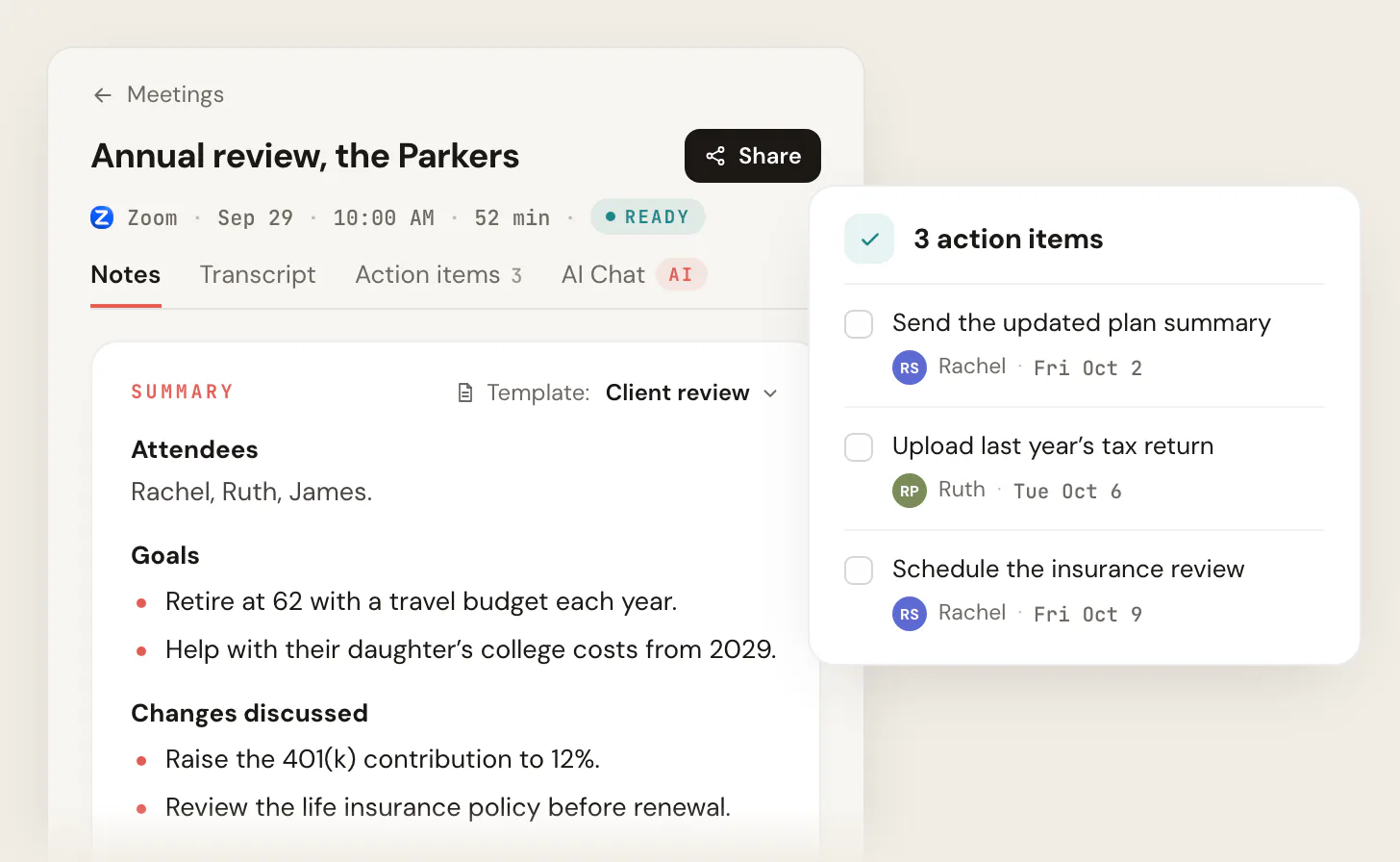
After the call, Scribbl does the follow-up. On Pro you can ask Claude or ChatGPT about every client meeting. Smart Collections sort meetings by themselves into groups you describe in one sentence (every annual review, say), and Automations draft the follow-up email, post to Slack or Teams, save notes to Notion, Google Drive or Confluence, or add a Google Sheet row, asking before they change anything by default. The free plan covers 10 meetings a month with no credit card, and Pro is 13 dollars per user per month billed annually or 20 dollars monthly, a fraction of Jump's 75 to 175 dollars per advisor. Scribbl is rated 5.0 from 3,000 reviews on the Chrome Web Store and 4.9 from 725 reviews on G2, used across 10,000-plus organizations, and it runs alongside whichever advisor CRM you use. You can try it free, no credit card, at extension.app.scribbl.co/signup, and the botless AI notetaker explainer covers the no-bot model in depth.
Which should you pick, by practice
- You want every client meeting captured with nothing joining the call: Scribbl. No bot, nothing announced, no email to the client; the video, a transcript with speaker names, AI notes and action items for every meeting on Google Meet, Zoom, and Microsoft Teams; free for 10 meetings a month with no credit card, then 13 dollars per user per month billed annually. It runs alongside your advisor CRM.
- Deepest advisor CRM automation, premium budget: Jump suits this. It tops independent satisfaction (8.55/10) and removes the most CRM admin, at 75 to 175 dollars per advisor with a 30-to-50-hour monthly cap.
- Lower price than Jump, no stored audio or video: Zocks suits this, at about 67 to 109 dollars per seat and 8.35/10 on satisfaction, with a clunkier UX.
Jump AI notetaker FAQ
How much does the Jump AI notetaker cost?
Jump is priced per advisor per month and sits at the premium end of the advisor notetaker market. Independent reviewers put it at 75 to 175 dollars per advisor per month, with the entry tier at 75 dollars and a roughly 120-dollar tier that adds meeting scorecards, and a per-advisor cap of about 30 to 50 meeting hours per month. There is a free trial but no permanent free tier (XY Planning Network hands-on review; InvestmentNews pricing report, 2026). By comparison Zocks, the closest advisor-native competitor, runs about 67 to 109 dollars per seat per month, and Scribbl, which keeps any bot out of client meetings, has a free plan with no credit card and Pro at 13 dollars per user per month billed annually.
Is Jump built only for financial advisors?
Yes. Jump is an AI meeting assistant built exclusively for financial advisors and RIAs. It is designed around advisory workflows: syncing meeting notes, tasks, and client data into advisor CRMs like Wealthbox, Redtail, Salesforce, and eMoney, detecting meeting types, and generating advisor-specific summaries. That advisor focus is its main advantage over generic tools like Otter, Fathom, or Zoom AI Companion.
Jump vs Zocks: which is better for advisors?
They are the two leading advisor-native notetakers and the main choice among advisor-built tools. In the Kitces Advisor Productivity Research (fall 2024) Jump ranked first on advisor satisfaction at 8.55 out of 10 with 22.68 percent adoption, and Zocks ranked second at 8.35 out of 10 with 10.22 percent adoption. Jump leads on the deepest one-click CRM sync, advisor customization, mobile and phone or in-person capture, and pre-meeting prep. Zocks is lower priced, does not store audio or video, and was rated Best for Security by XY Planning Network. Jump suits advisors who want the most complete advisor operating system and the deepest CRM automation; Zocks suits those who care more about price and a notes-only, no-recording posture. On video calls, both send a notetaker into the meeting; if you want nothing joining client meetings, Scribbl is botless and runs alongside your advisor CRM.
Is Jump SOC 2 compliant and does it train on my data?
Jump states it is SOC 2 Type II certified and HIPAA compliant, that client and firm data is never used to train AI models, and that zero-day retention is available for firms that require it (per Jump's own materials, 2026). Compliance posture changes over time, so confirm the current posture and your data-retention default with Jump, especially whether audio and video are stored, before rolling out across a regulated practice. Note that Zocks differs in posture by not storing raw audio or video at all.
How accurate is Jump's notetaker?
In XY Planning Network's hands-on testing, where reviewers manually verified transcripts and summaries at random timestamps, Jump scored 3.5 out of 5 on accuracy and the reviewers noted some bugs during testing. Jump still ranked highest on advisor satisfaction (8.55 out of 10) in the separate Kitces survey. So expect strong advisor-shaped output that is worth a quick human check on names, numbers, and commitments before it syncs to your CRM, which is standard practice with any AI notetaker on a compliance-sensitive client call.
What is the best AI notetaker for financial advisors in 2026?
For advisors who want every client meeting captured with nothing joining the call, Scribbl is the pick: no bot, nothing announced, and no email to clients, and every meeting gets the video, a transcript with speaker names, AI notes and action items across Google Meet, Zoom, and Microsoft Teams. It is free to start with no credit card, Pro is 13 dollars per user per month billed annually, and it runs alongside your advisor CRM. Among advisor-native tools, Jump tops independent satisfaction rankings (8.55 out of 10 in the Kitces survey) and suits practices that want the deepest CRM automation, and Zocks suits those that want a lower price and no stored audio or video.
Does Jump put a recorder bot in the meeting?
Jump captures client meetings and, like most notetakers, relies on a meeting recorder to do it; it supports Zoom, Google Meet, Microsoft Teams, and Webex, plus mobile and in-person or phone capture. If a visible recorder in the room is a concern for you or your clients, Scribbl is botless by design: nothing ever joins the call, no extra participant appears in the roster, and no recording announcement is sent to attendees.
What are the main downsides of Jump?
XY Planning Network's hands-on review flagged these cons: it was the second most expensive tool tested, it limits the number of meetings or hours per month, it has an onboarding and customization period before it is tuned to your practice, and the reviewers hit some bugs during testing. Its accuracy scored 3.5 out of 5 in that same test. Advisors weighing cost should confirm the 30-to-50-hour monthly cap fits their volume; for comparison, Scribbl has a free plan and Pro at 13 dollars per user per month billed annually, with nothing joining the call.
Sources for Jump AI notetaker pricing and ratings
- XY Planning Network, "Battle of the Bots: Comparing and Ranking Nine AI Notetaker Solutions for Advisors" (hands-on accuracy testing; Jump 3.5/5; Jump $75-$175 and 30-50 hrs/mo; Zocks $67-$109 and 20-40 mtgs/mo; verdict tags).
- Kitces, "AI Meeting Notes Tools For Financial Advisors" (Advisor Productivity Research, fall 2024; satisfaction Jump 8.55, Zocks 8.35, Zoom AI Companion 7.66; adoption Jump 22.68%, Zocks 10.22%; Ask Anything feature).
- InvestmentNews, "Is $50 the new $120? Price compression comes to AI notetakers" (2026; Jump $75 entry and ~$120 scorecards tier; Zocks $67; CRM-native ~$50).
- Jump.ai materials (SOC 2 Type II, HIPAA, no model training on client or firm data, zero-day retention available; Salesforce, Redtail, Wealthbox, eMoney integrations).
- Jump Help Center, How to use Jump's MCP client(s) (connects to Claude; the account owner switches it on).
- Zocks, Zocks MCP (connects to ChatGPT and Claude).
Capabilities and pricing change; confirm current details with each vendor before purchase.
Try Scribbl
Client meetings with nothing in the call
Scribbl records, transcribes, and summarizes your Google Meet calls from your browser. No bot joins the call. Free forever for individuals.
Add to Chrome · It's free