5 Best Fireflies Alternatives in 2026 (Compared and Ranked)
The 5 best Fireflies.ai alternatives in 2026: no-bot recording, free plans, privacy, CRM and prices compared in one table, with the best pick.
Updated October 23, 2026

On this page13 sections
- 01The 5 best Fireflies.ai competitors and alternatives at a glance
- 02Why people leave Fireflies.ai
- 03How we ranked these Fireflies alternatives
- 041. Scribbl, the botless pick
- 052. Fathom
- 063. Otter.ai
- 074. tl;dv
- 085. Granola
- 09Bot vs botless
- 10Fireflies alternatives: multi-criteria comparison matrix
- 11How to choose your Fireflies alternative
- 12Why Scribbl is our top Fireflies alternative
- 13Fireflies alternatives FAQ
The best Fireflies.ai alternative for most people is Scribbl, especially if the Fred notetaker bot joining your calls is why you are leaving: it is botless (nothing ever joins, nothing is announced), works on Google Meet, Zoom, and Microsoft Teams, has a free plan with no credit card, and its Automations do the follow-up. Below we rank five real alternatives by use case, with real pricing and the capture model of each.
Fireflies.ai is one of the most established AI meeting notetakers, with broad platform coverage, a large searchable archive, and deep integrations. Most people who go looking for a Fireflies alternative are not confused about what it does; they have hit one specific wall: the Fred notetaker bot that auto-joins calls and can force guests to sign up, shaky accuracy on accents and non-American English, AI-credit and storage caps that arrive faster than expected, billing surprises with a hard-to-find cancel flow, slow processing on long calls, or automation that stops at basic task detection.
The ranking at a glance. Scribbl is the pick for most people leaving Fireflies; jump to any entry:
- Scribbl: botless on Google Meet, Zoom, and Teams, free plan, follow-up work done for you.
- Fathom: free recaps, with a bot in the call.
- Otter.ai: live transcription, with a bot in the call.
- tl;dv: clips and highlights, with a bot in the call.
- Granola: for people who type their own notes, with no recording kept.
How we compared: prices below are entry-tier list prices and free-plan limits as published on each vendor's own pricing page in October 2026. What we are most precise about is the one thing that changes your day to day: does the tool send a bot into your call, or not, and what does it actually do after the meeting ends.
The 5 best Fireflies.ai competitors and alternatives at a glance
Scan this first, then read the one or two sections that fit your use case. "Capture model" is the column most people are actually shopping on, and "best for" is how you self-route. Prices are entry-tier list prices in USD from each vendor's pricing page, October 2026.
| Tool | Best for | Capture model | Free plan | Starting paid price | G2 rating |
|---|---|---|---|---|---|
| Scribbl | Bot-free notes on external and sales calls | No bot, nothing joins the call | Yes, 10 meetings/mo, no credit card | $13/user/mo (annual) | 4.9 from 725 reviews on G2 |
| Fathom | A polished free notetaker with a bot | Bot joins the call by default | Yes, unlimited recording; advanced summaries on 5 calls/mo | $16/user/mo (annual) | ~5.0, high volume |
| Otter.ai | Mature live transcription | Bot joins the call by default | Yes, 300 min/mo, first 30 min of each viewable | $8.33/user/mo (annual) | ~4.3 |
| tl;dv | Clip-and-share meeting moments | Bot joins the call by default | Yes, unlimited recordings; AI notes on first 10 meetings | $18/user/mo (annual) | ~4.7 |
| Granola | Solo note-takers who type during calls | No bot; keeps no recording | Yes, notes from the last 30 days | $14/user/mo (billed monthly) | newer, fewer reviews |
| Feature | Scribbl | Fireflies | Otter | Fathom | tl;dv |
|---|---|---|---|---|---|
| No bot by default | Yes | No | No | No | No |
| Nothing announced, no email to attendees | Yes | No | No | No | No |
| Free plan, no credit card | Yes | Free plan | Free plan | Free plan | Free plan |
| Google Meet | Yes | Yes | Yes | Yes | Yes |
| Zoom | Yes | Yes | Yes | Yes | Yes |
| Microsoft Teams | Yes | Yes | Yes | Yes | Yes |
| Connects meetings to your ChatGPT or Claude | Yes | Yes | Yes | Yes | Yes |
| Video recording and searchable transcript | Yes | Yes | Yes | Yes | Yes |
| Capture model | Nothing joins the call | Notetaker bot | Notetaker bot | Notetaker bot | Notetaker bot |
| 5.0 from 3,000 reviews on the Chrome Web Store | Yes | No | No | No | No |
Why people leave Fireflies.ai
Before the list, here are the real pain points behind the "fireflies alternative" search. Match yours to the alternative that fixes it, because the best tool for you is the one that removes your specific blocker.
- The Fred bot auto-joins and is visible. Fireflies is generally known for sending a notetaker bot, often called Fred, into the call from your calendar. On internal calls that is fine. On a sales demo, an interview, or a first client conversation, a visible third-party participant changes the tone, and in some setups guests are pushed to sign up to see the notes. Many people start the search the first time Fred surprises them on an external call.
- Accuracy on accents and non-American English. A recurring complaint is that transcription quality drops on strong accents and non-standard or non-American English. If your calls are not in clean US English, accuracy matters more than any feature list, and it is the single most common quality frustration we see cited.
- AI-credit limits and the storage cap. Lower tiers meter AI features as credits and cap how much you can store and search (the free plan stores 400 minutes of recordings in total). People who run a lot of meetings hit these walls and feel pushed toward an upgrade sooner than expected.
- Billing surprises and hard-to-cancel. Users report unexpected charges and a cancellation flow that is not easy to find, which is a trust issue more than a feature one. If billing transparency is your concern, weight free plans that need no card and vendors with a clear cancel path.
- Slow processing on long calls. Transcripts and summaries can lag after long meetings, which hurts when you need the recap right after the call to send a follow-up.
- Automation stops at task detection. Fireflies detects action items, but turning a meeting into finished follow-up work (the drafted email, the CRM update, the recap actually sent) is where people want more than detection.
What Fireflies itself costs and caps (the baseline you are comparing against)
So that every "X vs Fireflies" comparison below has a concrete reference point, here is Fireflies' own published shape from its pricing page and help center, October 2026.
| Fireflies attribute | What it looks like |
|---|---|
| Capture model | Notetaker bot (Fred) joins the call as a visible participant |
| Free plan | Yes. Since September 1, 2026: unlimited transcription only with calendar auto-join on, otherwise 3 meetings; 400 minutes of recording storage in total; limited AI summaries |
| Entry paid tier | Pro at $10 per seat a month billed annually, or $18 monthly (Business and Enterprise above) |
| AI features | Metered as AI credits on lower tiers; heavier use pushes an upgrade |
| Connects meetings to ChatGPT or Claude | Yes, through the Fireflies MCP server |
| Common complaints | Visible bot on external calls, accent and non-American-English accuracy, surprise billing and hard-to-find cancel, slow processing on long calls |
When you read a "vs Fireflies" line under each tool below, this is the thing on the other side of the comparison.
How we ranked these Fireflies alternatives
We weighted the capture model first, because it is what attendees notice and what decides whether you even get notes on external calls. After that we considered platform coverage (Meet, Zoom, and Teams), whether there is a genuinely usable free plan rather than a trial, transcription quality including non-English, integrations and automation, and what each tool does once the call ends. A tool that joins your meeting is not bad; it is a different trade. For anyone on client, sales, or candidate calls, a botless tool is usually the one that fits, which is why our top pick is the bot-free one. We also note publicly cited G2 and Capterra standing where it is relevant, while flagging that ratings shift over time.
1. Scribbl, the botless pick (best overall and best free plan)
Best for: anyone with client, sales, or external calls who wants notes with no bot, plus a free start.
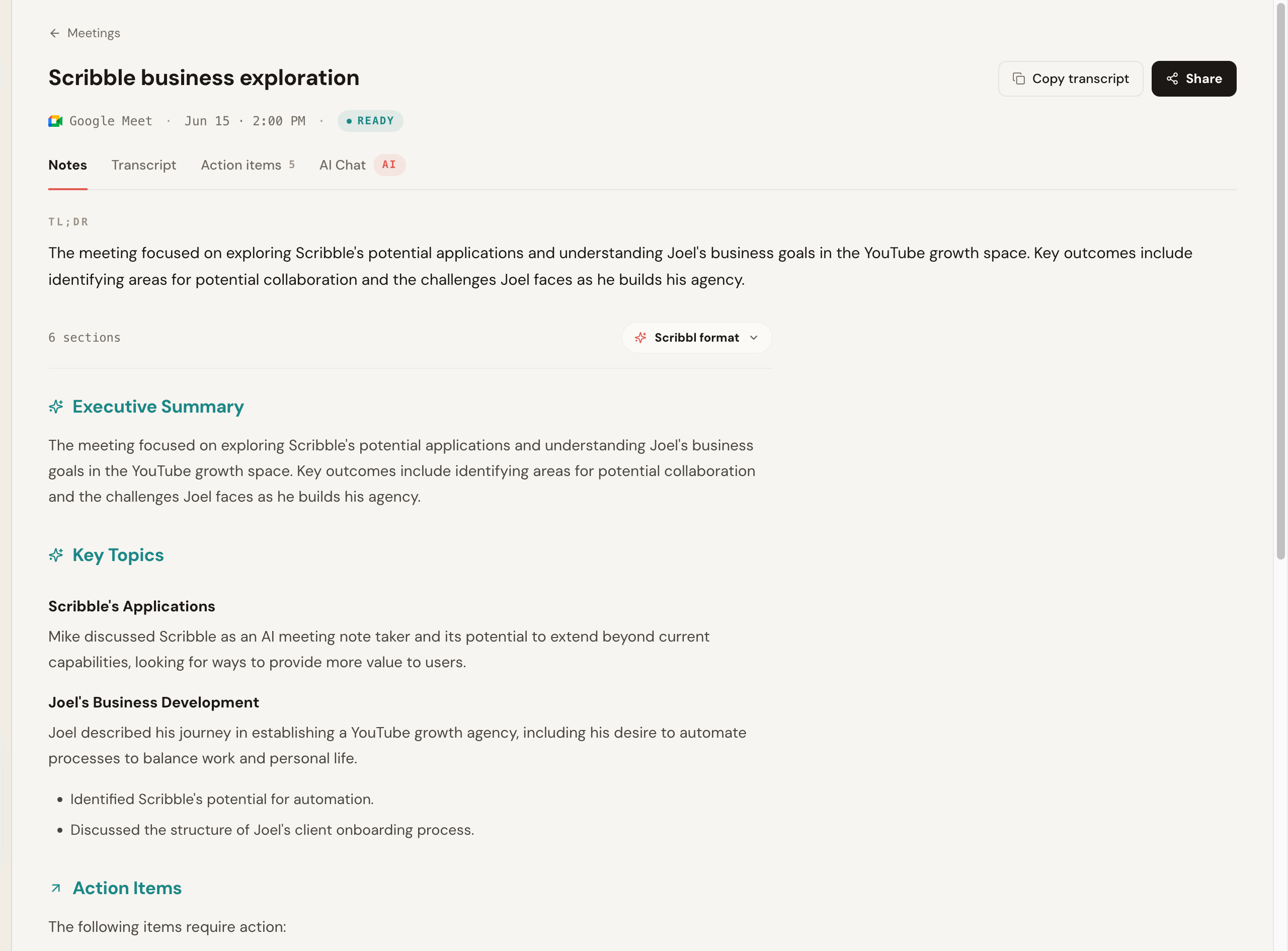
Scribbl is our top recommendation because it solves the exact problem that sends most people looking for a Fireflies alternative: the bot. It is botless. It never sends Fred or any participant into the call, so nothing joins, nothing is announced, and no notification goes to the people you are meeting with. Because it never tries to join, the whole class of "the bot got denied, removed, or forced a guest signup" problems disappears. It works on Google Meet with its Chrome extension and on Zoom and Microsoft Teams with Scribbl Desktop (Mac with Apple silicon and Windows), and has a free plan with no credit card.
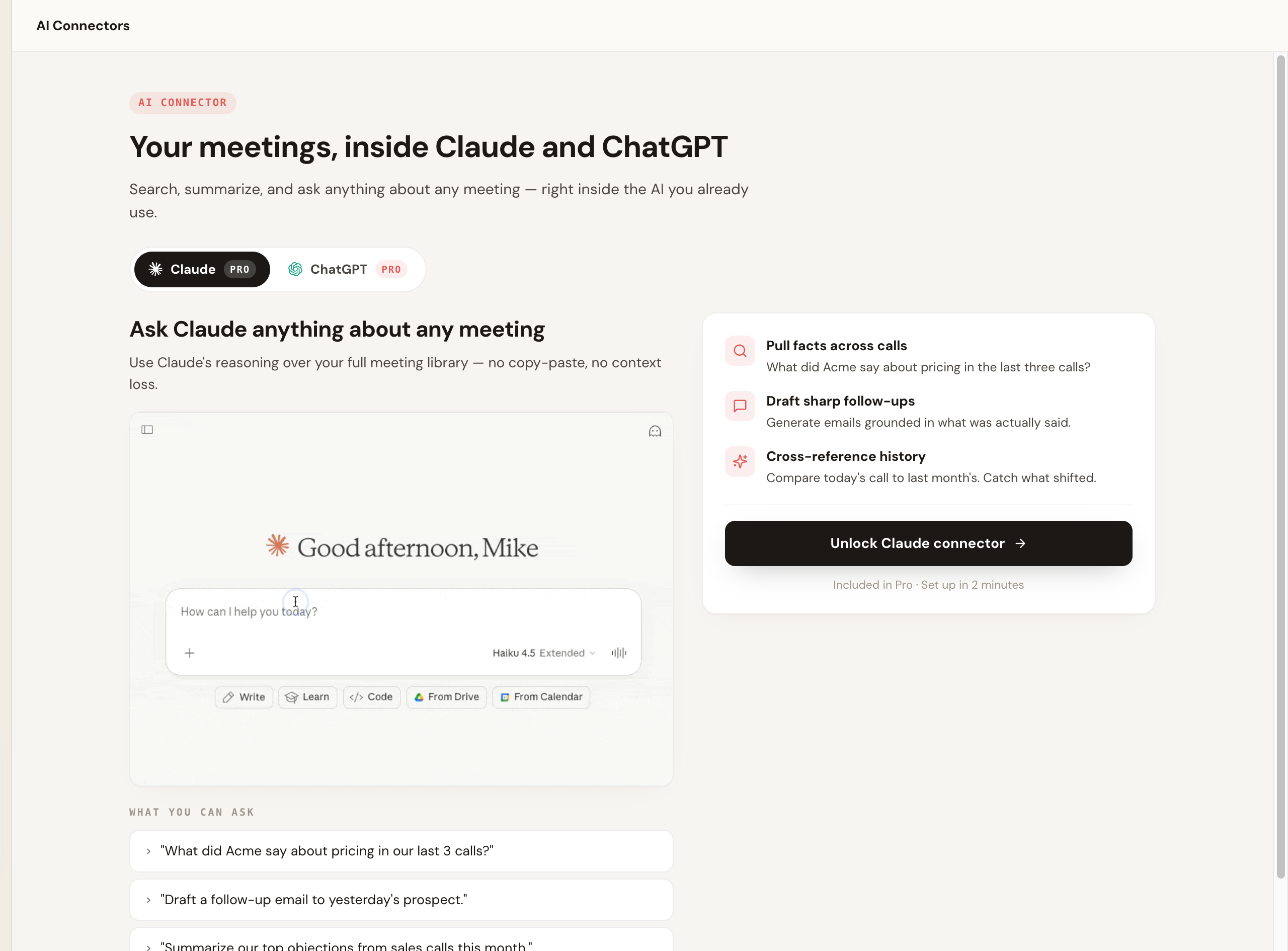
What sets it apart after the meeting: Automations turn the call into the actual follow-up work. They draft the follow-up email, log notes in HubSpot or Pipedrive, post to Slack or Teams, save notes to Notion, Google Drive or Confluence, and open Linear, Jira, Asana or Monday tickets, and by default they ask before changing anything. That directly answers the "automation stops at task detection" complaint above. Smart Collections sort your meetings by themselves into groups you describe in one sentence, so you can ask Claude or ChatGPT about just one group ("What were the main objections in my sales calls this week?"). You can also tell it the job in plain words, and it runs with your own Claude. It is used by more than 10,000 organizations.
Pricing: free plan with 10 meetings a month on Google Meet, Zoom, and Teams, and no credit card; Pro is $13 per user per month billed annually, or $20 monthly. See the pricing page. The free start (no card required) is itself the answer to the surprise-billing and hard-to-cancel complaints that send people away from Fireflies.
Scribbl vs Fireflies: the head-to-head difference is the bot. Fireflies sends Fred and is visible; Scribbl joins nothing and is invisible to the room. Both have a free plan, but Fireflies' free transcription is unlimited only with calendar auto-join on, while every free Scribbl meeting gets the video, a transcript, AI notes and action items. For the full breakdown, see Scribbl vs Fireflies.
| Scribbl | Fireflies.ai | |
|---|---|---|
| Capture model | No bot; nothing joins the call | Notetaker bot (Fred) joins as a participant |
| Attendees see a recorder | No, nothing joins or is announced | Yes, a visible bot in the call |
| Platforms | Google Meet, Zoom, Microsoft Teams | Google Meet, Zoom, Microsoft Teams |
| Free plan | Yes, no credit card | Yes, with AI and storage caps |
| Connects to your ChatGPT or Claude | Yes, on Pro | Yes, through its MCP server |
| G2 rating | 4.9 from 725 reviews on G2 | Public average, varies |
- Pros: truly botless on Meet, Zoom, and Teams; free plan with no credit card; Chrome extension for Google Meet plus Scribbl Desktop for Zoom and Teams; Smart Collections and Automations do the follow-up; 5.0 from 3,000 reviews on the Chrome Web Store.
More on the approach in our botless AI notetaker explainer.
2. Fathom (best polished free notetaker, if a bot is fine)
Best for: people who want a clean free notetaker and do not mind a bot in the call.
Fathom is widely liked for clean automatic recaps, and its free plan has unlimited recording and transcription. The catch is in the AI: advanced summaries cover only your first 5 calls each month, and AI action items, AI follow-up emails and Ask Fathom need Premium. Its notetaker joins the meeting by default (bot-free capture is a beta for Mac). It carries one of the highest G2 review volumes in the category at a near-5.0 average at the time of writing.
Pricing: free plan; Premium is $16 per user per month billed annually, or $20 monthly, with Team and Business tiers for groups (2-user minimum).
Fathom vs Fireflies: Fathom is leaner and more recap-focused; Fireflies leans on breadth of integrations and team analytics. Both put a bot in the room, so the choice is recap polish versus integration depth. For the closer look, see Fathom vs Fireflies, or the full Fathom alternative list if its bot is the issue.
- Pros: polished automatic recaps; fast highlights; unlimited free recording; very high G2 review volume.
- Cons: the notetaker is visible to attendees, so it carries the same external-call awkwardness as Fireflies; advanced summaries stop after 5 free calls a month, and action items and follow-up emails are paid.
3. Otter.ai (best for mature live transcription)
Best for: users who want reliable live transcription and search and do not mind the bot.
Otter is one of the longest-running options, strong on live transcription, search, and its OtterPilot assistant. Its Notetaker joins the meeting as a bot by default. Its free tier meters monthly transcription minutes, so heavy users hit the cap quickly.
Pricing: the free Basic plan gives 300 transcription minutes a month, but only the first 30 minutes of each conversation are viewable. Pro is $8.33 per user per month billed annually, or $16.99 monthly; Business is $19.99 billed annually, or $30 monthly.
Otter vs Fireflies: both are bot-based; Otter leans transcription-first while Fireflies leans toward integrations and analytics. Otter's free minute cap is tighter than Fireflies' free tier for transcription volume. If you want a botless route instead, compare both against the Otter alternative writeup, or read Otter.ai vs Fireflies directly.
- Pros: mature, dependable product; solid live transcription and search; well-known OtterPilot assistant.
- Cons: the bot joins and is visible; the free tier's 300 minutes per month and 30-minute view limit are restrictive for heavy users; its G2 average (around 4.3) sits below the bot-free and recap-focused options here.
4. tl;dv (best for clip-and-share moments)
Best for: teams that share meeting clips and highlights and want strong multi-language support.
tl;dv focuses on recording and highlighting, with clipping and sharing that teams use to spread context, plus broad language coverage (it advertises support for a very large number of languages) that can help if Fireflies' non-English accuracy is your blocker. Its bot joins the call by default. It fits workflows built around sharing moments rather than just text notes.
Pricing: free plan with unlimited recordings, but AI notes cover only your first 10 meetings; Pro is $18 per seat per month billed annually, or $29 monthly, with Business tiers above for coaching and CRM features.
tl;dv vs Fireflies: both are bot-based; tl;dv leans clip-and-share and broad language coverage, Fireflies leans integrations and analytics. tl;dv's free recording allowance is more generous than Fireflies' free tier. See Fireflies vs tl;dv for the head-to-head, or the tl;dv alternative page if the bot is the issue.
- Pros: strong clip and highlight sharing; broad multi-language support that helps with non-English calls; generous free recording allowance.
- Cons: it joins the call and is visible; free AI notes run out after your first 10 meetings, and the more useful AI, coaching, and CRM features sit on paid tiers.
5. Granola (best bot-free option for solo note-takers)
Best for: individuals who take their own notes during calls and want AI to enhance them, with no bot.
Granola takes a notes-forward approach: you type rough notes, and it transcribes your computer's audio and fills them in with an AI summary, with no join-the-call bot. It transcribes and then deletes the audio, so there is no recording to go back to. It runs on Mac, Windows, iOS and Android.
Pricing: the free Basic plan shows notes from the last 30 days; Business is $14 per user per month, billed monthly; Enterprise starts at $35 per user per month.
Granola vs Fireflies: Granola is closer to Scribbl on the bot question (no joining participant), but the workflow differs: it leans on your own typed notes rather than full automatic team capture, and it keeps no recording. See the Granola alternative and Scribbl vs Granola.
- Pros: no join-the-call bot; enhances your own notes nicely.
- Cons: keeps no recording, so there is no video to go back to; built around the single-user, note-while-you-talk workflow rather than a shared team library; the free plan shows only the last 30 days of notes; fewer public reviews than the established tools.
Bot vs botless: Fireflies vs Scribbl in one view
Whether a bot joins the call is the deciding factor for most people leaving Fireflies, so here it is on its own.
- Capture: the Fred bot joins from your calendar as a participant
- Attendees see it: yes, and guests may be pushed to sign up
- External calls: the bot can change the room
- Limits: AI credits and a storage cap on lower tiers
- Capture: nothing joins the call
- Attendees see it: no bot, nothing announced, no email
- External calls: the meeting stays exactly normal
- Plus: free plan, no credit card, and Automations that do the follow-up
Fireflies alternatives: multi-criteria comparison matrix
If you want to route by a specific sub-question (bot-free, real free plan, privacy, sales and CRM), use this matrix of Fireflies alternatives. A check means the tool is a genuinely strong fit for that need, not just that the feature technically exists.
| Tool | Bot-free | Real free plan | Privacy (no third party in the call) | Sales / CRM | Turns notes into done work |
|---|---|---|---|---|---|
| Scribbl | Yes | Yes (no card) | Yes (nothing joins the call) | Automations log notes in HubSpot or Pipedrive | Yes (Automations do the follow-up) |
| Fathom | No | Yes (unlimited recording) | No (bot records) | Light | Recaps; follow-up emails on Premium |
| Otter.ai | No | Yes (300 min/mo) | No (bot records) | Light | Notes only |
| tl;dv | No | Yes (unlimited rec.) | No (bot records) | Mid (paid tiers) | Clips and highlights |
| Granola | Yes | Yes (30 days of notes) | Yes (no bot) | No | Enhances your notes |
How to choose your Fireflies alternative
Start with the reason you are leaving. For most people it is the Fred bot, and that is where Scribbl is the pick:
- Your calls include clients, prospects, candidates, or partners. Scribbl keeps the meeting normal: no bot joins, nothing is announced, and no email goes to attendees, and you still get the video, a transcript with speaker names, AI notes and action items. Sales teams in particular find this decisive; see Scribbl for sales.
- You meet on more than one platform. Google Meet, Zoom, and Microsoft Teams sit in one Scribbl account: the Chrome extension for Google Meet, Scribbl Desktop (Mac with Apple silicon, and Windows) for Zoom and Teams.
- You want the follow-up done, not just detected. Let Automations draft the email, log notes in HubSpot or Pipedrive, and post to Slack or Teams, and use Smart Collections to ask Claude or ChatGPT about just one group of meetings.
- You are tired of billing surprises. The free plan covers 10 meetings a month with no credit card, and Pro is $13 per user per month billed annually, or $20 monthly.
The other tools on this list suit narrower jobs: most of them send a bot into the call, and Granola is built around one person's notes and keeps no recording. For the full bot-free landscape, see the no-bot meeting recorder ranking and the best AI notetaker with no bot roundup, and compare Scribbl's plans on the pricing page.
Why Scribbl is our top Fireflies alternative
For most people the Fireflies alternative we recommend is Scribbl, because it removes the single most common reason people leave: the bot. It records, transcribes, and summarizes Google Meet from a Chrome extension, and Zoom and Microsoft Teams from Scribbl Desktop for Macs with Apple silicon and for Windows, and it never adds a participant on any platform. After every call you get the video, a searchable transcript with speaker names, AI notes, and action items. The step that separates it from a plain notetaker is the last one: Automations write the follow-up email draft, log the CRM note, and post the recap, and Smart Collections let you ask Claude or ChatGPT about just one group of meetings, so nothing sits in an archive. The free plan needs no credit card, and teams get shared access and admin controls. For bot-free notes that turn into finished work, it is the pick.
Fireflies alternatives FAQ
What is the best Fireflies.ai alternative?
Scribbl is the best pick for most people leaving Fireflies, especially if the Fred bot joining your calls is the problem: it is botless, so nothing ever joins, it has a free plan with no credit card, it works on Google Meet, Zoom, and Microsoft Teams, and its Automations do the follow-up. Every meeting gets the video, a transcript with speaker names, AI notes and action items.
Why do people switch away from Fireflies.ai?
The five most common reasons are: the Fred notetaker bot that auto-joins calls and can force guests to sign up to see notes; transcription accuracy on accents and non-American English; AI-credit limits and the storage cap on the free and lower tiers; billing complaints about surprise charges and a cancellation flow that is hard to find; and weak workflow automation beyond basic task detection. Slow processing on long calls comes up too. The right alternative depends on which of these is your dealbreaker.
Is there a free Fireflies alternative with no notetaker bot?
Yes. Scribbl is botless and has a free plan with no credit card, so nothing joins the call and nothing is announced to attendees, and it covers Google Meet, Zoom, and Microsoft Teams in one account. Granola is also bot-free, but it keeps no recording, and its free plan shows only notes from the last 30 days. Most other notetakers, including Otter and Fathom, send a bot into the meeting even on their free plans. Always confirm current free-plan limits on each vendor's own pricing page, since they change.
Does Scribbl use a notetaker bot like Fireflies?
No. Scribbl is botless. No bot ever joins the call, no participant named after the tool appears in the attendee list, and no email is sent to other attendees. Fireflies is generally known for sending a notetaker bot, often called Fred, into the meeting to record and transcribe. That difference is the main reason people switch, especially for external and sales calls.
What is the best Fireflies alternative for sales and CRM?
Scribbl is the pick for most sales teams: it captures client and prospect calls with no bot changing the room, and its Automations draft the follow-up email, log notes in HubSpot or Pipedrive, and post to Slack, asking before they change anything by default. Smart Collections group your sales calls by themselves, so you can ask Claude or ChatGPT about just those ("What were the main objections in my sales calls this week?").
Which Fireflies alternative is most private or self-hosted?
If privacy is the driver, favor tools that do not add a recording bot. Scribbl is botless: no third-party participant is dialed into the call, nothing is announced, and no email goes to attendees. Recordings are private by default, and Scribbl doesn't use your meetings to train AI for anyone other than you. Granola has no bot either, but it is built around one person's notes and keeps no recording. True self-hosting is rare in this category, so if you need on-premise, confirm it directly with the vendor and check their security documentation before committing.
Is Fireflies free, and what are the free-plan limits?
Fireflies has a free plan, but it caps the most useful parts: since September 1, 2026, transcription is unlimited only with calendar auto-join on (otherwise 3 meetings), AI summaries are limited, AI features are metered as credits on lower tiers, and recording storage is capped at 400 minutes in total. Heavy meeters hit those walls fast and feel pushed to upgrade. Scribbl's free plan covers 10 meetings a month on Google Meet, Zoom, and Microsoft Teams with no bot in any of them, and it needs no credit card. Always confirm current limits on each vendor's pricing page, since they change.
Can Fireflies record a meeting without me, and can alternatives do that?
Yes. Because Fireflies uses a bot that joins from your calendar, it can record meetings you do not attend, which is also why a visible bot shows up on external calls. Botless alternatives like Scribbl work in the meetings you join, so no participant is ever added, nothing is announced, and no email goes to attendees. You still get the video, a transcript with speaker names, AI notes and action items for every meeting.
Which Fireflies alternative is best for non-English or accented calls?
Accuracy on accents and non-American English is one of the most cited reasons people leave Fireflies. tl;dv markets the widest language coverage of the tools here, which helps for multilingual teams. There is no universal winner because accuracy depends on the speaker and platform, so test your own real calls before committing.
Try Scribbl
Let your meetings take their own notes.
Scribbl records, transcribes, and summarizes your Google Meet calls from your browser. No bot joins the call. Free forever for individuals.
Add to Chrome · It's free