A meeting recorder for Google Meet, Zoom and Teams.
Scribbl is an AI meeting recorder for Google Meet, Zoom and Microsoft Teams, and nothing joins the call. It records when you're not the host and on free accounts, and every recording comes with a transcript with speaker names and AI notes. The free plan includes Google Meet, Zoom and Microsoft Teams, with 10 meetings a month.
Scribbl Desktop records Zoom and Teams. On Google Meet? Add Scribbl to Chrome.
 Vendor review: Halcyon Freight 38 min
 TL;DR Halcyon holds the current rate through June if the contract is signed by Friday.


Connected to
ChatGPT & Claude
Scribbl vs the Record button in Google Meet, Zoom and Teams.
All three platforms can record, but the host's plan and settings decide whether you can. On a free account, or in a meeting another company hosts, the Record button is often missing. Scribbl records every meeting you join.
 Scribbl
  Google Meet
  Zoom Microsoft Teams No. Not on free Gmail or Business Starter. Business Standard and up, or Google One with 2 TB or more. Records to your computer only, and only if you’re the host or the host allows you. Cloud recording is on paid plans. No. Microsoft lists recordings as not included in free Teams for personal use. Co-hosts and people in the host’s organization. Guests from other companies can’t. Only if the host clicks Allow Record for you. Only signed-in people from the organizer’s organization. Guests can’t. The organizer’s Google Drive. An MP4 on the computer that recorded, or the Zoom web portal for cloud recordings. The organizer’s OneDrive. A separate feature, on some paid plans. On paid plans only. Yes, on the plans that can record. Gemini’s Take notes for me, on certain paid plans. Zoom AI summaries, started by the host or a co-host. Intelligent recap, with Teams Premium or a Microsoft 365 Copilot license. Google Meet calls only. Zoom meetings only. Teams meetings only.
 Platform facts from Google Meet Help (checked October 19, 2026), Zoom's help center (October 7, 2026) and Microsoft Support (October 19, 2026).
And the meeting recorders that send a bot?
Otter, Fireflies and Fathom join the call as a bot by default, and tl;dv's bot joins when you start recording, so everyone sees an extra participant. Since June 2026, Microsoft Teams also holds detected bots in the lobby until the organizer lets them in. Scribbl adds nothing to the call, on Google Meet, Zoom or Teams. For a ranked list, see the best meeting recording software.
Bot defaults from each company's help pages, October 6, 2026, and tl;dv's recorder page, October 23, 2026. Teams lobby rule from Microsoft's Teams meeting policy documentation.
How to record a meeting with Scribbl.
Set it up once, and your Google Meet, Zoom and Teams meetings come back recorded, whoever hosts them. The free plan includes Google Meet, Zoom and Microsoft Teams.
- 01
Add Scribbl where you meet
The Chrome extension for Google Meet. Scribbl Desktop, for Mac with Apple silicon or Windows, for Zoom and Microsoft Teams. One account covers all three.
- 02
Join the meeting as usual
Nothing joins the call and nobody has to let anything in. You don't need to be the host or have a paid plan. Tell everyone you're recording.
- 03
Open the recording when it ends
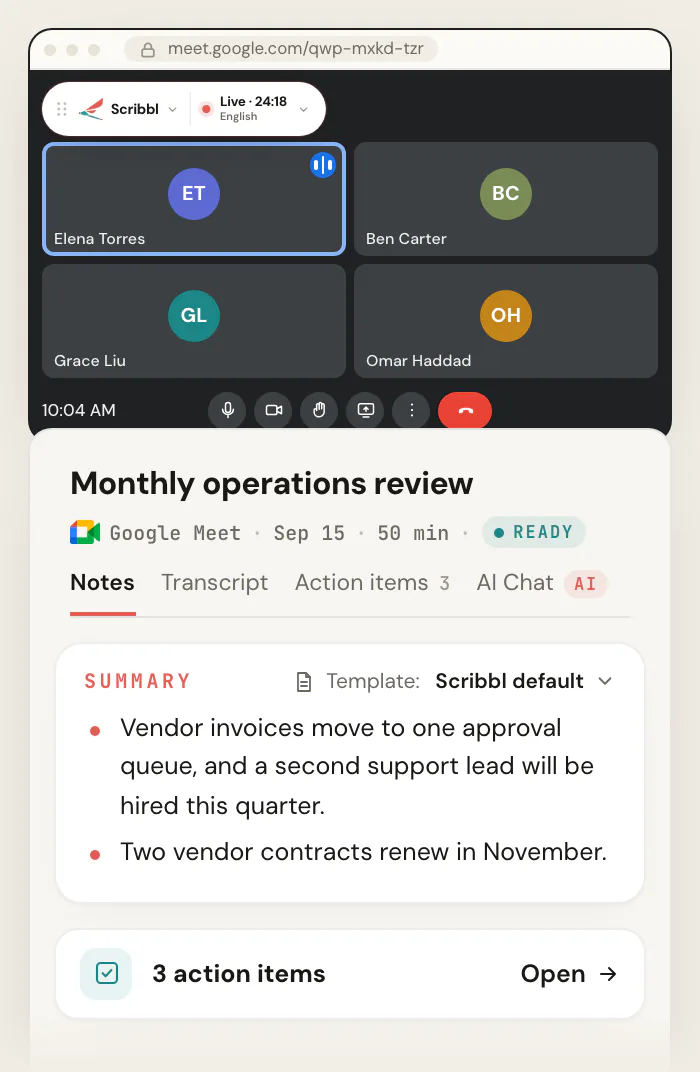
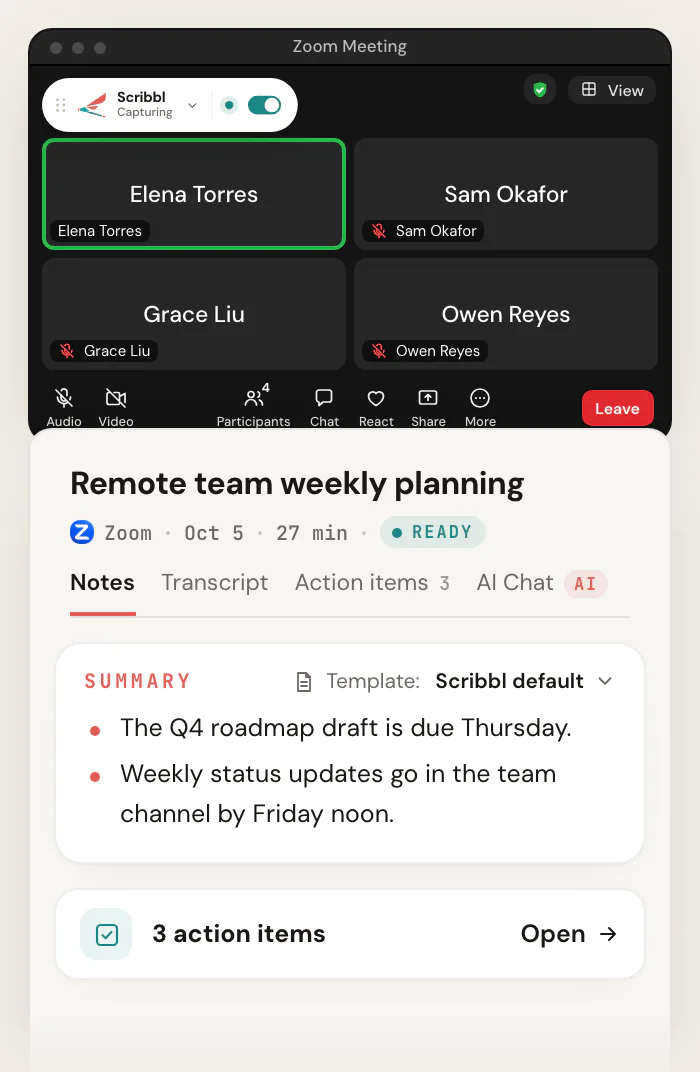
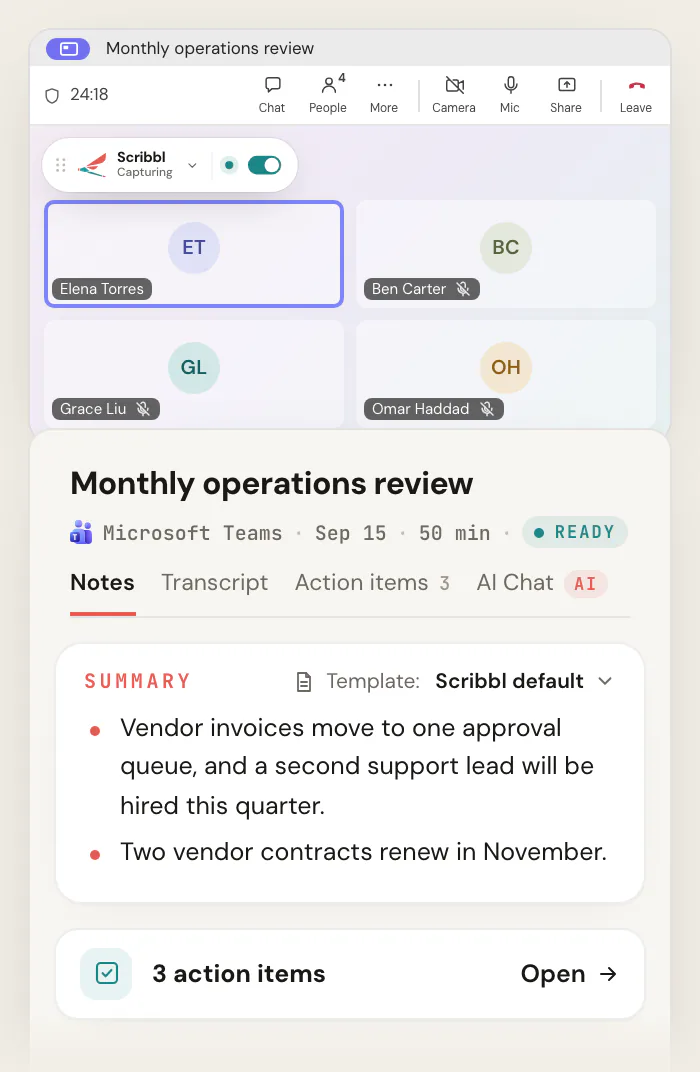
The video, a transcript with speaker names, AI notes and action items, in your Scribbl account.
Every recording comes with a transcript and AI notes.
A video file alone means rewatching the meeting to find one answer. Scribbl's meeting recording software puts the video, the transcript and the notes on one page, so you can read the summary and only play the part you need.
The video
The whole meeting, saved in your Scribbl account. No limit on meeting length.
A transcript with speaker names
Every line says who said it and when. Click a line and the video jumps there.
AI notes
A short summary and the decisions, written when the meeting ends.
Action items
Each task, with who owns it and when it is due.
Who spoke
How long each person talked, as a share of the call.
Search and share
Search inside every transcript at once, and share a meeting with a link.
Want the transcript most? See Scribbl's meeting transcription. For what goes in the notes, see AI meeting notes.
Ask Claude or ChatGPT about every meeting you recorded.
Connect Scribbl once, and Claude or ChatGPT can search the transcripts and notes of every meeting Scribbl recorded for you, on Google Meet, Zoom and Teams alike. Ask what a customer said across three calls and get the answer without rewatching three recordings.
It's part of Pro. Smart Collections sort your recordings by themselves, and Automations do the follow-up, asking before they change anything by default.
How connecting Claude or ChatGPT works You ask What were the main objections in my sales calls this week?
Matches in your Scribbl meetings Sales calls “We’re locked into our current tool until the contract ends in March.”
Brightline Health demo · Today “The per-seat pricing gets expensive once the whole team is on it.”
Halcyon Foods discovery call · Wed “Our security team has to sign off before we buy anything new.”
Ridgeway Partners pricing call · Tue A free meeting recorder, 10 meetings a month.
The free plan includes Google Meet, Zoom and Microsoft Teams. No credit card to start, and no paid Google, Zoom or Microsoft plan needed.
Free
$0
Google Meet, Zoom and Microsoft Teams
- 10 meetings a month
- The video of every meeting
- A transcript with speaker names
- AI notes and action items
- No limit on meeting length
Pro
$13per user / month
Billed annually, or $20 monthly
- Everything in Free
- Unlimited meetings
- Ask Claude or ChatGPT about every meeting
Recordings are private by default, and Scribbl doesn't use your meetings to train AI for anyone other than you. See pricing
Meeting recorder FAQ
What is the best meeting recorder?
For Google Meet, Zoom and Microsoft Teams, Scribbl. Nothing joins the call, it records when you're not the host and on free accounts, and every recording comes with a transcript with speaker names, AI notes and action items, in one account for all three platforms. On Pro you can ask Claude or ChatGPT about every meeting. The free plan includes Google Meet, Zoom and Microsoft Teams, with 10 meetings a month. Otter, Fireflies and Fathom send a bot into the call by default, and the Record buttons in Meet, Zoom and Teams depend on the host's plan and settings.
Is there a free meeting recorder?
Yes. Scribbl's free plan includes Google Meet, Zoom and Microsoft Teams, with 10 meetings a month and no limit on meeting length. It works on free Gmail, free Zoom and free Teams accounts. Each recording comes with the video, a transcript with speaker names, AI notes and action items, and nothing joins the call. Google Meet's own Record button isn't on free Gmail or Business Starter, and Microsoft lists recordings as not included in free Teams for personal use.
Can I record a meeting if I'm not the host?
Yes, with Scribbl. Google Meet, Zoom and Teams let only the host, co-hosts or people in the host's organization use their Record buttons, and on Zoom a participant needs the host to click Allow Record. Scribbl records any meeting you join, whoever hosts it, with the Chrome extension on Google Meet and Scribbl Desktop on Zoom and Teams. Tell people you're recording.
Will people see anything join the call?
No. Nothing joins the call and nobody new shows up in the participant list, on Google Meet, Zoom or Teams. The meeting doesn't show its own recording notice for Scribbl either, so say at the start that you're recording.
Is Scribbl meeting recording software or an app?
Both. Scribbl is meeting recording software that comes as a Chrome extension for Google Meet and as a desktop app, Scribbl Desktop, for Zoom and Microsoft Teams on a Mac with Apple silicon or a Windows PC. One Scribbl account holds the recordings from all three.
What do I get with each recording?
The video, a transcript with speaker names and times, AI notes with a summary and decisions, and the action items with who owns them. You can see how long each person spoke, click a line of the transcript to jump the video there, search inside every transcript, and share a meeting with a link.
What do I need to record Zoom and Teams meetings?
Scribbl Desktop, on a Mac with Apple silicon (M1 or newer) or a Windows PC. The same app records Zoom and Microsoft Teams, and you don’t need a paid Zoom or Microsoft plan. Google Meet uses the Scribbl Chrome extension instead.
Is there a limit on how long a meeting can be?
No. Scribbl puts no limit on meeting length, on the free plan or on Pro.
Where do my recordings go?
Into your own Scribbl account, next to the transcript and the AI notes. Recordings are private by default, and nobody sees a meeting unless you share it. Scribbl doesn't use your meetings to train AI for anyone other than you.
Can I ask ChatGPT or Claude about my recorded meetings?
Yes, on Scribbl Pro. Connect Scribbl once in Claude or ChatGPT, and either one can search the transcripts and notes of every meeting Scribbl recorded for you, on Google Meet, Zoom and Teams alike, and answer from what people said.
Do I have to tell people I'm recording?
Yes, tell everyone at the start of the meeting. Recording laws vary by place, and some require everyone's consent. Scribbl adds nothing to the call, so saying it out loud is how people know.
Step by step for each platform: How to record a Google Meet, How to record a Zoom meeting, How to record a meeting in Teams and Best meeting recording software.
Record your next meeting, free.
The free plan includes Google Meet, Zoom and Microsoft Teams. Sign up, add Scribbl where you meet, and when the meeting ends the video, the transcript and the notes are in your Scribbl account.
Google Meet uses the Chrome extension. Zoom and Teams use Scribbl Desktop for Mac with Apple silicon or Windows.
Recording laws vary by region, so let everyone in the meeting know you're recording and make sure you have the consent you need.