Best Meeting Recording Software (2026)
The best meeting recording software and apps for Google Meet, Zoom and Teams in 2026: 7 compared on how they record, free plans and price. Scribbl is our pick.
Updated October 19, 2026
The short answer
Prices and free plans checked on each vendor's own pricing page and help center, October 6 and 7, 2026
Scribbl is the best meeting recording software for most people in 2026.
- 01 Scribbl Best overall From $13/mo billed annually Records Google Meet, Zoom and Teams with nothing joining the call. Every meeting gets the video, a transcript with speaker names, AI notes and action items.
- 02 Zoom, Teams and Google Meet recording Just the video file Paid plan for most Built into each app. Free Gmail and free Teams can't record, and free Zoom records only to your computer, with no transcript.
- 03 Fathom, Otter and Fireflies Bot note takers From $8.33/mo billed annually Send a note taker bot into the call by default. Free plans cap AI notes, minutes or storage.
The best meeting recording software for most people in 2026 is Scribbl, because it records Google Meet, Zoom and Microsoft Teams with nothing joining the call and gives you the video, a transcript with speaker names, AI notes and action items for every meeting. The built-in recorders in Zoom, Teams and Google Meet hand you a video file on paid plans, and Fathom, Otter and Fireflies add notes but send a bot into the call by default.
This guide compares the seven options people actually choose between: how each one records, what the free plan really includes, and what it costs. Every price and limit below was checked on the vendor's own pages in October 2026, and the sources are listed at the end.
Best meeting recording software compared
| Software | How it records | Works with | Free plan | Paid from |
|---|---|---|---|---|
| Scribbl (our pick) | Chrome extension for Google Meet, Scribbl Desktop for Zoom and Teams. Nothing joins the call | Google Meet, Zoom, Teams | 10 meetings a month, with the video, transcript, AI notes and action items | $13 per user per month billed annually, or $20 monthly |
| Zoom recording | Built into Zoom | Zoom | Records to your computer if you're the host or allowed; no transcript file; meetings end at 40 minutes | Zoom Pro, $14.16 per user per month billed annually |
| Microsoft Teams recording | Built into Teams | Teams | Free Teams for personal use can't record | Microsoft 365 Personal, Family or Premium, or a work license that includes recording |
| Google Meet recording | Built into Meet | Google Meet | Free Gmail accounts can't record | A paid Workspace plan, such as Business Standard at $14 per user per month billed annually, or Google One 2 TB and up |
| Fathom | A bot joins by default; capture modes without a bot are in beta on Mac | Zoom, Google Meet, Teams | Unlimited recordings; advanced summaries on your first 5 calls a month; no AI action items | Premium, $16 per month billed annually, or $20 monthly |
| Otter | Otter Notetaker joins as a visible guest by default | Zoom, Google Meet, Teams | 300 minutes a month; only the first 30 minutes of each conversation | Pro, $8.33 per user per month billed annually, or $16.99 monthly |
| Fireflies | The Fireflies bot joins; its Chrome extension for Google Meet records audio only | Zoom, Google Meet, Teams, and more | 3 meetings unless Auto-join is on; 400 minutes of storage in total; no video | Pro, $10 per seat per month billed annually, or $18 monthly |
Prices are in US dollars, checked October 6 and 7, 2026. Free plans and prices change, so confirm on each vendor's pricing page before you buy.
What meeting recording software does
Meeting recording software, also called video conference recording software or a meeting recorder, saves what happens in an online meeting so you can come back to it: the audio, the video, and anything shared on screen. The better tools also turn the meeting into something you can read, with a transcript, a summary and the action items.
Most people searching for meeting recording software want more than the file. They want to find what was said, share the notes and act on the follow-up without rewatching an hour of video. That is the job the ranking below is built around.
The 7 best meeting recording software for 2026
1. Scribbl
Best overall, for Google Meet, Zoom and Teams. Scribbl is an AI note taker that records your meetings with nothing joining the call. On Google Meet it's a Chrome extension. On Zoom and Microsoft Teams it's Scribbl Desktop, for Mac with Apple silicon and Windows. Nobody has to admit a bot, and the participant list stays the people who were invited.
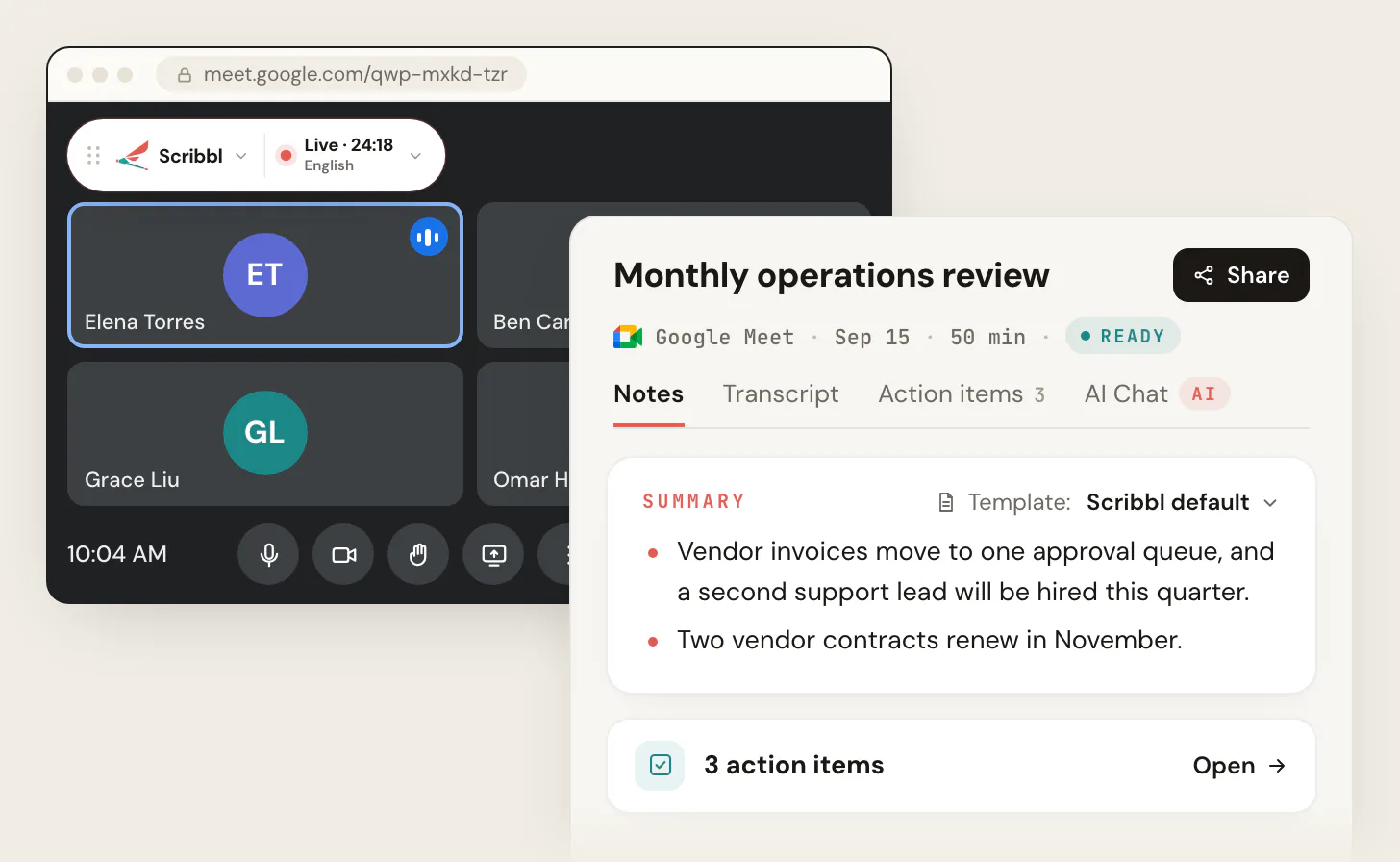
- What you get after every meeting: the video recording, a transcript with speaker names, AI notes and action items.
- What happens next: Smart Collections sort your meetings by themselves into the groups you describe. When a meeting lands in a collection, Automations do the follow-up: draft the follow-up email (you copy it or open it in Gmail; it never sends by itself), log meeting notes in HubSpot or Pipedrive, post to Slack or Microsoft Teams, save to Google Drive, Notion or Confluence, open an Asana, Monday, Linear or Jira ticket, or add a row to a Google Sheet. By default they ask before they change anything.
- Ask about past meetings: on Pro, connect Scribbl to ChatGPT or Claude and ask questions across your meetings.
- Privacy: recordings are private by default, and Scribbl doesn't use your meetings to train AI for anyone other than you.
- Price: the free plan includes Google Meet, Zoom and Microsoft Teams, with 10 meetings a month. Pro is $13 per user per month billed annually, or $20 monthly. Scribbl for teams adds shared seats and one bill.
Scribbl is the pick because it does the whole job in one account across all three meeting apps: it records, writes the notes and does the follow-up, and nothing shows up in the call.
2. Zoom recording
Built in, for the video file. Zoom can record any meeting from the desktop app. On the free plan it records to your computer, as long as you're the host or the host lets you, and saves an MP4 file when the meeting ends. Free meetings end after 40 minutes, so that is the practical limit. Cloud recording, share links and Zoom's transcript file need a paid plan, starting with Zoom Pro at $14.16 per user per month billed annually. Zoom's pricing page lists 3 AI meeting summaries a month on the free plan.
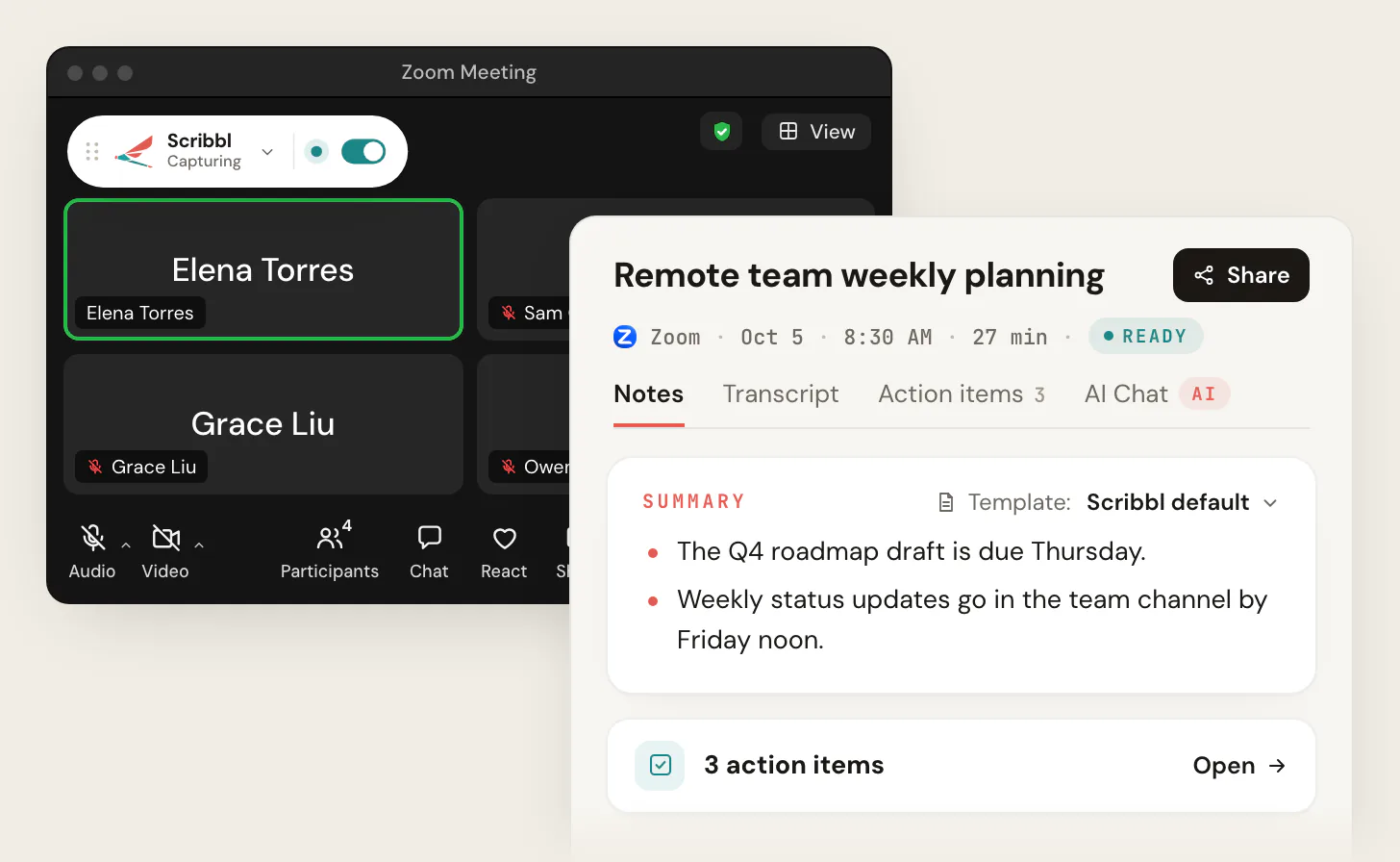
Scribbl Desktop records Zoom on the free plan too, whether or not you're the host, and adds the transcript, AI notes and action items. Step by step: how to record a Zoom meeting and Zoom meeting transcription.
3. Microsoft Teams recording
Built in, for Microsoft 365 accounts. In a Teams meeting, click More, then Record and transcribe, then Start recording. The recording is saved to the organizer's OneDrive, or to SharePoint for channel meetings. It needs a license that includes recording, such as Office 365 E1, E3 or E5 or Microsoft 365 Business, Business Premium or Business Essentials, and an admin who allows it. Guests can't record. The free version of Teams for personal use can't record meetings at all; on a personal account, recording needs Microsoft 365 Personal, Family or Premium.
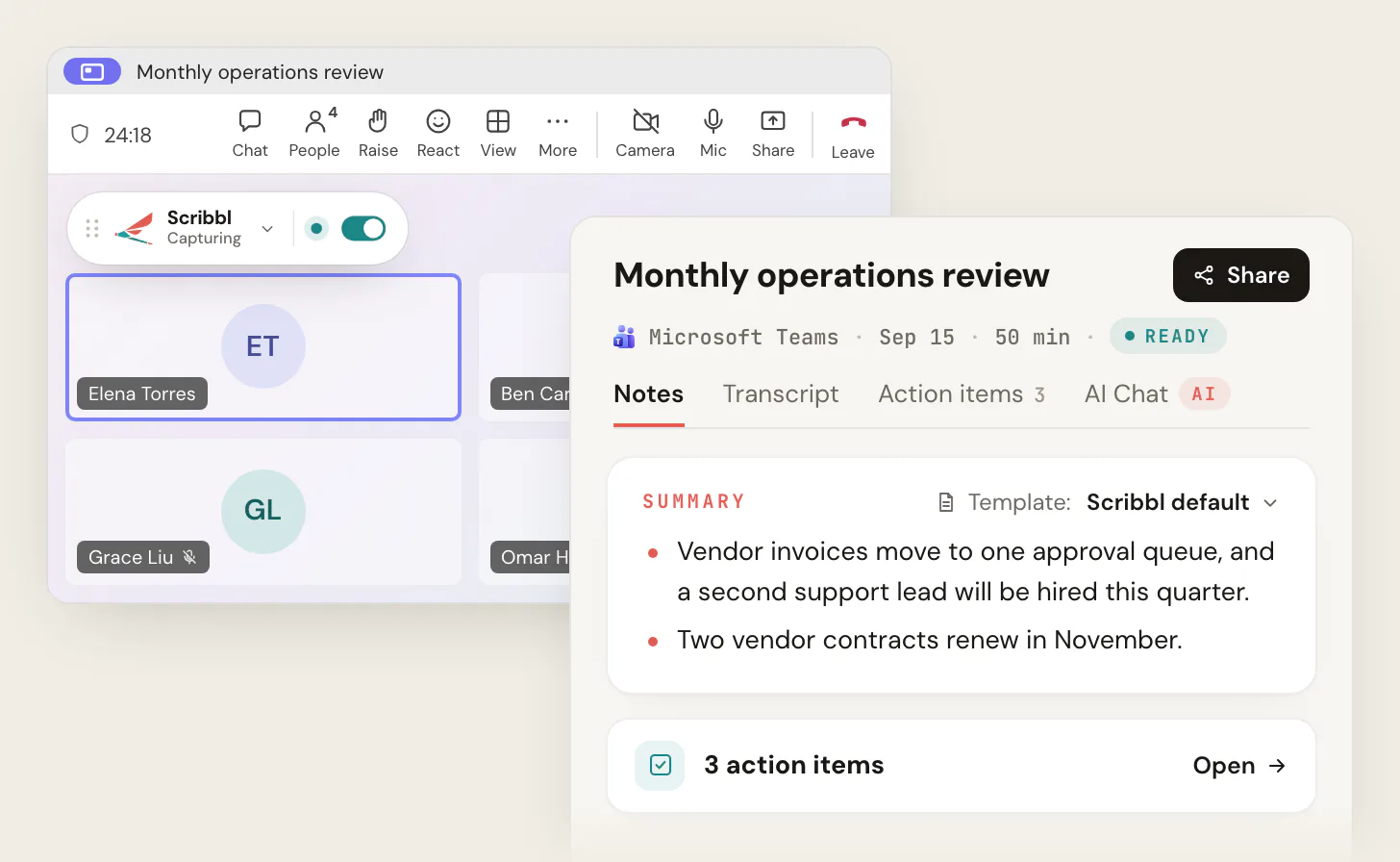
The AI summary and action items in Teams (intelligent recap) need a Teams Premium or Microsoft 365 Copilot license for each person who wants them. Scribbl Desktop records Teams from your own computer with no extra license, including meetings another company hosts. More detail: how to record a meeting in Teams and the Microsoft Teams AI note taker.
4. Google Meet recording
Built in, for paid Workspace plans. Google Meet records only on eligible paid plans: Google Workspace editions such as Business Standard ($14 per user per month billed annually), Business Plus and Enterprise, Workspace Individual, or Google One with 2 TB or more of storage. Free Gmail accounts have no Record button. The recording saves to a Google Meet folder in the organizer's My Drive, and a single meeting records for up to 8 hours. Google's AI notes, "Take notes for me," also need an eligible paid plan.
The Scribbl Chrome extension records Google Meet on any account, including free Gmail, and works whether or not you're the host. More detail: how to record a Google Meet and where Google Meet recordings go.
5. Fathom
A bot note taker with a free plan for individuals. Fathom's free plan has no cap on recordings or transcripts on Zoom, Google Meet and Teams. The limit is the AI: advanced summaries cover your first 5 calls each month, and AI action items and AI follow-up emails need Premium, at $16 a month billed annually or $20 monthly. Team is $15 per user per month billed annually with a 2-user minimum. Fathom records video by sending its note taker into the call; capture modes without a bot are in beta on Mac. More: Fathom pricing.
6. Otter
A bot note taker known for live transcripts. Otter Notetaker joins Zoom, Google Meet and Teams as a guest everyone can see, named after you. The free Basic plan gives 300 transcription minutes a month, shows only the first 30 minutes of each conversation and keeps your 25 most recent conversations visible. Pro is $8.33 per user per month billed annually, or $16.99 monthly, and Business is $19.99 billed annually. Video replay is only on Enterprise. Otter's desktop app can record without Notetaker joining, but the bot is the default. More: Otter.ai pricing.
7. Fireflies
A bot note taker built around search across calls. The Fireflies bot joins Zoom, Google Meet, Teams and other meeting apps. Since September 1, 2026, new free accounts transcribe 3 meetings unless Auto-join is on, which lets the bot join every calendar meeting. Free storage is 400 minutes in total, and video and downloads need a paid plan. Pro is $10 per seat per month billed annually, or $18 monthly; Business is $19 billed annually. Fireflies records video only through its bot. More: Fireflies pricing.
Best meeting recording app for Google Meet, Zoom and Teams
If you're looking for a meeting recording app rather than a feature inside Zoom, Teams or Meet, Scribbl is the one to install. The Chrome extension records Google Meet, and the Scribbl Desktop app records Zoom and Microsoft Teams on a Mac with Apple silicon or a Windows computer. It records and transcribes in one step, nothing joins the call, and you don't need to be the host.
Meeting recording apps that record and transcribe
The built-in recorders keep recording and transcription as separate features, each with its own plan and permission rules. A meeting recording app with AI notes hands you both, plus the notes, from the same meeting.
| App | What it records and transcribes | Free plan |
|---|---|---|
| Scribbl (our pick) | The video on Google Meet, Zoom and Teams, with nothing joining the call; a transcript with speaker names in more than 85 languages; AI notes and action items | 10 meetings a month, no limit on meeting length |
| Otter | A transcript through Otter Notetaker, which joins Zoom, Teams and Meet; video replay on Enterprise | 300 minutes a month, 30 minutes per conversation |
| Fathom | Recordings and transcripts, with a bot in the call by default | Unlimited recordings; advanced summaries on 5 calls a month |
| Fireflies | Transcripts through its bot; video on paid plans | 3 meetings, unlimited if its bot auto-joins your calendar; 400 minutes of storage |
| Zoom, built in | Records to your computer on the free plan; transcripts only for cloud recordings, from Pro | Recording yes, transcript no |
| Google Meet, built in | Recording and transcripts on eligible paid Workspace plans | Free Gmail: neither |
Otter and Fireflies checked October 19, 2026; the rest October 6, 2026. For Otter and Fireflies side by side, see Otter vs Fireflies.
What built-in recording leaves out
- Zoom creates a transcript only for cloud recordings, and only on a paid account with cloud recording and audio transcription turned on. The free plan records to your computer with no transcript.
- Microsoft Teams records when the meeting policy allows it, and both the organizer and the person who clicks record need permission. The file goes to the organizer's OneDrive, or SharePoint for channel meetings. AI notes need Teams Premium or Microsoft 365 Copilot.
- Google Meet records and transcribes only on eligible paid plans, and the files go to the organizer's My Drive.
A meeting recording app like Scribbl skips those rules: any participant can record, on any plan of Zoom, Teams or Meet, and the video, transcript and notes are in one place. Wherever you record, tell everyone you're recording.
How to record a meeting with Scribbl
- 1
Install Scribbl for the app you meet in
Add the Chrome extension for Google Meet. Install Scribbl Desktop on your Mac (Apple silicon) or Windows computer for Zoom and Teams.
- 2
Join the meeting as usual
Scribbl records from your own browser or computer. Nothing joins the call, so nobody has to admit anything.
- 3
Tell everyone you're recording
Say it at the start of the call, and stop if anyone objects.
- 4
Open the meeting page when the call ends
The video, a transcript with speaker names, AI notes and action items are all in one place.
- 5
Let Automations do the follow-up
Draft the follow-up email, log a note in HubSpot or Pipedrive, post to Slack or Teams, or open a Jira or Asana ticket. They ask before they change anything by default.
If you mostly meet in one app, start from its page: Google Meet, Zoom or Microsoft Teams.
Scribbl vs Fathom, Otter and Fireflies
| Feature | Scribbl | Fathom | Otter | Fireflies |
|---|---|---|---|---|
| Nothing joins the call | Yes | Bot by default; beta modes on Mac | Bot by default | Bot for video |
| Google Meet, Zoom and Teams | Yes | Yes | Yes | Yes |
| Video recording on the free plan | Yes | Yes | Enterprise only | Paid plans |
| Transcript and AI notes | Yes | Yes | Yes | Yes |
| Free plan | 10 meetings a month | Unlimited recordings; advanced summaries on 5 calls a month | 300 min a month; 30 min per conversation | 3 meetings without Auto-join; 400 min storage |
For more side-by-side detail, see Scribbl vs Fathom, Scribbl vs Fireflies and Otter alternatives. If a bot in the call is the deal breaker, see how to record a meeting without a bot.
Why it matters whether a bot joins the call
A bot note taker records from inside the meeting as a participant. That has three effects you notice quickly.
- Everyone sees it. A tile named something like "Your Name's Notetaker (Otter.ai)" sits in the grid. On sales calls, interviews and client calls, that changes how people talk.
- It can be kept out. Since June 2026, Microsoft Teams shows third-party bots separately in the meeting lobby, and the organizer has to admit them. Google Meet sends some flagged join requests to a separate queue where the default is to deny entry. When the bot isn't admitted, you get no notes.
- It records people who never signed up. In re Otter.AI Privacy Litigation, a class action in federal court in California, alleges Otter's Notetaker recorded participants without their consent. On August 13, 2026, the court let most of the claims proceed. Otter denies the allegations, and nothing has been proven.
Scribbl avoids all three because nothing joins the call: it records from your own browser on Google Meet and from Scribbl Desktop on Zoom and Teams. You still tell everyone you're recording.
How to choose meeting recording software
- 1
Which apps do you meet in?
Google Meet, Zoom, Teams, or a mix. Scribbl covers all three in one account; each built-in recorder covers only its own app.
- 2
Do you want notes, or only the video?
If you only need an archive and already pay for recording, the built-in recorder saves the file. If you want a transcript, AI notes and action items, you need a note taker.
- 3
Is a bot in the call acceptable?
If not, rule out the bot defaults of Fathom, Otter and Fireflies. Scribbl records with nothing joining the call.
- 4
Then compare free plans and price
Check what the free plan keeps: the video, the full transcript, AI notes. Scribbl's free plan gives all of them for 10 meetings a month; Pro is $13 per user per month billed annually.
Put the answers together and the pick is clear. If you want the recording and the notes on Google Meet, Zoom or Teams, without a bot and without a paid Zoom, Teams or Workspace plan, start with Scribbl for free. Sales teams can see the CRM setup on Scribbl for sales, and agencies on Scribbl for agencies.
Tell everyone you're recording
Recording a meeting without a bot doesn't change the rules about consent. Some US states, including California, require everyone's consent before a confidential call is recorded, and California courts have applied that to calls with someone in California even when the caller is in a state with looser rules. Google also lets Workspace admins require participants to consent before recording, transcripts or Gemini notes start in Google Meet.
The simple habit: say it at the start of every call.
Quick heads-up before we start: I'm recording this call so I can
share notes and action items afterward. If anyone would rather I
didn't, say so now and I'll stop.
For more, see do you have to tell people you're recording and is it legal to record a meeting.
FAQ
What is the best meeting recording software?
Scribbl is the best meeting recording software for most people in 2026. It records Google Meet from a Chrome extension and Zoom and Microsoft Teams from Scribbl Desktop for Mac and Windows, with nothing joining the call, and gives you the video, a transcript with speaker names, AI notes and action items for every meeting. The free plan includes Google Meet, Zoom and Microsoft Teams, with 10 meetings a month. Pro is $13 per user per month billed annually, or $20 monthly.
What is the best meeting recording app?
Scribbl is the best meeting recording app for Google Meet, Zoom and Microsoft Teams. Add the Chrome extension for Google Meet and install the Scribbl Desktop app on a Mac with Apple silicon or a Windows computer for Zoom and Teams. Nothing joins the call, and every meeting gets the video, a transcript with speaker names, AI notes and action items. The free plan includes Google Meet, Zoom and Microsoft Teams, with 10 meetings a month.
What is the best video conference recording software?
Scribbl is the best video conference recording software for Google Meet, Zoom and Microsoft Teams. It records all three in one account with nothing joining the call, from a Chrome extension for Google Meet and Scribbl Desktop for Zoom and Teams on a Mac with Apple silicon or Windows. Every meeting gets the video, a transcript with speaker names, AI notes and action items. The free plan includes Google Meet, Zoom and Microsoft Teams, with 10 meetings a month.
Is there an app that will record a meeting and transcribe it?
Yes. An AI note taker records the meeting and transcribes it in one step. Scribbl records Google Meet from its Chrome extension and Zoom and Microsoft Teams from Scribbl Desktop, with nothing joining the call, and gives you the video, a transcript with speaker names and AI notes. Otter, Fathom and Fireflies also record and transcribe, with a bot in the call by default. Zoom and Google Meet do it themselves only on paid plans.
Does the meeting host have to be the one recording?
With built-in recording, mostly yes: Zoom, Teams and Google Meet let the host, or people the host or admin allows, record, and the file saves to the organizer's storage. With Scribbl, no. Any participant can record Google Meet, Zoom or Teams meetings from their own browser or computer, whether or not they're the host. Tell everyone you're recording.
What is the best free meeting recording software?
Scribbl's free plan gives you 10 meetings a month with the video, a transcript, AI notes and action items, and nothing joins the call. The free plan includes Google Meet, Zoom and Microsoft Teams. Built-in recording is limited on free accounts: free Zoom records only to your computer and its meetings end at 40 minutes, free Gmail accounts can't record Google Meet, and free Teams for personal use can't record meetings (checked October 6, 2026).
How do I record meetings for free?
Use a free note taker or the free recording your meeting app already has. With Scribbl, add the Chrome extension for Google Meet or install Scribbl Desktop for Zoom and Teams, join the call as usual, and the video, transcript and AI notes are ready after the meeting, 10 meetings a month on the free plan. A free Zoom account can also record to your computer from the Zoom desktop app if you're the host or the host allows it. Tell everyone you're recording.
Can I record a Google Meet on a free Gmail account?
Not with Google's own recording. It needs a paid Google Workspace plan, such as Business Standard, or Google One with 2 TB or more of storage, and free Gmail accounts have no Record button (checked October 6, 2026). Scribbl's Chrome extension records Google Meet on any account, with nothing joining the call, and its free plan covers 10 meetings a month.
Do meeting recorders put a bot in the call?
Many do. Otter, Fireflies and Fathom record by sending a note taker into the call as a participant by default, so everyone sees it, and Microsoft Teams now holds third-party bots in the lobby until the organizer admits them. Built-in Zoom, Teams and Google Meet recording adds no participant. Scribbl adds nothing to the call either: it records Google Meet from a Chrome extension and Zoom and Teams from Scribbl Desktop.
What is the difference between meeting recording software and an AI note taker?
Basic meeting recording software gives you a video or audio file you have to replay. An AI note taker also gives you a transcript, a written summary and action items, so you can read the meeting instead of rewatching it. Built-in Zoom, Teams and Google Meet recording is mostly the first kind. Scribbl does both: the video, plus a transcript with speaker names, AI notes and action items for every meeting.
Do I have to tell people I'm recording a meeting?
Yes, tell them. Some US states, including California, require every person's consent before a call is recorded, and recording laws differ in other countries. The simple habit is to say at the start of every call that you're recording and why, and to stop if anyone objects.
Sources
Checked October 6 and 7, 2026, unless a date is given.
- Scribbl: pricing, Chrome Web Store listing, privacy policy
- Zoom: pricing, audio transcription for cloud recordings, local recording, cloud recording
- Microsoft Teams: Teams meeting recording, Start, stop and find meeting recordings, recordings in Teams for personal use, subscriptions for Teams free, intelligent recap, Introducing smarter bot protection in Microsoft Teams meetings
- Google Meet: Record a video meeting, Use transcripts with Google Meet, "Take notes for me" in Google Meet, Google Workspace pricing, safeguarded guest admit flow (rollout from March 24, 2026), explicit consent for Take notes with Gemini, recordings and transcripts (rollout from May 5, 2026)
- Fathom: pricing, Free vs. Premium for Individuals, How to Upgrade to Fathom 3.0+
- Otter: pricing (checked October 19, 2026), Basic plan limits, Otter Notetaker overview, Otter Desktop App
- Fireflies: pricing and Free plan (checked October 19, 2026), How Fireflies joins and records your meetings, video capture
- Otter lawsuit: In re Otter.AI Privacy Litigation, No. 5:25-cv-06911 (N.D. Cal.), court docket, checked October 1 and 2, 2026
- California recording law: Digital Media Law Project, California recording law
Try Scribbl
Let your meetings take their own notes.
Scribbl records, transcribes, and summarizes your Google Meet calls from your browser. No bot joins the call. Free forever for individuals.
Add to Chrome · It's free