A Zoom AI note taker with no bot in the call.
Scribbl is an AI note taker for Zoom that records from your own computer. Nothing joins the call, and you don't need to be the host. Every Zoom meeting gets AI notes, action items, a searchable transcript and the video, and Claude or ChatGPT can answer questions about all of them.
 Interview: Juniper Yoga 41 min
 TL;DR The class schedule import was the hardest step. They want a CSV template.


Connected to
ChatGPT & Claude
Zoom's recorder and AI summary wait on the host. Scribbl doesn't.
Join someone else's Zoom meeting and both of Zoom's own options, recording and the Zoom AI meeting summary, need the host to act. Scribbl Desktop records the meeting on your computer instead, so every Zoom call you join comes back with notes, whoever set it up. And because no bot joins, the participant list stays the way it was.
A meeting someone else hosts -
Record the meeting
Needs the hostThe host has to click Allow Record for you. Only the host or a co‑host can record to the cloud.
-
Get an AI summary
Needs the hostAll you can do is click Ask host to start Zoom AI. The host or a co‑host turns it on.
-
Receive the summary
Needs the hostOnly if the host shares it. To get it automatically, you must also be signed in to Zoom and on the invite.
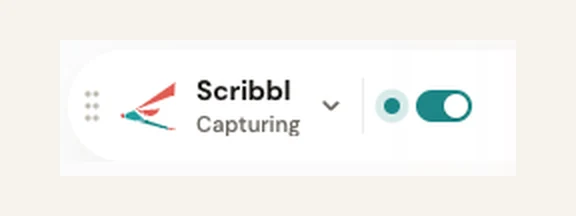
Scribbl Desktop during our Zoom test on October 1, 2026, on a free Zoom account.
- Starts on its own when the Zoom meeting begins
- Nothing joins the call or the participant list
- Works on a free Zoom account
Bot note takers like Otter, Fireflies and Fathom join Zoom as an extra participant by default. Scribbl never does, on Zoom, Google Meet or Teams.
Why Scribbl is the best AI note taker for Zoom.
Every Zoom note taker writes a summary. Scribbl also answers questions across all your calls, sorts them without anyone filing, and does the follow‑up. Here's how that looks for a product team that runs its customer interviews on Zoom.
01 Claude and ChatGPT
One question to Claude or ChatGPT covers every Zoom interview.
Connect Scribbl once, and Claude or ChatGPT can search the transcripts and notes of all your recorded meetings. Ask what nine interviews had in common and get an answer built from what people actually said, instead of rewatching nine recordings.
Zoom's own apps for Claude and ChatGPT need a paid Zoom plan and only reach meetings you hosted or the host shared with you. Scribbl's connection covers every meeting it recorded for you. It's part of Pro.
See how Scribbl connects to Claude and ChatGPT You ask Where did studio owners get stuck during setup, across this month's Zoom interviews?
 Matches in your Scribbl transcripts
 “Honestly, importing our class schedule took me most of an afternoon.”
Interview: Juniper Yoga · Oct 2 “I never found where to set the late‑cancel fee, so we still charge it by hand.”
Interview: Tidewater Pilates · Sep 29 “The staff invite email went to spam for half my team.”
Interview: Kettle Street Fitness · Sep 24 02 Smart Collections
New interviews land in the right Smart Collection on their own.
Write one sentence about what belongs, such as "Zoom calls where a studio owner shows us how they use the app." From then on, each interview that fits joins the collection on its own after the call. Nobody tags, moves or forwards anything.
Then ask about just that collection
“Which features did people ask for most in this week's interviews?”
User interviews
17 meetings · 4 things happen after each one
Zoom calls where a studio owner shows us how they use the app.
Meetings
Interview: Juniper Yoga
Just joined
Interview: Tidewater Pilates Sep 29 Interview: Kettle Street Fitness Sep 24 Interview: Bright Lane Boxing Sep 22 03 Automations
When an interview ends, Automations write it up and file it.
Automations hang off a Smart Collection. Each time a Zoom call joins it, Scribbl does the chores that usually eat the hour after: the write-up, the team update, the tickets, the log. By default, each one waits for your yes.
What an automation can do
- Saves notes to Google Drive, Notion or Confluence
- Posts a summary to Slack or Microsoft Teams
- Opens tickets in Linear, Jira, Asana or Monday
- Adds a row to a Google Sheet
- Logs notes in HubSpot or Pipedrive
- Drafts the follow-up email in your format, for you to send
User interviews
17 meetingsAfter every user interview
Save the write-up to Notion
Research database · asks you first
Post the summary to Slack
#research · asks you first
Open a Jira ticket for each bug
Product board · asks you first
Add a row to the interview log
Google Sheet · asks you first
04 Your own Claude
Describe the rest of the job the way you'd tell a teammate.
When the follow-up takes judgment, type it out in plain words. Scribbl runs your instruction with your own Claude and the tools you've connected, working from the Zoom call that just ended and your Smart Collections.
It can touch several tools in one go, and it asks before it changes anything, by default.
What should Claude do?
What Claude can reach
It runs on your own Claude, with the interview that just ended and your Smart Collections.
After the Juniper Yoga interview
3 waiting for your yes- Interview write-up drafted In the Notion research template
- Slack post written The three biggest takeaways, for #research
- 1 Jira ticket written Class schedule import fails on recurring classes
All four work on every Zoom meeting Scribbl records, whether you host it or someone else does.
Scribbl vs Zoom AI (formerly AI Companion) for meeting notes.
Zoom AI, called AI Companion until Zoom retired that name in June 2026, is Zoom's built-in AI, and it writes meeting summaries. It works best in meetings you host on a paid Zoom plan, because almost everything it does depends on the host.
Zoom AI Scribbl Zoom plans, prices and features as listed on zoom.com/pricing and Zoom's support pages on October 6, 2026. If you host most of your meetings on a paid Zoom plan and only need a recap inside Zoom, Zoom AI does that well. Scribbl is for meetings other people host, free Zoom accounts, and the work after the call.
Zoom is in Scribbl's free plan.
The free plan includes Google Meet, Zoom and Microsoft Teams. You don't need a paid Zoom account, and you don't need to be the host.
Free
$0
Google Meet, Zoom and Microsoft Teams
- 10 meetings a month
- AI notes and action items
- A searchable transcript and the video
- No limit on meeting length
- Works on a free Zoom account
- Scribbl Desktop for Mac and Windows
Pro
$13per user / month
Billed annually, or $20 monthly
- Everything in Free
- Unlimited meetings
- Ask Claude or ChatGPT about every meeting
Recordings are private by default, and Scribbl doesn't use your meetings to train AI for anyone other than you. See pricing
Zoom AI note taker FAQ
Is Zoom AI note taker good?
It works for meetings you host on a paid Zoom plan. Zoom AI, called AI Companion until June 2026, writes a summary of the meeting, and Zoom Workplace Pro, $14.16 per user a month billed annually, includes unlimited summaries and unlimited My Notes. It falls short when you're a guest: only the host or a co-host can start the summary and choose who receives it, and the host's settings can turn off My Notes for participants. Free Zoom covers summaries for 3 meetings you host a month. Scribbl is the pick for every Zoom meeting you join, hosted by you or not: Scribbl Desktop writes your own AI notes and action items, with the video and a transcript, and nothing joins the call. The free plan includes Zoom.
Is there a free AI note taker for Zoom?
Yes. Scribbl's free plan includes Google Meet, Zoom and Microsoft Teams, with 10 meetings a month and no limit on meeting length, and it works on a free Zoom account. Each Zoom meeting gets AI notes, action items, a searchable transcript and the video. Zoom's own free plan includes AI summaries for 3 meetings you host a month.
Does Zoom AI Companion take notes?
Yes. Zoom AI, which Zoom called AI Companion until June 2026, writes a meeting summary, but the host or a co-host has to start it, and other people get it only if the host shares it. Zoom's My Notes can also take notes for a participant, unless the host's settings turn it off. On Zoom's free plan, summaries cover 3 meetings you host a month and My Notes 3 uses a month; paid Zoom Workplace plans, from $14.16 per user a month billed annually, have no limit. Scribbl writes your own notes in any Zoom meeting you join, without a paid Zoom plan.
Can I record a Zoom meeting if I'm not the host?
With Zoom's own recorder, only if the host clicks Allow Record for you, and only the host or a co-host can record to the cloud. Scribbl Desktop records on your own computer, so it works in Zoom meetings anyone hosts and nobody has to grant anything. Either way, tell people you're recording.
Does a bot join my Zoom meeting?
No. Scribbl Desktop records on your own computer, so nothing joins the call and nobody new shows up in the participant list. Otter, Fireflies and Fathom join Zoom meetings as a bot by default.
Will people in the meeting see that Scribbl is recording?
No. Zoom shows its red REC label only when Zoom itself records. Scribbl adds nothing to the meeting window, so say at the start of the call that you're recording, and check the consent rules where you and the other people are.
Can I ask Claude or ChatGPT about my Zoom meetings?
Yes, on Scribbl Pro. Connect Scribbl once in Claude or ChatGPT and either one can search the transcript and notes of every meeting Scribbl recorded for you, including Zoom calls someone else hosted. Zoom also makes apps for Claude and ChatGPT; they need a paid Zoom plan and only reach meetings you hosted or that the host shared with you.
What do I need to use Scribbl with Zoom?
Scribbl Desktop, on a Mac with Apple silicon (M1 or newer) or a Windows PC. The same app records Microsoft Teams. Google Meet uses the Scribbl Chrome extension instead.

Get notes from your next Zoom call, free.
Download Scribbl Desktop and join the Zoom call the way you always do. When it ends, the notes are already there.
No Scribbl account yet? Start free. More about Scribbl Desktop.
Recording laws vary by region, so make sure you have the consent you need from the people in your meetings.