The Best AI Notetaker for 1-on-1 Meetings (2026, Compared)
The best AI notetaker for one-on-ones with direct reports is Scribbl: nothing joins the call and recordings are private by default. Compared, with pricing.
Updated October 19, 2026
On this page12 sections
- 01What is the best AI notetaker for one-on-ones with direct reports?
- 02Is there an AI notetaker that works without a bot joining my 1-on-1?
- 03Why 1-on-1s are different from every other meeting
- 04How an AI notetaker handles a 1-on-1, step by step
- 05The 1-on-1 formats this covers
- 06The 5 best AI notetakers for 1-on-1 meetings, compared
- 07The ranked shortlist
- 08Why a botless notetaker fits a 1-on-1 best
- 09The 1-on-1 features that actually matter
- 10How to choose
- 11A note on consent
- 12AI notetaker for 1-on-1 meetings FAQ
The best AI notetaker for one-on-ones with direct reports is Scribbl, because nothing joins the call, so the 1-on-1 stays a private conversation between you and your report, and recordings are private by default. Every 1-on-1 on Google Meet, Zoom or Microsoft Teams comes back with the video, a transcript with speaker names, AI notes and action items, so what you each committed to is written down before the next one. It fits manager check-ins, skip-levels, mentoring and peer 1-on-1s, and it connects the conversation to the AI you already use (ChatGPT or Claude) so the follow-up actually gets done. We ranked five below, and most of the others put a bot in your 1-on-1.
What is the best AI notetaker for one-on-ones with direct reports?
Scribbl is the best AI notetaker for one-on-ones with direct reports. A 1-on-1 is where a report tells you what is really going on, and Scribbl has no bot, so nothing joins the call and your report talks to you, not to a recorder. Scribbl recordings are private by default, and Scribbl doesn't use your meetings to train AI for anyone other than you. Every 1-on-1 on Google Meet, Zoom or Microsoft Teams comes back with the video, a transcript with speaker names, AI notes and action items, Smart Collections sort meetings by themselves so every 1-on-1 with one person stays together, and on Pro you can connect Scribbl to ChatGPT or Claude and ask what you and your report agreed over the last few months. The free plan includes Google Meet, Zoom and Microsoft Teams, and Pro is $13 per user per month billed annually, or $20 monthly.
Is there an AI notetaker that works without a bot joining my 1-on-1?
Yes. Scribbl works without a bot joining your 1-on-1: on Google Meet it runs from a Chrome extension, and on Zoom and Microsoft Teams from Scribbl Desktop for Mac (Apple silicon) and Windows, so nothing joins the call and nothing new shows up in the attendee list. You still get the video, a transcript with speaker names, AI notes and action items after every 1-on-1. Otter, Fireflies and Fathom send a bot into the call by default. No bot doesn't mean no disclosure: tell your report you are recording, explain why, and confirm they are comfortable before you begin.
Why 1-on-1s are different from every other meeting
Most AI-notetaker roundups treat every meeting the same. A 1-on-1 is not the same. Three things make it a distinct problem:
- It is recurring and longitudinal. This week's 1-on-1 only makes sense in light of the last five. A goal set in March, a blocker raised in April, a piece of feedback from May, these are threads, not isolated notes. The right tool remembers across sessions.
- It is private and relational. A 1-on-1 is where a report tells you what is actually going on, before it becomes a crisis. That candor is fragile, and the moment the room feels surveilled, it disappears.
- It runs on accountability. You agree to unblock something, your report agrees to take on a stretch goal. The quiet failure of 1-on-1s is the commitment that gets forgotten by the next session. The right tool carries action items forward.
A generic "best AI note-taker" tool gets you a transcript. A notetaker tuned for 1-on-1s gets you continuity, discretion, and follow-through. That is the lens for everything below.
How an AI notetaker handles a 1-on-1, step by step
Whatever tool you pick, the core loop is the same. The difference for a 1-on-1 is what happens at the ends: how capture starts (a bot joins, or nothing does) and what you can do with the record later (a one-off note, or a continuous per-person thread).
- 1
Start the 1-on-1 on your call
Record the 1-on-1 on Google Meet, Zoom, or Teams. With a botless tool, nothing joins and nothing is announced. (Either way, tell your report you are recording.)
- 2
Get the transcript, summary, and action items in minutes
When the conversation ends, you get a full transcript, an AI summary of what was discussed, and the action items each of you committed to, extracted automatically.
- 3
Carry commitments forward to the next session
The point of a 1-on-1 tool is continuity: last session's open commitments resurface in the next, so nothing agreed quietly slips between meetings.
- 4
Search the per-person history and prep the next 1-on-1
Every 1-on-1 with a person becomes a searchable thread. With Scribbl you ask ChatGPT or Claude how a goal progressed across sessions, or keep every 1-on-1 with one person in a Smart Collection and ask about just that thread. You walk in prepped, not scrambling.
The 1-on-1 formats this covers
A good 1-on-1 notetaker should fit every shape these conversations take, not just a manager-to-report video call:
- Manager check-ins. Your recurring weekly or biweekly with a direct report: wins, blockers, growth, feedback. The bread-and-butter case, and the one where continuity and follow-through matter most.
- Skip-level 1-on-1s. A leader meeting someone two levels down. These are infrequent and high-signal, so a searchable record of what you heard, kept discreetly, is worth a lot.
- Mentoring and coaching sessions. Often cross-team and developmental. Carry-over of the goals and exercises you set is the whole game here.
- Peer 1-on-1s. Cross-functional syncs between equals where there is no reporting line, just a shared thread of decisions and follow-ups to keep straight.
The shared thread across all four is per-person memory: a continuous record of one relationship over time, not a pile of disconnected meeting notes. That is the capability to weigh most heavily.
The 5 best AI notetakers for 1-on-1 meetings, compared
Here is the at-a-glance view across the criteria that decide a 1-on-1 tool. Pricing and ratings are indicative and change often; confirm on each vendor's site before you buy.
| Feature | Scribbl | Fathom | Otter | Fireflies | Granola |
|---|---|---|---|---|---|
| Botless capture (no bot joins) | Yes | No | No | No | Yes |
| Cross-1-on-1 recall | Yes | Limited | Limited | Limited | Limited |
| Action-item carry-over | Yes | Yes | Yes | Yes | Yes |
| 1-on-1 agenda / templates | Yes | No | No | No | Notes |
| Private-to-you by default | Yes | Controls | Controls | Controls | Yes |
| Works with your own AI (ChatGPT / Claude) | Yes | Yes | Yes | Yes | Yes |
| Free plan | Yes | Yes | Yes | Yes | Yes |
The ranked shortlist
1. Scribbl: best for private, follow-through-first 1-on-1s
Scribbl is our pick for most managers because it solves the two failure modes a 1-on-1 is most prone to: a bot breaking the trust in the room, and the commitments getting forgotten before the next session. It is botless: nothing joins the call as a participant, nothing is announced, and no email goes to your report. It works on Google Meet, Zoom, and Microsoft Teams, and every 1-on-1 gets the video, a transcript with speaker names, AI notes and action items. Then you can ask the AI you already use, ChatGPT or Claude, about your meetings, so the conversation becomes follow-through, a recap of what you each committed to, a reminder list of what you owe your report, and a running thread of how a goal has progressed across several 1-on-1s.
Best for: managers who want discretion in a sensitive conversation and reliable follow-through.
Pros
- Truly botless, so nothing signals surveillance in a private conversation
- Ask ChatGPT or Claude about every 1-on-1, or just one Smart Collection (say, every 1-on-1 with Sarah)
- Free plan, no credit card; Chrome extension for Google Meet and Scribbl Desktop for Zoom and Teams
Pricing: Free plan with 10 meetings a month, including Google Meet, Zoom and Teams, and no credit card. Pro is $13 per user per month billed annually, or $20 monthly. See pricing.
Rating: 5.0 from 3,000 reviews on the Chrome Web Store and 4.9 from 725 reviews on G2.
Weekly 1-on-1 with Sarah
This week's action items
- Sarah to draft the onboarding doc by Friday
- You to clear the access blocker with IT
Carried over from last 1-on-1
Goal set last month: lead the Q3 migration. Status raised again today.
Ask ChatGPT or Claude: "How has Sarah's migration goal progressed across our 1-on-1s?"
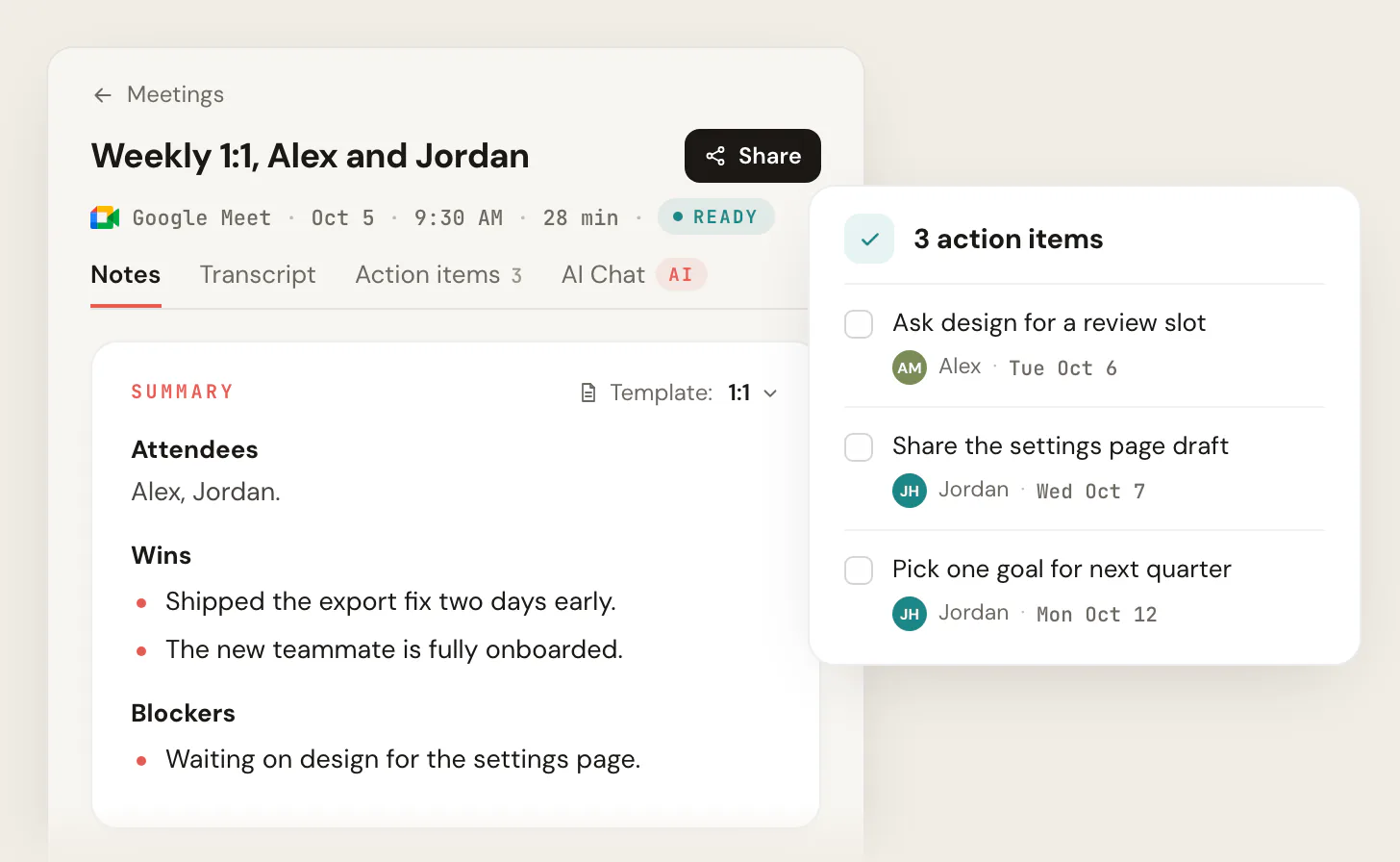
- 1 Action items from this 1-on-1, captured automatically and assigned to you or your report.
- 2 Carry-over: the commitment from your last 1-on-1, surfaced so nothing slips between sessions.
- 3 Ask your own AI (ChatGPT or Claude) about the thread: how has this goal progressed?
2. Fathom: best for high-volume recurring video 1-on-1s
Fathom is fast, clean, and generous on its free tier, which makes it popular for managers running many video 1-on-1s back to back. Summaries and action items are reliable. It uses a bot to join calls, so the discretion trade-off applies.
Best for: managers with a heavy load of remote video 1-on-1s who want quick, dependable recaps.
Pros
- Generous free plan and quick, reliable summaries
- Good action-item extraction
Cons
- Bot-based capture joins the call
- Cross-session 1-on-1 recall is more limited
- On the free plan, advanced summaries cover only your first 5 calls each month, and AI action items need Premium
Pricing: Free plan. Premium is $20 per user per month billed monthly, or $16 billed annually. See Fathom's pricing.
3. Otter: best for live transcription and shared notes
Otter is a long-standing transcription tool with strong live transcripts and speaker ID. For a manager who wants a searchable record of what was said and easy sharing, it is a capable pick. Its 1-on-1 fit is general rather than purpose-built, and its capture historically uses an assistant that joins the meeting.
Best for: managers who want strong live transcription.
Pros
- Strong live transcription and speaker identification
- Familiar, widely integrated
Cons
- Assistant/bot joins video calls
- 1-on-1 features are generic, not relationship-specific
Pricing: Basic is free with 300 monthly transcription minutes. Pro is $16.99 per user per month billed monthly, or $8.33 billed annually. See Otter's pricing.
4. Fireflies: best for searchable 1-on-1 history and integrations
Fireflies shines on search, integrations, and an AI assistant you can query across your meeting history, which is useful for a manager tracking themes across recurring 1-on-1s. It is bot-based and broad rather than 1-on-1-specific, but the searchable archive and CRM/tool integrations are a real strength if you live across many tools.
Best for: managers who want a deeply searchable archive and lots of integrations.
Pros
- Powerful search across meeting history
- Wide integrations and an AI assistant
- Action items and summaries out of the box
Cons
- Bot joins the call
- Not tailored to the private 1-on-1 relationship
Pricing: Free plan. Pro is $10 per seat per month billed annually, or $18 monthly. See Fireflies' pricing.
5. Granola: best for managers who type their own notes
Granola is a botless notetaker that captures from your device and blends your own typed notes with an AI-cleaned summary, which suits managers who like to jot during a 1-on-1. Because it is botless, it shares Scribbl's discretion advantage for private conversations. Its cross-1-on-1 recall and carry-over are lighter, and it keeps no recording: it transcribes and then deletes the audio.
Best for: managers who take their own notes and want a botless summary without a recording.
Pros
- Botless: nothing joins the call
- Blends your notes with an AI summary
- Private-feeling by design
Cons
- Lighter cross-1-on-1 recall and carry-over
- No recording to go back to: Granola transcribes and then deletes the audio
Pricing: Basic is $0 and keeps notes from the last 30 days. Business is $14 per user per month, billed monthly. See Granola's pricing.
Why a botless notetaker fits a 1-on-1 best
The single biggest decision for a 1-on-1 tool is bot vs botless, because it directly touches the trust the meeting runs on. A visible recording bot is the cue that breaks candor: an unexplained participant in the attendee list, an announcement that an outside service is recording, and a report who quietly starts managing what they say. Botless capture removes that cue. Nothing joins, nothing announces itself, and you keep control of when and how you raise recording.
- Visible: joins as a guest in a private conversation
- Signals surveillance: before you can explain it
- Chills candor: your report starts managing their words
- Owns disclosure: the tool announces recording, not you
- Botless: nothing joins the 1-on-1 and nothing is announced
- Discreet: you raise recording on your terms
- Protects candor: it feels like a normal private talk
- Follow-through: a recap of what you both committed to
The 1-on-1 features that actually matter
These are the capabilities generic roundups skip, and they are exactly what makes or breaks a 1-on-1 tool.
Cross-1-on-1 recall. The best 1-on-1 tools remember across sessions, so you can ask what goals your report set last quarter or how a development thread has moved. Scribbl does it by connecting your meetings to ChatGPT or Claude, so you pull a running thread without retyping anything, and a Smart Collection keeps every 1-on-1 with one person together so you can ask about just that relationship.
Action-item carry-over. A commitment made in one 1-on-1 should resurface in the next until it is done. Look for a tool that carries action items forward rather than leaving each session as an orphaned note. This is the mechanism that turns "we agreed" into "we did."
Agendas and talking-points templates. A repeatable 1-on-1 agenda (wins, blockers, growth, feedback) keeps the conversation balanced. With Scribbl, note templates shape every recap around your agenda.
Confidentiality and private-to-attendees controls. A 1-on-1 record is sensitive. Confirm the default sharing behavior (Scribbl keeps it private to you by default, nothing is auto-shared, and Scribbl doesn't use your meetings to train AI for anyone other than you) and check each tool's AI-training policy before you bring it into a trusted conversation.
Drafting performance reviews. Accumulated 1-on-1 notes are the raw material for a fair, specific review. Some tools draft review inputs from that history. Used well, this saves hours; used carelessly, it turns a trusted record into a performance log, so handle it with discretion.
How to choose: a quick decision guide
- 1
Which platforms do your 1-on-1s run on?
If your reports are spread across Google Meet, Zoom, and Microsoft Teams, Scribbl covers all three in one account.
- 2
How much does discretion matter?
For sensitive, candid 1-on-1s, choose botless (Scribbl or Granola) so nothing joins or announces itself. If your reports are comfortable with a visible bot, the field opens up.
- 3
Do you need cross-session recall and carry-over?
If you track goals and blockers across many sessions, prioritize Scribbl, which lets you ask ChatGPT or Claude across every 1-on-1, or just the ones in one Smart Collection.
- 4
Do you want the follow-up done for you?
Scribbl turns each 1-on-1 into a recap of what you both committed to, and Automations can draft the follow-up email or save the notes to Notion, asking before they change anything by default.
A note on consent
A 1-on-1 is a trusted, sensitive conversation, which makes consent and discretion especially important, and recording and consent laws vary by region and by state. Your report may join from a different location, so follow the strictest applicable rule. The right default is to tell your report that you are using an AI notetaker to capture the 1-on-1, explain why and how the notes will be used, and confirm they are comfortable before you begin. Botless capture makes that disclosure cleaner because you control the moment, but it does not replace the need to ask, and in a relationship built on trust, asking is the point.
AI notetaker for 1-on-1 meetings FAQ
What is the best AI notetaker for 1-on-1 meetings?
For most managers, Scribbl. A 1-on-1 runs on candor, and a recording bot in the call feels like surveillance. Scribbl is botless on Google Meet, Zoom, and Microsoft Teams, so nothing joins the call and nothing is announced, and it connects your meetings to ChatGPT or Claude so commitments carry forward to the next session. Fathom, Otter, and Fireflies are common picks for video 1-on-1s, but each puts a bot in the call.
Is it legal and ethical to record a 1-on-1 meeting?
Recording-consent law varies by region and by state, and a 1-on-1 spans two people who may be in different places, so follow the strictest applicable rule. Beyond the law, a 1-on-1 runs on trust, so the ethical default is to tell your report you are using an AI notetaker, explain why, and confirm they are comfortable before you begin. This is true whether the tool uses a bot or is botless.
Should I tell my direct report I am using an AI notetaker?
Yes. A 1-on-1 is a trusted, candid conversation, so disclose it. The difference between a bot-based and a botless tool is who controls the moment: a bot announces itself by joining the call, while a botless notetaker lets you raise it yourself, with the framing and reassurance the conversation deserves. The disclosure is still yours to make.
Can an AI notetaker remember what we discussed in past 1-on-1s?
Yes. Scribbl connects your meetings to ChatGPT or Claude, so you can ask something like what goals did Sarah set last quarter, and pull a running thread of how a development goal progressed across several 1-on-1s without retyping anything. Put every 1-on-1 with one person in a Smart Collection and you can ask about just that thread.
Will my direct report be able to see the notes or recording?
That is up to the tool's sharing controls and to you. With Scribbl, the transcript and recap are a private record on your account by default; nothing is auto-shared and no email goes to your report. Always check a tool's default sharing behavior before your first 1-on-1, and treat the record with the same discretion as the conversation.
Is there a free AI notetaker for 1-on-1s?
Yes. Scribbl's free plan covers 10 meetings a month and includes Google Meet, Zoom and Microsoft Teams, with no credit card required. Otter, Fathom, Fireflies, and Granola also offer free tiers with limits on meetings, transcription minutes, AI summaries, or how far back your notes go. Free plans are a good way to test which tool fits your 1-on-1 cadence before paying.
How do I keep a running history of my 1-on-1s with one person?
Pick a tool that builds a searchable per-person thread rather than leaving each session as a disconnected note. Every 1-on-1 with that person should be saved, searchable, and linked, so you can track progress on a goal, review prior commitments, and prep the next session. Scribbl saves every 1-on-1 and connects them to ChatGPT or Claude, so you can ask how a development thread progressed across several sessions, and a Smart Collection keeps every 1-on-1 with that person together so you can ask about just that thread.
Does it work for skip-levels, mentoring, and peer 1-on-1s too?
Yes. The same loop (record the meeting, then get a transcript, summary, and action items) fits manager check-ins, skip-level meetings, mentoring and coaching sessions, and peer 1-on-1s. What changes is the value of continuity: skip-levels and mentoring especially benefit from a discreet, searchable record of what you heard and the goals you set, carried forward to the next conversation.
Try Scribbl
Let your meetings take their own notes.
Scribbl records, transcribes, and summarizes your Google Meet calls from your browser. No bot joins the call. Free forever for individuals.
Add to Chrome · It's free