Cost for transcription services: the real numbers in 2026
Transcription costs $0 to $2+ per minute depending on accuracy. Here is how to match the price tier to your use case and stop overpaying for meeting notes.
Updated October 29, 2026
The short answer
Prices from each vendor's pricing page, as of June 2026
From $0 to more than $2 per audio minute. For meetings you attend, it's close to $0
- Human transcription
- About $1 to $2+ per audio minute (Rev is $1.99 a minute for 99%+ accuracy). Worth it for certified work on hard audio: legal, medical, broadcast.
- Already paid for
- Paid Google Workspace, Microsoft 365 and Zoom plans include transcription, but it's tied to the organizer's license and there's no archive across Meet, Zoom and Teams.
- Cheapest for regular use
- A flat subscription or per-seat plan. Per-minute credits never stop, so turn any quote into your real monthly volume first.
- Meetings, no meter
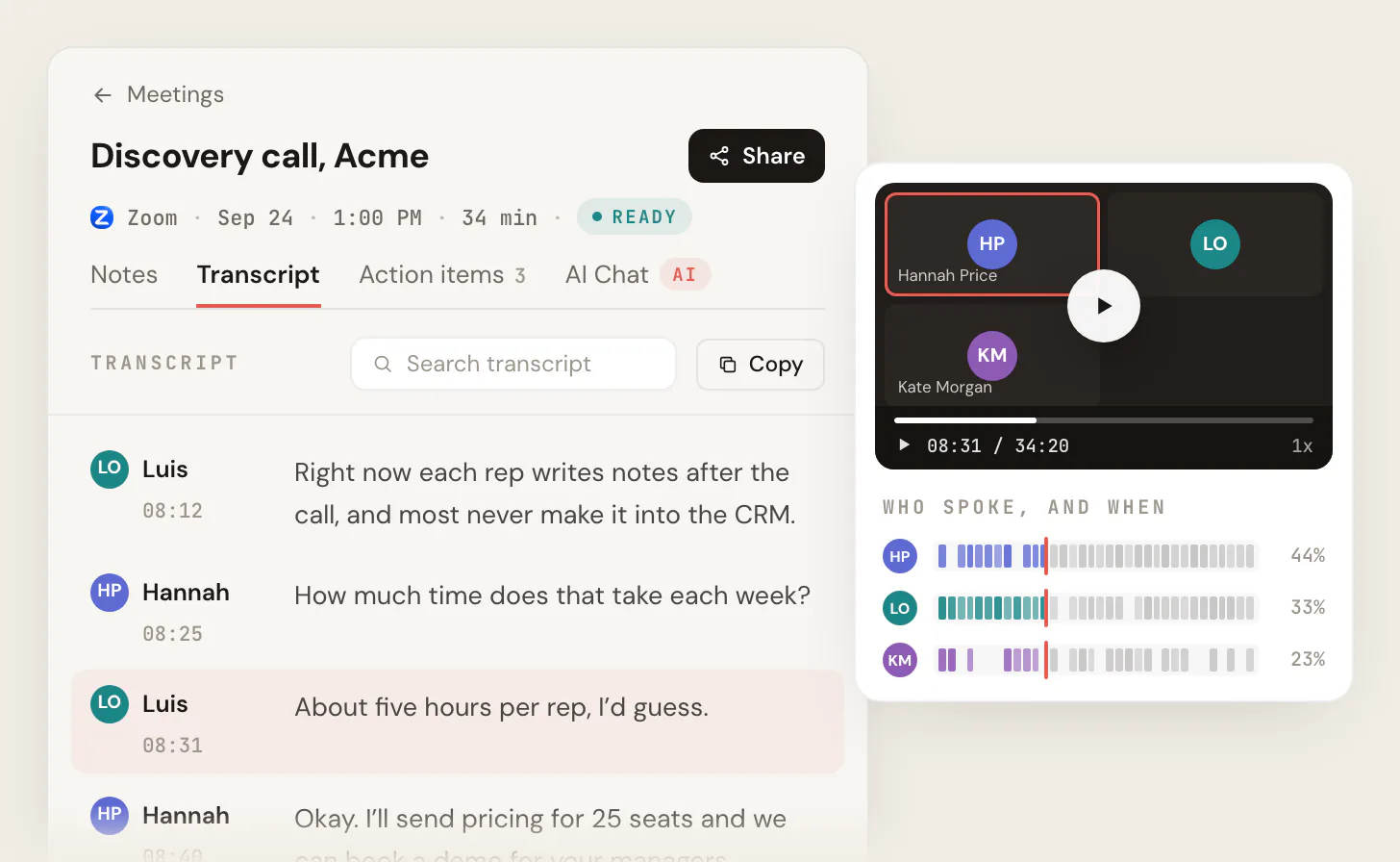
- Scribbl transcribes Google Meet, Zoom and Teams calls with nothing joining the call: free for 10 meetings a month with no length limit, or Pro at $13 per user per month billed annually ($20 monthly) for unlimited meetings.
The headline "per-minute price" is the wrong number to shop on. Transcription costs anywhere from $0 to more than $2 per audio minute, and the right figure depends entirely on the accuracy you actually need. For the most common case, transcribing meetings you attend on Google Meet, Zoom, or Microsoft Teams, the real marginal cost is close to zero: native transcription is usually bundled into the paid plans you already own, and dedicated AI tools start free. You only pay real money (roughly $1 to $2 per minute for human work) when you genuinely need certified 99%+ accuracy on hard audio: legal, medical, research, or broadcast captions.
The expensive mistake is buying premium human transcription, or burning per-minute AI credits, for routine internal notes where a free or flat-rate AI tool would do the job for a fraction of the price. This guide walks the full price spectrum, the three pricing models, what the human premium actually buys, and a simple way to land on the right tier instead of overpaying.
The honest answer: there is no single going rate
People ask "what does transcription cost" expecting one number. There isn't one. Price tracks two things: how accurate the transcript has to be, and how fast you need it.
At the bottom of the range, transcription is free or already paid for. Native features in Google Meet, Teams, and Zoom cost nothing extra on paid plans. Dedicated AI tools like Otter.ai, Fireflies.ai, and Scribbl all start at $0 for individuals. At the top of the range, a human types every word, checks it against the audio, and certifies the result. That work runs $1 to $2+ per audio minute and takes hours, not seconds.
Everything in between is a question of which tier matches your job. So instead of hunting for a magic per-minute rate, the useful question is: what accuracy do you actually need, and how often?
The three pricing models, and when each is cheapest
Transcription is sold three ways. Knowing which model you're being quoted tells you whether the deal is good for your volume.
Per audio minute. You pay for each minute of recorded audio, regardless of how long the file takes to produce. This is the default for human transcription (Rev is $1.99/min) and for pay-as-you-go AI credits. It's honest and simple for one-off jobs. It gets expensive fast if you transcribe regularly, because the meter never stops.
Per word. Mostly used for dense document work, legal discovery, and some academic transcription where billing by the finished word is the trade norm. You'll rarely see it for meeting audio. If a vendor quotes per word, it usually signals they're built for documents, not conversations.
Subscription or per seat. A flat monthly fee with a minute or meeting allowance attached. This is almost always the cheapest model for ongoing meeting transcription. Once you're transcribing more than a handful of calls a month, a flat plan beats per-minute metering, often by a wide margin.
The decision rule is short:
- Occasional job, high stakes (a deposition, a published interview): per-minute human transcription.
- Recurring, routine work (weekly standups, sales calls, client check-ins): a flat subscription AI tool, or the native transcription you already pay for.
Human vs. AI: what the premium actually buys
The gap between $0.00 and $1.99 per minute is not arbitrary. Here is what the money buys at the top end.
Human transcription buys certified accuracy. Rev guarantees 99%+ and delivers in 12 hours or less; GoTranscript advertises 99.4% accuracy with turnaround tiers from 6 to 12 hours up to five days. A human handles the things AI struggles with: thick accents, two people talking over each other, industry jargon, poor microphones, and the difference between "I can't" and "I can." When the transcript is going into a court record, a research dataset, or broadcast captions that have to be legally compliant, that premium is the whole point.
AI transcription is dramatically cheaper or free, and for clean audio it's genuinely good. The catch is that vendor-stated accuracy numbers assume clean audio. Accents, crosstalk, background noise, and specialized vocabulary all degrade it, and that's exactly the condition where the human premium earns its keep. For internal meeting notes, content drafts, and searchable archives, AI is the right call and the accuracy is more than enough. For anything you'd defend in front of a regulator, it isn't.
- Cost: ~$1 to $2+ per audio minute
- Accuracy: certified 99%+ (Rev 99%+, GoTranscript 99.4% claim)
- Turnaround: hours to days (Rev 12 hours standard)
- Best for: legal, medical, research, broadcast captions, hard audio
- Cost: $0 to a flat per-seat fee
- Accuracy: high on clean audio, degrades with accents and crosstalk
- Turnaround: near-instant
- Best for: internal meetings, sales calls, searchable notes, drafts
The cost you may have already paid
Before you buy anything, check what's bundled into the plans you already own. For meeting transcription specifically, the marginal cost is often zero.
Google Meet. Built-in transcripts are supported on Business Standard and Plus, Enterprise Starter, Standard, and Plus, the Teaching and Learning Upgrade, Education Plus, and Workspace Individual. The transcript saves as a Google Doc in the meeting organizer's Drive and attaches to the Calendar event. It runs on a computer, laptop, or Android device, and covers English plus French, German, Italian, Japanese, Korean, Portuguese, and Spanish. (For a ranked look at the tools that go beyond native, see our guide to the best meeting transcription software.)
Microsoft Teams. Start live transcription in a meeting via More actions, then Record and transcribe, then Start transcription. You can download it as a .docx or .vtt file, and it lands in the organizer's OneDrive for Business. Note that live translated transcription specifically requires Teams Premium.
Zoom. AI Companion and smart recording transcription are bundled with paid Zoom plans.
Native transcription has real limits, though. It's gated to the organizer's license, so transcription only works when the right person hosts. Editing is limited, languages are capped, and there's no unified searchable archive across Meet, Zoom, and Teams. Those gaps are exactly why dedicated AI tools exist.
What dedicated AI meeting tools actually cost
If native won't cut it, here's what the popular AI meeting tools charge, plus the caps that don't show up on the pricing hero.
- Otter.ai. Basic is free with 300 transcription minutes a month and a 30-minute cap per conversation. Pro is $16.99/user/month, or $8.33/user/month billed annually, with 1,200 minutes a month and a 90-minute conversation cap. Business is $30/user/month, or $19.99 billed annually, with a 4-hour conversation cap.
- Fireflies.ai. Free is $0 with unlimited transcription but only 400 minutes of storage per team. Pro is $10/user/month billed annually ($18 monthly) with 8,000 storage minutes per seat. Business is $19/user/month annually ($29 monthly) with unlimited storage.
- Rev. Subscriptions bundle AI minutes per seat: Free gives 45 AI minutes a month; Essentials is $25.49/seat/month billed yearly with 5,000 AI minutes; Pro is $47.99/seat/month yearly with 10,000 verbatim AI minutes. Paid tiers also discount Rev's human transcription by 3% to 15%, depending on the plan (as of June 2026).
- Scribbl. The free plan has 10 meetings a month, unlimited meeting length, AI notes and action items. Pro is $20/user/month ($13/user/month annually) with unlimited meetings and AI chat. The desktop app adds Zoom and Microsoft Teams on every plan, free included.
- Otter free: 300 min/mo, 30-min-per-call cap
- Otter Pro: $8.33/user/mo annual, 1,200 min
- Fireflies free: unlimited transcription, only 400 storage min/team
- Fireflies Pro: $10/user/mo annual, 8,000 storage min
- Rev free: 45 AI min/mo; human work billed per minute
- Rev Pro: $47.99/seat/mo, 10,000 AI min + human discount
- Scribbl free: 10 meetings/mo, no length limit
- Scribbl Pro: $13/user/mo annual, unlimited meetings, no bot in the call
The fine print is where budgets break. Watch for three traps: minutes of transcription versus minutes of storage (Fireflies Free gives unlimited transcription but caps what you can keep at 400 minutes), per-conversation length limits (Otter Basic stops at 30 minutes), and AI credits that gate the parts you actually want like summaries and search. For a deeper teardown of the free options, see our guide to the best free transcription software.
The real cost is total cost of ownership
The sticker per-minute rate is the start of the bill, not the end of it. Total cost of ownership adds in the things that don't appear on the pricing page.
- Add-ons and surcharges. Rush and turnaround fees, timestamps, strict verbatim, multiple-speaker handling. GoTranscript charges $10 per file just for open captions on top of the base rate.
- Editing and review time. Even good AI needs a cleanup pass, and even a human transcript needs a read-through before it goes to a client. That's your labor, billed at your rate.
- Storage and retention. Caps and expiration windows are a cost if you need an archive.
- Seat minimums and credits. Per-seat tools can force you to buy more seats than you use, and credit-metered features can run out mid-month.
Here's a checklist you can apply to any quote before you sign:
Transcription TCO checklist
---------------------------
1. Base rate            (per minute, per word, or flat per seat?)
2. Your real volume     (minutes or meetings per month)
3. Turnaround surcharge (rush / same-day fees?)
4. Per-file add-ons     (timestamps, verbatim, captions, speakers)
5. Storage / retention  (cap on minutes kept? expiration window?)
6. Credit limits        (summaries, search, exports gated by credits?)
7. Seat minimum         (paying for unused seats?)
8. Editing time         (hours of cleanup x your hourly rate)

True monthly cost = (1 x 2) + 3 + 4 + 6 + 7 + 8
How to choose: a four-step framework
You don't need to compare twelve vendors. Run these four steps in order and the answer usually falls out by step three.
- 1
Define the accuracy you need
Good-enough searchable notes, or certified legal-grade verbatim? This single answer rules out most of the market.
- 2
Estimate your volume
One-off job or recurring weekly work? One-off plus high stakes points to per-minute human; recurring points to a flat subscription.
- 3
Check what you already own
On a paid Google Workspace, Microsoft 365, or Zoom plan? Native transcription is probably included at no extra cost. Try it first.
- 4
Pick a tier and total the TCO
Only now choose a tool, and run the eight-line checklist so the sticker rate doesn't hide the real bill.
For most teams, the answer lands on a flat-rate AI tool, because most transcription is routine meeting notes, not certified verbatim. If you meet on Google Meet, Zoom or Teams and want nothing joining the call, Scribbl's meeting transcription software fits: the free plan includes Google Meet, Zoom and Microsoft Teams, with 10 meetings a month and no length limit, and Pro is a flat $13 per user per month billed annually, or $20 monthly, for unlimited meetings, with no per-minute metering. Google Meet runs from the Chrome extension, and Zoom and Microsoft Teams from Scribbl Desktop, free plan included. If you're an agency billing client meetings, the math on a flat seat price versus per-minute credits is even more lopsided; we cover that in our guide for agencies. And if you need certified verbatim for a deposition or a published interview, skip the AI tools entirely and pay Rev or GoTranscript per minute. That's the one place the premium is worth it.
Transcription service costs FAQ
How much does transcription cost per minute?
Human transcription runs about $1 to $2 per audio minute (Rev is $1.99 per minute for 99%+ accuracy in 12 hours or less). AI transcription is far cheaper, from $0 on free tiers to a flat per-seat fee, because price tracks the accuracy and turnaround you need.
Is AI transcription accurate enough to skip human transcribers?
For clean audio and routine internal use like meeting notes, sales calls, and searchable archives, yes. For hard audio (heavy accents, crosstalk, noise) or certified work (legal, medical, broadcast captions), the human accuracy guarantee is worth the premium.
Do I have to pay extra to transcribe my meetings?
Often no, since paid Google Workspace, Microsoft 365, and Zoom plans include native transcription, so the marginal cost of transcribing a meeting you attend is effectively zero. Native features have limits (organizer-license gating, language caps, no cross-platform archive), which is when a dedicated AI tool earns its keep.
Which pricing model is cheapest for ongoing transcription?
A flat subscription or per-seat plan. Per-minute pricing is honest for one-off jobs but the meter never stops, so convert any per-minute quote into your real monthly volume and compare it against a flat plan before deciding.
What hidden costs should I watch for?
Turnaround and rush surcharges, per-file add-ons (timestamps, verbatim, captions), storage caps versus transcription minutes, expiration windows on recordings, AI-credit limits that gate summaries and search, seat minimums, and your own editing time. Run the eight-line TCO checklist on any quote before you sign.
Try Scribbl
Transcribe every meeting, no per-minute fee
Scribbl records, transcribes, and summarizes your Google Meet calls from your browser. No bot joins the call. Free forever for individuals.
Add to Chrome · It's free