6 Best Grain Alternatives for AI Meeting Notes in 2026
The 6 best Grain alternatives in 2026, compared side by side with real pricing: Scribbl, Fathom, Fireflies, Otter, tl;dv and Gong. Full feature matrix, per-seat and 10-user cost, free-tier limits, and how to pick.
Updated October 29, 2026
The short answer
Prices from each vendor's pricing page, checked in June 2026; Fathom, Fireflies, Otter and tl;dv rechecked October 7, 2026
Scribbl is the best Grain alternative for most teams: no bot joins the call on Google Meet, Zoom or Teams, nothing is announced, and Automations do the follow-up.
- 01 Scribbl Best overall, botless From $13/mo billed annually Every meeting gets the video, a transcript with speaker names, AI notes and action items. Free plan with 10 meetings a month, no credit card.
- 02 Fathom If a bot is fine From $16/mo billed annually A notetaker joins the call, and free advanced summaries cover only your first 5 calls a month.
- 03 Fireflies Integration breadth From $10/mo billed annually A bot joins the call to capture, transcribe and summarize. The free plan has 400 minutes of storage per team.
- 04 tl;dv Closest to Grain's clips From $18/mo billed annually Recording and highlight clips, with a bot in the call. The better AI notes sit on paid tiers.
The best Grain alternative in 2026 for most teams is Scribbl, the botless pick across Google Meet, Zoom, and Microsoft Teams: no bot joins the call, nothing is announced, the free plan needs no credit card, Automations do the follow-up, and you can ask ChatGPT or Claude about every meeting. The other five here are Fathom, Fireflies, Otter, tl;dv (closest to Grain's clips), and Gong, and all five send a bot into the call. Below is a full six-tool feature matrix, a tier-by-tier pricing table, and a 10-user cost chart so you can choose in minutes.
Grain is known for its recordings, highlight clips, and shareable call moments. Competitor pricing and limits below are linked to each vendor's own page and were checked in June 2026 (Fathom, Fireflies, and Otter prices rechecked October 7, 2026); AI-notetaker plans change often, so verify before you buy. The Scribbl column reflects facts we can verify about our own product.
Why teams leave Grain
Across the major "best Grain alternatives" roundups published in 2026, the same six frustrations recur. Grain's plans change, so confirm current limits on Grain's pricing page before you decide, but here is what consistently sends teams shopping.
- A tight free tier. Grain's free plan is documented as a single seat with no file uploads, and roundups in this category note a recording cap (commonly cited around 20 recordings or a roughly 45-minute call limit) plus shorter retention before recordings expire. Small teams hit the ceiling within a week or two. Check the live free-plan terms on grain.com/pricing.
- Botless capture is limited. Grain's no-bot recording mode runs only on macOS and in English, per Grain's own docs, which leaves Windows users and multilingual teams back on a bot that joins the call.
- Accuracy on accents and other languages. Reviewers commonly flag weaker transcription on strong accents and non-English audio. For scale, the most-cited published accuracy figure in this category is Otter's roughly 92 percent on clear English audio; real-world accuracy varies by speaker, accent, and audio quality across every tool here.
- No built-in translation. Teams working across languages have to handle translation outside Grain.
- Integrations behind higher tiers. Several CRM and workflow integrations sit on Grain's paid or higher-priced plans rather than the entry tier.
- A bot announcing itself changes the room. On external calls, a notetaker that joins and names itself can shift the tone of a demo, interview, or first client conversation, which is why a no-bot option matters to client-facing teams.
If one of these is your reason for switching, weight the comparison below around it. The biggest fork is the first and the fifth combined: whether a bot joins your call at all.
Bot vs botless: the first thing to decide
Every tool here reaches your conversation one of two ways. Most send a bot that joins the meeting as a visible participant to record and transcribe. A few are botless and capture without anything joining the call. That single choice changes who sees a notetaker in the room, so it is worth understanding before you read the tables. The two illustrations below show the difference in plain terms (they are honest diagrams of the experience, not real vendor screenshots).
Recording, transcript, and summary saved to the app dashboard.
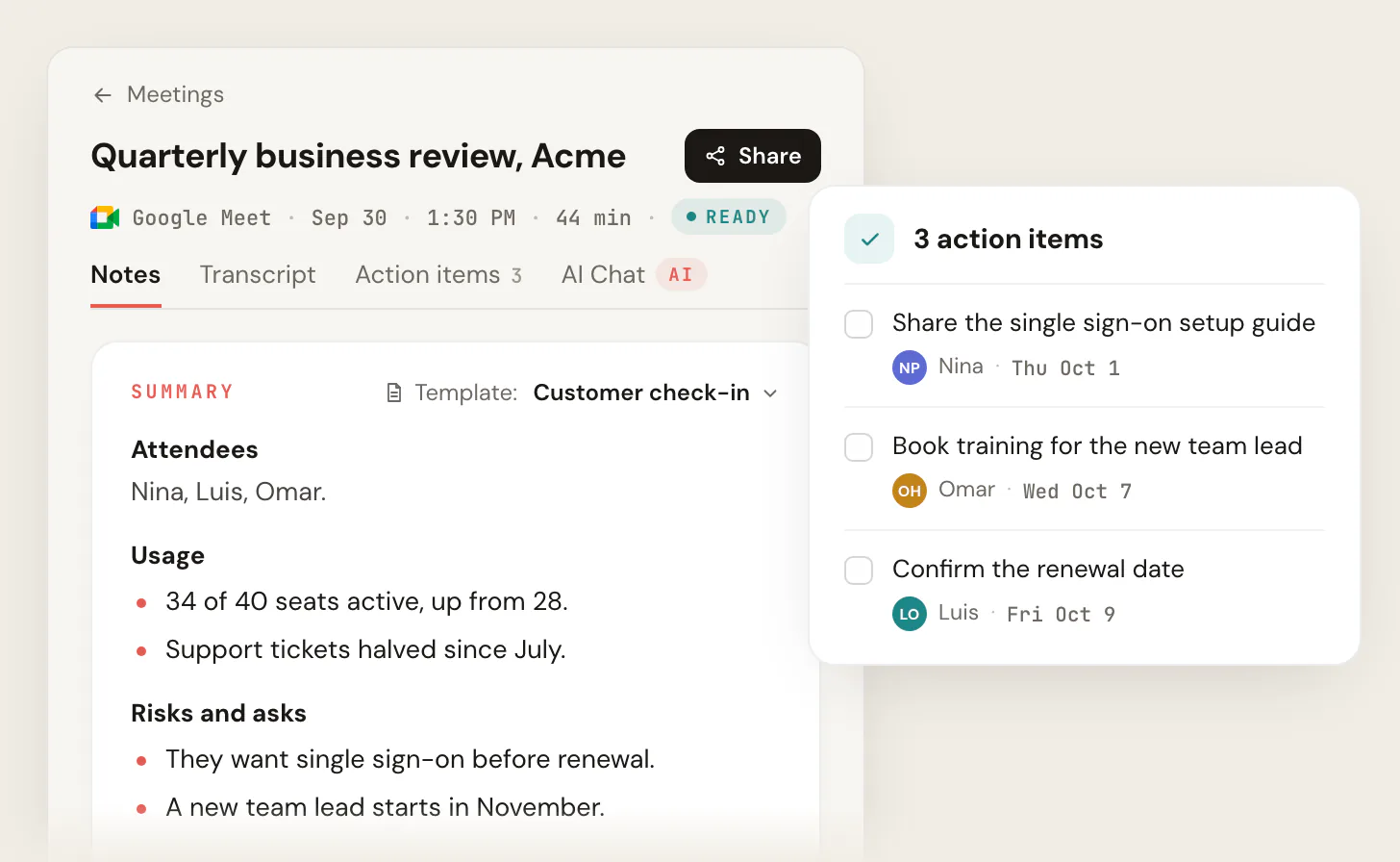
The video, transcript, AI notes and action items are ready, and Automations do the follow-up.
Feature comparison: six Grain alternatives at a glance
This is the side-by-side most Grain roundups are missing (the often-#1 organic result for this query ships with no comparison table at all). It compares the six tools on the rows that actually decide a switch. Competitor figures were checked in June 2026 against each vendor's pricing page and may change; the Scribbl column reflects facts we can verify about our own product. Pricing is per user, per month, billed annually, where published.
| Feature | Scribbl | Fathom | Fireflies | Otter | tl;dv | Gong |
|---|---|---|---|---|---|---|
| No bot joins the call (botless) | Yes | No | No | No | No | No |
| Google Meet | Yes | Yes | Yes | Yes | Yes | Yes |
| Zoom | Yes | Yes | Yes | Yes | Yes | Yes |
| Microsoft Teams | Yes | Yes | Yes | Yes | Yes | Yes |
| Chrome extension + desktop app | Yes | Yes | Yes | Yes | Yes | Web/ext. |
| Built-in translation | Via ChatGPT/Claude | No | Yes | No | Yes | Yes |
| AI summary + action items | Yes | Yes | Yes | Yes | Yes | Yes |
| Connects to ChatGPT or Claude | Yes | Yes | Yes | Yes | Yes | Yes |
| CRM + Slack integrations | HubSpot, Pipedrive, Slack (Automations) | Paid tiers | Yes | Yes | Yes | Yes |
| Third-party rating | 5.0 from 3,000 reviews (Chrome Web Store) | ~5.0 G2 | ~4.7 G2 | ~4.3 G2 | ~4.7 G2 | ~4.7 G2 |
How to read the table: a dash means "no" or "not a focus," a check means "yes," and a short label gives the specific (integration depth or rating). The one row that does not move is the first: among these six, Scribbl is the one designed so no bot joins the call, on Google Meet, Zoom, and Teams. Pricing gets its own table next, broken out by plan tier, because the entry price rarely tells the whole story.
Pricing by plan tier
Per-seat headline prices hide the part that decides the bill: what the free plan actually allows, and what jumps you to the next tier. This table breaks each tool into Free, Starter or Pro, Business or Team, and Enterprise so you can see where your team lands. Figures are per user, per month, billed annually, checked against each vendor's pricing page in June 2026; verify before you buy.
| Feature | Scribbl | Fathom | Fireflies | Otter | tl;dv | Gong |
|---|---|---|---|---|---|---|
| Free plan | Yes | Yes | Yes | Yes | Yes | No |
| What free includes | 10 meetings/mo, no card | Unlimited rec.; advanced summaries on 5 calls/mo | 400 min storage per team | 300 min/mo | Unlimited rec., limited AI | None |
| Credit card to start free | No card | No card | No card | No card | No card | Sales-led |
| Starter / Pro (per user/mo) | $13 | $16 | $10 | $8.33 | $18 | Custom |
| Business / Team tier | See pricing | Team $15, Business $25 | $19 | $19.99 | Paid | Custom |
| Enterprise tier | Contact us | Custom | $39 | Custom | Custom | Custom |
Read it by your situation: if a permanent free plan matters, only Gong lacks one. If you want to start without handing over a card, every tool here except Gong lets you; Gong is sales-led. The next chart turns those per-seat numbers into a real monthly bill for a team of ten.
What 10 users actually costs
Per-seat prices look close until you multiply by a team. The chart below estimates the monthly cost of putting 10 people on each tool's entry-level paid plan, using the per-user annual prices in the table above. It is a planning estimate, not a quote: real bills depend on tier, add-ons, minute caps, and current promotions, so confirm on each vendor's pricing page. Gong is omitted because it does not publish pricing (enterprise quotes are commonly cited well above this range). Scribbl is not in the chart: its free plan covers 10 meetings a month with no credit card, and Pro is $13 per user per month billed annually, or $20 monthly; see the pricing page.
The takeaway is not "cheapest wins." It is that the entry price is only the floor: minute caps, storage limits, and integrations gated to higher tiers mean a 100-dollar plan can become a 200-dollar plan once a real team uses it. Weigh the per-seat number against what your free tier covered on Grain, then test before you commit.
The six alternatives, reviewed
Scribbl, our pick, comes first; the other five follow alphabetically so you can scan to the one you are weighing. Each block covers who it is best for, key features, pricing, a third-party rating, and a one-line verdict, and each competitor block adds what to watch out for. Where a number is a vendor or reviewer claim rather than something we can confirm directly, we flag it and link the source.
Scribbl: best fully botless Grain alternative
Best for: teams that want meeting notes with nothing in the room, especially on external calls.
Scribbl is botless. No bot ever joins the call, nothing is announced to the room, no participant named after the tool shows up in the attendee list, and no email goes to other attendees. Everyone else sees a normal call. It works on Google Meet with its Chrome extension and on Zoom and Microsoft Teams with Scribbl Desktop (Mac with Apple silicon and Windows), and instead of stopping at notes it connects your meetings to the AI you already use (ChatGPT or Claude) so the follow-up work actually gets done.
- Key features: botless capture across Meet/Zoom/Teams; the video, a transcript with speaker names, AI summaries and action items for every meeting; connection to ChatGPT or Claude; Smart Collections that sort meetings by themselves into groups you describe in one sentence; Automations that draft the follow-up email, log notes in HubSpot or Pipedrive, and post to Slack or Teams, asking before they change anything by default; Chrome extension for Google Meet and Scribbl Desktop for Zoom and Teams; free plan with no credit card.
- Pricing: free plan with 10 meetings a month and no credit card; Pro is $13 per user per month billed annually, or $20 monthly. See the Scribbl pricing page.
- Third-party rating: 5.0 from 3,000 reviews on the Chrome Web Store and 4.9 from 725 reviews on G2; used across 10,000+ organizations.
- Verdict: the clearest answer for anyone whose reason to leave Grain is "I do not want a bot in my calls," with no-bot capture on all three major platforms.
Fathom: a polished bot-based notetaker with a free plan
Best for: individuals and small teams who want a genuinely free notetaker and do not mind a bot joining the call.
Fathom is the most-cited Grain alternative for its free plan, which it advertises as unlimited recording and transcription on supported platforms. It joins the call as a notetaker, records, transcribes, and produces summaries, with a clean interface reviewers praise. Every call gets an AI summary, but on the free plan advanced summaries cover only your first 5 calls each month, and AI action items, follow-up emails, and Ask Fathom need Premium.
- Key features: unlimited recording on the free plan, AI summaries, AI action items and ask-anything chat on Premium, Meet/Zoom/Teams support.
- Pricing: free plan; Premium is $16 per user per month billed annually, or $20 monthly, adding AI action items, follow-up emails, and integrations. See fathom.ai/pricing.
- Watch out for: it is bot-based, so a notetaker is visible in the call, and deeper CRM integrations sit on paid tiers.
- Third-party rating: roughly 5.0 on G2.
- Verdict: a polished free option if a visible notetaker is acceptable and advanced summaries on 5 calls a month are enough.
Fireflies.ai: best free transcript volume and integration breadth
Best for: teams that want lots of transcription and the widest catalog of integrations.
Fireflies' free plan includes 400 minutes of storage per team, and it has one of the broadest integration sets in the category, spanning CRMs, Slack, and collaboration tools. A bot joins the call to capture, transcribe, and summarize, and it supports a large set of languages (60+).
- Key features: broad integrations, AI summaries, transcript search, speaker talk-time, 60+ languages, translation.
- Pricing: free tier (400 minutes of storage per team); Pro is $10 per seat per month billed annually or $18 monthly, and Business is $19 billed annually or $29 monthly. See fireflies.ai/pricing.
- Watch out for: bot-based capture; storage and minute limits matter as volume grows, so review the cap your team will actually hit.
- Third-party rating: roughly 4.7 on G2.
- Verdict: the best fit when integration breadth, language coverage, and transcript volume outweigh staying out of the room.
Gong: best for enterprise revenue intelligence
Best for: larger sales organizations that need full conversation intelligence and forecasting, not just notes.
Gong sits at the enterprise end: deal analytics, coaching, and revenue intelligence built on call recordings, with a large multilingual transcription footprint (around 70+ languages).
- Key features: conversation and deal intelligence, forecasting, coaching, deep CRM integrations, 70+ languages.
- Pricing: no published pricing and no free tier; sold per seat at the enterprise level, commonly cited in the 1,200 to 1,600 dollars per user per year range plus platform fees. Get a quote from Gong.
- Watch out for: enterprise scope and cost; far more than a notetaker and usually overkill for a solo operator or small team.
- Third-party rating: roughly 4.7 on G2.
- Verdict: the right tier only when notetaking is one part of a broader revenue-intelligence platform need.
Otter.ai: best for live captions and lowest entry price
Best for: people who want live, in-meeting captions and a familiar, low-cost transcription workflow.
Otter is one of the longest-running names in the space, strong on real-time transcription and live notes, and it is the source of the roughly 92 percent English-accuracy figure most often cited as the category benchmark. It is also among the cheapest to start.
- Key features: live captions, real-time transcription, AI meeting summaries, speaker ID, mobile dictation.
- Pricing: free tier (around 300 monthly minutes, capped near 30 minutes per conversation); Pro is $8.33 per user per month billed annually, or $16.99 monthly. See otter.ai/pricing.
- Watch out for: reviewers frame it as transcription-first with narrower language support (around 3 languages); check meeting-platform behavior and summary depth for your use case.
- Third-party rating: roughly 4.3 on G2.
- Verdict: a solid, budget-friendly choice when live captions are the priority and you mostly work in English.
tl;dv: most like-for-like for Grain's clips
Best for: teams that liked Grain's clip-and-share workflow and want a free option to start.
tl;dv leans into recording, highlight clips, and shareable moments, positioning closest to Grain's own strengths. Its free tier allows unlimited recordings with limited AI notes, and it supports a wide language set (30+) with translation.
- Key features: recording and clips, timestamps, 30+ languages with translation, CRM and Slack integrations, AI notes on paid tiers.
- Pricing: free tier (unlimited recordings, limited AI notes); Pro is $18 per seat per month billed annually, or $29 monthly (tl;dv pricing, October 7, 2026).
- Watch out for: bot-based capture; the better AI notes and integrations sit on paid tiers, so confirm what the free plan actually includes.
- Third-party rating: roughly 4.7 on G2.
- Verdict: the closest swap if highlight clips were the reason you used Grain.
How to pick your Grain alternative
Use the reason you are leaving Grain to choose. For most teams the answer is Scribbl, and this path shows why.
- 1
Do you want a bot in the call at all?
If no, go botless: Scribbl is the clearest no-bot pick across Meet, Zoom, and Teams. Nothing joins, nothing is announced, and no email goes to attendees.
- 2
Is a free plan the priority?
Scribbl's free plan covers 10 meetings a month on Google Meet, Zoom, and Teams with no credit card and no bot. Most other free tiers send a bot into the call.
- 3
Do you want the follow-up done for you?
Ask Claude or ChatGPT about every meeting, and let Scribbl's Automations draft the follow-up email, log notes in HubSpot or Pipedrive, and post to Slack or Teams, asking before they change anything by default.
- 4
Do you meet on more than one platform?
Scribbl covers Google Meet with its Chrome extension, and Zoom and Teams with Scribbl Desktop (Mac with Apple silicon, and Windows), in one account.
- 5
Still on the fence?
Run one real meeting with Scribbl and compare the notes with what you got from Grain. It is free to start with nothing joining the call.
A quick use-case summary:
- Best overall, and best for nothing in the room: Scribbl (no bot, consistent across Meet, Zoom, and Teams).
- Best free plan without a bot: Scribbl (10 meetings a month, no credit card).
- Best for turning notes into finished follow-up: Scribbl (ChatGPT or Claude, plus Automations).
- Closest to Grain's clip workflow, with a bot in the call: tl;dv.
Why botless is the real wedge
The defining difference between these tools is how they reach your conversation. Grain and most alternatives send a bot that joins the meeting, which records and transcribes well but is visible to everyone. On internal calls that is rarely an issue. On external calls, a demo, an interview, a first client conversation, a named third-party participant can change the tone, and some hosts simply prefer not to introduce a notetaker to the room.
Scribbl is botless, so no bot ever joins, nothing is announced, and attendees see a normal call. Botless capture is also more durable: a joining notetaker is a participant, so it can be denied admission, removed, or blocked by meeting controls, while a tool that never tries to join sidesteps that entire class of problem. Scribbl keeps this consistent across Google Meet, Zoom, and Microsoft Teams. For the longer version of this argument, read our piece on the botless AI notetaker.
- Capture: generally joins the meeting as a notetaker to record and transcribe
- Visibility: a notetaker in the call is typically visible to other attendees
- Strengths: recordings, highlight clips, and easy sharing of call moments
- Free tier: reported single seat, recording cap, ~90-day expiry, no uploads (confirm current terms)
- Capture: botless, no bot ever joins and nothing is announced to the room
- Visibility: attendees see nothing extra, no joined participant, no email to the room
- Strengths: the video, transcript, AI notes and action items for every meeting, and Automations do the follow-up
- Free tier: 10 meetings a month, no credit card; rated 5.0 from 3,000 reviews on the Chrome Web Store
If you are still mapping the field, our Read AI vs Otter.ai breakdown compares another common pairing, and sales teams can see the botless approach in context on the Scribbl for sales page.
Grain alternatives FAQ
What is the best Grain alternative in 2026?
Scribbl is the best Grain alternative for most teams, especially if you want notes with nothing in the room: no bot ever joins the call, nothing is announced to attendees, there is a free plan with no credit card, it works on Google Meet, Zoom, and Microsoft Teams, and it connects your meetings to the AI you already use (ChatGPT or Claude). Every meeting gets the video, a transcript with speaker names, AI notes and action items.
Why do teams leave Grain?
The reasons cited most often across alternative roundups (as of mid-2026) are a tight free tier (reported as a single seat, around 20 recordings, a roughly 45-minute cap per call, recordings that expire after about 90 days, and no file uploads on free), botless capture that is reported to run on macOS and in English only, weaker accuracy on strong accents and non-English audio, no built-in translation, and several CRM and workflow integrations sitting behind higher paid tiers. Some teams also dislike that a notetaker bot has to join and announce itself in the call. Confirm current Grain limits on Grain's own site, since plans change.
Is there a free Grain alternative?
Yes. Scribbl has a free plan with no credit card required, covering 10 meetings a month on Google Meet, Zoom, and Microsoft Teams, and it is botless, so nothing joins your call. Fathom (unlimited recording on free), Fireflies (400 minutes of storage per team on free), and tl;dv (unlimited recordings on free, with limited AI notes) also have free tiers, but all three send a bot into the call. Terms change, so verify limits on each tool's pricing page before switching.
How much do Grain alternatives cost?
Starting paid prices (per user, per month, billed annually, as of October 2026) cluster in a tight band: Fathom 16 dollars, Fireflies 10 dollars, Otter 8.33 dollars, and tl;dv 18 dollars. Gong does not publish pricing and is quoted per seat at the enterprise level (commonly cited in the 1,200 to 1,600 dollars per user, per year range). Scribbl has a free plan with 10 meetings a month and no credit card, and Pro is $13 per user per month billed annually, or $20 monthly. For a 10-person team, that difference compounds fast, which is why the 10-user cost chart on this page matters. Always confirm live numbers on each vendor's pricing page.
Does Scribbl put a bot in the meeting like Grain?
No. Scribbl is botless, so no bot ever joins the call, no participant named after the tool appears in the attendee list, and no email is sent to other attendees. Grain is generally known for joining the meeting as a notetaker to record and clip the conversation.
Which Grain alternative works with Google Meet, Zoom, and Microsoft Teams?
Scribbl works across Google Meet, Zoom, and Microsoft Teams with a botless capture model that stays consistent on all three. Most bot-based tools in this list (Fathom, Fireflies, Otter, tl;dv, Gong) also support the big three platforms by sending a bot to join; confirm current platform support on each tool's site.
What should I look for when choosing a Grain alternative?
Compare five things that actually change the experience: the capture model (does a bot join the call or not), the real limits of the free plan (seats, recording caps, and how many meetings get AI notes), the per-seat price as your team grows, transcription accuracy and language or translation support, and where the notes go next (summary and action-item quality, plus CRM and Slack integrations). Decide which of those broke for you on Grain and weight the comparison around it.
Try Scribbl
Meeting notes with no bot in the room
Scribbl records, transcribes, and summarizes your Google Meet calls from your browser. No bot joins the call. Free forever for individuals.
Add to Chrome · It's free