Scribbl vs Tactiq (2026): The Honest Head-to-Head
Scribbl vs Tactiq compared row by row. Both are botless on Meet, Zoom, and Teams: Tactiq as a Chrome extension, Scribbl as a Chrome extension for Meet plus a desktop app for Zoom and Teams. The real split: Scribbl records audio and video you can replay and search; Tactiq is caption-only live transcription. Pricing, accuracy, and a clear winner by use case.
Updated October 7, 2026

On this page8 sections
Scribbl and Tactiq are both botless notetakers for Google Meet, Zoom, and Microsoft Teams, so neither one sends a bot into your call. Tactiq is a Chrome extension on all three; Scribbl is a Chrome extension on Google Meet and a desktop app on Zoom and Teams. The decision comes down to what you get back: Scribbl gives you the video of the call in a searchable library and a post-meeting AI summary you can verify against it, while Tactiq is caption-based live transcription with a text record and no media to replay. Scribbl is the pick if you ever need to re-watch a moment or prove what was said, and if you want the follow-up done for you.
Scribbl vs Tactiq: full comparison
Here is the complete side-by-side, current as of June 2026. We have hedged anything that changes often (competitor pricing, language lists) and we link to live pricing below so you can confirm before you buy.
| Feature | Scribbl | Tactiq |
|---|---|---|
| Botless (no bot ever joins the call) | Yes | Yes |
| Records audio + video you can play back | Yes | No |
| Searchable library of past meetings | Yes | Transcripts only |
| Verify exactly what was said (re-watch) | Yes | No |
| Google Meet + Zoom + Microsoft Teams | Yes | Yes |
| Post-meeting AI summary + action items | Yes | Yes |
| Connects meetings to ChatGPT / Claude | Yes | Yes; reads transcripts on Team and up |
| Free plan | 10 meetings/mo, no card | 10 transcripts + 5 AI credits/mo |
| Pro price (Oct 2026) | $13/user/mo annual, $20 monthly | $8/user/mo annual, $12 monthly |
| Apps | Chrome extension (Meet) + Scribbl Desktop (Zoom, Teams) | Chrome + Edge extension |
| Export / integrations | Claude / ChatGPT connector + Automations (Slack, HubSpot, Notion and more) | ~12 integrations |
| Public rating | 5.0 from 3,000 reviews on the Chrome Web Store; 4.9 from 725 reviews on G2 | Strong G2 / CWS |
The core difference: a recording you can replay vs text only
This is the decision in one line. Tactiq reads the live captions a meeting already produces and saves them as a text transcript. Scribbl gives you the video of the call, with the transcript and summary next to it.
That difference is small until the moment you need it. With Tactiq you have the words someone's caption engine heard, and there is no media behind the text, so when a name is wrong, a number is fuzzy, or two people talked over each other, you cannot go back and check. With Scribbl, the recording is the source of truth: you scrub to the moment, hear it yourself, and confirm. For sales calls, customer interviews, hiring conversations, and anything you might be held to later, being able to verify is the whole point.
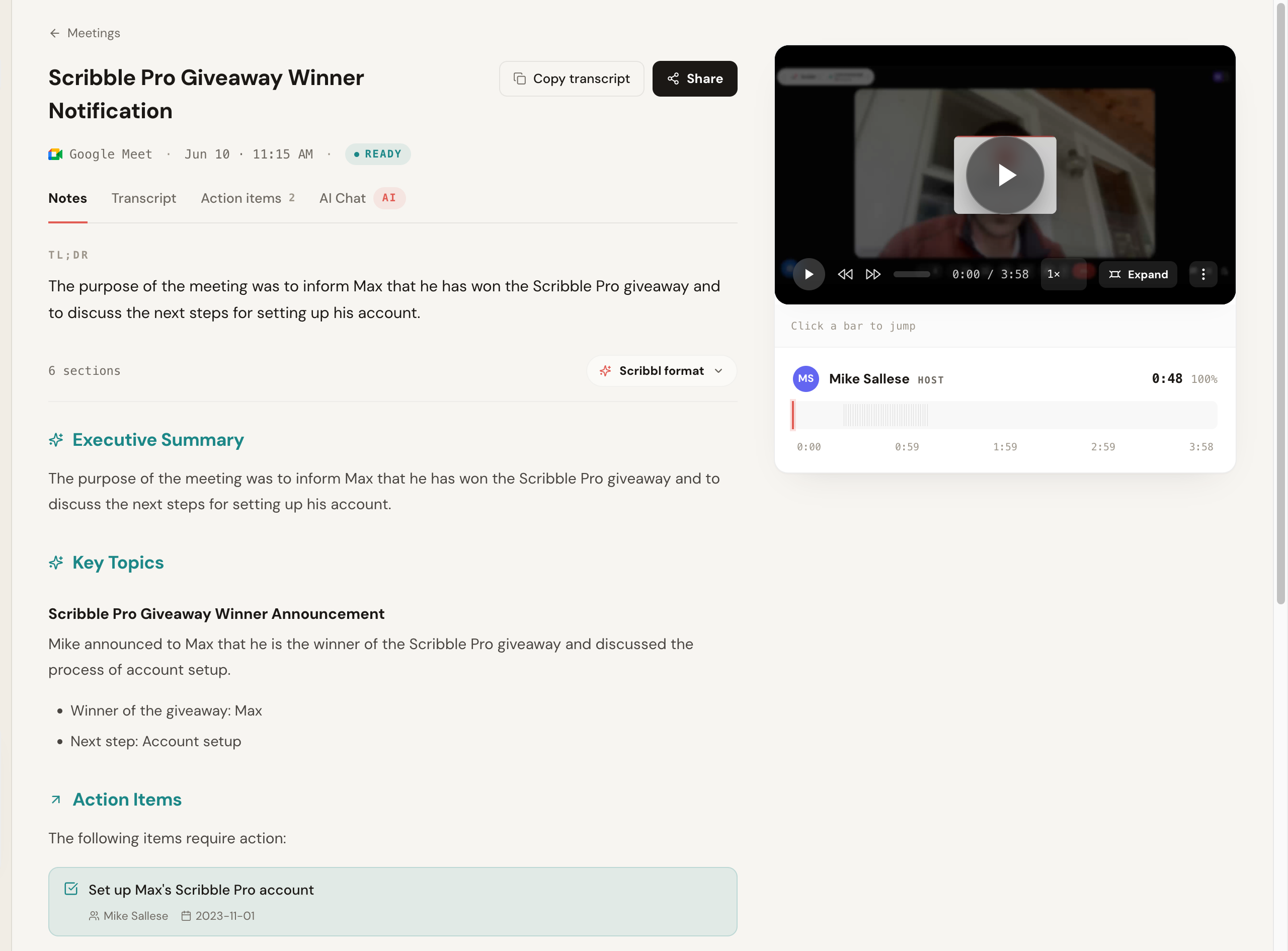
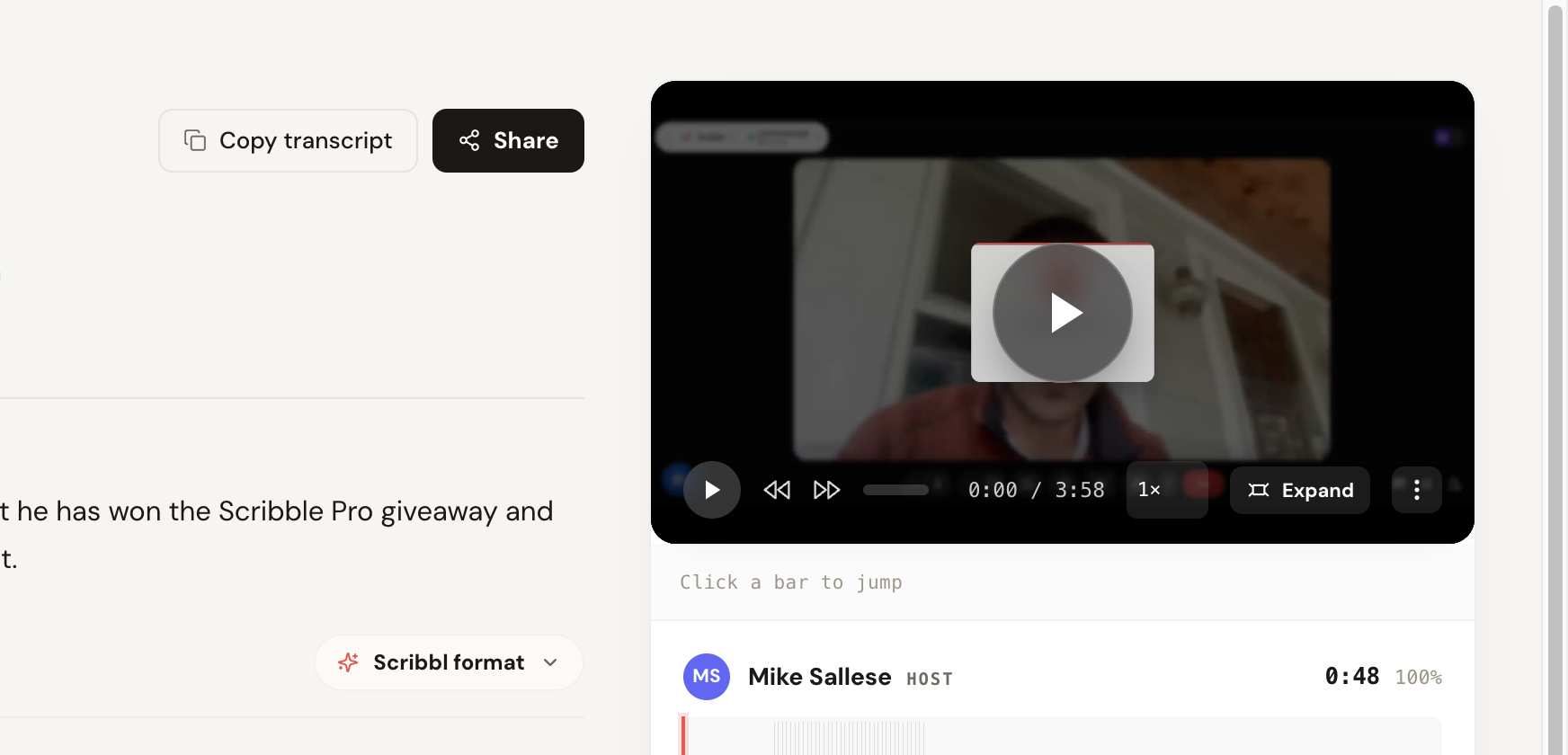
Above is the end state with Scribbl: a recorded call on the left, a structured summary with action items on the right, and the recording sitting underneath so you can verify any line. Tactiq's end state is the transcript text on its own, which cannot be replayed.
Both are botless, with one practical catch
Neither tool drops a bot into your meeting, and that is a real point of agreement. No participant named after the tool joins, nothing is announced, and no email goes out to the other attendees. Everyone sees a normal call. If you have been burned by a notetaker bot showing up uninvited, both of these clear that bar. Our deeper take on why this model matters is in the botless AI notetaker write-up.
The practical catch is on Tactiq's side. Tactiq depends on the meeting's live captions, so captions generally have to be turned on for it to work, and if a platform's captions stumble, the transcript stumbles with them.
- Method: reads the meeting's live captions
- Keeps: a text transcript, no audio or video
- Needs: captions turned on to capture
- Replay: not possible, text only
- Best at: a fast, lightweight written record
- No bot: nothing joins the call
- Keeps: recording + transcript + AI summary
- Needs: the Chrome extension on Meet, Scribbl Desktop on Zoom and Teams
- Replay: scrub back and verify any moment
- Best at: a searchable library that turns into work
After the call: a transcript vs finished work
Tactiq's job ends at the transcript: a searchable text record of what was said.
Scribbl is built around what happens next. Every recording lands in a searchable library, gets a structured AI summary with action items, and connects to the AI you already use. You can hand a call to ChatGPT or Claude and have it draft the recap, pull the next steps, write the follow-up message, or reason across several past meetings at once. Smart Collections sort meetings by themselves into groups you describe in one sentence, and Automations do the follow-up: draft the email, log notes in HubSpot or Pipedrive, post to Slack or Teams, or open a Jira or Linear ticket, asking before it changes anything by default. The goal is that the work gets done, not just that a transcript exists.
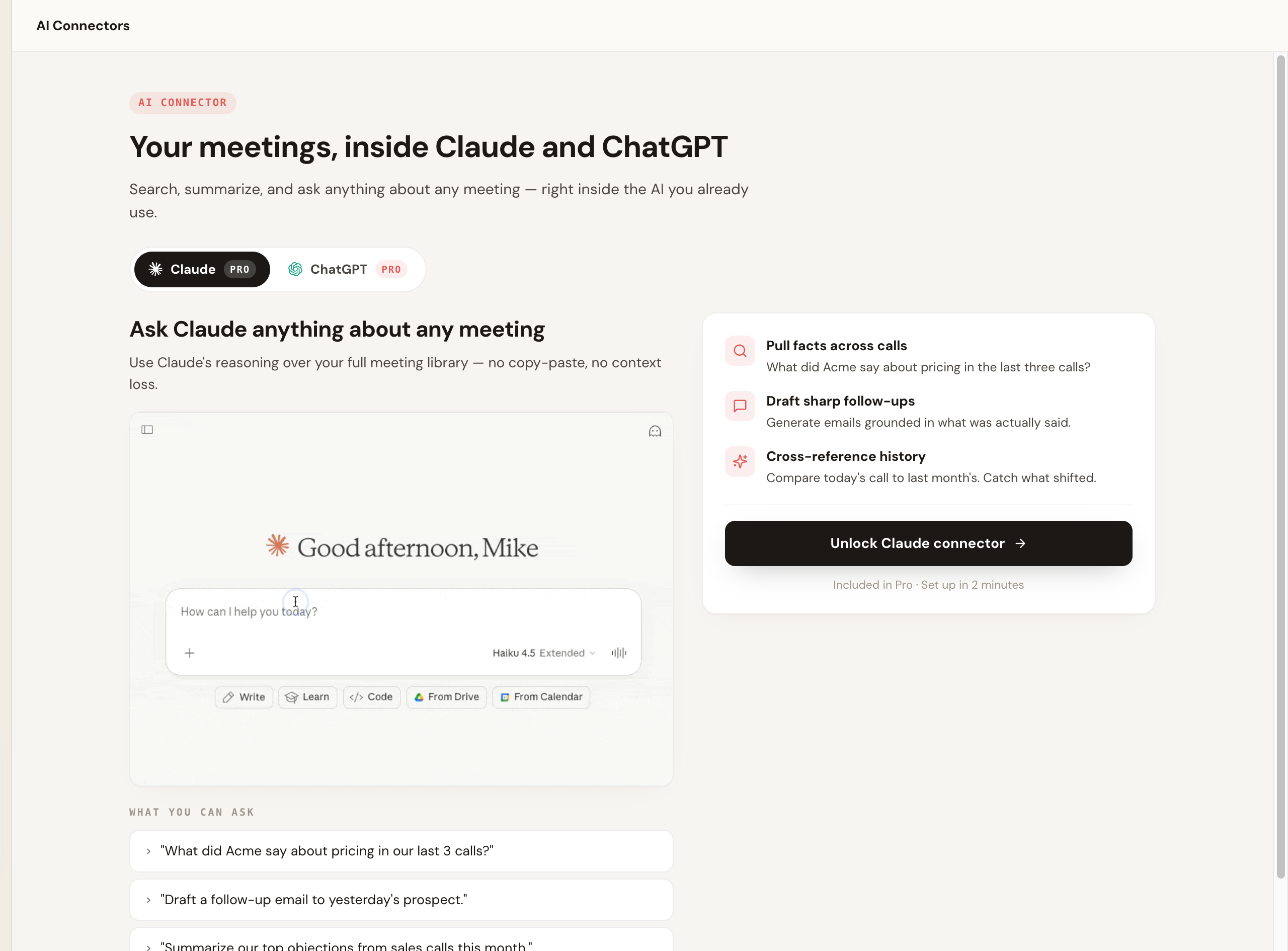
Tactiq connects to ChatGPT and Claude too, but on its Free and Pro plans that connection only searches and lists meetings; reading summaries and transcripts takes Team or higher ($16.67 per user per month billed annually, or $20 monthly). With Scribbl Pro, Claude or ChatGPT can search the transcript and notes of every meeting, and Smart Collections narrow that search to one group of meetings, so you can ask "What were the main objections in my sales calls this week?" and get an answer from just those calls.
Accuracy and what you can verify
Tactiq's accuracy is tied to the meeting's live captions. Caption engines are fast, but they drift on names, jargon, and crosstalk, and because Tactiq keeps only the text, you cannot check a questionable line against audio. Scribbl keeps the recording and lets you replay the exact moment to confirm wording. When you only need the gist, both are fine; when accuracy actually matters, the ability to verify is the difference.
On multilingual support, both vendors update their language lists over time, so check each one's current coverage rather than trusting a number that may be stale.
Pricing, side by side
Both tools have a free plan and a paid tier, so weigh them against your real usage.
Scribbl's free plan covers 10 meetings a month across Google Meet, Zoom and Teams, with no credit card, and Pro is 13 dollars per user per month billed annually or 20 dollars monthly. Tactiq's free plan covers 10 transcripts and 5 AI credits a month, and its Pro tier is 8 dollars per user per month billed annually or 12 dollars monthly (Team is 16.67 or 20 dollars, Business 29.17 or 40). What you get for the money should decide. With Scribbl, the paid tier takes you past 10 meetings a month, every one with the video in a searchable library, and lets you ask Claude or ChatGPT about every meeting. With Tactiq, it buys more transcripts. Confirm the current figures on Scribbl's pricing page and on Tactiq's site before you buy, since both change.
Who should pick Scribbl over Tactiq
Pick Scribbl if you need to re-watch and verify what was said, you want a searchable library of recordings rather than loose transcripts, you want post-call summaries and action items you can trust, and you want each meeting wired into ChatGPT or Claude so the follow-up actually happens. Sales teams especially gravitate to Scribbl; see Scribbl for sales.
Tactiq suits people who only want a text transcript and never need to replay the call. For other options, see the best Tactiq alternatives.
The fastest test is to run one real meeting through Scribbl and look at what you have an hour later: a recording you can replay, a summary you can trust, and next steps already drafted.
Scribbl vs Tactiq FAQ
What is the core difference between Scribbl and Tactiq? What you get back. Scribbl gives you the video of the call in a searchable library, with a transcript and a post-meeting AI summary you can verify against the recording. Tactiq is caption-based live transcription: it reads the live captions a meeting produces and turns them into a text transcript, with no audio or video to play back. Both are botless and both cover Google Meet, Zoom, and Microsoft Teams. If you need to re-watch a moment or confirm exactly what was said, Scribbl can do that and Tactiq cannot.
Does Scribbl or Tactiq put a bot in the meeting? Neither. Both are botless. No participant named after the tool appears in the attendee list and nothing is announced to the room. One practical note: Tactiq relies on the meeting's live captions, so captions generally need to be turned on for it to capture.
How does Scribbl pricing compare to Tactiq? Both have a free plan and a paid tier. Scribbl's free plan includes Google Meet, Zoom and Teams, with 10 meetings a month and no credit card required, and Pro is 13 dollars per user per month billed annually or 20 dollars monthly. Tactiq's free plan includes 10 transcripts and 5 AI credits a month, and its Pro tier is 8 dollars per user per month billed annually or 12 dollars monthly. Prices and limits change, so confirm current numbers on each vendor's pricing page before you buy.
Can I replay the meeting or verify what was said? With Scribbl, yes. Because Scribbl records and stores the audio and video, you can scrub back to any moment and confirm exactly what was said, which matters for sales calls, customer research, and anything you might be held to later. Tactiq keeps the text transcript only, so there is no media to replay or verify against.
Which platforms do Scribbl and Tactiq support? Both work with Google Meet, Zoom, and Microsoft Teams. Scribbl records Google Meet with its Chrome extension, and Zoom and Teams with Scribbl Desktop (Mac with Apple silicon and Windows); Tactiq is a Chrome and Edge extension.
Is Scribbl or Tactiq better for accuracy? Tactiq's accuracy is tied to the meeting's live captions, which are fast but can drift on names, jargon, or crosstalk, and you cannot check them against audio. Scribbl keeps the recording and lets you replay the moment to confirm wording, so when accuracy matters you can verify rather than guess. For multilingual coverage, check each vendor's current language list, since both update support over time.
Who should pick Scribbl over Tactiq? Pick Scribbl if you want a searchable library of recordings you can re-watch and verify, post-meeting AI summaries you can trust, and the ability to connect each meeting to ChatGPT or Claude so the follow-up work actually gets done. Tactiq suits people who only want a text transcript and never need to replay the call.
Try Scribbl
Let your meetings take their own notes.
Scribbl records, transcribes, and summarizes your Google Meet calls from your browser. No bot joins the call. Free forever for individuals.
Add to Chrome · It's free