Scribbl records your Google Meet, Zoom and Teams calls and writes the notes. No bot joins. Free for 10 meetings a month. Start free
Google Meet Time Limit (2026): 60 Minutes Free, 24 Hours Paid, and How to Get Past It
Does Google Meet have a time limit? Free group calls end at 60 minutes, 1:1 calls at 24 hours. Every plan's limit, what happens at 60, and how to get past it.
Updated November 24, 2026
The short answer
Checked on Google Meet Help, Google Workspace pricing and Google One plans, November 24, 2026
Yes. On a free Google account, Google Meet calls with 3 or more people end at 60 minutes, and one-on-one calls can last 24 hours
- Free, 3 or more people
- 60 minutes. Everyone hears a chime and sees a message at 50 minutes, then the call ends at 60.
- Free, just 2 people
- Up to 24 hours. The 60-minute limit only applies to group calls.
- Paid plans
- Google Workspace Business plans (from $7 per user a month) and Workspace Individual: 24 hours for group calls too. Google One with 2 TB or more ($9.99 a month) gets longer group calls.
- Whose account counts
- The host's. If the person who starts the meeting has a paid plan, everyone in it gets the longer limit.
- Don't lose what was said
- Scribbl records the Meet call with nothing joining it and gives you the video, transcript and AI notes. Scribbl itself has no limit on meeting length. Free for 10 meetings a month.
Try Scribbl
Keep every word, even when Meet cuts off
Scribbl records, transcribes, and summarizes your Google Meet calls from your browser. No bot joins the call. Free for 10 meetings a month, no credit card.
Add to Chrome · It's freeYes, Google Meet has a time limit. On a free Google account, a meeting with 3 or more people ends at 60 minutes, and a one-on-one call can last up to 24 hours. Everyone hears a chime and sees a warning at 50 minutes. Paid plans lift the group limit to 24 hours: Google Workspace Business plans start at $7 per user a month, and Google One with 2 TB storage ($9.99 a month) also gets longer group calls. The limit follows the host's account, so if the person who starts the meeting pays, everyone gets the longer call.
The rest of this page has every plan's limit in one table, exactly what happens at 60 minutes, the free and paid ways past it, and how Meet compares with Zoom and Teams. Every Google fact comes from Google's own help and pricing pages, checked November 24, 2026 and listed under Sources.
If the reason you're here is a long call that keeps getting cut off, Scribbl records the Google Meet call from your own Chrome with nothing joining it, so the video, the transcript and the AI notes are saved even when Meet ends the call. Scribbl's own plans have no limit on meeting length.
Does Google Meet have a time limit?
Yes, and it depends on two things: how many people are in the call, and what plan the host has.
| Who's hosting | 2 people (one-on-one) | 3 or more people | Most people in a call |
|---|---|---|---|
| Free Google account (Gmail) | 24 hours | 60 minutes | 100 |
| Google One with 2 TB or more | 24 hours | Longer group calls (Google doesn't state a length) | 100 |
| Google Workspace Individual | 24 hours | 24 hours | 150 |
| Google Workspace Business or Enterprise | 24 hours | 24 hours | 100 to 1,000, by plan |
Google's help page states the free limits for hosting "on a computer": one-on-one meetings for up to 24 hours, and meetings with 3 or more participants for up to 60 minutes. Google's page doesn't list separate limits for hosting from the Meet phone app. Joining someone else's meeting never adds a limit of its own: you get whatever the host's plan allows.
Google Meet time limits by plan
Here is every plan that changes the limit, with the price as Google lists it on November 24, 2026.
| Plan | Group calls (3+) | One-on-one | Most participants | Price (US) |
|---|---|---|---|---|
| Free personal Google account | 60 minutes | 24 hours | 100 | Free |
| Google One: Google AI Plus (2 TB) | Longer group calls | 24 hours | 100 | $9.99 a month |
| Google One: Google AI Pro (5 TB) and AI Ultra | Longer group calls | 24 hours | 100 | AI Pro $19.99 a month |
| Google Workspace Individual | 24 hours | 24 hours | 150 | See Google's page |
| Workspace Business Starter | 24 hours | 24 hours | 100 | $7 per user a month, annual plan |
| Workspace Business Standard | 24 hours | 24 hours | 150 | $14 per user a month, annual plan |
| Workspace Business Plus | 24 hours | 24 hours | 500 | $22 per user a month, annual plan |
| Workspace Enterprise Standard / Plus | 24 hours | 24 hours | 500 / 1,000 | Ask Google sales |
| Education Fundamentals, Standard, Plus | Longer group calls | 24 hours | 100 to 1,000 | Through your school |
A few things that table doesn't say on its own:
- Business Starter is the cheapest way to 24-hour group calls with a stated length. Google's pricing page lists 24 hours as the maximum meeting length on Business Starter, Standard and Plus. New Workspace customers may see an introductory price for the first year.
- Google One is the cheapest way for one person. Google's help says "only the Google One Premium plan with 2 TB storage is eligible for Google Meet premium features," and lists longer group calls for 2 TB and up, including Google AI Pro and AI Ultra. The 100 GB Basic plan ($1.99 a month) doesn't get them.
What happens when a Google Meet call hits 60 minutes?
On a free account, with 3 or more people in the call:
- At 50 minutes, Google says "everyone receives a chime and message notification that the meeting is about to end."
- The host can extend it by upgrading their Google account from that message. Nobody else in the call can.
- At 60 minutes the meeting ends for everyone. Anything you didn't write down or record is gone with it.
Some other sites say the warning comes at 55 minutes. Google's help page says 50.
How to get past the Google Meet time limit
Free ways first, then the cheapest paid ones.
Free ways
- Keep it to two people. A one-on-one call on a free account can run up to 24 hours. The 60-minute limit only starts with a third person.
- Let someone with a paid plan host. Anyone at a company on Google Workspace, a school on Google Workspace for Education, or a Google One 2 TB subscriber can send the invite. Everyone who joins gets their limit.
- Rejoin, or start a new meeting. Other guides say everyone can rejoin the same link after the cut for another 60 minutes; Google's help page doesn't say either way. If the link doesn't let you back in, open meet.google.com, start a new meeting and send the link before the 60 minutes are up, so people know where to go. Plan the break at the 50-minute warning, not mid-sentence.
- Fit the agenda into 50 minutes. Put decisions first and updates last, so if the call ends early, what's left can go in an email. Our meeting agenda guide has a format that does this.
Paid ways
| Option | Price (US, November 24, 2026) | Group call length | Best for |
|---|---|---|---|
| Google One, Google AI Plus (2 TB) | $9.99 a month | Longer group calls | One person who hosts long calls on a personal Gmail |
| Google Workspace Business Starter | $7 per user a month, annual plan | 24 hours | A small business that also wants work email and Drive |
| Google Workspace Business Standard | $14 per user a month, annual plan | 24 hours | Teams that also want Meet's own recording |
Keep the whole conversation, even when Meet cuts off
The time limit hurts most when the call ends mid-discussion and nobody has the notes. Free Google accounts also can't use Meet's own Record button, which needs a paid Google Workspace plan (see why you can't record a Google Meet).
Scribbl is a Chrome extension that records the Google Meet call from your own browser:
- Nothing joins the call. No bot in the participant list and nothing waiting to be let in.
- You don't have to be the host or have a paid Google plan.
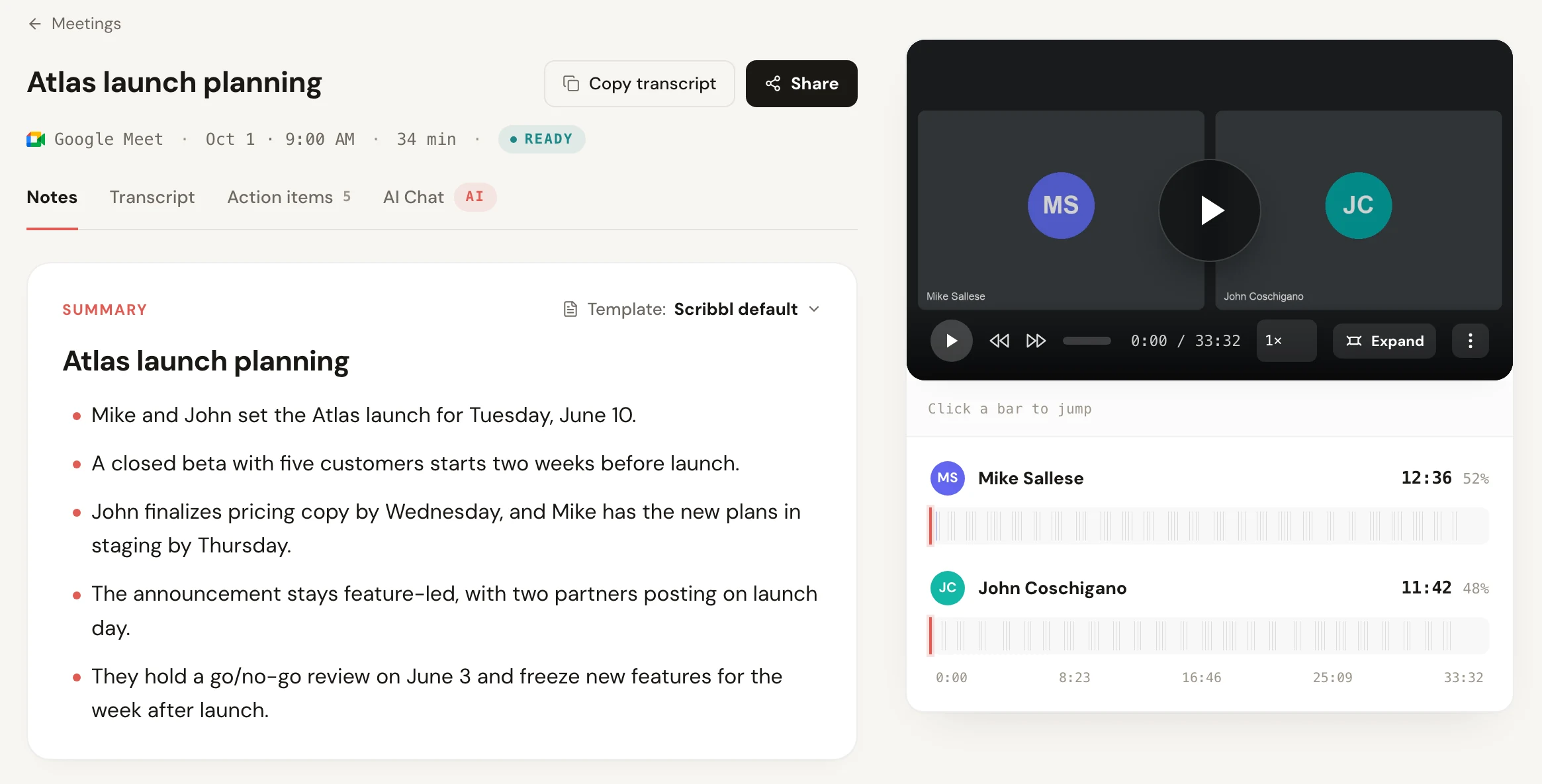
- After the call you get the video, a transcript with speaker names, AI notes with the decisions, and action items with owners.
- Scribbl has no limit on meeting length, on any plan. The free plan includes Google Meet, Zoom and Microsoft Teams, with 10 meetings a month.
If a long call gets split into two meetings, each one is saved with its own notes, so you can read the whole thing back. Tell everyone you're recording first; see do you have to tell people you're recording.
Add Scribbl to Chrome, freeFor other ways to record, see how to record a Google Meet, and for where Meet's own recordings go, where Google Meet recordings are saved.
Google Meet vs Zoom vs Teams free time limits
| Free plan | Group calls | One-on-one | Most people |
|---|---|---|---|
| Google Meet (free Google account) | 60 minutes | 24 hours | 100 |
| Zoom (free Basic plan) | 40 minutes | 40 minutes | 100 |
| Microsoft Teams (free) | 60 minutes | 30 hours | 100 |
On free plans, Google Meet and Teams give a group 60 minutes and Zoom gives 40. For two people, Meet allows 24 hours and Teams 30. None of the three free plans includes its own meeting recording: Zoom's free plan records to your computer only, and free Meet and free Teams don't record at all. For a side-by-side of which free calls you can record, see which video calls can you record for free.
Google Meet time limit FAQ
Does Google Meet have a time limit?
Yes, on free Google accounts. Google says a free account can host one-on-one meetings for up to 24 hours and meetings with 3 or more participants for up to 60 minutes. Google Workspace Business, Enterprise and Workspace Individual plans allow group meetings up to 24 hours, and Google One plans with 2 TB or more storage get longer group calls.
How long is Google Meet free?
As long as you like in total, but each group call with 3 or more people ends at 60 minutes on a free account. One-on-one calls can run up to 24 hours. A free account can have up to 100 participants in a meeting.
Can you use Google Meet for more than 1 hour?
Yes, in three cases: the call has only two people (up to 24 hours), the person hosting has a paid plan (Google Workspace, Workspace Individual, or Google One with 2 TB or more), or you start a new meeting when the first one ends. On a free account, a group call with 3 or more people ends at 60 minutes.
What happens after 60 minutes of Google Meet?
At 50 minutes, everyone in the call hears a chime and sees a message that the meeting is about to end. If the host doesn't upgrade their Google account, the meeting ends at 60 minutes for everyone. To keep talking, start a new meeting and share the new link.
How do I bypass the Google Meet time limit?
For free: keep the call to two people (24 hours), ask someone with a paid Google plan to host it, or start a new meeting when the first one ends. Paid: Google One with 2 TB storage is $9.99 a month and adds longer group calls, and Google Workspace Business Starter is $7 per user a month on an annual plan with 24-hour meetings. Browser extensions that claim to remove the limit can't change Google's limit, which is set by the host's account.
Does the Google Meet time limit apply to one-on-one calls?
Not the 60-minute one. Google says a free account can host one-on-one meetings for up to 24 hours. The 60-minute limit starts when a third person is in the meeting.
Does Google One remove the Google Meet time limit?
Google lists longer group calls for Google One Premium subscribers with 2 TB or more storage and for Google One AI Pro and AI Ultra subscribers. Google's plans page lists Google AI Plus with 2 TB at $9.99 a month and Google AI Pro with 5 TB at $19.99 a month. Google's help page doesn't state how long those longer group calls can be.
Do schools and teachers get longer Google Meet calls?
Yes. Google lists longer group calls for Education Fundamentals, Education Standard, the Teaching and Learning add-on and Education Plus. A teacher signed in with the school's Google account gets the school's limit, not the free 60 minutes.
Which is cheaper, Zoom or Google Meet?
On free plans, Google Meet gives you longer: 60 minutes for group calls against 40 minutes on Zoom's free Basic plan. For paid plans, Google Workspace Business Starter is $7 per user a month on an annual plan and includes Gmail, Drive and 24-hour Meet calls. Microsoft Teams' free plan also ends group meetings at 60 minutes.
How many people can join a free Google Meet call?
Up to 100 on a free Google account, and up to 100 with Google One 2 TB. Google Workspace Business Starter allows 100, Business Standard 150, Business Plus 500 and Enterprise Plus 1,000.
Sources
- Google Meet Help, Learn what requirements you need to use Google Meet: free limits (24 hours one-on-one, 60 minutes for 3 or more), the 50-minute chime, Workspace Individual, participant limits by edition. Checked November 24, 2026.
- Google Meet Help, Premium Meet features for Google Workspace: which Workspace, Education and Google One plans get longer group calls. Checked November 24, 2026.
- Google Workspace pricing: Business Starter, Standard and Plus prices, participants and 24-hour maximum meeting length. Checked November 24, 2026.
- Google One plans: Google AI Plus (2 TB) and Google AI Pro prices. Checked November 24, 2026.
- Zoom and Microsoft Teams free plan limits as checked for our which video calls can you record for free guide.
- Scribbl's plans: scribbl.co/pricing.
Try Scribbl
Keep every word, even when Meet cuts off
Scribbl records, transcribes, and summarizes your Google Meet calls from your browser. No bot joins the call. Free for 10 meetings a month, no credit card.
Add to Chrome · It's freeTry Scribbl
Keep every word, even when Meet cuts off
Scribbl records, transcribes, and summarizes your Google Meet calls from your browser. No bot joins the call. Free for 10 meetings a month, no credit card.
 Add to Chrome · It's free