Notion AI Meeting Notes (2026): How to Use It, What It Costs, and Its Limits
Notion AI Meeting Notes, checked October 7, 2026: how to start it, the $20 Business plan, Zoom, Meet and Teams, limits, consent, and a free option.
Updated October 29, 2026
The short answer
Checked against Notion's help center, pricing page and release notes, October 7, 2026
Type /meet on a page in the Notion desktop app, click Start transcribing, and click Stop at the end: Notion writes a summary with action items on the same page.
- Plans and price
- Business ($20 per member per month yearly, $24 monthly) and Enterprise. Free and Plus get a limited trial.
- Zoom, Meet and Teams
- Yes, through the desktop app, with no bot. In a browser it hears only your microphone.
- Limits
- 10 hours a day per user, 16 languages, speaker labels in English only, audio only (no video).
- Consent
- Notion reminds you, but it doesn't tell the others for you, except through its Google Meet add-on in Chrome.
- Free option
- Scribbl records Google Meet, Zoom and Teams with nothing joining the call, on a free plan of 10 meetings a month. You get the video too, and Automations can save the notes to a Notion page.
Notion AI Meeting Notes is a block in Notion that transcribes your meeting and writes a summary with action items on the same page: you type /meet, click Start transcribing, and click Stop when the meeting ends. It's included in Notion's Business plan ($20 per member per month billed yearly, or $24 monthly) and Enterprise plan, while Free and Plus workspaces get only a limited trial.
It works with Zoom, Google Meet, Microsoft Teams or any other call, because the Notion desktop app listens to your microphone and your computer's sound. Nothing joins the call, which also means Notion doesn't tell the other people in the meeting unless you do.
Every Notion detail below comes from Notion's own help center, pricing page and release notes, checked on October 7, 2026, and is linked next to the fact. We make Scribbl, an AI note taker for Google Meet, Zoom and Teams that gives you the video as well as the notes on its free plan, and can save each meeting's notes to Notion for you. See how Scribbl compares.
What is Notion AI Meeting Notes?
Notion AI Meeting Notes is a block you add to any Notion page. In Notion's words, it "takes detailed meeting notes for you" so you can focus on the conversation (Notion Help: Take AI meeting notes in Notion). Notion launched it on May 13, 2025, the same day it started including Notion AI in its Business and Enterprise plans (Notion release notes, May 13, 2025).
The block has three parts:
- Notes: your own notes and agenda. Notion AI reads them along with the transcript when it writes the summary, and people you @mention in your notes can be tagged in the action items (Notion guide: AI Meeting Notes).
- Transcript: written live while people talk. A new line starts when the speaker changes, and in some setups each line is labeled with the speaker (more on speakers below).
- Summary: written when you stop. It lists key points and action items, and each point links to the line of the transcript it came from. Hover over a link to see the snippet, or click it to jump there (Notion release notes, November 17, 2025).
You choose how the summary is laid out under Instructions at the bottom of the block. Auto is the default, Notion has built-in formats for meetings such as a sales call, a standup or a team meeting, and since March 18, 2026 you can write your own custom instructions and set any of them as your default (Notion release notes, March 18, 2026).
After the meeting, the notes are a normal Notion page. You can save them to a meetings database, link them to projects, ask Notion AI questions about past meetings, or have it draft a follow-up email from the notes (Notion guide). A Meetings tab in the sidebar lists your upcoming meetings and past meeting notes; Notion's help page says it's still rolling out.
How to use Notion AI Meeting Notes
These steps follow Notion's help page Take AI meeting notes in Notion, checked October 7, 2026.
- 1
Open the Notion desktop app on a Business or Enterprise workspace
Free and Plus get a limited trial. Notion asks for desktop app version 4.7.0 or later, macOS 13 or later on a Mac, and the latest version on Windows. The first time, allow Notion to use system audio and screen recording, which it needs to hear the other people when you wear headphones.
- 2
Type /meet on any page
The AI Meeting Notes block appears. You can also start from the Upcoming events tile in Home. If you type /meet in a browser, Notion prompts you to open or download the desktop app.
- 3
Add an agenda or context under Notes
Optional. Notion AI takes these notes into account when it writes the summary.
- 4
Get everyone's consent, then click Start transcribing
Notion says that by clicking Start transcribing you confirm everyone in the meeting has agreed to be recorded and transcribed. Its consent options are covered below.
- 5
Click Stop when the meeting ends
The summary starts writing itself. It needs at least one minute of recorded audio. To pick up again, click the slider icon at the top of the block, then Resume transcription.
Start it from Notion Calendar
If you connect Notion Calendar, you can attach AI Meeting Notes to events and start from there. From 15 minutes before a meeting you may see Join and transcribe on the event, which opens the linked note (or creates one) and starts. Events with no video link show Transcribe meeting instead, and after the meeting View summary opens the notes. All-day events don't get the option. To connect, open Meetings in the Notion sidebar and click Connect your calendar, or click the settings icon on an AI Meeting Notes block and choose Connect Calendar.
The Notion desktop app can also pop up a prompt when an app such as Zoom starts using your microphone. Notion says it only checks which app is using the microphone and doesn't listen to do this. You can turn these prompts off under Settings › Notifications › Desktop meeting detection notifications. Notion's help page describes you starting each transcription; it doesn't describe a setting that records every meeting on its own.
Upload a recording instead
If a meeting was recorded somewhere else, open a page with a Meeting Notes block, click the settings icon at the top of the block, choose Upload audio and pick the file. Notion transcribes and summarizes it like a live meeting. It takes AAC, M4A, MP3 and WAV files. Notion says MOV, MP4 and Loom files aren't supported for upload.
Where the notes are saved, and who can see them
Meeting notes are private to you by default and follow the permissions of the page they're on. To save every new meeting note in one place, go to Settings › Notion AI and pick a Default meetings database. In the same settings, Auto-share with internal calendar event participants gives teammates in your workspace who were on the calendar invite access to view and edit notes you create from a Notion Calendar event. Each person sets this for their own notes.
Does Notion AI Meeting Notes work with Zoom, Google Meet and Microsoft Teams?
Yes, and it doesn't need a Zoom, Meet or Teams integration. The Notion desktop app transcribes your microphone and your computer's sound, so it hears whatever call is running on that computer, with "no bot needed" (Notion pricing). What it can hear depends on where you run it:
| Where you run it | What it hears | Speaker labels | Best for |
|---|---|---|---|
| Notion desktop app (Mac or Windows) | Your microphone and your computer's sound, so all sides of a Zoom, Meet or Teams call, even with headphones | Yes, best in one-on-one calls | Video calls |
| Notion in a browser | Your microphone only. Other people's voices are missed if you wear headphones | Limited | In-person conversations |
| Notion mobile app | Only what your phone's microphone picks up, not audio playing from the phone | Limited | In-person meetings |
(Source: Notion Help: Take AI meeting notes in Notion, as of October 7, 2026.)
So for a Zoom or Microsoft Teams call, run Notion's desktop app on the same computer as the meeting. On a phone, Notion won't hear the other people if you join a video call on that phone with headphones or earbuds. Notion's release notes announced AI notes on mobile on January 20, 2026 (Notion release notes).
Google Meet: the Notion Meetings Add-on
For Google Meet in Chrome (version 127 or later, on a computer), Notion has a browser extension called the Notion Meetings Add-on. When you start transcribing, it posts and pins a message in the Meet chat so everyone, including people who join late, knows the meeting is being transcribed. It shows a recording indicator over your camera when your camera is on. It also labels each speaker in the transcript, including in group meetings. Only the person transcribing needs to install it, and it doesn't work with other meeting apps or on phones and tablets (Notion Help: Install the Notion Meetings Add-on for Google Meet).
Is Notion AI Meeting Notes free?
Not for regular use. Notion's pricing page lists meeting notes as a "Limited Trial" on the Free and Plus plans and includes AI Meeting Notes in Business and Enterprise (Notion pricing, checked October 7, 2026). Notion's help center says Free and Plus users get a limited number of complimentary AI responses to try Notion AI, after which they need Business or Enterprise to keep using AI features (Notion AI complimentary responses). Upgrading from Free to Plus doesn't renew that trial (Change your plan).
| Notion plan | Billed monthly | Billed yearly | AI Meeting Notes |
|---|---|---|---|
| Free | $0 | $0 | Limited trial |
| Plus | $12 per member a month | $10 per member a month ($120 a year) | Limited trial |
| Business | $24 per member a month | $20 per member a month ($240 a year) | Included |
| Enterprise | Custom pricing | Custom pricing | Included. Notion's AI providers hold none of your data, and transcripts can delete on a schedule |
(Source: Notion pricing, US dollars, both billing options, as of October 7, 2026.)
Four things to know before you upgrade for it:
- There's no separate price for meeting notes. It comes with the plan, along with Notion's other AI features.
- You pay for everyone in the workspace. Notion charges a fee per member, so you can't buy meeting notes for one person in a shared workspace. A team of 5 on Business pays $1,200 a year billed yearly, or $120 a month billed monthly.
- It has its own daily cap. AI Meeting Notes allows 10 hours a day per user, and that cap is separate from the usage allowance that applies to Notion's other AI features (Manage your usage allowance for Notion AI).
- There's a 30-day Business trial for some teams. It includes AI Meeting Notes, but only for teams that sign up with a work email domain; school and personal email domains aren't eligible. If you entered payment details, the trial turns into a paid Business plan when it ends (Notion paid plan trials).
Notion's help page also lists "eligible mobile subscriptions where Notion AI is included" without naming them.
Notion AI Meeting Notes limits: length, languages and speakers
All from Notion Help: Take AI meeting notes in Notion, checked October 7, 2026, unless another link is given.
- 10 hours a day per user. Notion's help page doesn't list a maximum length for a single meeting.
- About one minute minimum. A summary needs at least 300 transcribed characters, roughly one minute of speech.
- 16 languages: English, Chinese, Spanish, French, German, Japanese, Korean, Portuguese, Russian, Thai, Vietnamese, Danish, Finnish, Norwegian, Dutch and Swedish.
- Speaker labels in English only. In the desktop app, labels work best in one-on-one video calls, and Notion can name the other person if the note is linked to a calendar event. Labels may be unreliable when several people share one microphone, in group meetings, in a browser and on a phone. The exception is Google Meet in Chrome with the Notion Meetings Add-on, which labels speakers in group calls too.
- Audio only. You get a transcript and a summary, not a video. Uploads take AAC, M4A, MP3 and WAV, not MOV, MP4 or Loom files.
- No offline use.
- Accuracy depends on the audio. Notion says transcripts can include words that weren't said when there's very little speech or the audio is poor. It suggests a quiet room, a good microphone, and the desktop app for video calls.
- You don't get the audio by default. A workspace owner can turn on Store audio locally, which keeps the 10 most recent recordings on the device of the person who recorded them. Only that person can download them.
- A workspace owner can switch it off for everyone under Settings › Notion AI › Workspace availability. If /meet doesn't show up, that's the likely reason.
Privacy and consent
Does Notion AI meeting notes notify others?
Not on its own. Nothing joins the call, so the other people only know if you, your workspace settings or Notion's Google Meet add-on tell them. When you add the block, Notion reminds you to disclose that you're using it and to get consent from everyone (Notion Help). It gives you these ways to do it:
- Text: click the slider icon at the top of the block, hover over Consent, edit the message and paste it into your meeting's chat.
- Voice: click the speaker icon at the bottom of the block before you start, and Notion plays a consent message. It plays through your computer's speakers, not into the call as your microphone, so Notion says to unmute your speakers and disconnect headphones. You can pick different voices for different languages.
- Say it out loud: a simple question at the start works too.
- Google Meet: with the Notion Meetings Add-on in Chrome, Notion posts and pins a message in the Meet chat and shows a recording indicator over your camera.
You can set the voice message to play every time you start. A workspace owner can make that the rule for everyone under Settings › Notion AI › AI Meeting Notes with Enforce consent for all workspace members.
Notion recommends following the strictest consent law that applies and getting consent from everyone, and asking again when someone joins after transcription has started. Whatever tool you use, tell everyone you're recording before you start. For the rules by place, see do you have to tell people you're recording.
Where the audio goes
Notion's help page explains how audio is handled (Notion Help, as of October 7, 2026):
- Notion's AI providers for meeting notes are OpenAI, Anthropic, Fireworks, Baseten Labs, X.AI and AssemblyAI. They record the meeting, turn the audio into a transcript, and write the summary.
- In the desktop app or a browser, audio goes straight to those providers for live transcription, and Notion says they don't store it. A temporary copy stays on your device and is deleted after processing or within 24 hours. If live processing fails, the audio is uploaded to Notion, which holds it for up to 3 days to try again.
- On the mobile app, audio is uploaded to Notion's servers and deleted right after processing; the copy on your phone is deleted within a day.
- Uploaded files stay on Notion's servers until you delete them from the block or delete the page.
- Enterprise workspace owners can set transcripts to delete automatically on a schedule. The summary and notes stay.
On training, Notion says that by default neither Notion nor its AI providers use customer data to train models. Outside Enterprise, its AI providers hold data for 30 days or fewer; on Enterprise they hold none (Notion AI security and privacy practices).
What older guides get wrong about Notion AI Meeting Notes
Notion has changed this feature many times since May 2025, and several guides that rank for it are out of date. Checked against Notion's own pages on October 7, 2026:
- "It joins your call as a participant." It doesn't. It listens on your device, and Notion's pricing page says no bot is needed.
- "You need a separate Notion AI add-on." Notion's help page says you must be on the Business or Enterprise plan to use AI Meeting Notes, and its pricing page lists it as part of those plans.
- "It's free on the Free plan." Free and Plus get a limited trial only.
- "It can't tell who's talking." The desktop app labels speakers, best in one-on-one calls, and in group Google Meet calls with the add-on. Labels are English only.
- "You can't upload a recording." You can upload AAC, M4A, MP3 or WAV files.
- "Your calendar records every meeting automatically." Notion's help page describes you starting each transcription, from the block or with Join and transcribe in Notion Calendar.
A free option for Google Meet, Zoom and Teams: Scribbl
Scribbl gets you more from every meeting than Notion's block, without upgrading a whole Notion workspace to Business. Scribbl is an AI note taker for Google Meet, Zoom and Microsoft Teams, and we make it. Nothing joins the call: Google Meet runs from a Chrome extension, and Zoom and Teams run from Scribbl Desktop for Mac (Apple silicon) and Windows.
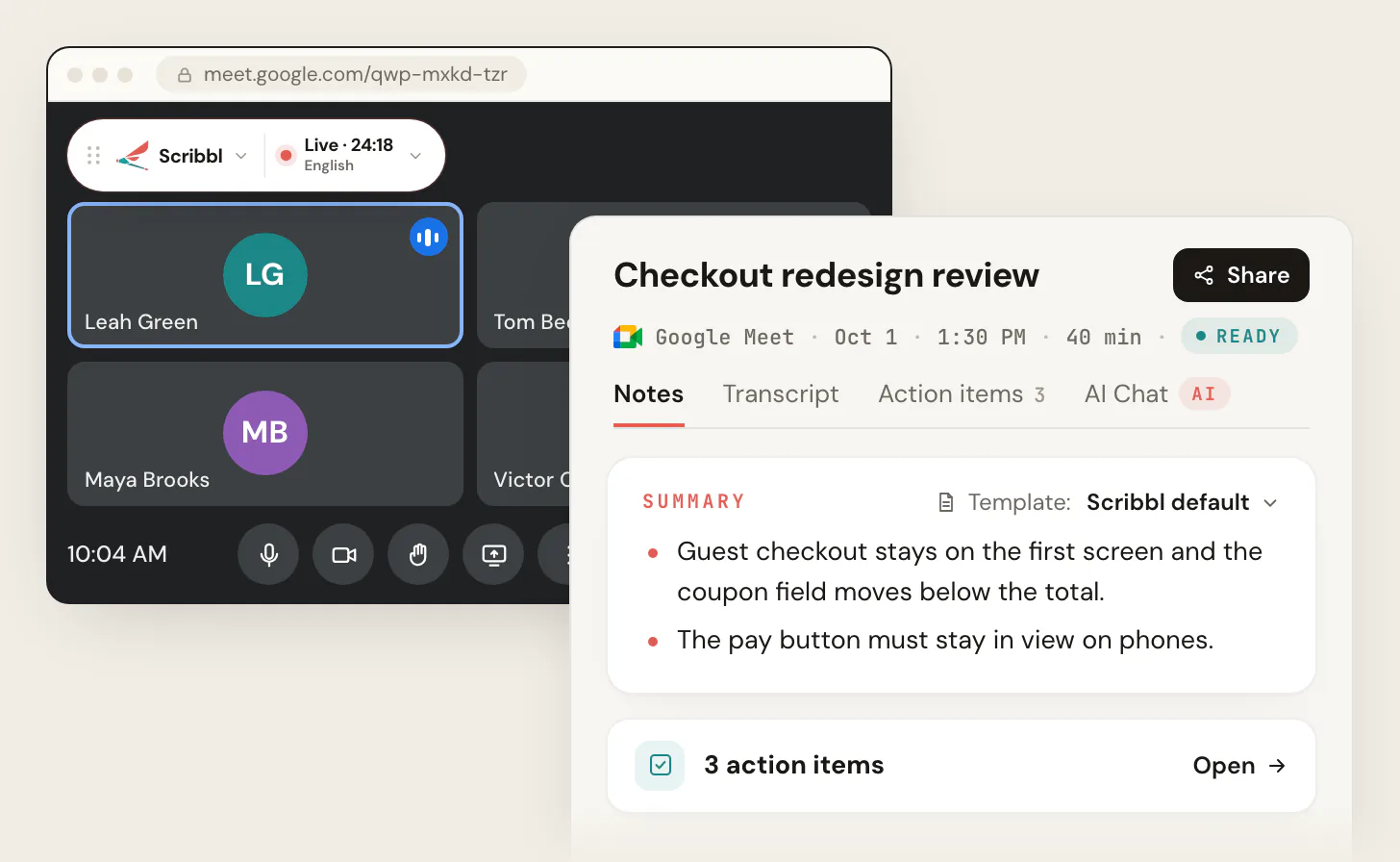
After each meeting you get:
- The video recording of the meeting.
- A transcript with speaker names.
- AI notes and action items.
Then it does the work that comes after the meeting:
- Your notes in Notion anyway. Automations can save each meeting's notes to a Notion page, so they still land next to your projects. They can also draft the follow-up email, post a summary to Slack or Teams, or log notes in HubSpot or Pipedrive, and they ask before changing anything by default.
- Meetings sorted for you. Smart Collections put each new meeting into the groups you describe, like "calls with customers about renewals".
- Answers about any meeting. Connect Scribbl to ChatGPT or Claude and ask about past meetings (ChatGPT meeting notes shows how).

| Scribbl (our pick) | Notion AI Meeting Notes | |
|---|---|---|
| Plan you need | Free plan includes Google Meet, Zoom and Microsoft Teams, with 10 meetings a month. Pro is $13 per user per month billed annually, or $20 monthly | Notion Business ($20 per member a month yearly, $24 monthly) for every member of the workspace, or Enterprise. Free and Plus get a limited trial |
| Does a bot join the call? | No | No |
| Where it runs | Chrome extension for Google Meet; Scribbl Desktop for Mac (Apple silicon) and Windows for Zoom and Teams | Notion desktop app, a browser (your microphone only) or the Notion phone app |
| Video recording | Yes, every meeting | No, audio only |
| Speaker labels | Transcript with speaker names | Best in one-on-one calls on the desktop app, and group Google Meet calls with the add-on. English only |
| What you get | Video, transcript, AI notes and action items | Transcript, summary and action items on a Notion page |
| Notes in Notion | Yes, Automations save them to a Notion page | Yes, on the page you started from |
| Follow-up | Automations draft the email, post to Slack or Teams, log notes in HubSpot or Pipedrive | Ask Notion AI to draft a follow-up email |
| Sorting meetings | Smart Collections sort each meeting by themselves | A default meetings database |
| Ask about past meetings | Connect Scribbl to ChatGPT or Claude, and ask about every meeting or just one Smart Collection | Notion AI, across your workspace. ChatGPT and Claude through Notion's MCP server (its meeting notes tool needs Business or higher) |
(Notion facts from Notion's help center, pricing page and MCP supported tools page; Scribbl's plans from Scribbl pricing. As of October 7, 2026.)
Privacy. Recordings are private by default, and Scribbl doesn't use your meetings to train AI for anyone other than you.
Tell everyone you're recording. Like Notion, Scribbl doesn't put a participant in the call, so say so at the start of the meeting.
Get Scribbl for Google MeetFor Zoom's built-in option, see Zoom AI Companion.
Which should you use?
- Scribbl, for most people with meetings on Google Meet, Zoom or Teams. You get the video recording, a transcript with speaker names in every call, AI notes and action items, free for 10 meetings a month, and Automations can still put the notes in Notion. You don't have to move a whole Notion workspace to Business to get it.
- Notion AI Meeting Notes, if your workspace already pays for Notion Business or Enterprise and an audio transcript and summary on a Notion page is all you need. You won't get the video, and speaker names are limited outside one-on-one calls. Use the desktop app for calls, and add the Notion Meetings Add-on if you use Google Meet in Chrome.
FAQ
What is Notion AI Meeting Notes?
Notion AI Meeting Notes is a block you add to a Notion page that transcribes a meeting and then writes a summary with action items on the same page. It listens through the Notion desktop app, a browser or the Notion phone app, so nothing joins the call. It's included in Notion's Business and Enterprise plans.
How do I use Notion AI Meeting Notes?
In the Notion desktop app, type /meet on any page, add an agenda under Notes if you like, get everyone's consent, then click Start transcribing. Click Stop when the meeting ends and Notion writes the summary. You can also start it from an event in Notion Calendar with Join and transcribe.
Is Notion AI Meeting Notes free?
Not for regular use. Notion's pricing page gives Free and Plus workspaces only a limited trial of meeting notes. Full use comes with the Business plan, which is $20 per member per month billed yearly or $24 billed monthly, and with Enterprise. New teams that sign up with a work email domain can try Business free for 30 days.
How much does Notion AI Meeting Notes cost?
It comes with Notion's Business plan, which is $20 per member per month billed yearly or $24 billed monthly, and with Enterprise, which has custom pricing. There is no separate price for meeting notes. Notion charges for every member of the workspace, so a team of 5 on Business pays $1,200 a year on yearly billing.
Does Notion AI meeting notes notify others?
Not on its own. Nothing joins the call, so other people only know if you tell them. Notion reminds you to get consent and gives you a message to paste into the meeting chat or a voice message to play, and a workspace owner can make the voice message play every time. In Google Meet, the Notion Meetings Add-on for Chrome posts and pins a chat message and shows a recording indicator over your camera.
Does Notion AI Meeting Notes work with Zoom, Google Meet and Microsoft Teams?
Yes. In the Notion desktop app it transcribes your microphone and your computer's sound, so it works with Zoom, Google Meet, Microsoft Teams or any other call app, with nothing joining the call. In a browser it only hears your microphone, and on a phone only what the phone's microphone picks up.
Does Notion AI Meeting Notes join the meeting as a bot?
No. Notion's pricing page says no bot is needed. It listens on your own device instead, so there is no Notion participant in the call.
Does Notion AI Meeting Notes identify speakers?
Partly. In the desktop app, Notion labels speakers best in one-on-one video calls, and can name the other person if the note is linked to a calendar event. Labels are limited in group meetings, in person, in a browser and on a phone, except group Google Meet calls with the Notion Meetings Add-on in Chrome. Speaker labels work in English only.
What languages does Notion AI Meeting Notes support?
16 languages: English, Chinese, Spanish, French, German, Japanese, Korean, Portuguese, Russian, Thai, Vietnamese, Danish, Finnish, Norwegian, Dutch and Swedish. Speaker labels are English only.
Is there a time limit on Notion AI Meeting Notes?
Yes. Each user can transcribe up to 10 hours a day. A summary needs at least 300 transcribed characters, about one minute of speech. Notion's help page doesn't list a maximum length for a single meeting.
Does Notion AI Meeting Notes record video?
No. It works from audio and gives you a transcript and a summary. You can upload AAC, M4A, MP3 or WAV recordings, but Notion says MOV, MP4 and Loom files aren't supported for upload.
Can I use Notion AI Meeting Notes on my phone?
Yes, in the Notion mobile app, but it only hears what your phone's microphone picks up. It works best for in-person meetings, and it won't hear the other people on a call you take on your phone with headphones.
Does Notion use my meetings to train AI?
Notion says no by default: neither Notion nor its AI providers use customer data to train models. Audio goes to providers such as OpenAI, Anthropic and AssemblyAI for transcription, and Notion says they don't store it. Outside Enterprise, Notion's AI providers may hold data for up to 30 days; on Enterprise they hold none.
What's a free alternative to Notion AI Meeting Notes for Google Meet, Zoom and Teams?
Scribbl, which we make. The free plan includes Google Meet, Zoom and Microsoft Teams, with 10 meetings a month, and you don't need a Notion Business plan. Nothing joins the call, and after each meeting you get the video recording, a transcript with speaker names, AI notes and action items. If you want the notes in Notion, Scribbl's Automations can save them to a Notion page for you.
Sources
All checked on October 7, 2026. Notion changes this feature often, so check the linked page if a detail matters to you.
- Notion Help: Take AI meeting notes in Notion
- Notion Help: Install the Notion Meetings Add-on for Google Meet
- Notion Help: Preserve perfect meeting memory with AI Meeting Notes (guide)
- Notion: AI Meeting Notes product page
- Notion: Pricing (monthly and yearly billing)
- Notion Help: Notion AI complimentary responses
- Notion Help: Change your plan
- Notion Help: Paid plan trials
- Notion Help: Manage your usage allowance for Notion AI
- Notion Help: Notion AI security and privacy practices
- Notion Developers: MCP supported tools
- Notion release notes: May 13, 2025, November 17, 2025, January 20, 2026, March 18, 2026
- Scribbl: pricing
Try Scribbl
Meeting notes and the video, no Notion plan
Scribbl records, transcribes, and summarizes your Google Meet calls from your browser. No bot joins the call. Free forever for individuals.
Add to Chrome · It's free