Scribbl records your Google Meet, Zoom and Teams calls and writes the notes. No bot joins. Free for 10 meetings a month. Start free
VTT to Text: Free Converter for Zoom, Teams and Meet Transcripts
Free VTT to text converter: drop a .vtt, .srt or .sbv transcript from Zoom, Teams or YouTube, get clean text with speaker names. Nothing leaves your browser.
Updated November 5, 2026
The short answer
Download steps checked against Zoom, Microsoft and Google help pages on November 5, 2026
Drop your .vtt, .srt or .sbv file in the converter below and copy the clean text. It runs in your browser, so nothing is uploaded.
- Zoom
- In the Zoom web portal, Recordings & Transcripts Cloud recordings, open the meeting and download the Audio transcript (.vtt). Needs cloud recording with audio transcripts on a paid plan.
- Microsoft Teams
- In the meeting chat, Recap Transcript, then the arrow next to Download › .vtt or .docx. Organizers and co-organizers can download by default.
- Google Meet
- Meet saves the transcript as a Google Doc in the organizer's Drive. Open it, File Download Plain text (.txt), and drop that file here.
- Skip the files
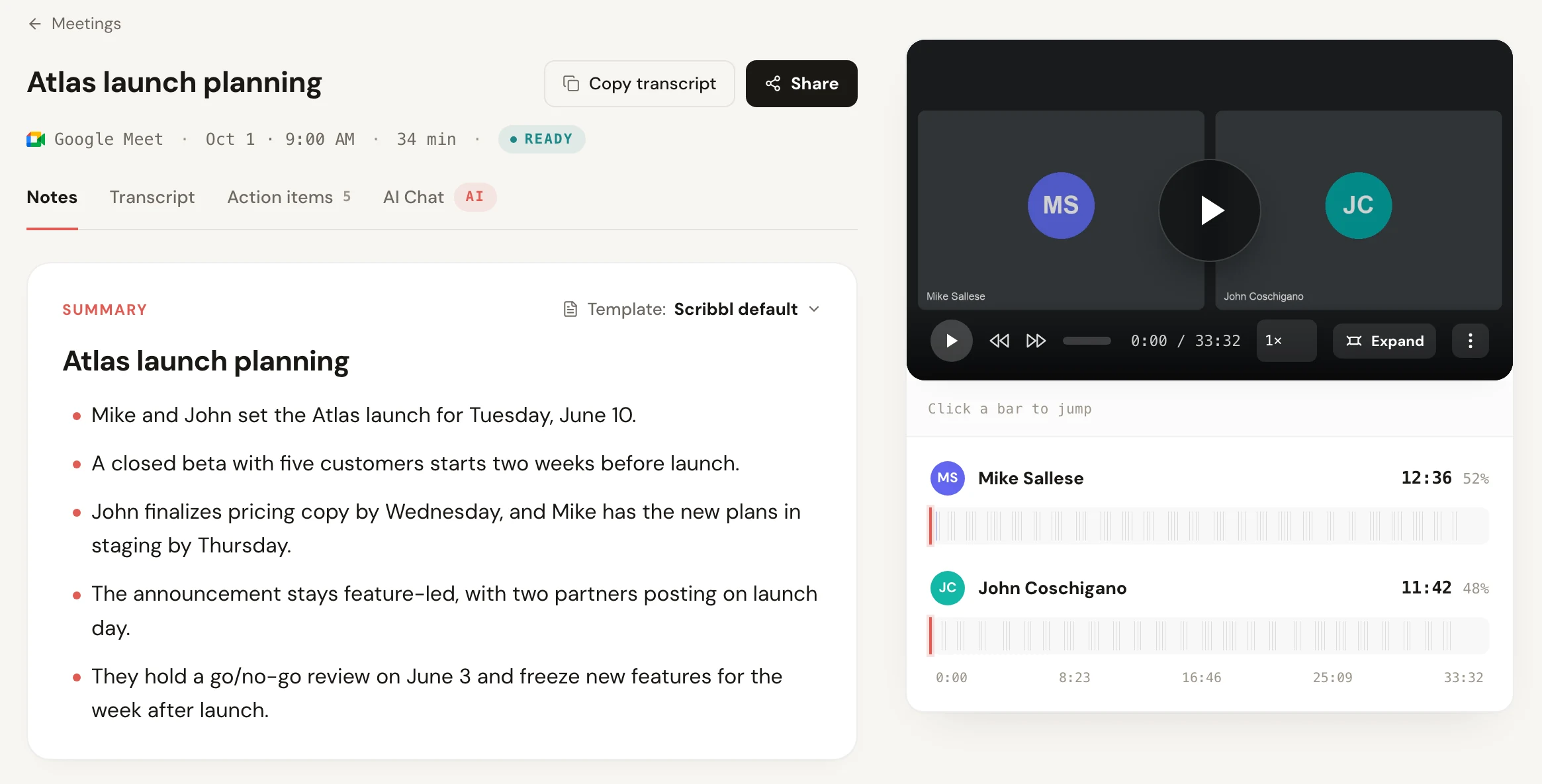
- Scribbl gives you a transcript with speaker names, AI notes and action items for every meeting on Google Meet, Zoom and Teams, free for 10 meetings a month.
Try Scribbl
Get every transcript without downloading
Scribbl records, transcribes, and summarizes your Google Meet, Zoom and Teams calls: Google Meet in your browser, Zoom and Teams with the desktop app. No bot joins the call. Free for 10 meetings a month, no credit card.
Add to Chrome · It's freeTo turn a .vtt transcript into text, drop the file into the free converter below: it removes the timestamps, cue numbers and tags, keeps speaker names, and gives you clean paragraphs to copy or download as .txt or Word, without uploading your file anywhere.
Free transcript converter
VTT, SRT or SBV to clean text
Runs in your browser. Your file is never uploaded to a server, and there is no sign-up.
0 lines, 0 words
It also reads .srt files, YouTube's .sbv files and the .txt you get from a Google Meet transcript. If you want the transcript with speaker names, AI notes and action items without downloading files at all, Scribbl does it for every meeting, free for 10 meetings a month on Google Meet, Zoom and Teams.
How to get the transcript file
Zoom
Zoom writes an audio transcript for cloud recordings when audio transcripts are turned on. It needs a Pro, Business, Education or Enterprise account with cloud recording and audio transcription enabled.
- Sign in to the Zoom web portal.
- Click Recordings & Transcripts, then the Cloud recordings tab.
- Click the meeting's name. The transcript is listed with the recording files as Audio transcript, a .vtt file.
- Download it and drop it into the converter.
Zoom's transcript lines look like Mike Sallese: Hi everyone. The converter reads the name before the colon as the speaker, so merging and the speaker options work the same as with Teams files. For more on Zoom's own transcripts, see Zoom meeting transcription.
Microsoft Teams
- Open the meeting chat in Teams.
- Select Recap, then Transcript.
- Click the arrow next to Download and pick .vtt or .docx.
By default only the organizer and co-organizers can download the transcript; others need the organizer to give them permission. Teams writes each speaker into the .vtt as a voice tag like <v Dana Lee>, which the converter turns into the speaker's name. The Teams transcription guide covers who can start and see transcripts.
Google Meet
Google Meet doesn't give you a .vtt. When someone starts a transcript, Meet saves it as a Google Doc in the organizer's Drive, in the Google Meet folder, and emails a link. Open the Doc, click File, then Download, then Plain text (.txt), and drop the .txt here. The converter keeps the speaker names and removes the time markers between sections, or turn on Add a timestamp at each speaker change to keep a time for each turn. See where to find a Google Meet transcript for which plans include it.
YouTube and other videos
The owner of a YouTube video can download its subtitles from YouTube Studio as .vtt, .srt or .sbv. Automatic subtitles repeat a lot of lines, so keep Remove repeated lines on. Subtitle files from video editors and other players work too.
What each option does
| Option | Default | What it does |
|---|---|---|
| Remove timestamps | On | Removes every time range, cue number and inline word timing. Turn it off to keep one time at the start of each line, like [01:13]. |
| Merge lines by the same speaker | On | Joins a speaker's lines into one paragraph until someone else talks. Subtitle files split sentences across lines, so this is what makes the text readable. |
| Keep speaker names | On | Puts Name: before each paragraph. Turn it off for plain text with no names. |
| Add a timestamp at each speaker change | Off | Adds the time a speaker started, like [00:09] Sam Ortiz: ..., so you can find the moment in the recording. |
| Remove repeated lines | On | Drops a line that repeats the one before it, which fixes doubled lines in YouTube files. |
| Remove sound tags | On | Removes notes like [Music], [Applause] and [Laughter]. |
The converter also removes the WEBVTT header, NOTE and STYLE blocks, cue settings such as align:start position:10%, and tags such as <c>, <i> and inline timings like <00:00:01.500>.
VTT vs SRT vs SBV
All three are plain text files that pair each line of speech with a start and end time. They differ in small ways:
| VTT (WebVTT) | SRT (SubRip) | SBV (YouTube) | |
|---|---|---|---|
| First line | WEBVTT | Cue number 1 | Time range |
| Time format | 00:00:01.000 --> 00:00:04.000 | 00:00:01,000 --> 00:00:04,000 | 0:00:01.000,0:00:04.000 |
| Speaker names | Voice tags like <v Dana Lee>, or Name: in the text | Usually Name: in the text, if at all | Usually none |
| Where you get it | Zoom, Microsoft Teams, web video players, YouTube | Video editors, YouTube, most media players | YouTube Studio |
The converter reads all three, and plain .txt, and returns the same clean text.
Skip the download: a transcript of every meeting
Downloading a .vtt only works when someone remembered to turn on recording or transcription, and on Teams only the organizer can download it by default. Scribbl gives you a transcript with speaker names, the video, AI notes and action items for every meeting you join, saved in your own account, so there's no file to find or convert. It runs as a Chrome extension on Google Meet and as Scribbl Desktop for Mac and Windows on Zoom and Teams, nothing joins the call, and you don't need the organizer's permission. It's free for 10 meetings a month, and Pro is $13 per user a month billed annually.
VTT to text FAQ
How do I convert a VTT file to text?
Drop the .vtt file into the converter at the top of this page, or paste its contents. It removes the WEBVTT header, cue numbers, timestamps and formatting tags, keeps speaker names, and joins each speaker's lines into paragraphs. Then copy the text or download it as a .txt or .doc file. The file is read in your browser and never uploaded.
How do I remove timestamps from a transcript?
Load the .vtt, .srt or .sbv file with Remove timestamps checked. Every time range is removed, along with cue numbers and inline word timings. If you still want a time reference, check Add a timestamp at each speaker change to get one short time at the start of each speaker's turn.
How do I convert a Teams transcript to Word?
Teams can download the transcript as a .docx directly: in the meeting chat select Recap, then Transcript, then the arrow next to Download and pick .docx. If you already have the .vtt, drop it into the converter and click Download .doc, which Word opens as a normal document with speaker names in bold.
Can I open a VTT file in Word or Notepad?
Yes. A .vtt file is plain text, so Word, Notepad or TextEdit will open it, but you see every timestamp, cue number and tag. Run it through the converter first to get readable paragraphs.
Is my transcript uploaded anywhere?
No. The converter is a small script that runs in your browser. Your file is read on your own computer, and the page makes no network request with it. Many other online converters upload the file to their server to convert it.
Why does my YouTube transcript repeat lines?
Automatic subtitle files often show each line twice: once as it is being spoken and again as the next line starts, so the same words appear in two cues in a row. Keep Remove repeated lines checked and the converter drops a line when it repeats the one before it, or when the next line starts with the whole previous line.
How do I convert an SRT file to text?
The same way. The converter reads SRT files with their numbered cues and comma milliseconds, and YouTube's SBV files, and returns plain text.
Try Scribbl
Get every transcript without downloading
Scribbl records, transcribes, and summarizes your Google Meet, Zoom and Teams calls: Google Meet in your browser, Zoom and Teams with the desktop app. No bot joins the call. Free for 10 meetings a month, no credit card.
Add to Chrome · It's freeTry Scribbl
Get every transcript without downloading
Scribbl records, transcribes, and summarizes your Google Meet, Zoom and Teams calls: Google Meet in your browser, Zoom and Teams with the desktop app. No bot joins the call. Free for 10 meetings a month, no credit card.
 Add to Chrome · It's free