Scribbl records your Google Meet, Zoom and Teams calls and writes the notes. No bot joins. Free for 10 meetings a month. Start free
Call Notes Template (2026): Sales and Client Calls, Copy-Paste
A free call notes template for sales and client calls, as plain text and a table. What to capture on each call, and how to log notes in HubSpot or Pipedrive.
Updated October 23, 2026

Try Scribbl
Let your meetings take their own notes.
Scribbl records, transcribes, and summarizes your Google Meet, Zoom and Teams calls: Google Meet in your browser, Zoom and Teams with the desktop app. No bot joins the call. Free for 10 meetings a month, no credit card.
Add to Chrome · It's freeOn this page9 sections
A call notes template is a fixed set of headings you fill in after every call: who was on it, why you talked, what they said, what was decided, and the next steps with an owner and a date. Copy the template below for sales and client calls, or let Scribbl write the notes for you on Google Meet, Zoom and Microsoft Teams and log them in HubSpot or Pipedrive.
The template comes in two forms: plain text that pastes into an email, a doc or a CRM note, and a table for tools that handle tables. After that: what to add on sales calls, what to add on client calls, and how to get the notes into your CRM without retyping them.
The call notes template (plain text)
Copy this as is. It pastes cleanly into Google Docs, Notion, Word, an email, or the note box on a HubSpot or Pipedrive record. Delete any heading you don't need for a given call, but keep the order: the people who read call notes later look for next steps first, and they sit near the top.
CALL NOTES

Company / contact: [Name, company]
Date and length:   [YYYY-MM-DD, 30 min]
On the call:       [Names and roles, both sides]
Type of call:      [Discovery / demo / follow-up / check-in / support]
Why we talked:     [One sentence]

NEXT STEPS
- [What] - [Owner] - by [Date]
- [What] - [Owner] - by [Date]
Next call: [Date and time, or "to book"]

WHAT THEY SAID
- [Their words on the problem, goal or request]
- [Numbers they gave: team size, volume, budget, dates]

DECISIONS
- [What was agreed, written as the agreement, not the topic]

OPEN QUESTIONS
- [What's still unresolved, and who is chasing it]

INTERNAL ONLY (don't send)
- [Your read on the call, risks, deal stage]
Two rules make this work. Every next step gets a what, a who and a when, or it isn't a next step. And decisions are written as the agreement ("Agreed: start with 25 seats in November"), not the topic ("Discussed seats").
The call notes template (table)
For a spreadsheet, a Notion database, or a CRM that shows tables, use this version. One row per call keeps a whole account's history in one place.
| Field | What to write | Example |
|---|---|---|
| Date and length | When, how long | 2026-09-24, 34 min |
| Contact and company | Who you spoke to | Luis Ortega, Acme |
| On the call | Everyone, both sides | Hannah (us), Luis, Kate (Acme) |
| Type of call | Discovery, demo, follow-up, check-in, support | Discovery |
| Why we talked | One sentence | Acme wants call notes in the CRM without retyping |
| What they said | Their words, their numbers | "Reps spend about 5 hours a week writing call notes" |
| Decisions | The agreement itself | Demo for the sales managers next week |
| Next steps | What, owner, date | Send pricing for 25 seats, Hannah, Fri |
| Open questions | Unresolved, who chases | Who signs off on budget? Hannah to ask |
| Next call | Date or "to book" | To book (demo next week) |
What to capture on sales calls
Sales call notes do a job the template above doesn't fully cover: they qualify the deal and let anyone on your team pick it up. Add these lines under WHAT THEY SAID on discovery and demo calls.
| Add this | Why it matters | Example line |
|---|---|---|
| Current setup | What you're replacing or fitting into | Notes in Google Docs, CRM is HubSpot |
| The pain, in their words | What you sell against | "Notes rarely make it into the CRM" |
| What it costs them | Turns pain into a number | 5 hours a week per rep, 12 reps |
| Who decides and who signs | Who must be on the next call | VP Sales decides, finance signs over $10k |
| Budget | Whether the deal can close | Set for Q1, amount not shared |
| Timeline and why then | What makes it urgent | Wants it live before January kickoff |
| Objections | What you must answer next time | Worried reps won't change habits |
| Other options they're looking at | What you're compared with | Also looking at a tool their CRM sells |
Then fill INTERNAL ONLY with the deal stage you'd move it to and the one risk you see. That line is for your team and the CRM, never the prospect. For the email that goes out after the call, see sales follow-up email templates.
What to capture on client calls
Client call notes are different because they usually get sent to the client. They become the record you both point to when someone asks "did we agree to that?" So they lead with decisions and action items for both sides, and they leave the INTERNAL ONLY section behind.
- Reader: your team and the CRM
- Leads with: where the deal stands and the next step
- Includes: budget, who decides, objections, deal stage
- Tone: short, blunt, internal
- Reader: the client and your team
- Leads with: decisions and who owes what by when
- Includes: scope changes, the client's action items, open questions
- Tone: clean enough to forward
On client calls, add three things to the template:
- Scope changes. Anything added, dropped or moved. Write the agreement and who approved it.
- What the client owes you. Split NEXT STEPS by side so the client sees their own list.
- Open questions as the next agenda. Whatever is unresolved today is the first item next time.
Send client notes the same day, while everyone still remembers the call and can correct the record. For a version built only for notes you send to clients, see the client meeting notes template, and for tracking action items across many calls, the meeting action items template.
Stop typing call notes: let a call notes app take them
The template is easy to fill in. Filling it in while you talk is not. The moment you're typing, you stop listening, you miss the number the buyer just said, and they watch you look at your keyboard. Capture and writing up are two different jobs. For tips on both, see how to take meeting notes.
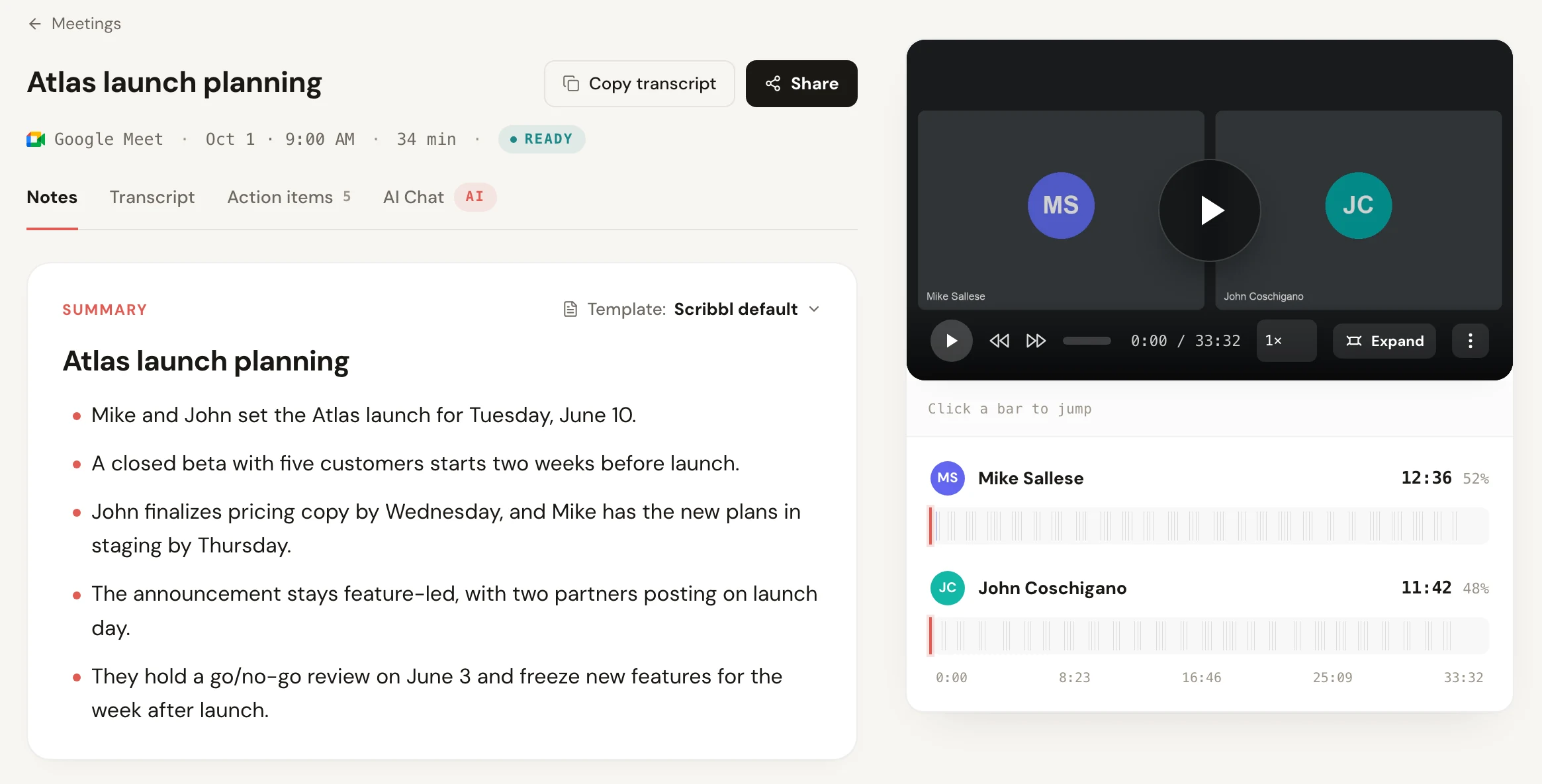
Scribbl does the capture and most of the writing up. It's an AI note taker for Google Meet, Zoom and Microsoft Teams, and nothing joins the call: a Chrome extension for Google Meet, and Scribbl Desktop for Mac and Windows for Zoom and Teams. After each call you get the video recording, a transcript with speaker names, AI notes and action items, like the discovery call notes at the top of this page. You stay in the conversation and check the notes afterward instead of writing them from memory. Here's how to get meeting notes automatically on each platform.
Before you record, tell everyone on the call that you're recording.
Log call notes in HubSpot or Pipedrive
Notes that live in a doc don't help the next rep who opens the deal. They need to be on the contact or deal in your CRM. HubSpot and Pipedrive both take notes on their records:
- HubSpot lets you log calls, meetings and notes on a record, and each one shows on the record's timeline (HubSpot Knowledge Base).
- Pipedrive lets you add notes to deals, leads, people and organizations, up to 100 notes per item at up to 100 KB each, and a pinned note stays at the top of the item's history (Pipedrive Knowledge Base).
By hand, that's: open the record, add a note, paste your filled-in template, save. It takes a few minutes per call, and it's the step that gets skipped on a busy day.
With Scribbl, it happens after the call:
- 1
Take the call
On Google Meet, Zoom or Microsoft Teams. Nothing joins the call.
- 2
Scribbl writes the notes
The video, a transcript with speaker names, AI notes and action items for every call.
- 3
The call lands in a Smart Collection
Smart Collections sort meetings by themselves, for example every sales call or every call with one client.
- 4
An Automation logs the note
When a call lands in that collection, an Automation logs a note in HubSpot or Pipedrive.
- 5
You approve it
By default an Automation asks before it changes anything, so you see the note before it goes on the record.
The same Smart Collection can do more than one job. Automations can also draft the follow-up email (you copy it or open it in Gmail; it never sends by itself), post to Slack or Microsoft Teams, or add a row to a Google Sheet. Step-by-step guides: log meeting notes in HubSpot and log meeting notes in Pipedrive. For more on the sales side, see Scribbl for sales.
Call notes examples
Here's the template filled in for one sales call and one client call.
Sales discovery call
Company / contact: Luis Ortega, Acme
Date and length:   2026-09-24, 34 min (Zoom)
On the call:       Hannah (us); Luis, Kate (Acme)
Type of call:      Discovery
Why we talked:     Acme wants call notes in the CRM without retyping

NEXT STEPS
- Send pricing for 25 seats - Hannah - by Fri Sep 25
- Share the current call process - Luis - by Mon Sep 28
- Book the demo with the sales managers - Hannah - by Tue Sep 29

WHAT THEY SAID
- "Reps spend about 5 hours a week writing call notes"
- Notes rarely make it into the CRM

DECISIONS
- Demo for the sales managers next week

OPEN QUESTIONS
- Who signs off on budget? Hannah to ask Luis

INTERNAL ONLY
- Stage: move to Demo scheduled. Risk: reps' habits.
Client check-in call
Company / contact: Ravi, Northwind
Date and length:   2026-10-08, 25 min (Google Meet)
On the call:       Dana (us); Ravi (Northwind)
Type of call:      Check-in
Why we talked:     Review the v1 mockups

NEXT STEPS
- Send v2 mockups - Dana (us) - by Fri Oct 10
- Approve the copy deck - Ravi (Northwind) - by Tue Oct 14

DECISIONS
- Go with mockup option B
- Launch moves to Oct 30 (Ravi approved)

OPEN QUESTIONS
- Extra page for pricing: in scope or not? Dana to confirm
FAQ
What should call notes include?
Six things: who was on the call and when, why you talked, what the other side said in their own words, what was decided, the next steps with an owner and a date, and anything still open. Sales calls add the deal facts (current setup, pain, budget, who decides, timeline). Client calls add scope changes and what the client owes you.
What's the difference between sales call notes and client call notes?
Sales call notes are for your side: they qualify the deal and tell the next person on your team where it stands, so they include budget, objections and deal stage. Client call notes are often sent to the client, so they lead with decisions and action items for both sides and leave out internal comments.
How do I get call notes into HubSpot or Pipedrive?
By hand, open the contact or deal and add a note, or log the call as an activity, then paste your notes in. To skip the typing, Scribbl writes the notes and action items after every call, and an Automation logs a note in HubSpot or Pipedrive when the call lands in a Smart Collection, such as one for sales calls. By default it asks before it changes anything.
Should I take call notes during the call or after?
Capture during, write up after. Typing a full template while you talk means you stop listening. Jot only numbers, names and commitments live, or let a note taker capture the whole call, then fill in the template within the hour while you still remember it.
Is there a free call notes app that takes notes automatically?
Yes, for calls on Google Meet, Zoom and Teams. Scribbl is a call notes app with a free plan of 10 meetings a month, and the free plan includes Google Meet, Zoom and Microsoft Teams. Nothing joins the call. After each call you get the video recording, a transcript with speaker names, AI notes and action items. Tell everyone on the call that you're recording.
Sources
Checked on October 12, 2026.
- HubSpot Knowledge Base: Manually log activities on records (activity types you can log; logged activities show on the record's timeline)
- Pipedrive Knowledge Base: How can I add notes to a deal or contact? (where notes go, 100 notes per item, 100 KB per note, pinned notes)
- Scribbl: pricing, Scribbl Desktop
Try Scribbl
Let your meetings take their own notes.
Scribbl records, transcribes, and summarizes your Google Meet, Zoom and Teams calls: Google Meet in your browser, Zoom and Teams with the desktop app. No bot joins the call. Free for 10 meetings a month, no credit card.
Add to Chrome · It's freeTry Scribbl
Let your meetings take their own notes.
Scribbl records, transcribes, and summarizes your Google Meet, Zoom and Teams calls: Google Meet in your browser, Zoom and Teams with the desktop app. No bot joins the call. Free for 10 meetings a month, no credit card.
 Add to Chrome · It's free