Do AI Note Takers Actually Work? What Our Five-Meeting Test Found (2026)
Yes. In our published five-meeting test the best AI note takers covered 77% to 78% of the researchers' notes with about 6 mistakes. The failures, and the pick.
Updated October 19, 2026
The short answer
Our test of Scribbl, Granola, Otter and Fireflies on five public AMI Corpus meetings, October 2026, graded by AI models. Plans and features from each company's pages.
Yes. In our published test of five recorded meetings, the best AI note takers covered 77% to 78% of what the meetings' own researchers wrote down, with about 6 mistakes across all five meetings. The worst covered 69% with about 28 mistakes.
- Coverage of the researchers' notes
- Scribbl 78%, Granola 77%, Otter 77%, Fireflies 69%
- Mistakes across five meetings
- Scribbl about 6, Granola about 6, Otter about 18, Fireflies about 28
- Ranked first, blind side by side
- Scribbl 48 of 80 judgments, Granola 32, Otter 0, Fireflies 0
- What they do well
- Decisions, who said what, next steps with owners, and a transcript you can search
- What they do badly
- Invented action items, the wrong person, decisions described differently from how they happened
- The pick
- Scribbl: first most often in the test, nothing joins the call, the video kept on every plan
Yes, AI note takers actually work: in our published test of five recorded meetings, the best of them covered 77% to 78% of the points the meetings' own researchers wrote down, with about 6 mistakes across all five meetings. Scribbl, which we make, came out first most often in that test, and it does the job with nothing joining your Google Meet, Zoom or Microsoft Teams call, so it's the one we'd point you to.
This page is the short answer to "do they work," built on our full test, which we published in October 2026 with every input, prompt and grade on GitHub. The test was run by Scribbl, one of the four tools, and the grading was done by AI models, not people. We haven't run a new test for this page.
What the test found
We put the same five meetings, about two hours of audio from the public AMI Meeting Corpus at the University of Edinburgh, through Fireflies, Granola, Otter and Scribbl, all on their free plans. The researchers who recorded those meetings wrote their own summaries, 103 items in all, which gave us an answer key we didn't write.
Check 1: graded against the answer key. Three AI models checked each tool's notes against the researchers' items and the transcript, one set of notes at a time with no tool names, and listed every mistake.
| Scribbl | Granola | Otter | Fireflies | |
|---|---|---|---|---|
| Coverage of the researchers' notes (average of 5 meetings) | 78% | 77% | 77% | 69% |
| Mistakes across the 5 meetings | about 6 | about 6 | about 18 | about 28 |
| Wrong fact | 3.7 | 2.7 | 2.7 | 7.0 |
| Wrong person | 1.0 | 0.3 | 3.7 | 4.0 |
| Action item nobody agreed to | 0.7 | 0.3 | 0.7 | 9.3 |
| Other content that didn't happen | 0.0 | 0.7 | 5.7 | 4.0 |
| Decision described differently from how it happened | 1.0 | 2.0 | 5.0 | 3.7 |
Check 2: compared side by side, blind. Four AI models got the transcript and all four sets of notes labeled A to D, scored them on accuracy, completeness, decisions and action items, and usefulness, and ranked them. Each model judged each meeting four times with the order shuffled, 80 judgments in all.
| Scribbl | Granola | Otter | Fireflies | |
|---|---|---|---|---|
| Ranked first (of 80) | 48 | 32 | 0 | 0 |
| Average score out of 10 | 7.9 | 7.8 | 5.4 | 5.5 |
So the honest answer to "do they work" is: the good ones cover about three quarters of what a careful human noted, and the difference between tools shows up in the mistakes, not the coverage. Every meeting-by-meeting number, and the limits of the test, are in the full write-up.
What AI note takers do well
From the grading and the judges' comments:
- Decisions and outcomes. All four tools caught most of the decisions in the five meetings. Coverage of 77% to 78% means the notes contained about three of every four points the researchers thought worth writing down.
- Who argued for what. Scribbl's notes said who argued for what and who owns each next step. Granola's notes were the cleanest to read but usually didn't say who said what.
- Next steps with owners. The best notes listed fewer action items but attached a person to each one. That's the part a human note taker most often loses while trying to keep up.
- The transcript underneath. Every tool gives you a searchable transcript, so a thin note isn't the end of the story. With Scribbl the notes are timestamped, so you click a line and the video jumps to that moment.
- Consistency. A person's notes get worse in the fourth meeting of the day. The tools scored about the same on the 14-minute kickoff and the 37-minute design meeting.
Where AI note takers go wrong
The failures are specific, and they're worth knowing before you forward a summary to a client:
- Action items nobody agreed to. Fireflies' notes had about 9 of these across five meetings, about a third of all its mistakes. In one meeting it assigned a task to a "Christian." There's no Christian in the meeting.
- The wrong person. Otter and Fireflies each attributed about 4 points to the wrong speaker. Speaker names depend on the tool knowing who's talking, which is why bot-based and desktop recorders handle it differently.
- Details the meeting didn't contain. Otter's notes had about 6 of these. The graders found almost nothing in Scribbl's notes that the meeting didn't contain.
- Decisions described differently from how they happened. The meeting leaned one way, the notes say it decided. Otter had about 5, Scribbl 1.
- Thin on ownership. Granola made the fewest mistakes, tied with Scribbl, but its next steps often had no owners.
Two more failures don't show up in a notes test, and they stop people more often than accuracy does:
- The bot didn't get in. Bot-based tools need the host to admit them, and Microsoft Teams now puts detected note-taker bots in the lobby by default until an organizer lets them in (Microsoft Learn, updated July 2026). On Zoom, Otter's own guide says a host without an Otter account has to click Allow Recording each time. No bot, no notes.
- Nobody said they were recording. An AI note taker is a recording, and in some US states everyone in the conversation has to agree. See is an AI note taker legal. Tell everyone at the start, whatever tool you use.
Do it with Scribbl
If the question behind "do they work" is "will it work for me, in my next meeting," here's the three-step version with Scribbl, the tool that ranked first most often in the test:
- 1
Add Scribbl
The Chrome extension for Google Meet. Scribbl Desktop for Zoom and Microsoft Teams, on Windows or a Mac with Apple silicon.
- 2
Join your meeting as usual
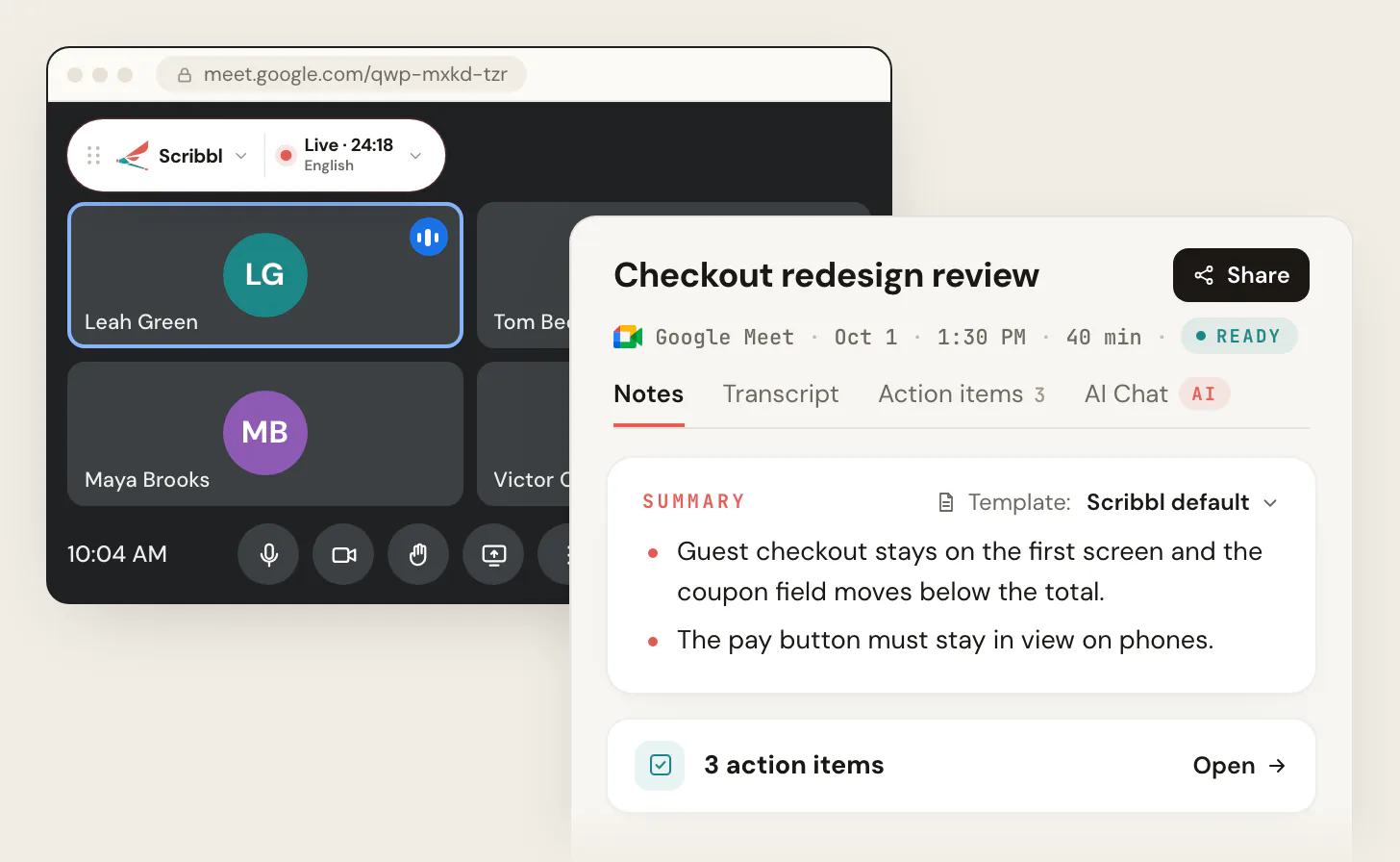
Scribbl starts when the meeting opens, whether or not you are the host. Nothing joins the call. Tell everyone you are recording.
- 3
Open the meeting in Scribbl
The video, the transcript with speaker names, AI notes and action items are there when the call ends. Click a line in the notes to jump to that moment in the video.
The free plan includes Google Meet, Zoom and Microsoft Teams, with 10 meetings a month. Start free.
What makes the notes useful after the call
Accurate notes that nobody opens again don't change anything. The tools differ most in what happens next:
- Finding the meeting again. Scribbl's Smart Collections sort meetings by themselves into groups you describe in a sentence, past meetings included. Otter sorts by its own meeting types; Granola uses folders you file into yourself; Fireflies has rules for Enterprise admins, for meetings going forward.
- Doing the follow-up. Scribbl's Automations run when a meeting lands in a collection: draft the follow-up email (you copy it or open it in Gmail; it never sends by itself), log a note in HubSpot or Pipedrive, post to Slack or Microsoft Teams, save to Google Drive, Notion or Confluence, open an Asana, Monday, Linear or Jira ticket, or add a Google Sheet row. They ask before they change anything by default.
- Asking across meetings. On Pro, connect Scribbl to ChatGPT or Claude and ask about past meetings, one collection at a time.
- Going back to the tape. Scribbl keeps the video on every plan. Granola keeps no audio or video. Otter's pricing page lists video replay only under Enterprise, and Fireflies' video capture page says paid plans only, when its bot joins.
The four tools in the test, side by side
| Feature | Scribbl | Granola | Otter | Fireflies |
|---|---|---|---|---|
| Coverage of the researchers' notes | 78% | 77% | 77% | 69% |
| Mistakes across 5 meetings | about 6 | about 6 | about 18 | about 28 |
| Ranked first, blind (of 80) | 48 | 32 | 0 | 0 |
| Bot joins the call | Never | Never | By default; desktop app without one | By default; desktop app without one |
| Works when you are not the host | Yes | Yes | Zoom host must allow recording for the bot | Host must admit the bot |
| Keeps the video | Every plan | No | Listed under Enterprise only | Paid plans, bot only |
| Trains AI on your meetings | Not for anyone other than you | Yes by default, can turn off | Yes, de-identified | No |
| Free plan | Google Meet, Zoom and Microsoft Teams, 10 meetings a month | Last 30 days of notes visible | 300 minutes a month, 30 minutes per conversation | 3 meetings, or unlimited with auto-join |
The pick: Scribbl
Scribbl's notes ranked first in 48 of 80 blind judgments and tied for the fewest mistakes, and it's the only one of the four that never uses a bot, keeps the video on every plan, and sorts and follows up on meetings by itself. On Google Meet it's a Chrome extension; on Zoom and Microsoft Teams it's Scribbl Desktop for Windows and Macs with Apple silicon. Recordings are private by default, and Scribbl doesn't use your meetings to train AI for anyone other than you. Pro is $13 per user per month billed annually, or $20 monthly; see pricing. For a wider list of tools, see the best AI note takers.
The free plan includes Google Meet, Zoom and Microsoft Teams, with 10 meetings a month. Start free.
FAQ
Do AI note takers actually work?
Yes. In our published test of five recorded meetings, Scribbl's notes covered 78% of the points in the researchers' own notes, Granola's and Otter's 77%, and Fireflies' 69%. Scribbl and Granola made about 6 mistakes each across the five meetings, Otter about 18 and Fireflies about 28. The grading was done by AI models, not people, and every input and answer is published.
How accurate are AI note takers?
In our test, accuracy depended on the tool more than on the meeting. On coverage, the top three were within one point of each other (77% to 78%). On mistakes, the gap was wide: about 6 for Scribbl and Granola against about 18 for Otter and about 28 for Fireflies, where about a third of Fireflies' mistakes were action items nobody agreed to.
What do AI note takers get wrong?
Five kinds of mistake showed up in our test: wrong facts, the wrong person, action items nobody agreed to, other content the meeting didn't contain, and decisions described differently from how they happened. The worst example was an action item assigned to a Christian in a meeting with no Christian in it. The graders found almost nothing in Scribbl's notes that the meeting didn't contain.
Which AI note taker is the most accurate?
In our test, Scribbl and Granola. They tied on mistakes at about 6 across five meetings, and in 80 blind side-by-side judgments by four AI models, Scribbl's notes ranked first 48 times and Granola's 32, with average scores of 7.9 and 7.8 out of 10. Otter and Fireflies never ranked first. Each of the four scored highest on at least one meeting.
Are AI note takers worth it?
For most people with regular meetings, yes: the notes cover most of what happened, the transcript lets you check anything the notes missed, and the video settles disagreements. They're not worth it if you never look at the notes again, so pick a tool that puts them to work: Scribbl sorts meetings into Smart Collections by themselves and its Automations draft the follow-up email, log a note in HubSpot or Pipedrive, post to Slack or Teams, or open a ticket.
Do AI note takers work without a bot in the meeting?
Yes. Scribbl and Granola never send a bot: Scribbl runs as a Chrome extension on Google Meet and as Scribbl Desktop for Mac and Windows on Zoom and Teams, and Granola is a desktop app. Fireflies and Otter join with a bot by default and offer a desktop app that records without one. In our test the two no-bot tools, Scribbl and Granola, also wrote the most accurate notes.
Do AI note takers work if I'm not the host?
It depends on the tool. Scribbl records any Google Meet, Zoom or Teams meeting you join, host or not, because nothing joins the call. Bot-based tools need the host to admit the bot, and on Zoom the host may have to allow recording; Microsoft Teams holds detected note-taker bots in the lobby by default until an organizer lets them in.
Is Scribbl free?
Yes to start. The free plan includes Google Meet, Zoom and Microsoft Teams, with 10 meetings a month, and every meeting gets the video, a transcript with speaker names, AI notes and action items. Pro is $13 per user per month billed annually, or $20 monthly. Start free at extension.app.scribbl.co/signup.
Sources
Checked October 19, 2026.
- Our test: Otter vs Fireflies vs Granola vs Scribbl: We Tested All Four on 5 Meetings (October 2026), with the audio, each tool's notes, the answer keys, every prompt, every grader's answer and the scripts on GitHub; meetings from the AMI Meeting Corpus (University of Edinburgh, CC BY 4.0)
- Otter: pricing (video replay row, Basic plan limits), Set up Otter Notetaker to join your Zoom meeting, Otter Desktop App, privacy policy
- Fireflies: How to capture video for your Fireflies meetings, Record meetings without a bot on the desktop app, What's included in the Fireflies Free plan, security
- Granola: How transcription works, model training, pricing, as checked for our test and our Granola guide in October 2026
- Microsoft Learn: Manage external bots and their access to meetings hosted in your organization (updated July 20, 2026)
- Scribbl: pricing, Scribbl Desktop, privacy policy
Try Scribbl
Let your meetings take their own notes.
Scribbl records, transcribes, and summarizes your Google Meet calls from your browser. No bot joins the call. Free forever for individuals.
Add to Chrome · It's free