7 Best AI Notetakers for Startups in 2026 (Compared for Founders)
Which AI notetaker has the best pricing for startups, and what do VCs and founders use? Scribbl: no bot in the call, a free plan, Pro at $13. Compared.
Updated October 19, 2026

On this page12 sections
- 01What AI notetaker do VCs and founders use?
- 02Which AI notetaker has the best pricing for startups?
- 03Which AI notetakers help founders get consent when no bot joins?
- 04What founders should actually look for
- 05The off-calendar problem most lists skip
- 06AI notetakers for startups compared at a glance
- 07Bot vs botless, decided for a startup
- 08What happens to the notes is the real lever
- 09The 7 best AI notetakers for startups, ranked
- 10Best AI notetaker for startups, by need
- 11Our pick: Scribbl
- 12AI notetakers for startups FAQ
For startups, the AI notetaker with the best pricing for what you get is Scribbl: the free plan includes Google Meet, Zoom and Microsoft Teams with 10 meetings a month, and Pro is $13 per user per month billed annually, or $20 monthly. Every meeting comes back with the video, a transcript with speaker names, AI notes and action items, and nothing joins the call, so no bot shows up in front of your investors or customers. Scribbl also connects your meetings to ChatGPT or Claude so the follow-up actually gets written. The rest of the field splits into bot-based tools that join your calls (Fathom, Fireflies, tl;dv, Otter) and desktop apps like Granola. The founder criteria, the per-tool breakdown, an at-a-glance comparison matrix, and a pick-by-funding-stage guide are below.
Startups do not run on neat thirty-minute calendar invites. The calls that move a round or shape a product are often high-stakes, sometimes confidential, and frequently ad-hoc, and a two-person team has nobody spare to take notes. So the founder version of this question is not "which tool has the most features," it is "which tool fits how a small team actually works." We compared seven AI notetakers through that lens and scored each on the five things founders care about (budget, privacy and consent, off-calendar capture, after-meeting export, and platform coverage). We do not invent competitor prices or feature claims; prices come from each vendor's own pricing page, checked October 7, 2026, and they move, so confirm on each vendor's site. Last updated October 19, 2026.
What AI notetaker do VCs and founders use?
The AI notetaker we recommend for VCs and founders is Scribbl, because pitch meetings, investor updates and customer calls are where a recording bot hurts most, and Scribbl has no bot: nothing joins the call, so the investor or founder on the other side sees a normal meeting. Every call on Google Meet, Zoom and Microsoft Teams comes back with the video, a transcript with speaker names, AI notes and action items, and Smart Collections sort meetings by themselves, so investor calls and customer calls stay in their own groups. After a pitch, Automations draft the follow-up email (you copy it or open it in Gmail; it never sends by itself) and log a note in HubSpot or Pipedrive. The other leading notetakers founders look at, Otter, Fireflies, Fathom and tl;dv, send a bot into the call by default.
Which AI notetaker has the best pricing for startups?
For startups, Scribbl has the best pricing for what you get. The free plan includes Google Meet, Zoom and Microsoft Teams, with 10 meetings a month, and Pro is $13 per user per month billed annually, or $20 monthly, and every meeting gets the video, a transcript with speaker names, AI notes and action items with nothing joining the call. On Pro you can also connect Scribbl to ChatGPT or Claude and ask about past meetings, like every customer call this month. For comparison, on each vendor's pricing page on October 7, 2026, Fathom Premium was $16 per user per month billed annually, tl;dv Pro was $18 per seat billed annually, and Otter's free plan was capped at 300 transcription minutes a month, and all three send a bot into the call by default.
Which AI notetakers help founders get consent when no bot joins?
With Scribbl, nothing joins the call, so getting consent is in your hands instead of a bot's: at the start of the call you tell everyone you are recording and taking AI notes, in your own words, and confirm they are comfortable before you begin. Scribbl recordings are private by default, and Scribbl doesn't use your meetings to train AI for anyone other than you, which is a good answer when an investor or customer asks where the notes go. Recording and consent laws vary by country and, in the US, by state, so follow the strictest rule that applies to the people on the call. This is general information, not legal advice.
What founders should actually look for
Generic "best notetaker" lists score enterprise procurement features. A startup needs a different rubric. Here are the five factors we scored, reframed through what a lean team actually lives with.
- Budget, not procurement. A real free tier (ideally no credit card) or a price you do not need board sign-off for. At pre-seed and seed, the right answer is usually "free until shared access is worth paying for."
- Privacy and consent on external calls. Your most important calls (investors, customers, design partners) are also your most sensitive. A visible recording bot can feel intrusive, raises a consent question the other side never opted into, and can make discovery calls shallower. Botless capture lets you keep the call human and disclose on your own terms. Treat data handling as a real question too.
- Off-calendar and ad-hoc capture. Bot-based tools usually wait for a calendar invite to dispatch a bot, so a spontaneous huddle or an unscheduled customer call often slips through. A tool where nothing joins the call captures the meeting you are in, invite or not.
- What happens to the notes after the meeting. Notes that sit in a separate app are not a source of truth. The real lever for a small team is export into where work already happens: CRM (HubSpot, Pipedrive), Slack, Notion, Linear, or markdown. Better still, a tool that turns the meeting into the next piece of work, not just a stored transcript.
- Platform coverage. You meet wherever the other side meets, so Google Meet, Zoom, and Microsoft Teams coverage matters, along with the shape (browser extension, desktop app, or bot).
- 1
Pre-seed / solo or two-person
Start on a free, botless plan so you do not pay before you have to and nothing joins your first investor and customer calls. Scribbl, free with no credit card.
- 2
Seed / first hires, lots of external calls
Prioritize botless capture and clean CRM and Slack handoff so sales and discovery notes become one source of truth. Scribbl for botless external calls, with Automations logging notes in HubSpot or Pipedrive and posting to Slack.
- 3
Mostly internal standups and syncs
One tool is simpler. Scribbl captures internal calls on Google Meet, Zoom, and Teams the same way it captures external ones, and Smart Collections sort standups, syncs, and customer calls into groups you describe in one sentence.
- 4
Privacy-sensitive calls
Lean botless and read each tool's data-residency, retention, and training terms before recording. Scribbl keeps the bot out of the room: nothing joins, nothing is announced, and no email goes to other attendees.
- 5
Funded and scaling the team
Move from free to paid only when shared access across the team is worth it, and standardize on one tool plus a documented consent script. Confirm seat pricing and admin controls on the vendor site.
The off-calendar problem most lists skip
Here is the founder reality almost no generic roundup accounts for: most startup conversations are not neat thirty-minute calendar invites. The call that reshapes the roadmap is a Slack huddle that turned serious. The investor who pinged "got five minutes?" becomes a real conversation. A customer hops on an ad-hoc Zoom to vent about onboarding. None of those were ever on anyone's calendar, and that is exactly where bot-based tools tend to fail quietly, because the bot is dispatched off a calendar event it never received.
This is the mechanism worth understanding before you choose, because it is the difference between a tool that captures the conversations that actually matter and one that only catches the ones you remembered to schedule.
- Trigger: waits for a calendar invite to dispatch a bot
- Ad-hoc huddle: no invite means no bot, so nothing is captured
- Workaround: you scramble to add an invite or paste a link mid-call
- Result: the unscheduled calls, often the important ones, slip through
- Trigger: the Google Meet, Zoom or Microsoft Teams call you are in, no calendar invite needed
- Ad-hoc call: an unscheduled Meet, Zoom or Teams call is captured, no invite required
- Workaround: none needed, calendar or not
- Result: spontaneous calls on Meet, Zoom and Teams get captured like any other
AI notetakers for startups compared at a glance
The full matrix across the axes founders actually filter on. Capture method, free plan, starting paid price, platform coverage, off-calendar capture, and after-meeting export. Starting-paid figures come from each vendor's pricing page, checked October 7, 2026, and change often; "off-calendar" reflects whether the tool can capture a meeting that was never on your calendar; confirm specifics on each vendor's site.
| Feature | Scribbl | Fathom | Fireflies | Granola | tl;dv | Otter |
|---|---|---|---|---|---|---|
| Botless (nothing joins) | Yes | No | No | Yes | No | No |
| Free plan | 10 meetings a month, no card | Unlimited recordings; action items paid | Unlimited only with auto-join on | Last 30 days of notes | Full AI notes on first 10 meetings | 300 minutes a month |
| Starting paid (Oct 2026) | $13/user/mo annual, $20 monthly | $16 annual, $20 monthly | $10 annual, $18 monthly | $14 (Business) | $18 annual, $29 monthly | $8.33 annual, $16.99 monthly |
| Meet / Zoom / Teams | Yes | Yes | Yes | Any call on your computer | Yes | Yes |
| Off-calendar / ad-hoc | Yes | No | No | Yes | No | No |
| CRM / Slack / Notion export | Yes, via Automations | Yes | Deep CRM | Notes export | Yes | Yes |
Bot vs botless, decided for a startup
This is the choice that changes how your meetings feel. A bot is convenient because it attends for you, but it also announces itself in front of everyone in the room. On a fundraising call you are managing perception, and a strange recording participant for a tool the investor does not recognize is a small but real signal. On an early customer or design-partner call you need candor, and a bot tends to make people guarded, so discovery goes shallow. In 2025, one popular notetaker's auto-joining bot drew consolidated consumer-privacy litigation in federal court over exactly this auto-record behavior. The takeaway is not that bots are forbidden; it is that on external calls a startup should choose one on purpose.
- Capture: a bot joins the call as a visible participant
- Investor call: an unexplained recorder signals process gaps
- Customer call: can make discovery guarded and shallow
- Off-calendar: usually needs a calendar invite to dispatch
- Capture: nothing joins the call
- Investor call: they see a normal conversation
- Customer call: the room stays candid and human
- Plus: free plan, Automations do the follow-up
What happens to the notes is the real lever
For a small team, the value is not the transcript, it is whether the follow-up happens before the moment passes. Notes that live in a separate app nobody reopens are dead weight. The goal is one source of truth: the investor follow-up written while the call is fresh, the customer need captured in their own words and pushed to the CRM, the design-partner ask logged where the team will see it.
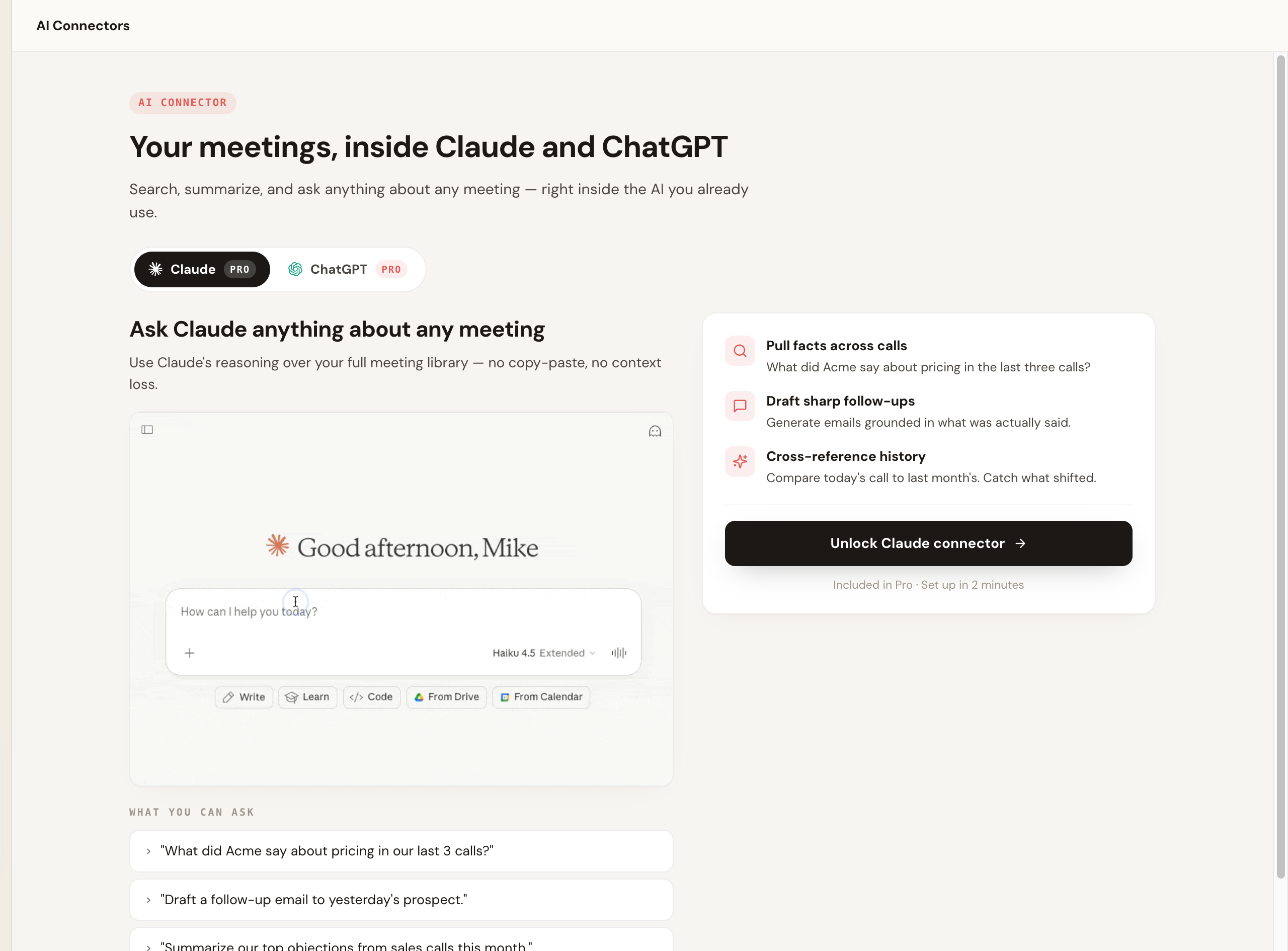
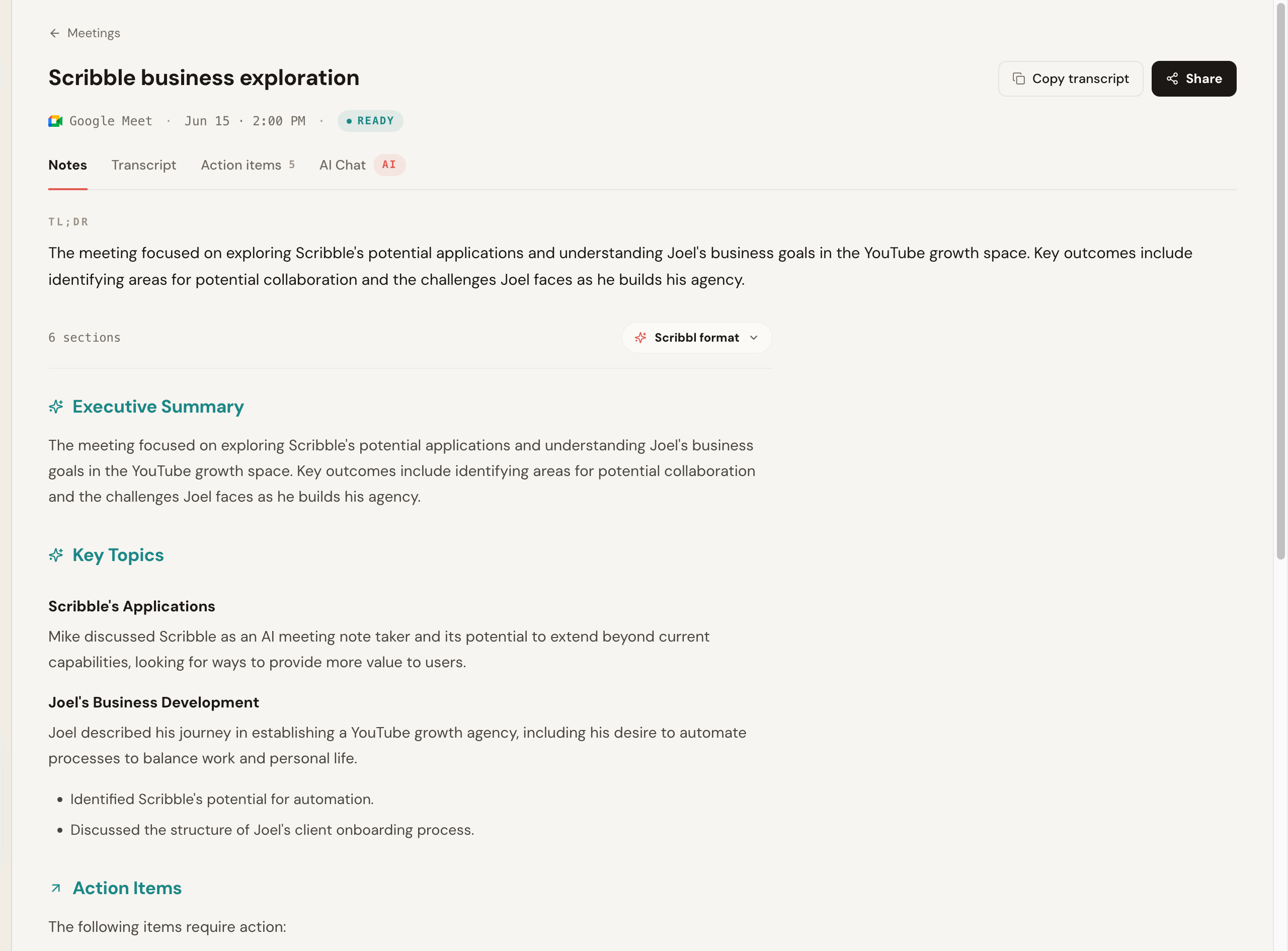
Most tools can push to Slack and common CRMs, and many export to Notion, Linear, or markdown; confirm the exact depth on each vendor's site. Scribbl covers both halves. Automations do the export and the follow-up: they draft the email, log notes in HubSpot or Pipedrive, post to Slack or Teams, save to Notion, and open Linear tickets, and by default they ask before changing anything. And Scribbl connects your meeting library to the AI you already use, ChatGPT or Claude, so you can ask questions across calls and have the follow-up email or CRM note drafted from what was actually said. The work gets done, not just stored.
To keep this honest and not only show our own product, here is a clearly-illustrative rendering of what a typical bot-based notetaker's post-call panel looks like, including the line that defines the category: the visible recording assistant in the attendee list. It is a diagram, not a screenshot of a real vendor's pixels.
Founder walked the investor through the seed deck and pipeline. Follow-up data room link promised by Friday. Two reference customers offered.
- Founder: send data room link (Fri)
- Founder: intro two reference customers
The 7 best AI notetakers for startups, ranked
1. Scribbl, the botless overall pick
Scribbl is our top recommendation for startups because it solves the exact problem that sends founders looking for a better notetaker: the bot on a call that should stay human. Scribbl is botless. Nothing joins the meeting, nothing is announced, and no notification goes to the investor or customer on the other side. It records, transcribes, and summarizes Google Meet with its Chrome extension, and Zoom and Microsoft Teams with Scribbl Desktop (Mac with Apple silicon and Windows), and connects your meetings to the AI you already use, ChatGPT or Claude, so the follow-up gets written rather than just stored. It is rated 5.0 from 3,000 reviews on the Chrome Web Store and used by more than 10,000 organizations.
For a startup specifically, three things stack up. It is free with no credit card, so a pre-seed team can run on it without a budget conversation. It captures off-calendar and ad-hoc calls, because it captures the call you are in rather than waiting for a calendar invite to dispatch a bot, which fits a team whose real conversations are often unscheduled. And the after-meeting step is where it pulls ahead: Automations draft the investor follow-up email and log the CRM note from what was actually said, and Smart Collections let you ask ChatGPT or Claude about just one group of calls, like this week's customer calls.
Pros: no bot ever joins; works across Meet, Zoom, and Teams; free plan with no credit card; Chrome extension for Google Meet, Scribbl Desktop for Zoom and Teams; captures off-calendar meetings; connects to ChatGPT or Claude so the work gets done; 5.0 from 3,000 reviews on the Chrome Web Store. Pricing: free plan with 10 meetings a month, no credit card; Pro is $13 per user per month billed annually, or $20 monthly. See the pricing page. Rating: 5.0 from 3,000 reviews on the Chrome Web Store and 4.9 from 725 reviews on G2, used across 10,000+ organizations. Best for: founders with investor, customer, and external calls who want notes with no bot, a free start, and the follow-up actually done. More in our botless AI notetaker explainer and the AI notetaker without a bot guide.
2. Fathom
Fathom is a polished, widely loved notetaker, and it carries one of the highest review volumes in the category at a near-5.0 public average. A bot joins the meeting to record, and it produces clean summaries. The free plan records unlimited meetings, but advanced summaries cover only your first 5 calls each month, and AI action items and AI follow-up emails need Premium. The trade is the usual one: a participant appears in the call, which is why we would not lead with it for sensitive external calls.
Pros: unlimited free recording, clean summaries, popular and well-supported. Cons: a bot joins and is visible to attendees; AI action items and follow-up emails need Premium; calendar-driven, so off-calendar capture is weaker. Pricing: free plan; Premium is $16 per user per month billed annually, or $20 monthly; Team is $15 billed annually, or $19 monthly, per user with a 2-user minimum (Fathom pricing, checked October 7, 2026). Best for: startups that mostly run internal calls and are fine with a bot. See our Fathom alternative breakdown.
3. Fireflies.ai
Fireflies is one of the more established and feature-rich options, with strong search, broad integrations, and team analytics. For a startup whose notes need to land in the CRM as a system of record, its integration depth is a real draw. Its standard model sends a notetaker bot (often called Fred) into the meeting, and the searchable archive across past calls is genuinely useful as a small team accumulates customer history. If you want depth and a lot of connected tooling and a visible bot is acceptable, Fireflies is a serious contender.
Pros: very broad integrations and deep CRM sync, strong cross-meeting search, team analytics. Cons: a visible bot joins; the feature surface can feel heavy for a tiny team; calendar-driven. Pricing: free plan, unlimited only with calendar auto-join on (otherwise 3 meetings), with 400 minutes of storage per team; Pro is $10 per seat per month billed annually, or $18 monthly; Business is $19 billed annually, or $29 monthly (Fireflies pricing, checked October 7, 2026). Best for: seed-stage teams that want deep CRM sync and search and do not mind a join-the-call bot. See our Fireflies alternative.
4. Granola
Granola is a note-taking app for Mac, Windows, iOS and Android that listens to your computer's audio and merges your own typed notes with an AI summary. No bot joins the call, which makes it a botless option for a solo founder who likes to jot during a meeting and have the AI clean it up afterward, and it handles off-calendar conversations well. It transcribes and then deletes the audio, so there is no recording to replay, and reviewers report gaps in speaker identification on multi-person calls.
Pros: botless, blends your live notes with AI, captures off-calendar, clean desktop experience. Cons: keeps no recording; speaker-ID gaps on multi-person calls; the free plan shows only the last 30 days of notes. Pricing: Basic is free (notes from the last 30 days); Business is $14 per user per month, billed monthly; Enterprise is from $35 per user per month (Granola pricing, checked October 7, 2026). Best for: solo founders who take notes live and want them tidied up, with no bot.
5. tl;dv
tl;dv focuses on recording and highlighting meetings, with clipping and sharing features teams use to spread context. It generally captures by joining the call as a bot. It is strongest as a way to cut and share moments (a customer quote, an objection) across a small team rather than as a pure notes tool, and its free plan makes it an easy starting point.
Pros: excellent clipping and highlight sharing, good free tier. Cons: a bot joins; notes are secondary to clips for some teams; calendar-driven. Pricing: free plan with unlimited recordings, but full AI notes only on your first 10 meetings; Pro is $18 per seat per month billed annually, or $29 monthly (tl;dv pricing, checked October 7, 2026). Best for: teams that share meeting clips and want recording-first features. See our tl;dv alternative.
6. Otter.ai
Otter is a mature transcription product with a strong live-transcription experience and a good mobile app, which suits a founder taking notes on the move. By default it sends its Notetaker bot into calls across Meet, Zoom, and Teams, though its desktop app for Mac and Windows can record without one. Its free tier caps monthly minutes and per-conversation length, and its auto-join behavior has drawn consent scrutiny, so set it deliberately before any external call.
Pros: strong live transcription, good mobile app, established product. Cons: bot joins by default; minute caps on free; auto-join has drawn consent scrutiny. Pricing: Basic is free with 300 monthly transcription minutes and 30 minutes per conversation; Pro is $8.33 per user per month billed annually, or $16.99 monthly; Business is $19.99 billed annually, or $30 monthly (Otter pricing, checked October 7, 2026). Best for: founders who want live transcription and mobile capture, if a bot is acceptable. See our best Otter alternatives.
7. Read AI
Read AI records Google Meet through Google's native API with no bot, but sends a visible assistant into Zoom and Teams, so it is mixed on capture. Its differentiator is analytics: engagement, sentiment, and meeting metrics on top of transcription and summaries. For a startup that wants to understand how its meetings are going at a team level it is worth a look, though for plain founder notes it is heavier than most and the bot on Zoom and Teams brings back the external-call question.
Pros: botless on Meet; rich meeting analytics and metrics. Cons: bot on Zoom and Teams; analytics focus is more than many small teams need; calendar-driven. Pricing: free plan with 5 meetings a month, up to 1 hour each; Pro is $15 per month billed annually, or $19.75 monthly (Read AI pricing, checked October 7, 2026). Best for: teams that want meeting metrics and analytics alongside notes. See Read AI vs Otter.ai.
Best AI notetaker for startups, by need
Map the tool to your most common meeting and your stage, not to the longest feature list.
| If you want... | Pick | Why |
|---|---|---|
| Best overall for startups | Scribbl | Botless, free to start, captures off-calendar, connects meetings to ChatGPT or Claude so the work gets done |
| Best free plan | Scribbl | Free with no credit card and botless, with Google Meet, Zoom, and Teams included |
| Best for investor and customer calls | Scribbl | No bot on Meet, Zoom, or Teams; you disclose recording on your own terms |
| Best for off-calendar and ad-hoc calls | Scribbl | Captures the Meet, Zoom, or Teams call you are in, no calendar invite required |
| Best for CRM and team search | Scribbl | Automations log notes in HubSpot or Pipedrive; search across meetings; Smart Collections sort calls by themselves |
| Best on a tight budget | Scribbl | Free plan with no credit card; Pro is $13 per user per month billed annually |
| Best for privacy on external calls | Scribbl | Nothing joins, nothing is announced, no email to other attendees |
| Best for an early sales motion | Scribbl | Botless capture, then Automations draft the follow-up email and log notes in HubSpot or Pipedrive |
| Solo founder who types their own notes | Granola | Blends your live notes with an AI summary, no bot; keeps no recording, and reviewers report speaker-ID gaps on multi-person calls |
Our pick: Scribbl
If you want an AI notetaker that fits how a startup actually works, Scribbl is the one we recommend. It records, transcribes, and summarizes Google Meet from a Chrome extension and Zoom and Microsoft Teams from Scribbl Desktop, never adds a participant to your investor or customer calls, captures the unscheduled conversations because it does not wait for a calendar invite, and turns each meeting into a searchable transcript with AI notes and action items. The difference that matters most is what happens after: the meeting connects to ChatGPT or Claude, so the follow-up email, the summary, the CRM note, the actual work, gets done instead of sitting in a transcript. The free plan needs no credit card and covers 10 meetings a month, and Pro lifts the limit for $13 per user per month billed annually, or $20 monthly, when shared team access is worth it.
Scribbl is a botless tool focused on capturing your meeting cleanly and turning it into done work, which is exactly what a lean team needs.
AI notetakers for startups FAQ
What is the best AI notetaker for startups in 2026?
Our overall pick for startups is Scribbl, a botless notetaker that captures Google Meet, Zoom, and Microsoft Teams with nothing joining the call, gives every meeting the video, a transcript with speaker names, AI notes and action items, has a free plan with no credit card, and connects your meetings to ChatGPT or Claude so the follow-up gets written. Automations then log the notes in HubSpot or Pipedrive, post to Slack, and save to Notion. Most of the other tools compared here (Fathom, Fireflies, tl;dv, Otter) send a visible bot into your investor and customer calls.
Is there a free AI notetaker for startups?
Yes. Scribbl has a free plan with no credit card, which is the right starting point for a pre-seed or seed team. Fathom, Fireflies, tl;dv, Otter, and Granola also publish free or limited-free tiers, but each one caps something (monthly minutes, meeting count, AI summaries, or export), and most of them put a visible bot in your call by default. The fastest test of a free plan is to run one real meeting through it and see what the cap actually limits, then verify the current limit on the vendor's pricing page, since these change.
Can a startup record investor and customer calls without a bot joining?
Yes. Botless tools like Scribbl and Granola capture the call with nothing joining it, so no recording participant appears in your investor or customer call. No extra attendee appears, nothing is announced, and no email goes out automatically. That matters for fundraising and discovery calls, where an unexplained recording bot can change how candid the other side is. You still disclose recording on your own terms; a botless tool just means you control that moment instead of a surprise bot doing it for you.
Do we need consent to record investor or customer calls?
Usually yes, and you should treat it as required. Recording and consent laws vary by country and, in the US, by state: some places allow one-party consent (one person agreeing is enough) and others require all-party consent (everyone must agree). People on a call often join from different jurisdictions, so the safe default is to follow the strictest applicable rule, say at the start that an AI notetaker is capturing the call, and confirm everyone is comfortable before you begin. A botless tool removes the surprise attendee, not your duty to disclose. This is general information, not legal advice; check your jurisdiction and company policy before recording sensitive calls.
What should founders actually look for in an AI notetaker?
Five things, reframed for startup reality. First, budget: a real free tier or a price you do not have to justify to a board. Second, privacy and consent control for investor and customer calls, which usually means botless capture so nothing joins the room. Third, off-calendar and ad-hoc capture, because startups do not run on neat thirty-minute calendar invites; a lot of the important conversations are unscheduled. Fourth, what happens to the notes after the meeting: CRM (HubSpot, Pipedrive), Notion, Linear, and Slack export so a small team has one source of truth. Fifth, platform coverage across Google Meet, Zoom, and Microsoft Teams, because you will meet wherever the other side meets.
Should a startup use a bot-based or botless notetaker?
Botless, for most startups. On external calls (investors, customers, design partners, candidates) a visible recording bot can feel intrusive, raises a consent question the other side did not opt into, and can make discovery calls shallower. A botless tool like Scribbl captures Google Meet, Zoom, and Microsoft Teams with nothing joining the call, and it works the same on internal standups and syncs, so one tool covers every call you are on.
How do AI notetakers handle off-calendar and ad-hoc startup meetings?
This is where tools differ a lot. Bot-based tools usually rely on a calendar invite to dispatch their bot, so a spontaneous huddle or a call that is not on the calendar often does not get captured unless you add it manually. Tools where nothing joins the call, like Scribbl and Granola, do not wait for a calendar invite, so they can capture a meeting whether or not it was ever on your calendar. If a lot of your real conversations are unscheduled, prioritize a tool that does not depend on a calendar invite over a calendar-triggered bot.
What happens to the notes after the meeting, and can they sync to our CRM and Notion?
The export step is the real lever for a small team, because notes that live in a separate app do not become a source of truth. Most notetakers can push transcripts and summaries to Slack and common CRMs, and many export to Notion or as markdown for Notion, Obsidian, or Linear. Confirm the exact integrations on each vendor's site, since the depth varies. Scribbl goes one step further than export: Automations draft the investor follow-up email, log notes in HubSpot or Pipedrive, post to Slack and save to Notion, asking before they change anything by default, and Smart Collections let you ask ChatGPT or Claude about just one group of meetings, like this week's customer calls.
How much do AI notetakers cost for a startup?
Free plans are common, and the paid entry tiers for the leading meeting notetakers sit roughly between $8 and $20 per user per month billed annually, checked October 7, 2026: Otter Pro is $8.33 per user per month billed annually ($16.99 monthly), Fireflies Pro is $10 per seat billed annually ($18 monthly), Granola Business is $14 per user per month, Read AI Pro is $15 billed annually ($19.75 monthly), Fathom Premium is $16 billed annually ($20 monthly), and tl;dv Pro is $18 per seat billed annually ($29 monthly). Scribbl has a free plan with 10 meetings a month and no credit card, and Pro is $13 per user per month billed annually, or $20 monthly. For a pre-seed team, start on a free plan; add paid seats only when shared access across the team is worth it. Pricing changes often, so confirm the live number on each vendor's pricing page before you buy.
Is it legal to record a meeting with an AI notetaker?
Recording laws vary by country and, in the US, by state. Some places allow one-party consent (one person on the call agreeing is enough) and others require all-party consent (everyone must agree). An AI notetaker, bot or botless, does not change your legal obligation to disclose. The practical rule most teams use is to tell people you are recording or taking notes, and a botless tool like Scribbl gives you control over that disclosure rather than a surprise bot announcing it. This is general information, not legal advice; check the rules for your jurisdiction and your company policy before recording sensitive calls.
How is our meeting data stored, and is it used to train AI?
Retention and training policies differ across every tool and change over time, so read the current privacy policy and data-processing terms for any tool before recording investor or customer calls. The questions worth asking: where is the data stored (data residency, which matters for EU and regulated teams), how long is it kept, who can access it, and is it used to train models. For a startup handling confidential fundraising and customer conversations, treat this as a real diligence item, not an afterthought. With Scribbl, recordings are private by default, and Scribbl doesn't use your meetings to train AI for anyone other than you.
Related reading: botless AI notetaker, AI notetaker without a bot, best AI notetaker app, AI notetaker Chrome extension, AI notetaker for Mac, AI notetaker for customer success, AI notetaker for user research, and AI notetaker with Slack.
Try Scribbl
Let your meetings take their own notes.
Scribbl records, transcribes, and summarizes your Google Meet calls from your browser. No bot joins the call. Free forever for individuals.
Add to Chrome · It's free