Can ChatGPT Transcribe Audio? (2026): Files, Video, Record Mode and Limits
Yes, on paid plans: upload audio up to 512 MB. Free can't. Video, Record mode, the API's 25 MB limit, speaker labels and privacy, checked on OpenAI's pages.
Updated October 29, 2026
The short answer
Checked against OpenAI's help center, API docs and pricing pages on October 7, 2026
Yes, on any paid plan: attach a recording up to 512 MB to a chat and ask for a transcript
- A recording
- Attach it to a chat on a paid plan and ask for a transcript. Up to 512 MB per file.
- A video
- ChatGPT accepts video files, but may not interpret the audio. Save the audio as M4A or MP3 and upload that.
- Free plan
- No audio uploads. OpenAI's open-source Whisper model is free and runs on your own computer.
- A meeting
- Record mode in the ChatGPT app for Mac, on Plus or higher, up to 4 hours a session. It keeps no recording.
- Every meeting, Windows or Mac
- Scribbl records Google Meet, Zoom and Teams with nothing joining the call and gives you the video, a transcript with speaker names and AI notes. Free for 10 meetings a month.
Yes, ChatGPT can transcribe audio: on any paid plan you can upload a recording (MP3, WAV, M4A and other audio formats, up to 512 MB) and ask for a transcript, and the microphone icon (Dictation) turns your own speech into text. The Free plan can't upload audio files, ChatGPT accepts video files but OpenAI says it may not interpret their audio accurately, and developers can send files up to 25 MB to OpenAI's transcription API.
On a Mac, ChatGPT's Record mode also transcribes meetings and voice notes, up to 4 hours a session, on Plus and higher plans. This page covers each way, with the file types, limits, plans, speaker labels and privacy rules for each.
Scribbl, an AI note taker for Google Meet, Zoom and Microsoft Teams, makes this page. If the audio you want transcribed is a meeting, Scribbl does it for every call, on Windows or Mac, with the video kept. Every ChatGPT and OpenAI fact below comes from OpenAI's own help center, API docs and pricing pages, checked on October 7, 2026, and listed under Sources.
Can ChatGPT transcribe audio?
Yes. ChatGPT has several ways to turn speech into text, and OpenAI sells the same kind of transcription to developers through its API. Which one you use depends on whether the audio is a file, your own voice, or a meeting happening now.
| Way | What it transcribes | Where | Plans | Limit | Speaker labels |
|---|---|---|---|---|---|
| Upload an audio file | A recording you attach to a chat | ChatGPT; OpenAI says availability can vary by app version and region | Paid plans; not Free | 512 MB per file | "May be unreliable," says OpenAI |
| Upload a video file | ChatGPT may analyze a video you attach | ChatGPT, depending on platform and upload method | Free and paid | Counts toward your plan's upload limits | Not stated; it "may not" interpret the audio accurately |
| Dictation | Your speech, as a message you can edit | The microphone icon | Not stated on OpenAI's Dictation page | Not stated | One speaker: you |
| Voice | A spoken conversation with ChatGPT; a transcript is added to the chat afterward | Web, iOS and Android | Free (limited) and paid | Daily Voice limits by plan | Not built for several speakers; transcripts are "not verbatim" |
| Record mode | Meetings, brainstorms and voice notes | ChatGPT desktop app for Mac only | Plus, Pro, Business, Enterprise, Edu | 4 hours per session | Yes; unknown voices show as "Speaker 1" until you rename them |
| OpenAI's API | Files you send from your own code or app | Anywhere you can run code | An API account, billed separately from ChatGPT | 25 MB per file | Yes, with the gpt-4o-transcribe-diarize model |
| Whisper (open source) | Files on your own computer | Mac, Windows or Linux, with Python | Free (MIT license) | None stated; larger models need more video memory | Not mentioned in its README |
Sources for each row are under Sources. The upload is the closest thing to a regular transcription service: you give ChatGPT a finished recording and get the words back. The others either work only on your own voice (Dictation, Voice), only live on a Mac (Record mode), or need some technical setup (the API and Whisper).
Can ChatGPT transcribe an audio recording?
Yes, on any paid plan. OpenAI's help page on uploads now lists audio next to documents and spreadsheets, and says you can "transcribe and discuss an audio recording." It also says: "Audio uploads are not available on the Free plan at this time."
OpenAI's pricing page lists Go, Plus, Pro, Business and Enterprise as paid plans; Go is the lowest-priced, at $8 a month, and Plus is $20 a month.
Supported audio files: WAV, MP3/MPEG, OGG/OGA, audio-only WebM, PCM, FLAC, AAC, M4A and audio-only MP4, up to 512 MB each. The file must contain audio ChatGPT can decode. MP4 and WebM files that are identified as video aren't accepted as audio uploads (see the video section).
How to transcribe a recording in ChatGPT:
- Sign in on a paid plan and open a new chat.
- Attach the file: select the + icon in the prompt area and choose Add photos & files, or drag the file into the chat.
- Ask for a transcript. Paste the prompt below and fill in the brackets.
- Ask follow-up questions in the same chat: a summary, the action items, a translation, or "What did they say about the deadline?"
- Check the transcript against the recording before you quote it or send it. OpenAI says: "Transcripts may contain errors, and speaker identification may be unreliable."
Transcribe this recording word for word, in its original language. Start a new paragraph each time the speaker changes and label speakers [names, or Speaker 1, Speaker 2]. Don't summarize, shorten or fix grammar. Where you can't make out a word, write [inaudible]. Words you'll hear: [names, product names, acronyms].
The last line matters: listing the names and terms in the recording is the same idea OpenAI recommends for its API, where you can pass expected keywords to improve how domain terms are transcribed.
Long recordings. OpenAI says longer recordings may be processed in smaller sections when Data Analysis is available, and that "very long recordings may time out." If a long file fails, split it into parts (one per hour, for example) and upload them in order in the same chat.
Can ChatGPT transcribe video to text?
Not reliably from the video file itself. OpenAI's Image Inputs FAQ says ChatGPT can accept video files as attachments, including on the Free plan, but adds that ChatGPT "may not analyze the entire video or accurately interpret its audio." Video attachments also count toward your plan's file-upload limits.
The route OpenAI documents for transcription is the audio upload, and it doesn't take MP4 or WebM files that are identified as video. So for a transcript you can trust, give ChatGPT the video's audio track instead.
| What you give it | Free plan | Paid plans | Do you get a dependable transcript? |
|---|---|---|---|
| The video file, as is | Accepted | Accepted | Not reliably: OpenAI says it may not interpret the audio accurately |
| The video's audio track (M4A, MP3 or another audio format) | Not available | Accepted, up to 512 MB | Yes: this is OpenAI's documented transcription route |
| The video file sent to OpenAI's API (MP4 or WebM) | Needs an API account | Needs an API account | Yes, for files up to 25 MB |
Live camera video in ChatGPT Voice is a different feature: on iOS and Android, with the Advanced Voice option, you can share your camera during a conversation. It doesn't transcribe a video file.
Can I use ChatGPT to transcribe a video?
Yes, if you give it the audio. It takes two steps.
1. Save the video's audio as its own file.
- On a Mac: open the video in QuickTime Player and choose File › Export As › Audio Only. Apple says this saves an MPEG-4 audio file with AAC audio, which is a format ChatGPT accepts.
- On any computer: the free, open-source tool ffmpeg does it in one line. The
-vnoption leaves out the video:
ffmpeg -i video.mp4 -vn audio.m4a
2. Upload the audio file to ChatGPT on a paid plan and use the transcription prompt above.
YouTube videos. OpenAI's help pages don't describe transcribing a video from a YouTube link. If a YouTube video has a transcript, YouTube shows it: click Show transcript in the video's description (YouTube Help). For a video you own, export the audio from your copy and upload that.
Can ChatGPT do video transcription?
For a plain transcript of what's said, yes, through the audio track as above. For subtitles, it depends on where you do it:
- In ChatGPT: OpenAI's upload help doesn't describe timestamps or subtitle files for transcripts. If you ask ChatGPT to add timestamps to a plain transcript, check them against the video before you publish them.
- In OpenAI's API: the
whisper-1model returns word or segment timestamps, and can return the transcript as an SRT or VTT subtitle file. Files can be up to 25 MB, and it costs $0.006 a minute. The API section has the details.
For a long video, compress the audio first so it fits the 25 MB limit, or split it into parts (the next section shows how many minutes fit).
How long will ChatGPT transcribe audio?
It depends on the feature. OpenAI states most limits as file sizes, not minutes:
| Feature | Limit OpenAI states | What happens at the limit |
|---|---|---|
| Audio upload in ChatGPT | 512 MB per file | Long recordings may be processed in sections when Data Analysis is available; very long ones may time out |
| Record mode (Mac app) | 4 hours (240 minutes) per session | The session stops on its own and the notes are saved as a private canvas |
| Voice (Live option), per rolling 24 hours | Free: limited. Go: 3 hours (GPT-Live-1 mini). Plus: 3 hours. Pro ($100 a month): 15 hours. Pro ($200 a month): unlimited | ChatGPT tells you when you reach the limit |
| Dictation | Not stated on OpenAI's Dictation page | |
| OpenAI's transcription API | 25 MB per file | Compress the audio or split it into files of 25 MB or less |
How many minutes fit depends on how the audio is saved. This is our own arithmetic (file size divided by bitrate), not an OpenAI figure:
| Audio format | Size per minute | Fits in 25 MB (API) | Fits in 512 MB (ChatGPT upload) |
|---|---|---|---|
| MP3 or M4A at 64 kbps (fine for speech) | About 0.48 MB | About 52 minutes | About 17 hours |
| MP3 or M4A at 128 kbps | About 0.96 MB | About 26 minutes | About 9 hours |
| WAV, uncompressed (16-bit, 44.1 kHz, stereo) | About 10.6 MB | About 2.4 minutes | About 48 minutes |
So a 2-hour meeting saved as uncompressed WAV is too big for even the 512 MB upload, while the same meeting as a 64 kbps M4A or MP3 is under 60 MB. Converting to a compressed format first is the simplest way to fit more minutes under either limit.
Transcribing audio with the OpenAI API
If you have many files, or you want transcription inside your own app, OpenAI's API does it directly. You send a file to the /v1/audio/transcriptions endpoint and get text back. API usage is billed separately from any ChatGPT plan.
Files: up to 25 MB, in mp3, mp4, mpeg, mpga, m4a, wav or webm (OpenAI's API reference also lists flac and ogg).
| Model | Use it for | Price |
|---|---|---|
gpt-transcribe | OpenAI's recommended model for recorded speech in its original language. Takes a prompt, expected keywords and language hints | $0.0045 a minute |
gpt-4o-transcribe | Earlier general model; OpenAI says it improved word error rate over its original Whisper models | About $0.006 a minute |
gpt-4o-mini-transcribe | Lower-cost transcription | About $0.003 a minute |
gpt-4o-transcribe-diarize | Speaker labels: who spoke when, with start and end times. Can match up to 4 known speakers from 2 to 10 second sample clips | $2.50 per 1M audio input tokens, $10 per 1M output tokens |
whisper-1 | Word or segment timestamps, SRT and VTT subtitle files, and translation into English. Powered by OpenAI's open-source Whisper V2 model | $0.006 a minute |
gpt-live-transcribe | Audio that's still arriving, such as a live call or stream (Realtime API) | About $0.017 a minute |
A minimal Python request, following OpenAI's file transcription guide:
from openai import OpenAI

client = OpenAI()
with open("recording.m4a", "rb") as audio_file:
    transcript = client.audio.transcriptions.create(model="gpt-transcribe", file=audio_file)
print(transcript.text)
Speaker labels need gpt-4o-transcribe-diarize with response_format="diarized_json", and for audio longer than 30 seconds, chunking_strategy="auto". That model doesn't accept a prompt. Timestamps (the timestamp_granularities[] option) only work with whisper-1, which supports 98 languages. Translation into English uses whisper-1 at the /v1/audio/translations endpoint.
Whisper, free on your own computer. OpenAI also publishes Whisper as open-source software under the MIT license. It runs locally with Python and the ffmpeg tool, so the audio never leaves your computer. The README lists model sizes from about 1 GB of video memory (tiny) up to about 10 GB (large), and doesn't mention speaker labels. It's the free option for people comfortable with a command line.
Can ChatGPT transcribe my meeting?
Yes, if you're on a Mac with a Plus, Pro, Business, Enterprise or Edu plan. ChatGPT's Record mode is "only available for the macOS desktop app": click Record at the bottom of any chat, and ChatGPT transcribes as people talk, then writes notes you can turn into an email or a plan. Sessions stop at 4 hours. It hears the call through your Mac's microphone and system audio, so it works with a Zoom, Teams or Google Meet call on that Mac.
Things to know before you rely on it:
- No recording is kept. OpenAI deletes the audio after transcription, so there's nothing to check a line against later.
- Speaker names: voices ChatGPT can't identify show as "Speaker 1" and so on until you rename them.
- Calendar auto-join works for Google Meet links only. For Zoom, Teams, Webex and other links, you start Record by hand.
- Pro and Business plans can also use OpenAI's newer Meetings plugin, which OpenAI is still testing. It takes notes on a Mac for online calls or in-person conversations, without a bot joining the call. OpenAI lists iOS, Android and Windows support as "coming soon."
- On Windows, the web or a phone, ChatGPT can't listen to a meeting. It can only work from a recording or a transcript you give it.
Whatever you use, tell everyone you're recording and get their OK first. OpenAI's Meetings help page says its consent reminder is visible only to you and doesn't ask the other people for you. For step-by-step Record mode instructions, prompts for minutes and a comparison with other ways to get notes, see ChatGPT meeting notes. For the rules on consent, see do you have to tell people you're recording.
How accurate is ChatGPT transcription?
OpenAI doesn't publish an accuracy figure for ChatGPT's transcripts. What it does say, on its own pages:
- ChatGPT "may make mistakes, including in its transcriptions" (Record mode page).
- "Transcripts may contain errors, and speaker identification may be unreliable" (uploads page).
- Voice transcripts "are not verbatim records and may not exactly match what was said" (Voice page).
- Record mode "works best in English today," and audio upload performance "may vary across languages."
- For the API, OpenAI says
gpt-4o-transcribeimproved word error rate over its original Whisper models, without giving a number on the model page.
To get a cleaner transcript, OpenAI's Record mode troubleshooting suggests using a headset and lowering background noise. List the names and terms you expect in your prompt, and check every name, number and quote against the recording before you use it.
Speaker labels, feature by feature: Record mode tells speakers apart and lets you rename them. Uploaded files may get speaker labels, but OpenAI calls them unreliable. Voice is "not yet optimized for conversations with multiple speakers." In the API, gpt-4o-transcribe-diarize is the model built for labeling speakers.
Is ChatGPT transcription private?
It depends on the feature, and on your plan's data settings:
| Feature | What happens to the audio | Used to train OpenAI's models? |
|---|---|---|
| Audio upload | The file follows your chat and Library retention. Deleting a chat doesn't delete a copy saved in Library | Depends on the service and your data settings; OpenAI says it doesn't use content from its business offerings, such as the API and ChatGPT Enterprise, to improve its models |
| Dictation | Kept as long as the chat is in your history; deleted within 30 days after you delete the chat, unless needed for security or legal reasons | Only if you chose to share audio ("Include your audio recordings") |
| Voice | Live and Advanced audio clips are kept with the transcript for 30 days. Standard deletes the audio after transcription | Clips only if you chose to share them; transcripts may be used if Improve the model for everyone is on |
| Record mode | Deleted after transcription. Transcripts and notes follow your chat retention | Audio never. Transcripts and notes may be, on Free, Plus and Pro, if Improve the model for everyone is on |
| Meetings plugin | Deleted from your Mac and OpenAI's servers once the notes are ready | Not stated on the plugin's help page |
OpenAI API (/v1/audio/transcriptions) | No abuse-monitoring or application-state retention | No |
Business, Enterprise and Edu workspaces are excluded from model training by default. On Free, Go, Plus and Pro, you can turn off Improve the model for everyone in Settings › Data Controls before you upload anything sensitive. If the recording includes other people, get their consent before you record and before you upload it.
Which way should you use?
- A recording you already have, and a paid ChatGPT plan: upload it and use the prompt above.
- A video: export the audio first, then upload that.
- On the Free plan: Whisper on your own computer, or one of the tools in the best free transcription software.
- Hundreds of files, subtitles or speaker labels: OpenAI's API.
- Your Google Meet, Zoom or Teams calls, on Windows or Mac: Scribbl (next section). You get the video, a transcript with speaker names, AI notes and action items for every meeting, free for 10 meetings a month, with no paid ChatGPT plan needed.
- A single meeting on a Mac with Plus or higher: Record mode, though it keeps no recording to check against.
- An interview: see how to transcribe an interview for formats and checking steps.
The easier way for meetings: Scribbl
This section is about our own product. If the audio you want in writing is a meeting, you don't need to record it, export it and upload it to ChatGPT. Scribbl is an AI note taker for Google Meet, Zoom and Microsoft Teams that does it for every call. Nothing joins the call: Google Meet runs from a Chrome extension, and Zoom and Teams run from Scribbl Desktop for Mac (Apple silicon) and Windows. After each meeting you get the video recording, a transcript with speaker names, AI notes and action items.
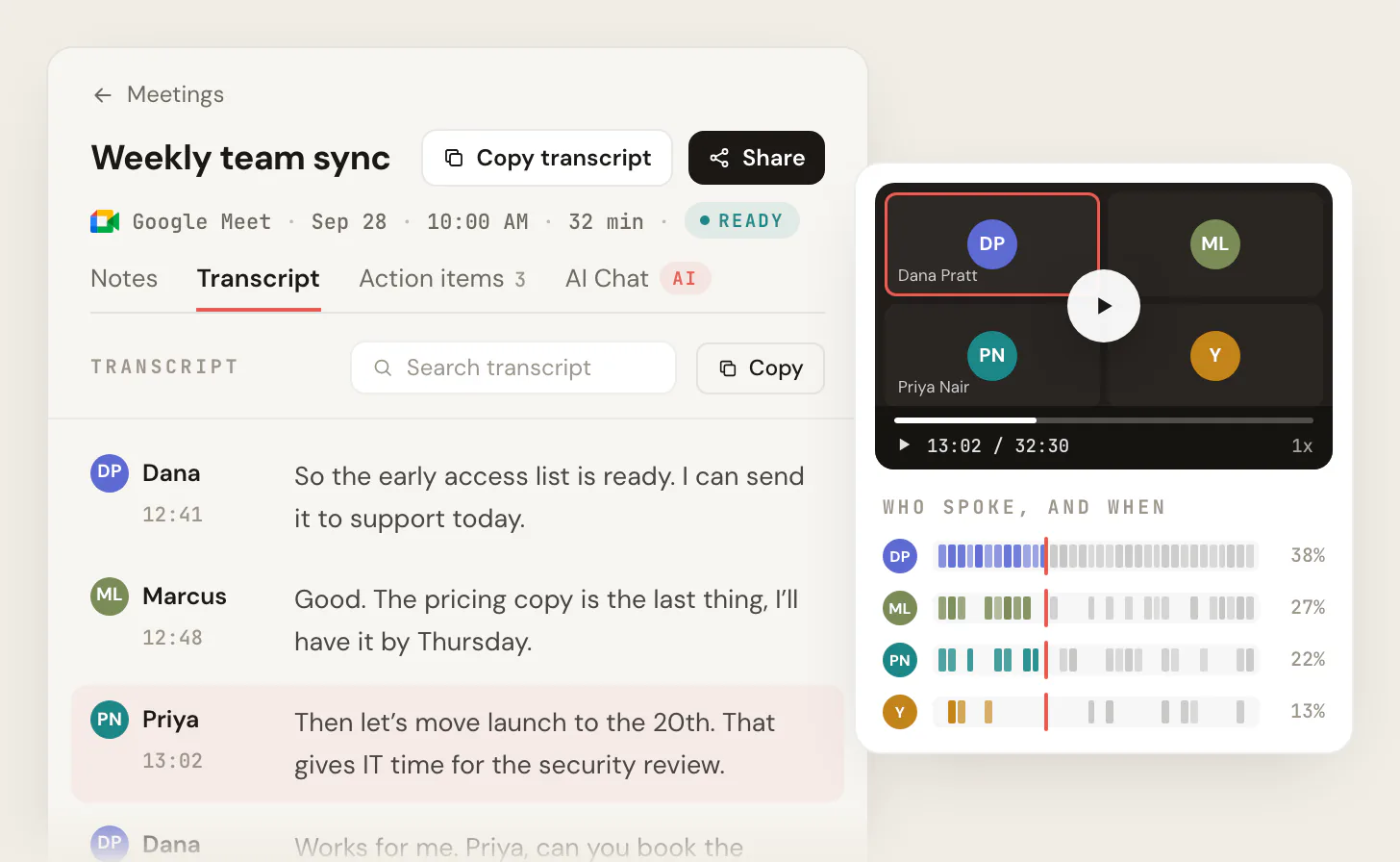
- Ask ChatGPT or Claude about every meeting. On Pro, connect Scribbl once and ChatGPT or Claude can search the transcripts and notes of all your meetings, so you can ask what a client said about the deadline last month without uploading a file.
- The follow-up done for you. Automations draft the follow-up email, post a summary to Slack or Teams, log notes in HubSpot or Pipedrive, or save them to Notion. They ask before changing anything by default.
- Meetings sorted by themselves. Smart Collections put each new meeting into the groups you describe, so you can ask about just one group, such as "What were the main objections in my sales calls this week?"

Why it's easier than ChatGPT for meetings: ChatGPT's Record mode needs a Mac and a Plus or higher plan, and keeps no recording. Uploading a recording needs a paid plan and a file you've already made. Scribbl works on Windows or Mac, keeps the video, and writes the transcript and notes for every Google Meet, Zoom and Teams call on its own. The free plan includes Google Meet, Zoom and Microsoft Teams, with 10 meetings a month. Pro is $13 per user per month billed annually, or $20 monthly (pricing). Recordings are private by default, and Scribbl doesn't use your meetings to train AI for anyone other than you. As with any recorder, tell everyone you're recording.
Get Scribbl for Google MeetFAQ
Can ChatGPT transcribe audio?
Yes. On a paid ChatGPT plan you can upload an audio file (WAV, MP3, M4A, FLAC, AAC, OGG and other formats, up to 512 MB) and ask for a transcript. The microphone icon (Dictation) turns your own speech into text, and the ChatGPT app for Mac can transcribe meetings and voice notes with Record mode on Plus and higher plans. The Free plan can't upload audio files. Developers can use OpenAI's transcription API, which takes files up to 25 MB.
Can ChatGPT transcribe an audio recording?
Yes, on any paid plan. Attach the recording to a chat and ask for a word-for-word transcript. OpenAI lists WAV, MP3/MPEG, OGG/OGA, audio-only WebM, PCM, FLAC, AAC, M4A and audio-only MP4 files up to 512 MB. Very long recordings may time out, and OpenAI says transcripts may contain errors, so check names and numbers against the recording.
Can ChatGPT transcribe video to text?
Not reliably from the video file itself. ChatGPT accepts video attachments, even on the Free plan, but OpenAI says it may not analyze the entire video or accurately interpret its audio. For a dependable transcript, save the video's audio as an M4A or MP3 file and upload that on a paid plan, or send the file to OpenAI's API, which accepts MP4 and WebM files up to 25 MB.
Can I use ChatGPT to transcribe a video?
Yes, if you give it the audio. On a Mac, open the video in QuickTime Player and choose File, then Export As, then Audio Only. On any computer, the free ffmpeg tool does the same with: ffmpeg -i video.mp4 -vn audio.m4a. Then attach the audio file to a ChatGPT chat on a paid plan and ask for a transcript.
Can ChatGPT do video transcription?
For a plain transcript of what's said, yes, through the video's audio track. For subtitles, OpenAI's help pages don't describe timestamps or subtitle files for ChatGPT uploads. OpenAI's API does: the whisper-1 model returns word or segment timestamps and SRT or VTT subtitle files, for files up to 25 MB, at $0.006 a minute.
Can ChatGPT transcribe a YouTube video to text?
OpenAI's help pages don't describe transcribing a video from a YouTube link. If the video has a transcript, YouTube shows it: click Show transcript in the video's description. For a video you own, save its audio and upload that file to ChatGPT on a paid plan.
Can ChatGPT transcribe my meeting?
Yes, if you use the ChatGPT desktop app for Mac on a Plus, Pro, Business, Enterprise or Edu plan. Record mode transcribes and summarizes up to 4 hours per session, labels voices it can't name as Speaker 1 and so on, and deletes the audio afterward. On Windows, the web or a phone, ChatGPT can only work from a recording or transcript you give it. For every Google Meet, Zoom or Teams call on Windows or Mac, with the video kept, Scribbl (which we make) does it on its free plan. Tell everyone you're recording first.
Can ChatGPT transcribe audio for free?
Not from a file. OpenAI says audio uploads are not available on the Free plan. Free does include Voice with limited access, but Voice transcripts aren't word for word. For free transcription of files, OpenAI's open-source Whisper model runs on your own computer under an MIT license, though it takes some setup.
How long will ChatGPT transcribe audio?
It depends on the feature. Uploaded audio files can be up to 512 MB, which is about 9 hours of 128 kbps MP3, but OpenAI says very long recordings may time out. Record mode stops at 4 hours per session. OpenAI's API takes up to 25 MB per file, about 26 minutes of 128 kbps MP3, so longer recordings have to be compressed or split.
Can ChatGPT do voice to text?
Yes. Press the microphone icon in ChatGPT (Dictation), speak, and ChatGPT returns your words as text you can edit before you send it. Voice is different: it's a spoken conversation with ChatGPT, and OpenAI says Voice transcripts are not verbatim records.
Can ChatGPT identify different speakers?
Sometimes. Record mode in the Mac app tells speakers apart and labels anyone it can't name as Speaker 1, Speaker 2 and so on, which you can rename. For uploaded files, OpenAI says speaker identification may be unreliable. OpenAI's API has a separate model, gpt-4o-transcribe-diarize, that labels who speaks when and can match up to four known speakers from short sample clips.
Is ChatGPT accurate at transcription?
OpenAI publishes no accuracy figure for ChatGPT's transcripts and says they may contain errors. Record mode works best in English, and results for uploads vary by language. Use a headset or a quiet room, tell ChatGPT the names and terms to expect, and check names, numbers and quotes against the recording.
Does OpenAI keep or train on my audio?
It depends on the feature. Record mode deletes the audio after transcription and doesn't train on it, but its transcripts may be used for training on Free, Plus and Pro if Improve the model for everyone is on. Dictation audio stays with the chat until you delete the chat, then is deleted within 30 days. Business, Enterprise and Edu content isn't used for training by default, and OpenAI's transcription API doesn't train on your audio or keep it for abuse monitoring.
What is the difference between ChatGPT and Whisper?
ChatGPT is OpenAI's chat app. Whisper is OpenAI's speech recognition model, available as whisper-1 in OpenAI's API at $0.006 a minute and as free open-source software you run on your own computer. For most API transcription, OpenAI now recommends its newer gpt-transcribe model and keeps whisper-1 for timestamps, subtitles and translation into English.
Sources
Every product fact above was checked on these pages on October 7, 2026. OpenAI changes these features often, so check the linked page if a detail matters to you.
- OpenAI Help Center: Uploading files and audio to ChatGPT (audio uploads, file types, 512 MB, Free plan; updated October 6, 2026), ChatGPT Image Inputs FAQ (video attachments), ChatGPT Record (plans, Mac only, 4 hours, speakers, training, calendar), Voice Dictation FAQ, ChatGPT Voice (usage limits, transcripts, audio clips), The Meetings plugin in ChatGPT, Managing billing for ChatGPT and the API platform
- ChatGPT: Pricing (Free $0, Go $8, Plus $20, Pro from $100 a month; Record mode on Plus and Pro)
- OpenAI API docs: File transcription guide (25 MB, file types, recommended model, speaker labels, timestamps, translation, 98 languages), Create transcription reference, API pricing, model pages for gpt-transcribe, gpt-4o-transcribe, gpt-4o-transcribe-diarize and whisper-1, Data controls in the OpenAI platform
- OpenAI: Whisper on GitHub (MIT license, model sizes)
- Apple: Export movies in QuickTime Player on Mac
- FFmpeg: ffmpeg documentation (the
-vnoption) - YouTube Help: View video transcripts
- Scribbl: pricing
Try Scribbl
Get every meeting transcribed for you
Scribbl records, transcribes, and summarizes your Google Meet calls from your browser. No bot joins the call. Free forever for individuals.
Add to Chrome · It's free