Scribbl records your Google Meet, Zoom and Teams calls and writes the notes. No bot joins. Free for 10 meetings a month. Start free
How to Record a Meeting When You're Not the Host (Zoom, Google Meet, Teams)
Can you record a Zoom, Google Meet or Teams meeting if you're not the host? What each app allows, and how Scribbl records them with no permission.
Updated November 3, 2026
The short answer
Zoom tested on October 1, 2026, in Zoom Workplace 7.1.9 for Mac; Google Meet checked against Google's own help pages on October 19, 2026; Teams tested on October 6, 2026, with Microsoft's recording help page checked October 23, 2026
With the meeting app's own Record button, only if the host lets you; with Scribbl, yes, on Zoom, Google Meet and Teams, with nothing joining the call
- Zoom
- The host opens Participants, hovers over your name, clicks More › Allow Record. Then you can record to your computer, not the cloud.
- Google Meet
- Only co-hosts and people in the host's organization (with host controls off), and only if the host's plan includes recording. Guests from other companies can't unless the host makes them a co-host.
- Teams
- Only people signed in from the organizer's organization, with a license and admin setting that allow it. Guests and people from other companies can't.
- No permission needed
- Scribbl's Chrome extension records Google Meet, and Scribbl Desktop records Zoom and Teams on Mac or Windows. You get the video, a transcript with speaker names and AI notes, free for 10 meetings a month.
Try Scribbl
Record meetings you don't host, no bot
Scribbl records, transcribes, and summarizes your Google Meet, Zoom and Teams calls: Google Meet in your browser, Zoom and Teams with the desktop app. No bot joins the call. Free for 10 meetings a month, no credit card.
Add to Chrome · It's freeYou can record a meeting you're not the host of, but the meeting app's own Record button only works if the host (or their company's settings) lets you. On Zoom the host has to click Allow Record for you. On Google Meet you have to be a co-host or in the host's organization. On Microsoft Teams you have to be signed in from the organizer's organization, so guests and people from other companies can't record at all. The way that needs nobody's permission is Scribbl: its Chrome extension records Google Meet, and Scribbl Desktop records Zoom and Teams on your Mac or Windows computer. Nothing joins the call, and after the meeting you get the video, a transcript with speaker names, AI notes and action items, free for 10 meetings a month.
Can you record a meeting if you're not the host?
What a participant can do in each app, and what the host sees. Scribbl, our pick, first.
| Meeting app | Can a participant use the built-in Record button? | What the participant needs | What the host sees |
|---|---|---|---|
| Scribbl (our pick), on all three | Not needed: Scribbl records from your own computer | The Scribbl Chrome extension for Google Meet, or Scribbl Desktop for Zoom and Teams | No bot in the participant list. The meeting app shows no recording notice, so you tell people yourself |
| Zoom | Only if the host allows it | The host clicks Allow Record next to your name; then you can record to your computer, not the cloud | A red REC label at the top right, for everyone; on some accounts, a notice that the meeting is being recorded |
| Google Meet | Only co-hosts and people in the host's organization | The host's plan must include recording (Business Standard or higher, or Google One with 2 TB or more), an admin must turn it on, and host controls must be off or you must be a co-host | Everyone gets a notification when recording starts and when it stops |
| Microsoft Teams | Only people from the organizer's organization | A work or school license that includes recording and an admin who allows it; guests, people from other companies and free Teams can't | A red recording dot next to the meeting timer; Microsoft says everyone gets a notification |
Zoom facts from our test in Zoom Workplace 7.1.9 for Mac on October 1, 2026. Google Meet facts checked against Google's help pages on October 19, 2026. Teams facts from our test on October 6, 2026, and Microsoft's help pages checked October 23, 2026.
Whichever way you record, say so at the start of the call. Recording other people without telling them can break the law in some places, and it breaks trust everywhere; see do you have to tell people you're recording.
One more thing that differs: where the recording goes. A Zoom recording you make with permission saves as an MP4 on your computer. A Google Meet recording goes to the organizer's Google Drive, and a Teams recording to the organizer's OneDrive, so even when someone presses Record for you, you have to ask them to share the file.
How to record a Zoom meeting if you're not the host
With Zoom's own recorder, participants can't record unless the host allows it.
Ask the host to allow recording
During the meeting:
- The host clicks Participants.
- They hover over your name and click More.
- They click Allow Record.
Your More › Record then works, but only for recording to your computer, not the cloud. Cloud recording is for the host and co-hosts on a paid Zoom plan. Zoom's AI summaries work the same way: Zoom AI Companion, now called Zoom AI, is started by the host or a co-host.
Request it from your side
In the meeting, click More › Record and choose Request to record to this computer.
If the host doesn't see Allow Record, they need Record to computer files turned on in the Zoom web portal under Settings › Recording, where they can also choose who is allowed to ask.
Record once you have permission
In Zoom Workplace 7.1 the Record button is under More on the meeting toolbar, not on the toolbar itself. Click More › Record, or press Cmd + Shift + R on Mac (Alt + R on Windows). A red REC appears at the top right for everyone. When the meeting ends, click Leave meeting, and Zoom converts the recording to an MP4 in Documents › Zoom.
This works on the free Zoom plan, but only in the Zoom desktop app; on a phone or in a browser there is only cloud recording. Free Zoom meetings end at 40 minutes, and the recording has no transcript or notes.
If the host says no, or isn't watching the participant list, Scribbl Desktop records the Zoom meeting from your own computer instead; more on that below. Every step for hosts, phones and cloud recording is in our guide on how to record a Zoom meeting.
How to record a Google Meet if you're not the host
Two things have to be true: the host's account must be allowed to record, and you must be someone Google lets press the button.
Who in a Google Meet call can press Record
- The host.
- Co-hosts, including someone from outside the host's organization whom the host made a co-host.
- Anyone in the host's organization, as long as the host hasn't turned on host controls (Google also calls this Host Management).
- Teachers and co-teachers in meetings created through Google Classroom.
Two catches. If the host's own account can't record, nobody in the meeting can, even people whose plans include recording. And guests from outside the host's organization can't record unless they're made co-host.
Recording also needs a plan that includes it: Google Workspace Business Standard or higher, or a Google One plan with 2 TB or more. Free Gmail and Business Starter have no Record button at all. On an iPhone or iPad there is no Record button on any plan.
Ask the host to make you a co-host
If the host's plan includes recording, they can press Record themselves, or make you a co-host so you can. This works even if you're from another organization. Once you're a co-host, click Meeting tools at the bottom right of the call, then Record, then Start recording.
The file still lands in the organizer's Google Drive, in the Google Meet folder, not yours. Ask them to share it after the call.
If you're in the host's organization and Record is greyed out, the host probably turned on host controls. Ask them to let people record, or to make you a co-host.
If none of that is possible, or you're on free Gmail, Scribbl's Chrome extension records the call for you, as a guest too; more below. For every reason the button is missing, see unable to record Google Meet, and for the full steps on computer and Android, our guide on how to record a Google Meet.
How to record a Teams meeting if you're not the host
Teams calls the host the organizer. What you can do depends on whose organization you're signed in from, not on whether you're the organizer.
If you're in the organizer's organization
You can probably already record, and the organizer doesn't even need to be in the meeting. You need a license that includes recording, and your admin has to have turned recording on for you and for the organizer.
- Click More (the ··· button in the meeting controls).
- Hover over Record and transcribe and choose Start recording.
- In the Start recording and transcription dialog, check the Spoken language and click Confirm.
A red dot appears next to the meeting timer. The recording is saved to the organizer's OneDrive and shows up in the meeting chat.
If Start recording is there but unavailable, hover over it for the reason. Usually the organizer limited who can record (with Teams Premium or a Copilot license, under Who can record and transcribe), you're an attendee and only presenters can record, or the organizer turned Copilot off in the meeting options, which turns recording off too. Ask the organizer to make you a presenter or co-organizer, or to change the setting.
If you're a guest or from another company
Teams' recorder isn't available to you. In our test, the person who joined from a browser without signing in didn't get a locked option: their More menu had no Record and transcribe at all. Ask the organizer, or someone from their organization, to record and share the recording with you afterwards.
If you're on free Teams
Microsoft lists meeting recordings as not included in free Teams, where meetings also end at 60 minutes. Recording on a personal account needs Microsoft 365 Personal, Family or Premium.
In all three cases, Scribbl Desktop records the Teams meeting in the Teams app on your own Mac or Windows computer, with nothing joining the call. Every step, plus where Teams recordings go and how long they last, is in our guide on how to record a Teams meeting.
Record any meeting without host permission: Scribbl
Every rule above belongs to the meeting app's own recorder. Scribbl doesn't use it. It records the meeting from your own computer, so it works the same whether you're the host, a participant, or a guest in another company's meeting.
| Scribbl | The meeting app's Record button | |
|---|---|---|
| Who can use it | Anyone in the call, host or not | The host, and whoever the host or their company allows |
| What you get | The video, a transcript with speaker names, AI notes and action items | A video file; transcripts are separate features on some plans |
| Where it's saved | Your own Scribbl account | Your computer (Zoom), or the organizer's Google Drive or OneDrive |
| Joins the call? | No, nothing joins the call | No |
| Cost | Free for 10 meetings a month; Pro $13 per user per month billed annually | Often a paid plan for the host |
For Google Meet: the Chrome extension
- Add the Scribbl Chrome extension to Chrome and sign in. The free plan needs no credit card.
- Join your Google Meet call in Chrome as usual. Scribbl shows Live at the top left of the call. Nothing joins the call and nobody has to admit anything.
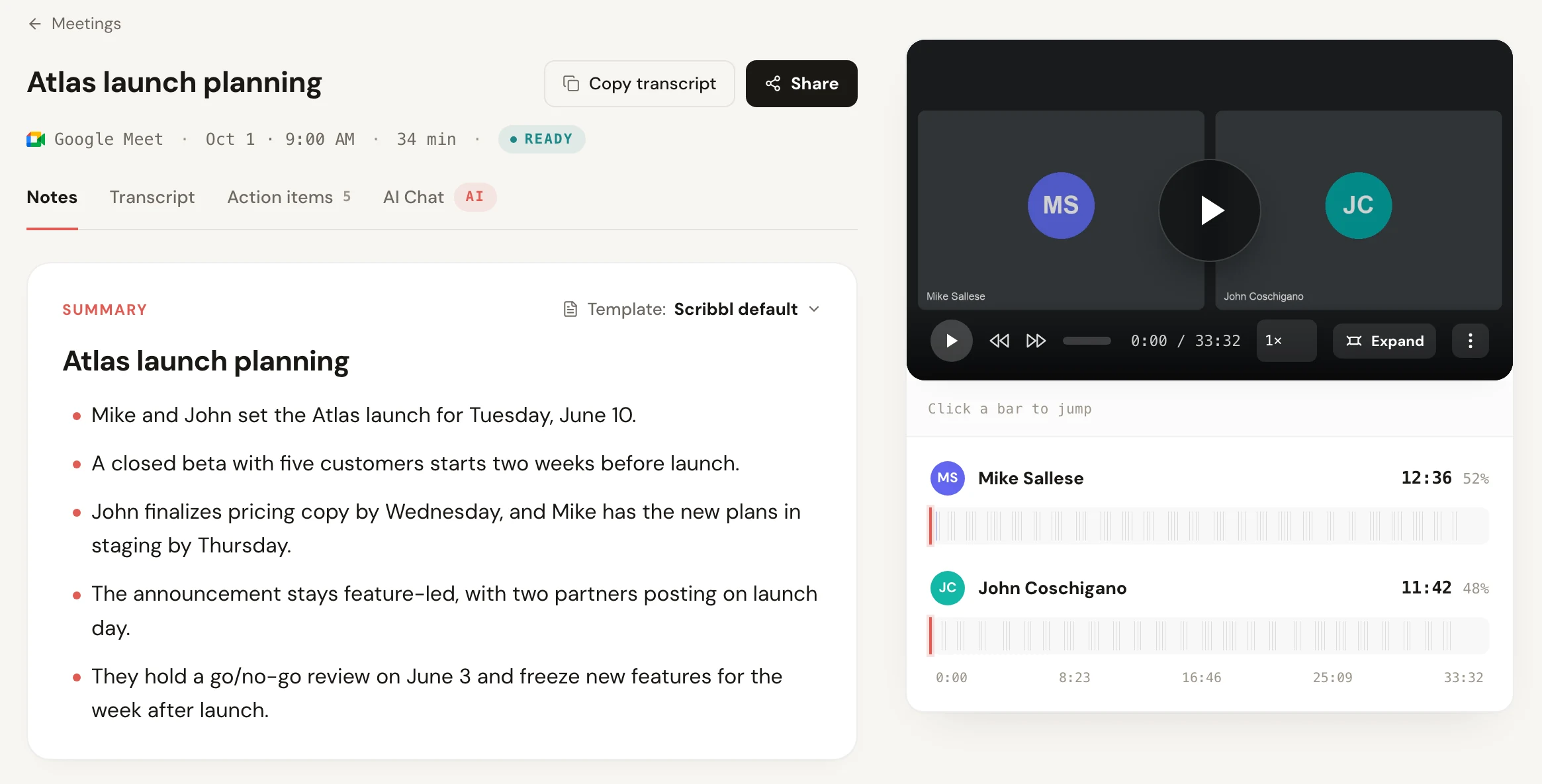
- When the call ends, open the meeting in Scribbl: the video, the transcript with speaker names, the AI notes and the action items are there.
It works on a free Gmail account and as a guest in another company's meeting.
For Zoom and Teams: Scribbl Desktop
- Install Scribbl Desktop on your Mac (Apple silicon) or Windows computer. No host permission, Teams license with recording, or admin setting needed.
- Join the Zoom or Teams meeting in the Zoom or Teams desktop app as usual. Scribbl starts on its own when the meeting begins, with nothing to click.
- When the meeting ends, the video, a transcript with speaker names, AI notes and action items are in your Scribbl account.
The free plan includes Google Meet, Zoom and Teams, with 10 meetings a month and no limit on meeting length. Scribbl Pro is $13 per user per month billed annually, or $20 monthly. To see how other options compare, read our list of the best free meeting recorder plans, or our guide on how to record a meeting without a bot. For paid options too, see our guide to meeting recording software.
The screen recorder route
Your computer's own screen recorder doesn't need anyone's permission in Zoom, Google Meet or Teams, but it has limits.
- Mac: press Shift-Command-5, choose to record the entire screen or a selected window, and click Options. On macOS 27 or later, choose Include System Audio so the other people's voices are recorded. On earlier versions you can only choose a microphone, which records your own voice, so the others come out faint or not at all.
- Windows 11: open Snipping Tool, select Record, then New, or press Windows logo key + Shift + R. The Xbox Game Bar's Win + Alt + R records the window you're in. Test the sound on a short call that doesn't matter first.
- Phone: Control Center on iPhone, or swipe down twice and tap Screen record on Android. Phones don't always capture the other people's audio during a call, so test it first.
You get a screen video and nothing else: no transcript, no speaker names, no notes, and a large file.
Tell people you're recording
When you use the meeting app's own recorder, the app tells everyone: Zoom shows REC, Google Meet notifies everyone when recording starts and stops, and Teams shows a red dot. A screen recorder or a desktop recording app doesn't trigger any of those. In our Teams test, while only Scribbl was recording, the guest's Teams window showed no recording dot and no notice.
So say it yourself at the start of the meeting: "I'm recording this so I can take notes." In the US, federal law and 36 states plus DC require only one person in the conversation to agree, which can be you. California, Florida, Illinois, Maryland, Massachusetts, Montana, New Hampshire, Pennsylvania and Washington require everyone's consent, and a video meeting usually mixes states, so follow the stricter rule. State by state: do you have to tell people you're recording. This isn't legal advice; if it matters, check the rules where you and the other people are.
Recording when you're not the host: FAQ
Can I record a Teams meeting if I am not the host?
Yes with Teams' own Record button if you're signed in from the organizer's organization, your license includes recording and your admin allows it; the organizer doesn't need to be there. Guests, people from other companies, people who joined without signing in and free Teams users can't use Teams' recorder. Scribbl Desktop records the Teams meeting on your own Mac or Windows computer whatever your role, with nothing joining the call.
Can you record a Zoom meeting if you are not the host?
Yes, if the host allows it: the host opens Participants, hovers over your name, clicks More and chooses Allow Record, and you can then record to your computer, not the cloud. You can also ask with More, Record, Request to record to this computer. Without the host's permission, Scribbl Desktop records the Zoom meeting from your own Mac or Windows computer, and nothing joins the call.
Can I record a Google Meet if I am not the host?
With Google's recorder, only if the host's account can record and you're a co-host, or you're in the host's organization and host controls are off. Guests from other companies can't record unless the host makes them a co-host. Scribbl's Chrome extension doesn't use Google's recorder, so it records the Google Meet for any participant, on a free Gmail account too, with no bot in the call.
How do I record a meeting as a participant without the host's permission?
Use a recorder on your own computer instead of the meeting app's Record button. Scribbl's Chrome extension records Google Meet, and Scribbl Desktop records the Zoom and Teams apps on Mac or Windows; neither needs the host's permission and nothing joins the call. Your computer's screen recorder also works, but it gives you only a video file, with no transcript or notes. Either way, tell everyone at the start that you're recording.
Will the host know if I record the meeting?
If you use the meeting app's own recorder, yes: Zoom shows a red REC label, Google Meet notifies everyone when recording starts and stops, and Teams shows a red recording dot. A screen recorder or a desktop recording app such as Scribbl doesn't trigger those notices, so you have to tell people yourself at the start.
Where does the recording go when someone else is the host?
With Google Meet's recorder it goes to the organizer's Google Drive, and with Teams' recorder to the organizer's OneDrive, so you have to ask them to share it. A Zoom recording you make with the host's permission saves as an MP4 on your own computer. Scribbl saves the video, transcript and AI notes in your own Scribbl account.
Is Scribbl free for meetings I don't host?
Yes. Scribbl's free plan includes Google Meet, Zoom and Teams, with 10 meetings a month and no limit on meeting length, and it works in meetings you don't host. Every meeting gets the video, a transcript with speaker names, AI notes and action items. Pro is $13 per user per month billed annually, or $20 monthly.
How we checked
Every fact here comes from our own recording guides and the pages they cite. Zoom: tested on October 1, 2026, in Zoom Workplace 7.1.9 for Mac on a free Zoom account. Google Meet: checked against Google Meet Help, Record a video meeting, on October 19, 2026. Teams: tested on October 6, 2026, in Microsoft Teams for Mac on a Microsoft 365 Business Premium account, and Microsoft Support, Start, stop, and find meeting recordings in Microsoft Teams, checked October 23, 2026. Mac screen recording: Apple, How to record the screen on Mac, September 14, 2026. Consent rules: state statutes and the Reporters Committee for Freedom of the Press guides, checked October 12, 2026. Scribbl pricing as of October 2026.
Try Scribbl
Record meetings you don't host, no bot
Scribbl records, transcribes, and summarizes your Google Meet, Zoom and Teams calls: Google Meet in your browser, Zoom and Teams with the desktop app. No bot joins the call. Free for 10 meetings a month, no credit card.
Add to Chrome · It's freeTry Scribbl
Record meetings you don't host, no bot
Scribbl records, transcribes, and summarizes your Google Meet, Zoom and Teams calls: Google Meet in your browser, Zoom and Teams with the desktop app. No bot joins the call. Free for 10 meetings a month, no credit card.
 Add to Chrome · It's free