Best AI Note Takers for Coaches (2026): Tools, Consent, and Setup
What AI notetaker works best for coaches? Scribbl: nothing joins the session and recordings are private by default. Compared, with client consent language.
Updated October 29, 2026
The short answer
Scribbl is the best AI note taker for coaches: nothing joins the session, so your client sees a normal one-to-one, and recordings are private by default.
- With a bot
- Fathom, Otter and Fireflies send a recorder into the call, so your client sees a recorder tile for the whole session.
- What you get back
- The video, a transcript with speaker names, AI notes and action items, so you stay present instead of writing.
- Consent
- Tell your client you record and get a clear yes before you start. A botless tool removes the bot, not your duty to ask.
- Stay present
- Record your sessions with Scribbl: the Chrome extension on Google Meet, Scribbl Desktop on Zoom and Teams. The free plan covers 10 meetings a month.
The best AI note taker for coaches is Scribbl, because nothing joins the call: your client sees a normal one-to-one session with no recording bot in the room, and recordings are private by default. Every session on Google Meet, Zoom or Microsoft Teams comes back with the video, a transcript with speaker names, AI notes and action items, and Scribbl doesn't use your sessions to train AI for anyone other than you. It has a free plan, and it connects the session to ChatGPT or Claude so the post-session work gets done. Fathom, Otter and Fireflies are compared below too, and all three put a bot in your client's session. The full comparison table is below, followed by the part generic notetaker pages skip: client consent language you can copy, what the ICF expects, and a step-by-step setup for your practice.
Coaching is a presence business. The moment you look down to scribble a note, you have left the conversation. The moment a recording bot pops into the call, your client is reminded a stranger is recording them. The right AI note taker removes both problems, and the wrong one quietly damages the trust you are paid to build. This guide is written to help you choose, and then to use the tool ethically in a real coaching practice.
What AI notetaker works best for coaches?
Scribbl works best for coaches, because a coaching session runs on trust and Scribbl has no bot: nothing joins the call, so your client is never sitting across from a recorder tile, and recordings are private by default. Every session on Google Meet, Zoom or Microsoft Teams comes back with the video, a transcript with speaker names, AI notes and action items, so you can stay present instead of writing. Smart Collections sort sessions by themselves, so each client's sessions stay together, and Automations draft the follow-up email with the client's commitments for you to copy or open in Gmail; it never sends by itself. The free plan includes Google Meet, Zoom and Microsoft Teams, and Pro is $13 per user per month billed annually, or $20 monthly.
Is there an AI notetaker that works without a bot joining my coaching session?
Yes. Scribbl works without a bot joining your coaching session: on Google Meet it runs from a Chrome extension, and on Zoom and Microsoft Teams from Scribbl Desktop for Mac (Apple silicon) and Windows, so nothing joins the call and your client sees only you. You still get the video, a transcript with speaker names, AI notes and action items after every session, and on Pro you can connect Scribbl to ChatGPT or Claude and ask how a client's goals have moved across past sessions. No bot also means the consent moment is yours: tell your client you record sessions and get a clear yes before you start.
Why coaches specifically need an AI note taker
A general "best note taker" list will not serve you, because the job of a note taker in a coaching session is different from the job in a sales call or a standup. Two things make coaching unique, and both point to the same conclusion.
The first is presence. Coaching is, at its core, deep listening. The International Coaching Federation names "Maintains Presence" and "Listens Actively" among its Core Competencies, and you cannot do either while you are looking down writing. The human brain does not truly multitask; it switches, and every switch to your notepad is a moment you are not with your client. The note taker exists so you never have to make that trade. You stay in the conversation, and the record gets made anyway.
The second is the admin tax. Coaches routinely spend roughly an hour on session notes, recaps, and follow-ups for every hour they actually coach. That unpaid hour is the quiet erosion of your effective rate, and it is the first thing that burns out a growing practice. An AI note taker that drafts the summary, the action items, and the follow-up email turns that hour back into either billable capacity or your own life.
This is why a relabeled generic list misses the point. The right tool for a coach is judged on presence, consent, and follow-through, not on raw words-per-minute accuracy. The rest of this guide is organized around exactly those coaching concerns.
Best AI note takers for coaches, compared
For most coaches the pick is Scribbl: nothing joins the session, and every call comes back with the video, a transcript and notes. Coaches still differ: a life coach running back-to-back video calls has different needs from an executive coach inside an enterprise. The table below maps each tool to the kind of coach it fits, with the axes coaches actually decide on: the capture method (does a bot join the room), the free tier, and how consent and recording are handled. Competitor cells reflect publicly published behavior as of June 2026 and should be confirmed on each vendor's site.
| Feature | Scribbl | Fathom | Otter | Fireflies |
|---|---|---|---|---|
| Botless (no bot joins the call) | Yes | No | No | No |
| Nothing announced to the client | Yes | No | No | No |
| Best fit | 1:1 + exec coaching | Solo / small practice | Transcription-first | Integrations / search |
| Google Meet, Zoom, Teams | Yes | Yes | Yes | Yes |
| Free plan, no credit card | Yes | Free tier | Free tier | Free tier |
| Cross-session progress tracking | Yes | Limited | Limited | Yes |
| Action items / client homework | Yes | Yes | Limited | Yes |
| Connects to ChatGPT / Claude | Yes | Yes | Yes | Yes |
The tools, one by one
Each review below covers who the tool fits and what it does well, plus, for the other tools, who should not pick them and the catch. Because reviews and pricing move constantly, treat any sentiment here as a direction to verify on the vendor's own listings (G2, Trustpilot, the Chrome Web Store) rather than a fixed fact.
Scribbl (best for one-to-one and executive coaching). Botless on Google Meet (the Chrome extension) and on Zoom and Microsoft Teams (Scribbl Desktop), so nothing joins the call, nothing is announced, and no attendee email goes out. Every session gets the video, a transcript with speaker names, AI notes and action items. Free plan with 10 meetings a month, including Google Meet, Zoom and Teams, and no credit card; Pro is $13 per user per month billed annually, or $20 monthly. For coaches, the payoff is what happens after the session: ask ChatGPT or Claude about every session, or just one client's sessions in a Smart Collection, and let Automations draft the follow-up email and save session notes to Notion, so the client homework list and the month-in-review come from the real transcript instead of sitting in a separate app. Ideal coach: anyone whose sessions are sensitive one-to-ones, plus executive coaches inside organizations that dislike unknown bots joining calls. What people say: rated 5.0 from 3,000 reviews on the Chrome Web Store and 4.9 from 725 reviews on G2; the recurring theme is that the absence of a bot makes calls feel normal.
Fathom (best for solo coaches who are fine with a bot). A well-reviewed bot-based notetaker with a generous free tier and clean summaries. A recorder participant joins the call. Ideal coach: a solo coach who wants a free, simple tool and does not mind a visible recorder. Who should NOT use it: coaches whose clients react badly to a bot appearing in a sensitive session, or who coach inside enterprises that block unknown participants. What people say: widely praised for free-tier generosity and summary quality; the common critique is the visible bot. The honest catch: it is bot-based, so the recorder is part of the room, and on the free plan advanced summaries cover only your first 5 calls each month, while AI action items and follow-up emails need Premium ($20 per user per month billed monthly, or $16 billed annually). See our Scribbl vs Fathom and Fathom alternative breakdowns.
Otter (best for transcription-first coaches). A mature transcription product with live transcripts and a free tier. Bot-based via its assistant. Ideal coach: coaches who want raw transcripts and live captions above polished notes. Who should NOT use it: coaches who want a clean, structured session summary out of the box, or who dislike auto-join behavior. What people say: strong on live transcription and longevity; common critiques involve the assistant auto-joining and summary structure. The honest catch: transcript-first, so you may do more shaping to get a coaching recap. Verify current behavior on Otter's site, and see Scribbl vs Otter and Otter alternatives.
Fireflies (best for integrations and search). Strong integration catalog and conversation search across a back-catalog of calls. Bot-based. Ideal coach: a coach with a tech stack to wire into, or a team of coaches who search past sessions often. Who should NOT use it: a privacy-first solo practice that wants nothing joining the client's call. What people say: praised for integrations and search depth; critiques cluster around the bot and the learning curve. The honest catch: the breadth is real but it is built around a joining bot. Check current details on Fireflies' site, and see Scribbl vs Fireflies and Fireflies alternative.
How an AI note taker actually works (for non-technical coaches)
You do not need to understand the engineering to trust the result, but here is the plain version. There are two models, and the difference is the whole decision.
A bot-based notetaker sends a software participant into your video call. You have seen these: a tile in the grid named something like "Otter.ai" or "Fathom Notetaker." It listens, records, and after the call produces a transcript and summary in its own app. Your client sees it the entire session.
A botless notetaker, like Scribbl, works through a Chrome extension on Google Meet and Scribbl Desktop on Zoom and Teams. There is no extra participant, nothing is announced, and no attendee email goes out. You still get the video, a transcript with speaker names, AI notes and action items, without a guest in the room.
- What joins the call: nothing
- What the client sees: a normal one-to-one, no recorder tile
- Attendee email: none triggered by a bot
- Who controls the consent moment: you do, on your terms
- After the session: the video, a transcript with speaker names, AI notes and action items
- What joins the call: a named bot dials in as a participant
- What the client sees: a recorder tile for the whole session
- Attendee email: some tools notify the client when the bot joins
- Who controls the consent moment: the tool can raise it first
- After the session: recording and summary in a separate app
Either way, the pipeline after the call is the same: real-time transcription turns speech into text, then an AI summary pulls out the structure a coach reuses, the session themes, the commitments, and the next steps. The good tools do not just transcribe; they hand you a working document.
What gets captured in a coaching session
From a single recording, a coaching-tuned note taker should give you the things you actually reuse between sessions, not a wall of raw transcript.
- Session notes. A clean summary of what the client worked through, in their own language.
- Commitments and client homework. What the client said they would do before the next session, pulled out as a list you can send.
- Themes over time. Because every session is searchable, you can see patterns across weeks and months, not just one call.
- A prep point for next time. Open last week's recap before you meet again so you walk in already oriented.
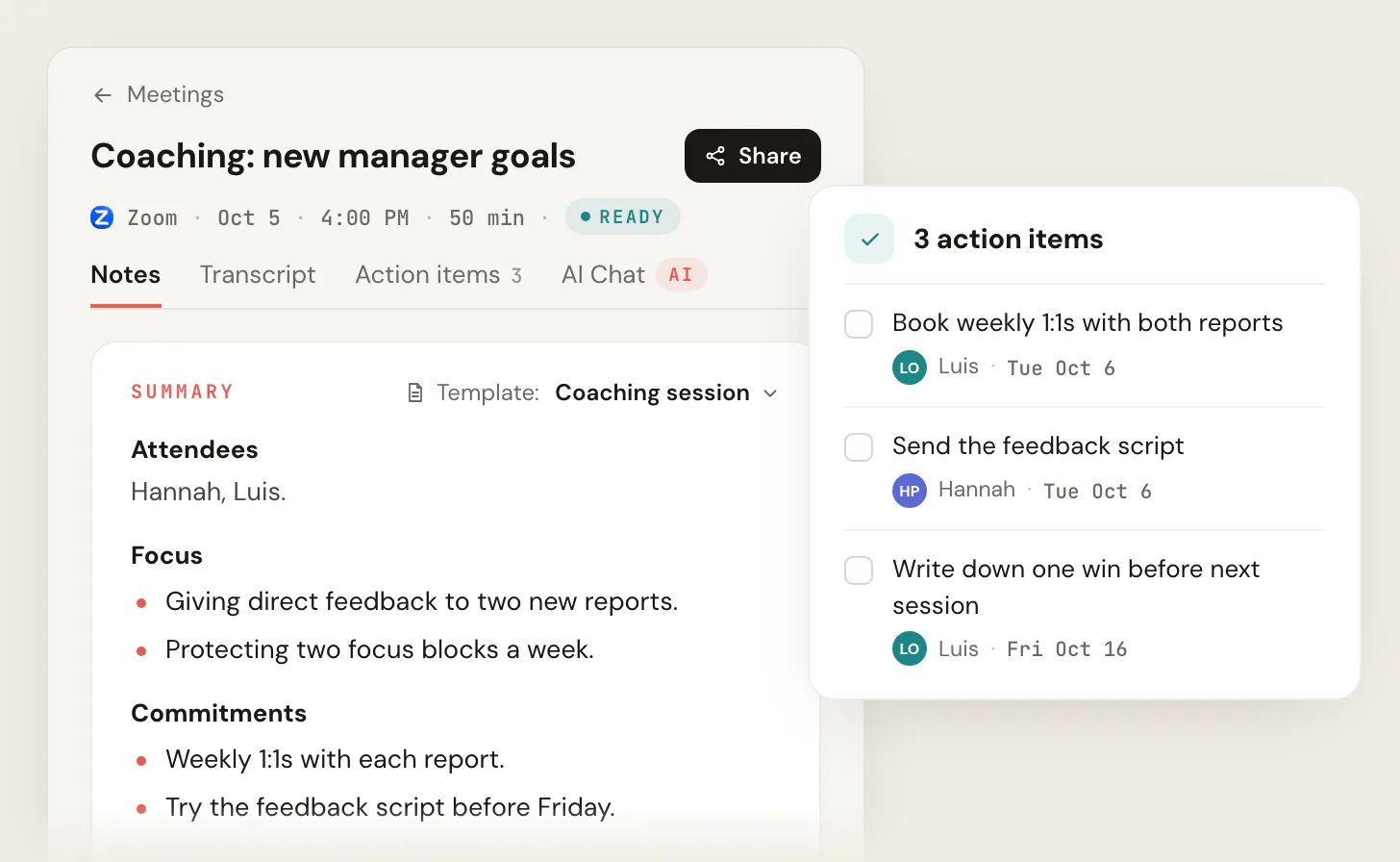
Below is an illustration of what a coaching-session output looks like once the AI has structured the transcript. It is a faithful mock, not a screenshot, but it shows the shape: themes, commitments, and a follow-up the client can act on.
Session themes
Returned to the boundary-setting block from session 4; named fear of disappointing the team as the real driver.
Client commitments
Have the delegation conversation with one direct report before Friday. Journal once on the disappointment trigger.
Follow-up
Send recap email with the two commitments. Open this before session 8 to check progress on the delegation step.
Consent and ethics: the part generic tools skip
This is the single most important section for a coach, and it is the one a generic notetaker page leaves out. Recording a coaching session is not a feature decision, it is a trust decision, and getting it right protects both your client and your practice.
The rule is simple: never record a client without telling them first and getting their agreement. Recording laws vary by region, and some require consent from everyone on the call. Coaching bodies, including the International Coaching Federation (ICF), expect confidentiality and informed consent as part of the ethical standard. A botless tool that nothing-announces does not change any of this. It removes the awkward bot, not your duty to ask.
The good news is that consent done well is not awkward, it is reassuring. Handled as a normal part of how you work, it signals professionalism. Here is language you can adapt.
You now have the full set: an intake disclosure, an in-session line, a contract clause, and a graceful decline. Copy them into your own welcome email, agreement, and session opener so consent is never improvised. For a deeper treatment of recording law and the "do I have to tell people" question, see do you have to tell people you are recording.
A few practices that keep this clean:
- Raise it at intake. Fold the recording disclosure into your onboarding conversation and the signed agreement so it is never a surprise in session one.
- Make declining easy. If a client says no, do not record. Take light notes by hand and tell them you respect the choice. The relationship matters more than the transcript.
- Be honest about where the data goes. Tell the client whether the recording is processed in the cloud or on-device, and never share session notes outside your practice.
Cloud vs on-device: where your session data lives
For confidential coaching, where the recording is processed matters as much as how it is captured. Cloud-based tools send the audio to the vendor's servers for transcription and storage, which is fine for most coaches as long as the vendor's data policy is sound and you have disclosed it. On-device or local processing keeps more of the data on your own machine, which some privacy-first coaches and regulated practices prefer. There is no universal right answer; the right answer is the one you can honestly explain to your client. Read the data-handling policy of any tool before you trust a client session to it, and verify what is stored, for how long, and who can access it.
How to set up an AI note taker in your coaching practice
Here is a clean sequence to go from nothing to a working setup, using a botless tool as the example. The same shape applies to most notetakers; only the install step changes for bot-based tools.
- 1
Install the tool and sign in
For Scribbl, install the Chrome extension for Google Meet, or Scribbl Desktop for Zoom and Teams, and sign in with the free plan. No credit card. Bot-based tools instead connect to your calendar so a recorder can auto-join.
- 2
Add consent to your intake and agreement
Use the sample clause above in your coaching agreement, and plan to say the in-session line on the first call. Make declining genuinely easy.
- 3
Join your session as usual
Open your Google Meet, Zoom, or Microsoft Teams call. With a botless tool, nothing joins the room and the session feels normal.
- 4
Confirm consent, then be present
Say the consent line, get the yes, and put the notepad down. Capture runs in the background while you give the client your full attention.
- 5
Review and send the follow-up
After the session you get a transcript, structured notes, and action items. Connect it to ChatGPT or Claude to draft the recap email and the client homework list, then send.
Turn sessions into client follow-ups and progress reviews
The notes are only valuable if they turn into action. Because Scribbl connects each session to the AI you already use, the document does not just sit in a folder. You can ask the AI to draft the post-session email, pull the client's commitments into a homework list, or summarize the arc of the last month before a check-in. Keep each client's sessions in their own Smart Collection and you can ask about just that client. The follow-up work that usually eats your evening gets done from the recording you already have, which is the real reason to capture in the first place: not to hoard transcripts, but to show up prepared and close the loop with the client.
Why Scribbl for coaches
Scribbl is built for the kind of meeting where presence is everything. It is botless on Google Meet, Zoom, and Microsoft Teams, so nothing joins your client's session and nothing is announced. It captures session notes and action items automatically, and it connects each session to the AI you already use, ChatGPT or Claude, so the post-session work gets done rather than just stored. Automations can draft the follow-up email or save session notes to Notion, and by default they ask before changing anything. It is rated 5.0 from 3,000 reviews on the Chrome Web Store and 4.9 from 725 reviews on G2, used by more than 10,000 organizations, and free to start with no credit card. See the full tiers on the pricing page, or read the botless AI notetaker approach and the no-bot meeting recorder guide for Zoom and Teams.
AI note takers for coaches FAQ
Is it ethical to use an AI note taker in a coaching session?
Yes, when you are transparent about it. The ethics rule is simple: never record a client without telling them and getting their agreement first. Coaching bodies like the ICF expect confidentiality and informed consent, so disclose that you use an AI note taker, explain what it captures and where the data lives, and let the client decline. A botless tool that nothing-announces does not change this duty; you still ask.
Do I need client consent to record a coaching session?
Yes. Coaching sessions are personal and often confidential, and recording laws vary by region, with some requiring consent from everyone on the call. Always tell your client you record sessions, explain why, and get their agreement before you start. Many coaches fold this into the intake conversation and add a one-line clause to the coaching agreement so it is never a surprise.
Can I use an AI note taker without a bot joining the call?
Yes. With a botless tool like Scribbl (the Chrome extension on Google Meet, Scribbl Desktop on Zoom and Teams), nothing joins the call, nothing is announced, and no attendee email goes out. Bot-based tools (Fathom, Otter, Fireflies, and similar) dial in a visible recorder participant instead. For a sensitive one-to-one, many coaches prefer botless so the session feels like a normal conversation.
What is the best free AI note taker for coaches?
Several tools have free tiers. Scribbl's free plan covers 10 meetings a month, includes Google Meet, Zoom and Microsoft Teams, needs no credit card, and is botless, which suits one-to-one coaching calls. Fathom and Otter also offer free tiers on a bot-based model. Free plans usually cap minutes or features, so check the current limits on the vendor's site and run one real session before you commit your whole practice to a tool.
Can an AI note taker track a client's progress across sessions?
Yes. Because every session is transcribed and searchable, you can review themes, recurring blocks, and commitments across weeks and months rather than relying on memory. Before a session you can open the last recap to walk in prepared, and you can ask the AI you already use to summarize the arc of the last month for a check-in.
What should a coach look for in an AI note taker?
Beyond accurate transcription, judge a coaching note taker on six things: whether a bot joins the client's session (botless is calmer for sensitive 1:1s), how consent and recording are handled, whether it captures action items and client homework, whether you can track themes across many sessions, the data and privacy policy, and whether the notes turn into real follow-up work rather than sitting in a separate app. Run one real session before committing your whole practice.
How long should a coach keep client session recordings and notes?
There is no single legal rule for coaching, but many practices follow the retention norms of adjacent professions and keep client records for around seven years, or per the requirements of your jurisdiction and any regulated context you work in. Decide a retention period, write it into your coaching agreement and privacy notice, delete recordings on schedule, and confirm your tool lets you delete data when a client asks. This is not legal advice; check the rules for your region and field.
Start capturing your sessions
Your client deserves your full attention, and you deserve notes without giving it up. No bot joins the session. Scribbl records, captures the commitments and follow-ups, and lets you stay present on Meet, Zoom, and Teams, with a free plan and no credit card. Start free.
Try Scribbl
Stay present, get the session notes
Scribbl records, transcribes, and summarizes your Google Meet calls from your browser. No bot joins the call. Free forever for individuals.
Add to Chrome · It's free