Scribbl records your Google Meet, Zoom and Teams calls and writes the notes. No bot joins. Free for 10 meetings a month. Get Scribbl for Teams
Teams Record Button Greyed Out? Every Message, Why, and the Fix
Teams Start recording greyed out? What each lock message means, the fix for each one, and how Scribbl records the Teams call with no permission needed.
Updated November 19, 2026
The short answer
Messages checked on Microsoft Support's I can't record a meeting in Microsoft Teams page, November 19, 2026; Teams tested October 6, 2026, in Microsoft Teams for Mac on a Microsoft 365 Business Premium work account
Hover over the lock on Start recording: Teams shows why it's greyed out, and the fix depends on that message
- Not in the org
- Only people in this org can start recording means you're a guest, from another company or not signed in. Teams' recorder won't work for you in this meeting.
- Admin policy
- Unavailable due to organization policy means your Teams admin hasn't allowed recording for you, or just changed it and it hasn't reached you yet.
- Organizer's settings
- Messages that name the organizer, presenters or Copilot mean the meeting options limit who can record. Ask the organizer to change them or to give you a role.
- No Record and transcribe at all
- You may be on free Teams, which has no meeting recording. In our test, a person who joined without signing in also had no Record and transcribe.
- Record it anyway
- Scribbl Desktop records the Teams call from your own Mac or Windows computer, so no admin, organizer or license is needed. Nothing joins the call. Free for 10 meetings a month.
Try Scribbl
Record this Teams call anyway, free
Scribbl's desktop app records, transcribes, and summarizes your Teams meetings from your own computer. No bot joins the call and you don't need to be the host. Free for 10 meetings a month, no credit card.
Get Scribbl for Teams · It's freeWhen the Start recording button in Microsoft Teams is greyed out, hover over the lock icon on it: Teams shows a message that says why, and each message has its own fix, listed in the table below. Most of them come down to three things you can't change from your own seat: you're not in the organizer's organization, your admin's policy doesn't allow you to record, or the organizer limited who can record. If you need this meeting recorded now, Scribbl Desktop records the Teams call from your own Mac or Windows computer, with no admin, no organizer and no Teams license needed, and nothing joins the call. You get the video, a transcript with speaker names, AI notes and action items, free for 10 meetings a month.
This page is only about the greyed-out or missing button. For the full steps when the button works, see how to record a meeting in Teams, and on a Mac, how to record a Teams meeting on Mac.
What each greyed-out recording message means
Microsoft lists every message Teams shows when Start recording is unavailable. Here is each one, the reason behind it and what you can do, from Microsoft Support's page I can't record a meeting in Microsoft Teams, checked November 19, 2026. The message is the first sentence Teams shows when you hover over the lock.
| What Teams says | Why | What to do |
|---|---|---|
| Only people in this org can start recording | You joined without signing in, or you belong to a different organization than the organizer: you're an external participant or a guest | Sign in with an account from the organizer's organization, if you have one. Otherwise ask someone from that organization to record and share it after the meeting, or record it with Scribbl |
| Unavailable for this meeting due to organization policy | Your Teams admin hasn't allowed you to record meetings, or just changed the meeting recording policy and the change hasn't taken effect yet | Ask your admin to turn on recording in meetings, then allow some time for the change to take effect |
| Unavailable for this call due to organization policy | Your Teams admin hasn't allowed you to record calls, or just changed the calling recording policy and it hasn't taken effect yet | Ask your admin to turn on recording in calls, then allow some time |
| Only people designated by admin policy can start recording (an older wording, reported on Microsoft Q&A in December 2023) | Your admin's policy doesn't allow you to record. In that report it was a call, not a meeting: the meeting policy allowed recording, but the calling policy didn't | Ask your admin to check the meeting policy, and for calls, Cloud recording for calling under Calling policies |
| Unavailable in this meeting | The organizer isn't allowed to record by their meeting policy, so the button is unavailable to everyone in the meeting. Or the meeting was scheduled through the Microsoft Graph API with recording turned off | Ask your admin to let the organizer record. Or ask the organizer to close this meeting, turn recording on and start a new meeting |
| Only meeting organizer and co-organizer can start recording for this meeting | In the meeting options, the organizer set Who can record and transcribe to Organizer and co-organizers | Ask the organizer to change it to Organizers, co-organizers and presenters, or to make you a co-organizer |
| Unavailable because the meeting organizer has disabled recording for this meeting | The organizer set Who can record and transcribe to No one | Ask the organizer to change that option. Only they can |
| Only meeting organizers and presenters can start recording | You're an attendee, not a presenter. The organizer sets who can present under Roles in the meeting options | Ask the organizer to make you a presenter |
| Unavailable because Copilot is turned off for this meeting | The organizer set Allow Copilot to Off under Copilot and other AI in the meeting options, which makes recording unavailable to everyone | Ask the organizer or a co-organizer to turn Copilot on during the meeting |
| Recording has already started | Someone clicked Start recording and it takes a few seconds to start; the button is unavailable meanwhile | Wait until the recording starts. Microsoft's recording help page adds that only one person can record a meeting at a time |
Source: Microsoft Support, I can't record a meeting in Microsoft Teams, checked November 19, 2026. None of these messages can be fixed from your own computer's settings. Recording has already started clears on its own in a few seconds, and if you joined without signing in but do have an account in the organizer's organization, you can rejoin signed in. Every other message needs your admin or the organizer.
No Record and transcribe in the More menu at all
Sometimes there is nothing to hover over. Microsoft lists people who joined without signing in under the Only people in this org can start recording lock in the table above. In our test on October 6, 2026, though, in Microsoft Teams for Mac on a Microsoft 365 Business Premium account, a second person who joined from a browser without signing in got no locked option: their More menu had no Record and transcribe at all. So a signed-out person may see either the lock message or no option. If you're in the organizer's organization, leave and join again signed in with your work account. If you're not, Teams' recorder isn't available to you in that meeting.
The other common cause is free Teams. The free version, which Microsoft calls Teams for personal use, doesn't include meeting recording; Microsoft's page on free Teams subscriptions lists meeting recordings as not included and free meetings as up to 60 minutes. Recording on a personal account needs Microsoft 365 Personal, Family or Premium, and in those meetings only people with one of those subscriptions can start it. On a work or school account, you need a license that includes recording, such as Office 365 Enterprise E1, E3, E5 or F3, A1, A3 or A5, or Microsoft 365 Business Premium.
| Your account | Teams' Record button | Scribbl Desktop |
|---|---|---|
| Work or school account in the organizer's organization, recording allowed | Yes | Yes |
| Guest, from another company, or not signed in | No | Yes, in the Teams app |
| Free Teams for personal use | No | Yes, in the Teams app |
| Microsoft 365 Personal, Family or Premium | Yes | Yes |
Teams' rules from Microsoft's help pages, checked October 23, 2026, as written in our guide to how to record a meeting in Teams.
Record the Teams meeting anyway with Scribbl
Every fix in the table above needs someone else: your admin, the organizer, or a person from another company who can record for you. That's hard to arrange with the meeting already running. Scribbl Desktop doesn't use Teams' Record button at all. It records the meeting in the Teams app on your own computer, so it works when you're a guest, from another company or on free Teams. If the organizer or your company turned recording off on purpose, ask them before you record another way, and follow their policy and the consent law where you are.
- Download Scribbl Desktop for Mac or Windows from scribbl.co/desktop and sign in. The free plan needs no credit card.
- Join your Teams meeting in the Teams app as usual. In our test, Scribbl started on its own when the meeting began: its small window showed Starting, then Capturing, with nothing to click.
- Open the meeting in Scribbl when it ends. The video, a transcript with speaker names, AI notes and action items are in your own Scribbl account.
What you get after every Teams meeting:
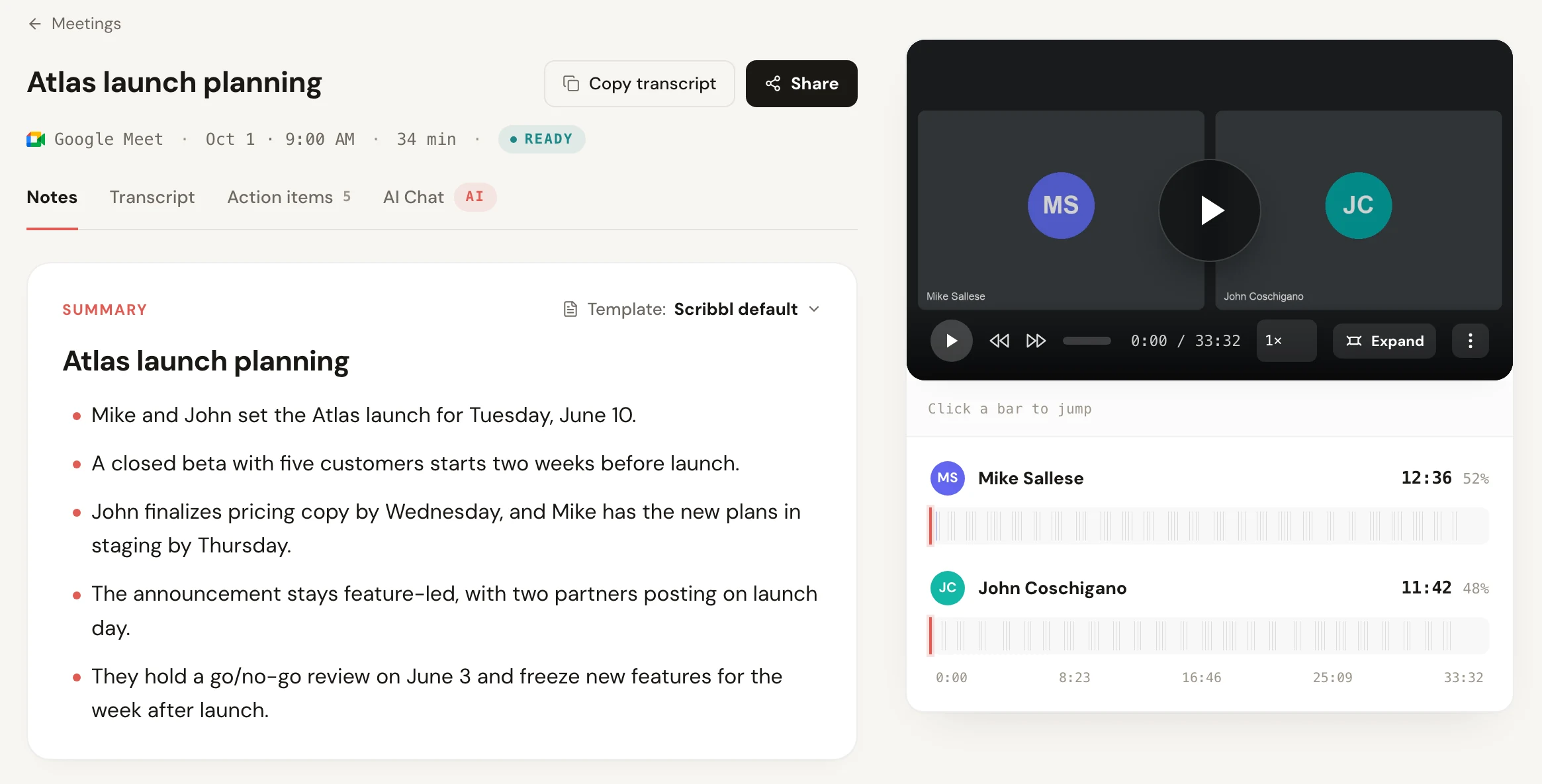
- The full video, with a timeline of who spoke when.
- A searchable transcript with speaker names and timestamps.
- AI notes: a summary, decisions and action items.
- Your own copy. The recording is in your Scribbl account, not in the organizer's OneDrive, so you don't have to ask for access afterwards. For where Teams puts its own files, see where Teams recordings go.
What you don't need: no bot joins the call, so there's nothing waiting in the lobby, and you don't need to be the organizer, change any meeting option or have a Teams license that includes recording. Teams has started holding external note taker bots in the lobby, as covered in does Microsoft Teams block AI note taker bots; Scribbl isn't affected because nothing joins.
What it needs: a Mac with Apple silicon (M1 or newer) or a 64-bit Windows PC. The free plan includes Google Meet, Zoom and Microsoft Teams, with 10 meetings a month. Pro is $13 per user per month billed annually, or $20 monthly. To compare it with other free options, see the free AI note taker for Microsoft Teams comparison.
Get Scribbl for TeamsThe fix for your role in the meeting
Who can unlock Teams' button depends on who you are in the meeting. Find your row.
| Who you are | What you can do |
|---|---|
| Guest, from another company, or not signed in | Teams' recorder won't work for you in this meeting. Ask someone from the organizer's organization to record and share it after the meeting, or record it yourself with Scribbl Desktop |
| Attendee in the organizer's organization | Read the lock message. If it names presenters, co-organizers or Copilot, ask the organizer. If it names organization policy, ask your admin |
| Organizer | Open the meeting options and check Who can record and transcribe, Who can present and Allow Copilot. If the message is Unavailable in this meeting, your own policy doesn't allow recording: ask your admin |
| Teams admin | Turn on meeting recording in the meeting policy, or call recording in the calling policy, for the people who need it and for the organizer |
If you're the organizer
The meeting options decide who can press Start recording. Under Recording & transcription, Who can record and transcribe can be set to Organizers and co-organizers, Organizers, co-organizers, and presenters, or No one. That choice is only there with a Teams Premium or Copilot license; on our Business Premium account without either, the only recording setting was Record and transcribe automatically. Under Roles, Who can present decides who counts as a presenter. And under Copilot and other AI, setting Allow Copilot to Off turns recording off for everyone. To give one person the button without changing the setting for all, make them a co-organizer or a presenter.
If you're the Teams admin
In the Teams admin center, go to Meetings › Meeting policies, open the policy that applies (for example Global (Org-wide default)) and, under Recording & transcription, set Meeting recording to On. Both the organizer and the person recording need it on, which is why Unavailable in this meeting blocks everyone when the organizer's policy is off. Calls have their own recording policy, separate from meetings, so if people see Unavailable for this call due to organization policy, turn on Cloud recording for calling under Calling policies too (the setting an admin named on Microsoft Q&A, December 2023). Microsoft says a policy change can take time to take effect, so tell people to check again later rather than right away.
A call, not a meeting
If recording works in your scheduled meetings but is greyed out when you call someone directly, that's not a bug. Teams treats a call and a meeting separately, with separate recording policies, and the message tells you which one blocked you: Unavailable for this call due to organization policy names the call. Your admin has allowed recording in meetings but not in calls. On Microsoft Q&A in December 2023, an admin with the same problem found the fix: Meeting policies only cover meetings, and calls needed Cloud recording for calling turned on under Calling policies; recording in calls worked within the hour. Ask them to turn on recording in calls, or, while you wait, start the conversation as a meeting with Meet now if your meetings can be recorded.
What doesn't fix it
The lock messages are about your account, your role and your organization's policies, so a few common tips won't change them:
- Switching to Teams on the web. Teams in a browser uses the same More › Record and transcribe › Start recording steps as the desktop app, and the same license, organization and policy rules. A browser doesn't unlock a button your policy locks.
- Reinstalling or updating Teams. The message comes from the meeting's settings and your admin's policies, not from the app on your computer.
- Leaving and rejoining helps in one case only: you joined without signing in and you do have an account in the organizer's organization. Rejoin signed in with it.
If you also need a transcript and Start transcription is greyed out too, the reasons are almost the same; see Teams transcription. For the same problem on Zoom and Google Meet, see how to record a meeting when you're not the host.
Teams record button greyed out FAQ
Why is the record button greyed out in Teams?
Because Teams' recorder is blocked for you in this meeting, and Teams tells you why when you hover over the lock on Start recording. The usual reasons are that you're a guest or from another organization, your admin's policy doesn't allow you to record, the organizer limited recording to organizers, co-organizers or presenters, the organizer turned recording or Copilot off, or a recording is already starting.
How do I record a Teams meeting when the record button is greyed out?
Either fix the cause the lock message names (ask your admin, or ask the organizer to change the meeting options or your role), or record without Teams' button. Scribbl Desktop records the meeting in the Teams app on your own Mac or Windows computer with nothing joining the call, and gives you the video, a transcript with speaker names, AI notes and action items, free for 10 meetings a month.
Can a guest record a Teams meeting?
Not with Teams' recorder. Microsoft says only people from the organizer's organization can start recording, so guests, people from other companies and people who joined without signing in can't. Ask someone from the organizer's organization to record and share it, or use a desktop recording app such as Scribbl, which doesn't use Teams' Record button.
My admin turned recording on. Why is it still greyed out?
Microsoft says a policy change can take time to take effect, so give it some time and check again. Also check the message: if it names the organizer, presenters or Copilot, the block comes from that meeting's options, not from your admin. And if the organizer's own policy doesn't allow recording, nobody in the meeting can record.
Why is Start recording greyed out in a Teams call but not in meetings?
Teams has separate recording policies for meetings and for calls. The message Unavailable for this call due to organization policy means your admin allowed recording in meetings but not in calls. Ask your admin to turn on recording in calls, then allow some time for it to take effect.
Does switching to Teams on the web fix a greyed-out record button?
No, not when the lock message names a policy, your organization or the organizer. Teams on the web uses the same Record and transcribe menu and the same license, organization and policy rules as the desktop app, so the same block applies in a browser.
Can I record a Teams meeting without the organizer's permission?
Not with Teams' own Record button, which the organizer's meeting options and your admin's policies control. A desktop recording app records from your own computer instead: Scribbl Desktop records the Teams meeting on your Mac or Windows computer without an admin setting or a Teams license that includes recording. If the organizer or your company turned recording off on purpose, ask before recording and follow their policy and the consent law where you are.
How we checked
Every message, reason and fix in the table comes from Microsoft Support's I can't record a meeting in Microsoft Teams, checked November 19, 2026. Licenses, free Teams, the admin center path, the meeting options and Teams on the web come from Microsoft's recording help pages as checked for our how to record a meeting in Teams guide, October 19 and 23, 2026. The missing Record and transcribe menu and Scribbl Desktop's behavior come from real meetings we recorded in Microsoft Teams for Mac on October 6, 2026, on a Microsoft 365 Business Premium account, with a second person who joined from a browser without signing in. The older Only people designated by admin policy message and the Cloud recording for calling setting come from an admin's answer on the Microsoft Q&A thread "cannot record teams meetings. The button is grey and will not let me click it", dated December 6, 2023. Scribbl's plans are from scribbl.co/pricing.
Try Scribbl
Record this Teams call anyway, free
Scribbl's desktop app records, transcribes, and summarizes your Teams meetings from your own computer. No bot joins the call and you don't need to be the host. Free for 10 meetings a month, no credit card.
Get Scribbl for Teams · It's freeTry Scribbl
Record this Teams call anyway, free
Scribbl's desktop app records, transcribes, and summarizes your Teams meetings from your own computer. No bot joins the call and you don't need to be the host. Free for 10 meetings a month, no credit card.
 Get Scribbl for Teams · It's free