Does Otter Work With Teams, Zoom and Google Meet? Mac, Windows, Calendar and Phone (2026)
Yes: Otter Notetaker joins Teams, Zoom and Google Meet as a bot, and its desktop app records without one. What each needs, from Otter's pages, Oct 19, 2026.
Updated October 19, 2026
The short answer
Checked on Otter's help center, pricing page and Chrome Web Store listing, October 19, 2026
Yes. Otter Notetaker joins Microsoft Teams, Zoom and Google Meet meetings as a visible participant, and the Otter desktop app for Mac and Windows records without a bot.
- Microsoft Teams
- Yes, as a bot. A Teams admin must allow anonymous users to join, and the bot can land in the lobby marked Unverified.
- Zoom
- Yes, as a bot. The host turns on Record to computer files and connects Zoom to Otter, or clicks Allow Recording every meeting.
- Google Meet
- Yes, as a bot, or from the Chrome extension with no bot.
- Mac and Windows
- Yes. The desktop app records without a bot on macOS 12.3 or later and on Windows. Video replay is listed only under Enterprise.
- Free plan
- 300 minutes a month, 30 minutes per conversation, 25 recent conversations.
- Want Teams and Zoom with no bot and the video kept?
- Scribbl records Teams and Zoom on Windows and Mac with nothing joining the call, on every plan.
Yes, Otter works with Microsoft Teams, Zoom and Google Meet: its Notetaker joins all three as a visible participant from your Google or Microsoft calendar, and the Otter desktop app for Mac and Windows records without a bot. Scribbl, which we make, is a Microsoft Teams AI note taker and an AI note taker for Zoom that does the same job with nothing joining the call, no admin settings to change, no host approval, and the video kept on every plan, including the free one.
Below is each question in turn, answered from Otter's help center, pricing page and Chrome Web Store listing, checked October 19, 2026.
Does Otter work with Microsoft Teams?
Yes, as a bot. Otter Notetaker joins Teams meetings as a participant named "[Your Name]'s Notetaker (Otter.ai)". Otter's help center says it "cannot join a meeting anonymously or without appearing to other participants."
What Teams needs, from Otter's Teams setup guide (updated in the last month):
- A Teams admin. In the Teams admin center, the admin turns on Anonymous users can join a meeting and, in the meeting policy, Anonymous users can join a meeting unverified. Otter says these need "the appropriate Microsoft administrator permissions."
- The lobby. Notetaker joins as an anonymous guest and can't sign in with a Microsoft account, so Teams may show it as Unverified, and someone may have to admit it from the lobby. Microsoft's own policy puts detected note-taker bots in the lobby by default, "irrespective of the lobby configuration for the meeting," until an organizer admits them (Microsoft Learn). Otter suggests the admin pick "Do not detect bots" to avoid this.
- A banner. Teams may show a "Limited call features" banner when Notetaker joins. Otter calls it a display issue.
- Meetings hosted elsewhere. If another company hosts the meeting, their Teams policies decide whether Notetaker gets in.
The Otter desktop app can also record a Teams meeting without a bot, and can post "I am using Otter to record this meeting" in the Teams chat when recording starts.
Scribbl skips all of this on Teams: Scribbl Desktop records from your own Windows PC or Mac, so there's no bot to allow, no lobby and no admin ticket. See Scribbl for Microsoft Teams.
Does Otter work with Zoom?
Yes, as a bot. Otter Notetaker joins the Zoom meeting as a participant, and the meeting's host controls whether it can record.
- If you host. Otter's Zoom guide says to turn on Record to computer files in your Zoom recording settings, check External meeting participants and Auto approve their permission request, then connect your Zoom account to Otter under Integrations. Without the recording setting, "Notetaker will not be able to join and record your meetings."
- If someone else hosts. A host without an Otter account sees a pop-up and must click Allow Recording each time a Notetaker joins for the first time in a meeting. Only the host can approve it; co-hosts and participants can't.
- Participants see Zoom's own "this meeting is being recorded" notice and accept it.
- Zoom Rooms can't host a Notetaker, because the room can't approve the permission.
- No bot: the desktop app records Zoom from your computer's audio instead.
Scribbl Desktop records Zoom with nothing joining the call, whether or not you're the host. See Scribbl for Zoom.
Does Otter work with Google Meet?
Yes, two ways. From a connected calendar, Otter Notetaker joins the Meet call as a visible participant. Or you use the Otter Chrome extension, which its Chrome Web Store listing (updated October 2, 2026) describes as "Record the meeting on your device, with no bot in the meeting," with the option to "Send AI Notetaker to the meeting as a normal participant" instead.
Either way, Otter's pricing page lists "Video replay for Zoom and Google Meet" only under the Enterprise plan. On the other plans, you get the transcript and notes, not the video.
Scribbl works on Google Meet as a Chrome extension too, with nothing joining the call, and keeps the video on every plan. See Scribbl for Google Meet.
Does Otter work on Mac and Windows?
Yes. The Otter desktop app is available for Mac and Windows; the Mac version needs macOS 12.3 or later, and Otter's page doesn't state a Windows version. Its help page (updated in the last month) says the desktop app adds what the web app can't do: "botless recording for meetings, automatic recording, wearing headphones during a meeting, automatically ending a recording."
- How it records. It captures your computer's microphone and system audio, so "Notetaker does not need to join the meeting." On a Mac you grant Microphone and Screen & System Audio Recording permissions.
- What it detects. Zoom, browser meetings such as Google Meet, Microsoft Teams, Slack huddles, dialers and messaging apps such as WhatsApp. It can prompt you to record when a meeting starts, start on its own, and stop when the meeting ends.
- If Notetaker can't get in. The desktop app alerts you and offers to record manually.
- Video. The desktop app page describes transcripts and summaries. It doesn't say the app keeps the meeting video.
If you want the recording kept, see the best AI note takers for Windows and for Mac.
Does Otter work with Outlook and Google Calendar?
Yes. Connect a Google or Microsoft (Outlook) calendar under Integrations, and your meetings appear on Otter's homepage. The calendar's email doesn't need to match your Otter email, and you can connect more than one.
Auto-join has up to five settings: every meeting with a Zoom, Google Meet or Teams link; only meetings you host; only external meetings; only internal meetings; or only the ones you toggle on. Otter can't create meetings itself, and for ad-hoc meetings you add Notetaker by hand. Otter also lets you send Notetaker to a meeting you can't attend.
Scribbl doesn't need a calendar connection to work: Scribbl Desktop starts when a Zoom or Teams meeting opens on your computer, and the Chrome extension starts when you join a Google Meet.
Does Otter work on iPhone and Android?
Yes. Otter's mobile app needs iOS 15 or later or Android 5.0 or later, records conversations with the phone's microphone, and syncs everything with the web and desktop apps. Otter's help pages don't describe recording a Zoom, Teams or Meet call from the phone itself; for a video call, Notetaker joins the meeting or the desktop app records it on your computer.
Other things people ask about Otter
- Is Otter free? The Basic plan is free and lists Zoom, Microsoft Teams and Google Meet, with 300 transcription minutes a month, 30 minutes per conversation and the 25 most recent conversations visible. Otter's help center says a longer recording doesn't stop, but "you will only be able to access up to 30-minutes of the transcription." Pro is $8.33 per user per month billed annually or $16.99 monthly, with 1,200 minutes and 90 minutes per meeting. Business is $19.99 annually or $30 monthly, with unlimited minutes and 4 hours per meeting. See Otter pricing.
- How many meetings at once? One on Basic, two on Pro, three on Business and Enterprise.
- Does Notetaker leave on its own? Yes, after 12 continuous minutes of silence, or 5 minutes past the scheduled end.
- Slack huddles? The desktop app records them, with headphones on.
- Webex? Otter's help center names Zoom, Google Meet and Microsoft Teams for Notetaker. Webex isn't listed.
- Is Otter being sued? Yes, in a proposed privacy class action over its bot recording people who don't use Otter. Nothing has been decided. See the Otter lawsuit and is Otter AI safe.
Do it with Scribbl on Teams, Zoom and Google Meet
Every "does Otter work with" answer above comes with a condition: an admin setting, a host approval, a lobby, a 30-minute cap or a plan that keeps the video. Scribbl covers all three platforms in one account with none of those:
- 1
Install Scribbl Desktop
On Windows or a Mac with Apple silicon. Add the Chrome extension too if you use Google Meet.
- 2
Join your meeting as usual
Scribbl Desktop starts on its own when a Teams or Zoom meeting opens. Nothing joins the call, so there is nothing to admit and no setting to change. Tell everyone you are recording.
- 3
Open the meeting in Scribbl
The video, the transcript with speaker names, AI notes and action items are there when the call ends.
The free plan includes Google Meet, Zoom and Microsoft Teams, with 10 meetings a month and no limit on meeting length. Get Scribbl Desktop.
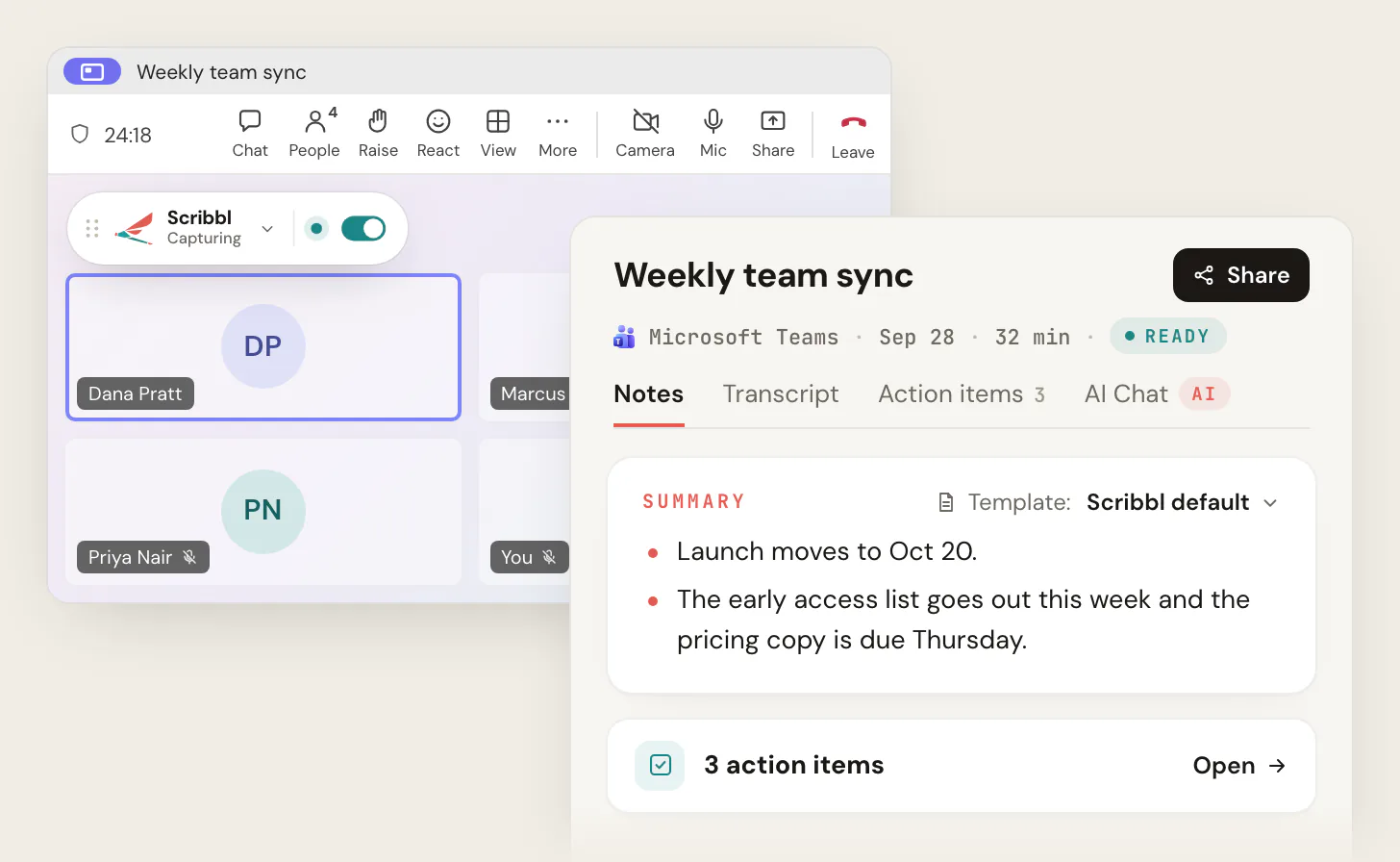
Scribbl vs Otter on Teams, Zoom, Meet, Mac and Windows
| Feature | Scribbl | Otter |
|---|---|---|
| Microsoft Teams | Scribbl Desktop, nothing joins | Bot needs Teams admin settings; desktop app without a bot |
| Zoom | Scribbl Desktop, nothing joins | Bot needs host approval or Zoom connected; desktop app without a bot |
| Google Meet | Chrome extension, nothing joins | Bot, or Chrome extension without a bot |
| Mac | Apple silicon | macOS 12.3 or later |
| Windows | Yes | Yes |
| Works when you are not the host | Yes | Zoom host must allow recording for the bot |
| Keeps the video recording | Every plan | Listed under Enterprise only, Zoom and Meet |
| Free plan meeting length | No limit | 30 minutes per conversation |
| Free plan | Google Meet, Zoom and Microsoft Teams, 10 meetings a month | 300 minutes a month, 25 recent conversations |
| Post notes to Microsoft Teams or Slack | Automations, built in | Slack integration |
Scribbl: the pick for Teams, Windows and anyone who doesn't want a bot
If you searched this because Otter's bot got stuck in a Teams lobby, a Zoom host wouldn't click Allow, or a one-hour call got cut at 30 minutes, Scribbl is built for exactly that:
- Scribbl Desktop for Windows and for Macs with Apple silicon records Microsoft Teams and Zoom. Nothing joins the call.
- The Chrome extension records Google Meet, with nothing joining the call.
- Every meeting gets the video recording, a transcript with speaker names, AI notes and action items, on every plan.
- Smart Collections sort meetings by themselves, and Automations do the follow-up when a meeting lands in a collection: draft the follow-up email, post to Slack or Microsoft Teams, log a note in HubSpot or Pipedrive, save to Notion, Google Drive or Confluence, or open an Asana, Monday, Linear or Jira ticket. They ask before they change anything by default.
- Ask ChatGPT or Claude about your past meetings on Pro.
- Private by default. Recordings are private, and Scribbl doesn't use your meetings to train AI for anyone other than you.
Pro is $13 per user per month billed annually, or $20 monthly. See pricing, compare Scribbl and Otter in more detail, or see the best Otter alternatives.
Whichever tool you use, tell everyone at the start that you're recording. Some US states require everyone in a conversation to agree, and Otter's own help pages say you're responsible for notifying participants.
The free plan includes Google Meet, Zoom and Microsoft Teams, with 10 meetings a month. Get Scribbl Desktop for Teams and Zoom, or start free for Google Meet.
FAQ
Does Otter work with Microsoft Teams?
Yes. Otter Notetaker joins Teams meetings as an anonymous guest named with your first name and Notetaker (Otter.ai). Your organization's Teams admin must turn on Anonymous users can join a meeting and Anonymous users can join a meeting unverified, and the bot may still sit in the lobby marked Unverified until someone admits it. The Otter desktop app records Teams without a bot. Scribbl records Teams on Windows and Mac with nothing joining the call and no admin settings to change.
Does Otter work with Zoom?
Yes. Otter Notetaker joins Zoom meetings as a participant. For it to record meetings you host, Otter's guide says to turn on Record to computer files and External meeting participants in your Zoom settings and connect your Zoom account to Otter. If the host has no Otter account, they have to click Allow Recording each time a Notetaker joins. Meetings hosted by Zoom Rooms aren't supported. Scribbl Desktop records Zoom with nothing joining the call, whether or not you're the host.
Does Otter work with Google Meet?
Yes, two ways. Otter Notetaker joins the Meet call as a visible participant from your calendar, or the Otter Chrome extension records the meeting on your device with no bot. Otter's pricing page lists video replay for Zoom and Google Meet only under Enterprise. Scribbl's Chrome extension records Google Meet with nothing joining the call and keeps the video on every plan.
Does Otter have a desktop app for Mac and Windows?
Yes. The Otter desktop app runs on macOS 12.3 or later and on Windows, and it records meetings without Notetaker joining by capturing your computer's audio. It detects Zoom, browser meetings such as Google Meet, Microsoft Teams, Slack huddles, dialers and messaging apps, and can start and stop on its own. Its help page doesn't say it keeps the meeting video.
Does Otter work with Outlook and Google Calendar?
Yes. Connect a Google or Microsoft calendar in Otter's Integrations and your meetings sync to Otter. Notetaker can auto-join every event with a Zoom, Google Meet or Teams link, only meetings you host, only external or internal meetings, or only ones you pick. The calendar email doesn't have to match your Otter email, and you can connect more than one calendar.
Does Otter work on iPhone and Android?
Yes. The Otter mobile app needs iOS 15 or later or Android 5.0 or later, records conversations with the phone's microphone, and syncs with the web and desktop apps. Otter's help pages don't describe recording a Zoom, Teams or Google Meet call from the phone itself; for those, Notetaker joins the meeting or the desktop app records it.
Is Otter free for Teams, Zoom and Google Meet?
Otter's Basic plan is free and lists Zoom, Microsoft Teams and Google Meet, with 300 transcription minutes a month and 30 minutes per conversation, so a one-hour meeting is cut off at the half-hour mark. Pro is $8.33 per user per month billed annually or $16.99 monthly with 90 minutes per meeting, and Business is $19.99 annually or $30 monthly with 4 hours. Scribbl's free plan has no limit on meeting length, with 10 meetings a month.
What is the best Otter alternative for Teams and Windows?
Scribbl. Scribbl Desktop for Windows and for Macs with Apple silicon records Microsoft Teams and Zoom with nothing joining the call, so there's no bot for a Teams admin to allow or a Zoom host to approve, and the Chrome extension covers Google Meet. Every meeting gets the video, a transcript with speaker names, AI notes and action items, on every plan. The free plan includes Google Meet, Zoom and Microsoft Teams, with 10 meetings a month.
Is Scribbl free, and will people see anything join the call?
Scribbl is free to start, and nothing joins the call: no name in the participant list on Teams, Zoom or Google Meet, and nothing for a host or admin to admit. You tell people you're recording yourself. The free plan includes Google Meet, Zoom and Microsoft Teams, with 10 meetings a month, and there's no limit on how long a meeting can be. Get Scribbl Desktop at scribbl.co/desktop for Teams and Zoom, or add the Chrome extension for Google Meet.
Sources
Every Otter fact above was checked on these pages on October 19, 2026.
- Otter help center: Otter Notetaker Overview, Set up Otter Notetaker to join Microsoft Teams Meeting, Set up Otter Notetaker to join your Zoom meeting, Automatically add Otter Notetaker to your meetings, Otter Desktop App (Mac & Windows), Conversation, import, and app limits on the Basic free plan, Download the Otter mobile app, System requirements & third-party hardware, Otter.ai features
- Otter: pricing (plans, minutes, per-meeting limits, concurrent meetings, video replay row); Otter.ai Chrome extension listing on the Chrome Web Store (updated October 2, 2026)
- Microsoft Learn: Manage external bots and their access to meetings hosted in your organization (updated July 20, 2026)
- Scribbl: pricing, Scribbl Desktop, privacy policy
Try Scribbl
Let your meetings take their own notes.
Scribbl's desktop app records, transcribes, and summarizes your Teams meetings from your own computer. No bot joins the call and you don't need to be the host. Free forever for individuals.
Get Scribbl for Teams · It's free