Does Fireflies Work With Zoom, Teams and Google Meet? Mac, Windows, Calendar and Phone (2026)
Yes: the Fireflies bot joins Zoom, Teams and Google Meet; its Mac and Windows app records without one but keeps no video. From Fireflies' pages, Oct 19, 2026.
Updated October 19, 2026
The short answer
Checked on Fireflies' help center and pricing page, October 19, 2026
Yes. The Fireflies.ai Notetaker bot joins Zoom, Microsoft Teams and Google Meet from your Google or Outlook calendar, and the Fireflies desktop app for Mac and Windows records without a bot, with no video and no speaker names.
- Zoom
- Yes, as a bot. Turn off the waiting room and end-to-end encryption before you create the link, or the host admits it and clicks Allow.
- Microsoft Teams
- Yes, as a bot. A Teams admin turns on guest access and lobby bypass; the bot can show as Unverified under Suspected threats.
- Google Meet
- Yes, as a bot the host admits, or from the Chrome extension with no bot and audio only.
- Mac and Windows
- Yes. The desktop app records system audio with no bot, but "does not save separate audio or video files" and labels speakers Speaker 1 and 2.
- Video
- Only when the bot joins, on paid plans. Free plan: 3 meetings, or unlimited with auto-join on.
- Want Zoom and Teams with no bot and the video kept?
- Scribbl records Zoom and Teams on Windows and Mac with nothing joining the call, with the video and speaker names, on every plan.
Yes, Fireflies works with Zoom, Microsoft Teams and Google Meet: its Fireflies.ai Notetaker bot joins all three from your Google or Outlook calendar, and its desktop app for Mac and Windows records without a bot but keeps no audio, no video and no speaker names. Scribbl, which we make, is an AI note taker for Zoom and a Microsoft Teams AI note taker that records with nothing joining the call and still keeps the video, the transcript with speaker names, AI notes and action items, on every plan, including the free one.
Below is each question in turn, answered from Fireflies' help center and pricing page, checked October 19, 2026.
Does Fireflies work with Zoom?
Yes, as a bot. The Fireflies.ai Notetaker (invited as fred@fireflies.ai) joins the Zoom meeting as a participant, records, and appears in the participant list. Fireflies' Zoom guide says to change these settings before you create the meeting link, because "Zoom settings like guest access, waiting room, and audio controls are embedded in the meeting when the link is created":
- Waiting room off. "If this is ON, someone will have to manually admit Fireflies, or it may get stuck waiting."
- End-to-end encryption off. "E2EE blocks recording and transcription."
- "Only authenticated users can join from Web client" off, since the bot joins as a guest.
- "Allow participants to join before host" on.
If you aren't the host, Zoom prompts the host to admit the bot, and a host who doesn't use Fireflies sees "Fred is requesting to record" and must click Allow; if they decline, nothing is recorded. Connecting your Zoom account to Fireflies is optional and lets the bot join meetings you host without approval. Zoom plays its own audio announcement and shows a recording indicator when the bot joins, and the bot has to be in the call at least 3 minutes to produce notes.
Scribbl Desktop records Zoom with nothing joining the call, no settings to change on the link and no host approval. See Scribbl for Zoom.
Does Fireflies work with Microsoft Teams?
Yes, as a bot, once a Teams admin has changed settings. Fireflies' Teams guide lists what the bot needs:
- Guest access on. In the Teams admin center under External collaboration. Fireflies says it's off by default, and "If this is disabled, Fred won't be allowed into any of your Teams meetings."
- Lobby bypass. In the meeting policy, "Who can bypass the lobby" set to "People in my org and guests" or "Everyone," and "Require a verification check from" set to "Not required."
- Anonymous users can join a meeting unverified turned on. Fireflies says Teams "may take up to 24 hours to apply this change."
- Microsoft's bot detection. The bot may appear under "Suspected threats" marked "Unverified" until the organizer clicks Admit. Microsoft's policy puts detected note-taker bots in the lobby by default, "irrespective of the lobby configuration for the meeting" (Microsoft Learn). Fireflies suggests the admin set "Manage external bots and their access to meetings" to "Do not detect bots."
Scribbl records any Teams meeting you join from a Windows PC or a Mac with Apple silicon, with nothing joining the call, no lobby and no admin ticket, and its Automations can post the notes to a Teams channel. See Scribbl for Microsoft Teams.
Does Fireflies work with Google Meet?
Yes, two ways.
- The bot. The Fireflies.ai Notetaker joins the Meet from a Google Calendar invite with a Meet link, from auto-join, or from Add to live meeting. The host may need to admit it; Fireflies says Google can show it in the waiting room labeled a "potential risk," which it calls a Google security update. The bot waits up to 10 minutes in Meet before leaving.
- The Chrome extension. It records the Meet on your device with no bot, but "The extension only works with Google Meet in Chrome," and on video, "No, it only records audio."
Scribbl works on Google Meet as a Chrome extension with nothing joining the call, and keeps the video. See Scribbl for Google Meet.
Does Fireflies work on Mac and Windows?
Yes. The Fireflies desktop app runs on Windows and Mac (Fireflies' pages don't list OS versions) and does three things: Fireflies Talk voice dictation, sending the Notetaker bot to a meeting, and Take Notes, which "captures system audio from your device" with no bot. Take Notes works on Google Meet, Zoom, Microsoft Teams, Webex, Skype, Dialpad, GoToMeeting, Slack huddles, WhatsApp, FaceTime, Discord and phone calls through FaceTime on Mac or Phone Link on Windows.
What the no-bot mode gives up, in Fireflies' words:
- No recording. "System audio mode does not save separate audio or video files." You get a transcript and summary.
- No speaker names. "Speakers appear as Speaker 1 / Speaker 2 instead of named participants."
- No switching mid-meeting from system audio to the bot, and Sales Assist needs the bot.
For Windows and Mac with the video and the speaker names kept, see the best AI note takers for Windows and for Mac.
Does Fireflies work with Outlook and Google Calendar?
Yes. Fireflies connects to Google Calendar or Outlook and Office 365 Calendar, one calendar per account. Zoho and Apple Calendar aren't supported directly, so meetings on those need fred@fireflies.ai invited by hand. The bot joins events that have a video conferencing link, based on the auto-join setting: all meetings with a web conferencing link, only meetings you host, only meetings with teammates, or only when you invite fred@fireflies.ai. Recording rules and restriction rules by title or participant domain can override that. Adding the bot to an invite after the meeting has started doesn't work.
Scribbl needs no calendar connection: Scribbl Desktop starts when a Zoom or Teams meeting opens on your computer.
Does Fireflies work on iPhone and Android?
Yes. The Fireflies mobile app is on the App Store and Google Play, records in-person meetings with the phone's microphone, and has an "add Fireflies to a live meeting" option that sends the bot to a Zoom, Teams or Meet call from your phone. Its help page doesn't describe recording a video call from the phone itself.
Other things people ask about Fireflies
- Is Fireflies free? The Free plan lists "3 meetings," 400 minutes of storage per seat and no transcript downloads, and Fireflies says "Auto-join allows unlimited transcriptions on the Free plan." Pro is $10 per user per month billed annually or $18 monthly, Business $19 or $29, Enterprise $39 billed annually. See Fireflies pricing.
- Does Fireflies keep the video? Only when the bot joins, and only on paid plans: Fireflies' video capture page says Pro, Business and Enterprise, at 720p or 1080p. Not through the Chrome extension or the desktop app's system audio mode.
- Who gets the notes? By default Fireflies emails the recap to everyone on the calendar invite; you can change that in settings.
- Is Fireflies being sued? It faces proposed class actions under Illinois' biometric privacy law over voiceprints. Nothing has been decided. See the Otter lawsuit, which covers the Fireflies cases too.
Do it with Scribbl on Zoom, Teams and Google Meet
Every answer above has the same shape: the bot needs a setting, an admin or an Admit click, and the no-bot mode drops the video and the speaker names. Scribbl keeps both with nothing joining the call:
- 1
Install Scribbl Desktop
On Windows or a Mac with Apple silicon. Add the Chrome extension too if you use Google Meet.
- 2
Join your meeting as usual
Scribbl Desktop starts on its own when a Zoom or Teams meeting opens. Nothing joins the call, so there is nothing to admit and no link setting to change. Tell everyone you are recording.
- 3
Open the meeting in Scribbl
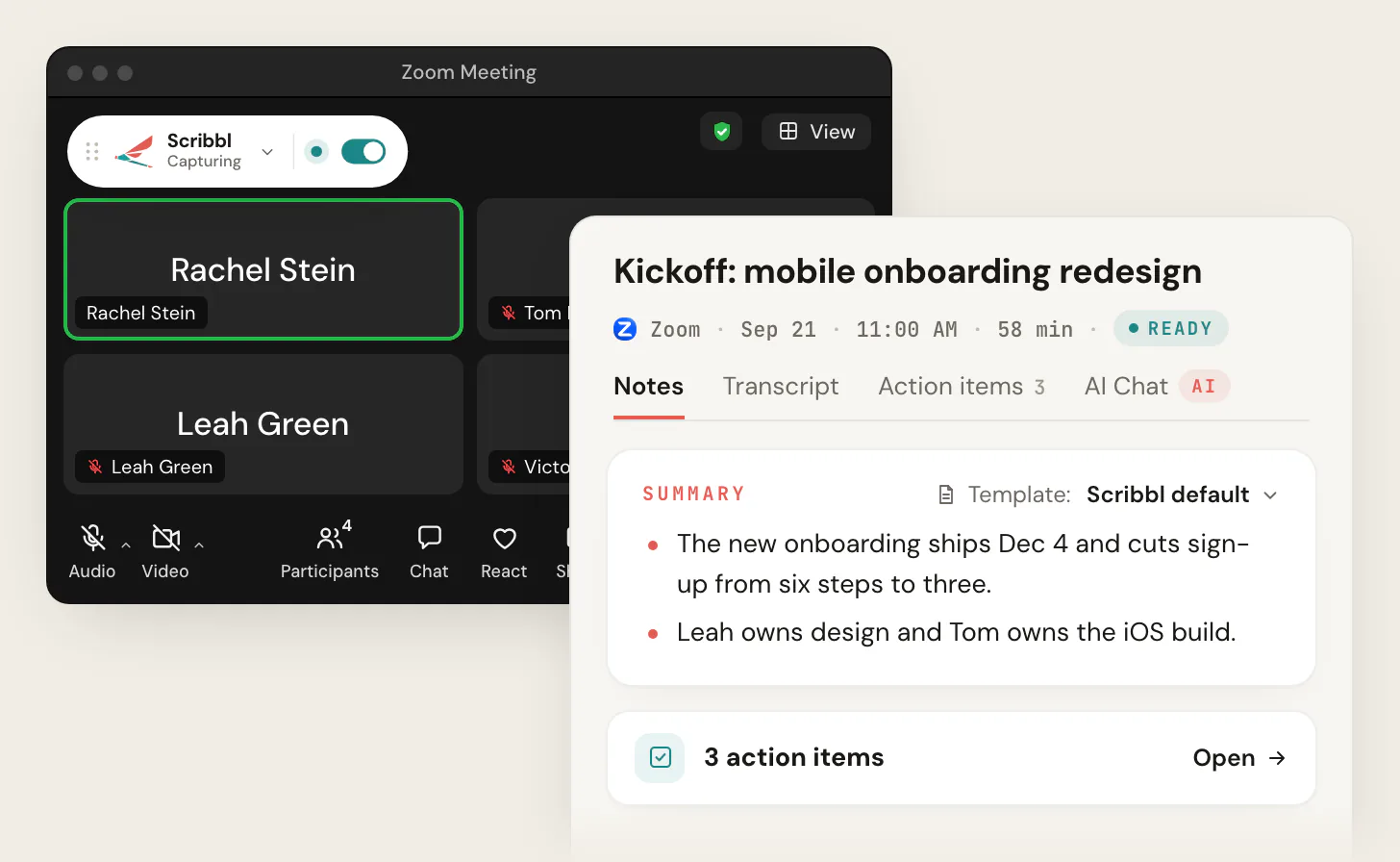
The video, the transcript with speaker names, AI notes and action items are there when the call ends.
The free plan includes Google Meet, Zoom and Microsoft Teams, with 10 meetings a month. Get Scribbl Desktop.
Scribbl vs Fireflies on Zoom, Teams, Meet, Mac and Windows
| Feature | Scribbl | Fireflies |
|---|---|---|
| Zoom | Scribbl Desktop, nothing joins | Bot needs waiting room off or host approval; desktop app without a bot |
| Microsoft Teams | Scribbl Desktop, nothing joins | Bot needs Teams admin settings; desktop app without a bot |
| Google Meet | Chrome extension, nothing joins | Bot the host admits, or Chrome extension, audio only |
| Mac | Apple silicon | Yes |
| Windows | Yes | Yes |
| Works when you are not the host | Yes | Host must admit the bot and allow recording |
| Keeps the video recording | Every plan, no bot | Paid plans, bot only |
| Speaker names without a bot | Yes | Speaker 1, Speaker 2 |
| Calendar needed | No | Google or Outlook, one per account |
| Free plan | Google Meet, Zoom and Microsoft Teams, 10 meetings a month | 3 meetings, or unlimited with auto-join on |
Scribbl: the pick for Zoom, Teams, Windows and anyone who doesn't want a bot
If you searched this because the Fireflies bot got stuck in a waiting room, a Teams admin wouldn't turn on guest access, or the no-bot mode gave you Speaker 1 and Speaker 2 and no recording, Scribbl is built for exactly that:
- Scribbl Desktop for Windows and for Macs with Apple silicon records Zoom and Microsoft Teams. Nothing joins the call.
- The Chrome extension records Google Meet, with nothing joining the call.
- Every meeting gets the video recording, a transcript with speaker names, AI notes and action items, on every plan.
- Smart Collections sort meetings by themselves, and Automations do the follow-up when a meeting lands in a collection: draft the follow-up email, post to Slack or Microsoft Teams, log a note in HubSpot or Pipedrive, save to Notion, Google Drive or Confluence, or open an Asana, Monday, Linear or Jira ticket. They ask before they change anything by default.
- Ask ChatGPT or Claude about your past meetings on Pro.
- Private by default. Recordings are private until you share them, and Scribbl doesn't use your meetings to train AI for anyone other than you.
Pro is $13 per user per month billed annually, or $20 monthly. See pricing, compare Scribbl and Fireflies in more detail, or see the best Fireflies alternatives.
Whichever tool you use, tell everyone at the start that you're recording. Some US states require everyone in a conversation to agree.
The free plan includes Google Meet, Zoom and Microsoft Teams, with 10 meetings a month. Get Scribbl Desktop for Zoom and Teams, or start free for Google Meet.
FAQ
Does Fireflies work with Zoom?
Yes, as a bot. The Fireflies.ai Notetaker joins the Zoom meeting as a participant from a calendar invite, auto-join or the Add to live meeting button. Fireflies' Zoom guide says to turn off the waiting room, turn off end-to-end encryption and allow participants to join before the host before you create the meeting link; otherwise the host has to admit the bot and click Allow when Zoom asks. Zoom plays its own recording announcement when the bot joins. Scribbl Desktop records Zoom with nothing joining the call, whether or not you're the host.
Does Fireflies work with Microsoft Teams?
Yes, as a bot, after a Teams admin changes settings. Fireflies' guide says guest access must be turned on in the Teams admin center (it's off by default), the meeting policy should let guests bypass the lobby with no verification check, and anonymous users must be allowed to join unverified. Microsoft's bot detection can still hold the bot in the lobby under Suspected threats marked Unverified until the organizer admits it, and policy changes can take up to 24 hours. Scribbl Desktop records Teams with nothing joining the call and no admin changes.
Does Fireflies work with Google Meet?
Yes, two ways. The Fireflies.ai Notetaker joins the Meet as a participant, and the host may need to admit it from the waiting room, where Google can label it a potential risk. Or the Fireflies Chrome extension records the Meet on your device with no bot, but Fireflies says it only records audio and works only with Google Meet in Chrome. Scribbl's Chrome extension records Google Meet with nothing joining the call and keeps the video.
Does Fireflies have a desktop app for Mac and Windows?
Yes. The Fireflies desktop app runs on Windows and Mac and has a Take Notes mode that captures your computer's system audio with no bot, on Google Meet, Zoom, Microsoft Teams, Webex, Slack huddles and other calls. In that mode Fireflies says no separate audio or video files are saved and speakers appear as Speaker 1 and Speaker 2 instead of names. Scribbl Desktop records Zoom and Teams with nothing joining the call and keeps the video and the speaker names.
Does Fireflies work with Outlook and Google Calendar?
Yes. Fireflies connects to Google Calendar or Outlook and Office 365 Calendar, one calendar per account; Zoho and Apple Calendar aren't supported directly. The bot joins meetings that have a video conferencing link in the invite, based on your auto-join setting: all meetings with a link, only meetings you host, only meetings with teammates, or only when you invite fred@fireflies.ai. Adding the bot to an invite after the meeting has started doesn't work; use Add to live meeting instead.
Does Fireflies work on iPhone and Android?
Yes. The Fireflies mobile app is on iOS and Android, records in-person meetings with the phone's microphone, and can send the Fireflies bot to a live Zoom, Teams or Meet call from your phone. Its help page doesn't describe recording a video call from the phone itself.
Does Fireflies record video on Zoom, Teams and Google Meet?
Only when the bot joins, and only on paid plans: Fireflies' video capture page says it's on Pro, Business and Enterprise, at 720p on Pro and Business and 1080p on Enterprise. Video isn't captured by the Chrome extension or the desktop app's system audio mode. Scribbl keeps the video of every Zoom, Teams and Google Meet meeting on every plan, with nothing joining the call.
Is Fireflies free for Zoom, Teams and Google Meet?
Fireflies' Free plan lists 3 meetings, 400 minutes of storage per seat and no transcript downloads, and Fireflies says auto-join allows unlimited transcriptions on the Free plan. Pro is $10 per user per month billed annually or $18 monthly, Business $19 or $29, and Enterprise $39 billed annually. Scribbl's free plan includes Google Meet, Zoom and Microsoft Teams, with 10 meetings a month and the video kept.
Is Scribbl free, and will people see anything join the call?
Scribbl is free to start, and nothing joins the call: no bot in the participant list on Zoom, Teams or Google Meet, nothing for a host to admit and no Allow pop-up. You tell people you're recording yourself. Every meeting gets the video, a transcript with speaker names, AI notes and action items. The free plan includes Google Meet, Zoom and Microsoft Teams, with 10 meetings a month. Get Scribbl Desktop at scribbl.co/desktop for Zoom and Teams, or add the Chrome extension for Google Meet.
Sources
Every Fireflies fact above was checked on these pages on October 19, 2026.
- Fireflies help center: How Fireflies joins and records your meetings - FAQs, How to Invite Fireflies to Meetings, How to invite Fireflies to Zoom meetings, How to Integrate Zoom with Fireflies, Setting up Microsoft Teams before inviting Fireflies, How to add Fireflies to an ongoing meeting, Fireflies Chrome extension, Record meetings without a bot on the Fireflies desktop app, Getting Started with the Fireflies Desktop App, How to capture video for your Fireflies meetings, Learn about the Fireflies mobile app, What's included in the Fireflies Free plan, Fireflies pricing plans, Default sharing of the recap
- Fireflies: pricing
- Microsoft Learn: Manage external bots and their access to meetings hosted in your organization (updated July 20, 2026)
- Scribbl: pricing, Scribbl Desktop, privacy policy
Try Scribbl
Let your meetings take their own notes.
Scribbl's desktop app records, transcribes, and summarizes your Zoom meetings from your own computer. No bot joins the call and you don't need to be the host. Free forever for individuals.
Get Scribbl for Zoom · It's free