Does Granola Work With Zoom, Teams, Outlook and Windows? (2026)
Yes: Granola works with Zoom, Teams and Google Meet on Mac and Windows and syncs Outlook calendars. What it can't do, from Granola's pages, October 19, 2026.
Updated October 19, 2026
The short answer
Checked on Granola's website, help center and blog, October 19, 2026
Yes. Granola works with Zoom, Microsoft Teams and Google Meet on Mac and Windows, and it syncs Outlook calendars on Microsoft 365.
- Zoom
- Yes, from the Mac or Windows app, with no bot. Speaker names need the Zoom desktop app. Granola deletes the audio, so there's no recording.
- Microsoft Teams
- Yes, through the Teams desktop app. Granola says the browser version may not work. Posting notes to Teams needs Zapier on a paid plan.
- Outlook
- Calendar yes, on cloud Microsoft 365 only. Follow-up email drafts are Gmail only: Granola says Outlook isn't supported yet.
- Windows
- Yes, Windows 10 or later. Mac needs macOS 14 or later.
- iPhone
- In-person meetings and outgoing calls from Granola's own dialer. Not Zoom, Teams or Meet calls.
- Want the video too?
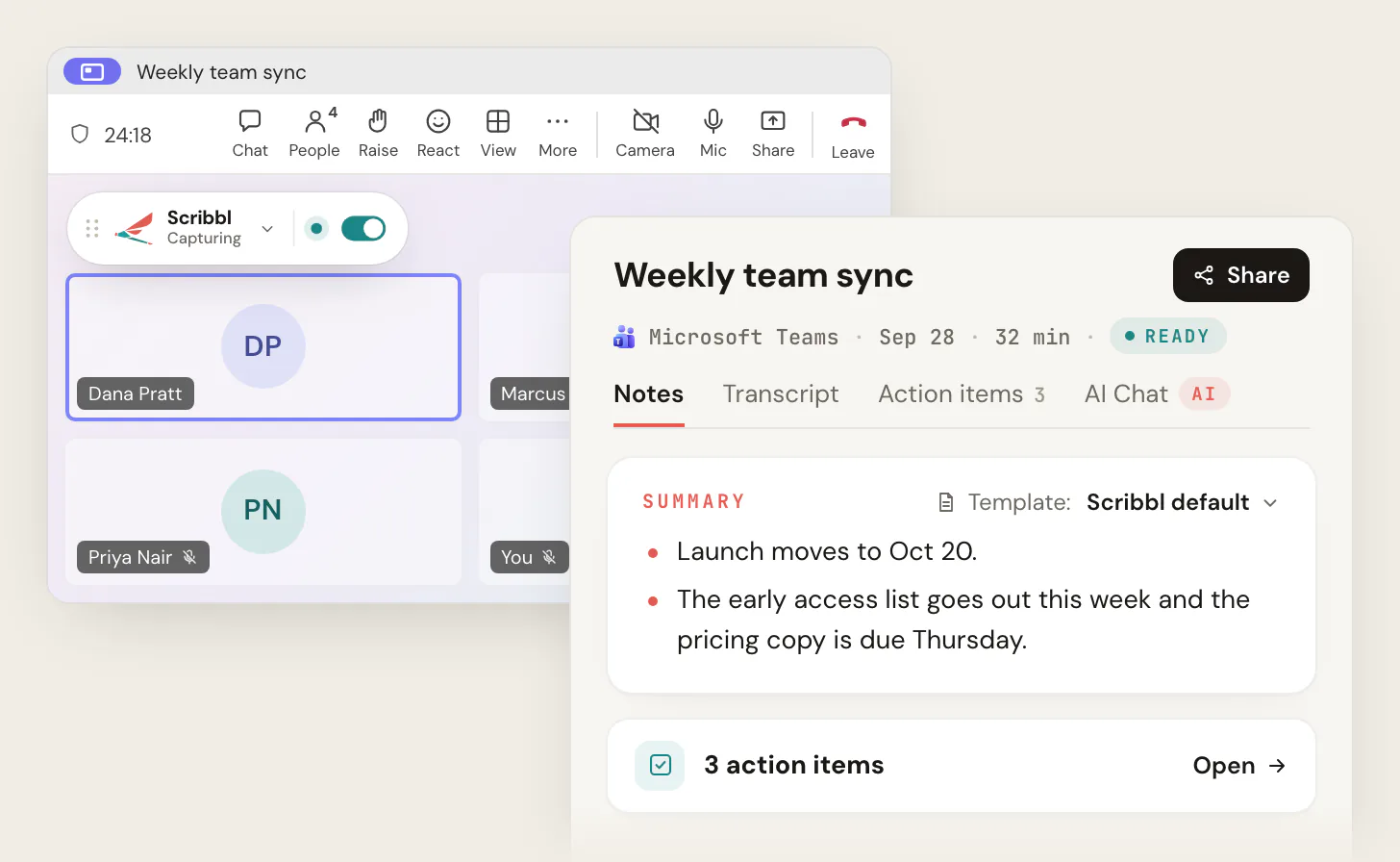
- Scribbl records Zoom and Teams on Windows and Mac with nothing joining the call, and keeps the video, transcript and AI notes.
Yes, Granola works with Zoom, Microsoft Teams and Google Meet through its Mac and Windows apps, and it syncs your Outlook calendar if you use Microsoft 365. What it doesn't do: keep a recording, draft follow-up emails in Outlook, or take notes on Zoom, Teams or Meet calls from an iPhone.
Below is each question in turn, answered from Granola's own website, help center and blog, checked October 19, 2026. If you're on Windows or Teams and want the meeting video kept too, Scribbl, which we make, is an AI note taker for Zoom and a Microsoft Teams AI note taker that records with nothing joining the call.
Does Granola work with Zoom?
Yes. Granola runs on your Mac or Windows PC and transcribes your computer's microphone and system audio, so no bot joins the Zoom call and there's no Zoom integration to set up. It works whether you host the meeting or just attend.
- Speaker names need the Zoom Workplace desktop app on Mac or Windows. Without speaker tags, the transcript shows "Me" and "Them".
- No recording. Granola sends the audio to its transcription provider during the call and doesn't save audio or video, so you can't replay the meeting.
- Audio devices matter. Granola's Zoom guide says Bluetooth or USB headsets can cause dropouts, and your output device should match the system default.
- A Zoom app on Enterprise. Granola also has a Granola Zoom app, in beta for Enterprise plans, that a workspace admin installs from the Zoom Marketplace. When it runs, Zoom shows a banner that meeting content is being shared with apps.
If you want the Zoom call kept as video, with a transcript with speaker names, AI notes and action items, Scribbl Desktop does that on Mac and Windows with nothing joining the call. See Scribbl for Zoom.
Does Granola work with Microsoft Teams?
Yes, through the Microsoft Teams desktop app on Mac or Windows, with no bot in the participant list. Granola's own Teams guide says the desktop app routes audio reliably and "the browser version may not", so use the app.
- Speaker names need the Teams desktop app.
- Match your audio devices. If your system default devices differ from the ones Teams uses, Granola says it captures only one side of the conversation. On Windows, Granola suggests turning off Audio Enhancements if transcription drops.
- Signing in with Microsoft shows your Outlook meetings in Granola and lets you open a Teams call from a Granola reminder.
- Posting notes into Teams isn't built in. Granola's guide says to use its Zapier integration, which needs the Business plan at $14 per user per month, or copy and paste. See Granola pricing for every plan.
Scribbl records any Teams meeting you join from a Mac with Apple silicon or a Windows PC, keeps the video, and its Automations can post the notes to a Microsoft Teams channel for you. See Scribbl for Microsoft Teams.
Does Granola work with Google Meet?
Yes, through the Granola desktop app for Mac or Windows, in any browser. Granola's Chrome extension is optional: it posts a notice in the Meet chat when transcription starts, and it can read who is speaking for speaker names. Speaker names on Meet need Chrome or the Granola Chrome extension.
Scribbl works the other way round on Meet: the Chrome extension is the whole thing, so there's no desktop app to install, and you get the video, the transcript with speaker names, AI notes and action items. See Scribbl for Google Meet.
Does Granola work with Outlook?
Yes for the Outlook calendar, partly for Outlook email.
- Calendar: yes. Click Sign in with Microsoft and approve calendar access, and your Outlook meetings show up in Granola with a reminder before each one. Your admin may need to approve the access. Granola only reads your calendar; it never edits your events.
- Microsoft 365 only. Granola works with cloud Microsoft 365 calendars (Exchange Online). On-premises Exchange isn't supported, and neither is Apple Calendar.
- One calendar provider. Granola reads the calendar of the account you sign in with: Google Calendar if you signed in with Google, Outlook if you signed in with Microsoft.
- Follow-up emails: Gmail only. Granola drafts follow-up emails from the meeting, but its Gmail page says "Outlook isn't supported yet", and connecting Gmail needs a paid plan.
- Sending notes by email works. "Send notes via email" opens a draft in Gmail or Outlook with the notes copied in.
Scribbl's Automations draft the follow-up email for you to copy or open in Gmail, and they never send it by themselves.
Does Granola work on Windows?
Yes. Granola for Windows runs on Windows 10 or later. You download Granola.exe from Granola's website and sign in with Google or Microsoft; on Windows, the microphone and system audio permissions are granted automatically. It takes notes on Zoom, Teams, Google Meet and any other call your PC can hear, with no bot. On a Mac, Granola needs macOS 14 or later.
The Windows app works the same way as the Mac app, so it also deletes the audio after transcribing. For Windows with the video kept, see the best AI note takers for Windows.
Does Granola work on iPhone and Android?
Partly. Granola's iPhone app takes notes on in-person meetings and on outgoing phone calls made through Granola's built-in dialer, and it works with Apple Watch on watchOS 11 or later. Phone call notes are iPhone only, so the Android app does in-person meetings.
What the phone apps can't do is take notes on a video call. Granola's help center says it can't transcribe Zoom, Google Meet or Teams calls on mobile, because phones don't let one app capture another app's audio. For video calls you need the Mac or Windows app.
Other things people ask about Granola
- Webex, Slack huddles and other apps? Granola's homepage lists Slack huddles, and its help center says any call whose audio plays through your computer can be transcribed. Start those with New Note, since they aren't linked to your calendar. Speaker names work only on Zoom, Teams and Meet.
- Linux or a Chromebook? Granola lists macOS, Windows, iOS and Android. It doesn't list Linux or ChromeOS.
- Does Granola need a bot or an admin? No bot, and Granola says it works without admin permissions on the meeting app. The Enterprise Zoom app is the exception, since an admin installs it.
- Slack? Slack is on every Granola plan, including the free one. Notion, Zapier and HubSpot need Business.
- Can I get the audio later? No. Granola says there's no way to access meeting audio afterward. It keeps the transcript and your notes.
Scribbl vs Granola on Zoom, Teams, Meet, Mac and Windows
| Feature | Scribbl | Granola |
|---|---|---|
| Google Meet | Chrome extension, no desktop app needed | Through the Mac or Windows app |
| Zoom | Scribbl Desktop, video kept | Desktop app, audio deleted |
| Microsoft Teams | Scribbl Desktop, video kept | Teams desktop app only, audio deleted |
| Mac | Apple silicon | macOS 14 or later |
| Windows | Yes | Windows 10 or later |
| Calendar | Not needed: Desktop starts on its own when a Zoom or Teams meeting opens | Google or Microsoft 365; you open a note to start |
| Nothing joins the call | Yes | Yes |
| Keeps the video recording | Yes | No |
| Post notes to Microsoft Teams | Automations, built in | Through Zapier, Business plan |
| Free plan | Google Meet, Zoom and Microsoft Teams, 10 meetings a month | Last 30 days of notes visible |
Scribbl: the pick for Windows and Teams
If you came here because you're on Windows or your company runs on Teams, Scribbl covers all of it in one account, with nothing joining the call:
- Scribbl Desktop for Windows and for Macs with Apple silicon records Zoom and Microsoft Teams.
- The Chrome extension records Google Meet, with no desktop app to install.
- Every meeting gets the video recording, a transcript with speaker names, AI notes and action items.
- Smart Collections sort meetings by themselves, and Automations do the follow-up when a meeting lands in a collection: draft the follow-up email, post to Slack or Microsoft Teams, log a note in HubSpot or Pipedrive, save to Notion, Google Drive or Confluence, or open an Asana, Monday, Linear or Jira ticket. They ask before they change anything by default.
- Ask ChatGPT or Claude about your past meetings on Pro.
- Private by default. Recordings are private, and Scribbl doesn't use your meetings to train AI for anyone other than you.
- 1
Install Scribbl Desktop
On Windows or a Mac with Apple silicon. Add the Chrome extension too if you use Google Meet.
- 2
Join your meeting as usual
Scribbl Desktop starts on its own when a Zoom or Teams meeting opens. Nothing joins the call.
- 3
Open the meeting in Scribbl
The video, the transcript with speaker names, AI notes and action items are there after the call.
The free plan includes Google Meet, Zoom and Microsoft Teams, with 10 meetings a month. Pro is $13 per user per month billed annually, or $20 monthly. See pricing, compare Scribbl and Granola in more detail, or see the best Granola alternatives.
Whichever tool you use, tell everyone at the start that you're recording or taking notes. Some US states require everyone in a conversation to agree, and Granola's own guides also say to tell people.
FAQ
Does Granola work with Zoom?
Yes. Granola's Mac and Windows apps take notes on Zoom calls with no bot and no Zoom integration to set up, whether you host or just attend. Speaker names need the Zoom Workplace desktop app. Granola deletes the audio after transcribing, so there's no recording to play back. Scribbl Desktop also records Zoom with nothing joining the call, and keeps the video along with the transcript, AI notes and action items.
Does Granola have a Zoom integration?
You don't need one for normal use: Granola captures the call from your computer's audio. On the Enterprise plan, Granola also offers a Granola Zoom app, in beta, that a workspace admin installs from the Zoom Marketplace. When it runs, Zoom shows everyone a banner that meeting content is being shared with apps.
Does Granola work with Microsoft Teams?
Yes, through the Microsoft Teams desktop app on Mac or Windows, with no bot. Granola says the browser version of Teams may not route audio reliably, and speaker names need the Teams desktop app. To post notes into a Teams channel, Granola uses Zapier, which is on the Business plan at $14 per user per month, or you copy and paste. Scribbl records Teams with nothing joining the call, keeps the video, and its Automations can post the notes to Microsoft Teams for you.
Does Granola work with Outlook?
Yes for the calendar. Sign in with Microsoft and Granola shows your Outlook meetings, with reminders, on cloud Microsoft 365 (Exchange Online). On-premises Exchange and Apple Calendar aren't supported, and Granola only reads your calendar. For email, Granola's follow-up email drafts work with Gmail only; its Gmail page says Outlook isn't supported yet. You can still send notes by email, which opens a draft in Gmail or Outlook.
Is Granola available for Windows?
Yes. Granola for Windows runs on Windows 10 or later and takes notes on Zoom, Teams and Google Meet with no bot. On Windows the microphone and system audio permissions are granted when you install. Like the Mac app, it deletes the audio after transcribing. Scribbl Desktop for Windows records Zoom and Teams with nothing joining the call and keeps the video, transcript and AI notes.
Does Granola work with Google Meet?
Yes, but through the Granola desktop app for Mac or Windows. A Granola Chrome extension is optional: it posts a notice in the Meet chat and can help with speaker names. Scribbl works on Google Meet as a Chrome extension, so there's no desktop app to install, and it keeps the video.
Does Granola work on iPhone?
Yes, for in-person meetings and for outgoing phone calls made through Granola's built-in dialer. Granola says it can't transcribe Zoom, Google Meet or Teams calls on a phone, because phones don't let apps capture other apps' audio. Phone call notes are iPhone only; the Android app does in-person meetings.
Does Granola record Zoom or Teams meetings?
No. Granola transcribes your computer's audio during the call and doesn't save the audio or video, so there's nothing to replay afterward. It keeps your notes and the transcript. If you want the recording, Scribbl keeps the video of every Zoom, Teams and Google Meet meeting, with nothing joining the call.
What is the best Granola alternative for Windows and Teams?
Scribbl. Scribbl Desktop for Windows and for Macs with Apple silicon records Zoom and Microsoft Teams with nothing joining the call, and the Chrome extension covers Google Meet. Every meeting gets the video, a transcript with speaker names, AI notes and action items, and Automations can post the notes to Microsoft Teams or Slack. The free plan includes Google Meet, Zoom and Microsoft Teams, with 10 meetings a month.
Sources
Every Granola fact above was checked on these pages on October 19, 2026.
- Granola website: homepage, pricing, integrations, Outlook, Gmail, Sign in with Microsoft update
- Granola help center: How transcription works, Speaker tags, Setup guide, Syncing your calendars, Sharing notes, Granola Zoom app, Google Meet chat notice, Getting started on mobile
- Granola blog: "Granola for Windows: Setup, Teams and Zoom capture, and what IT controls", "How to use Granola with Zoom", "How to connect Granola and Microsoft Teams for bot-free notes", "Granola + Google Meet integration", "Granola integrations: complete guide"
- Scribbl: pricing, Scribbl Desktop, privacy policy
Try Scribbl
Let your meetings take their own notes.
Scribbl's desktop app records, transcribes, and summarizes your Teams meetings from your own computer. No bot joins the call and you don't need to be the host. Free forever for individuals.
Get Scribbl for Teams · It's free