Best Meeting Minutes Software 2026: 10 AI Apps Compared, Free and Paid
Best software to write meeting minutes in 2026: 10 AI meeting minutes apps compared, Scribbl, Otter, Fathom, Fireflies, Granola, tl;dv, with official prices.
Updated October 19, 2026

The best software to write meeting minutes in 2026 is an AI meeting minutes app that records the meeting and drafts the minutes for you, and in this comparison of 10 apps, including Otter, Fathom, Fireflies, Granola, tl;dv and Read AI, our pick is Scribbl: for every Google Meet, Zoom and Microsoft Teams meeting it keeps the video, a transcript with speaker names, AI notes and action items, with nothing joining the call, and then sends the minutes where they need to go. Otter writes action items assigned to people on every plan, and Fathom records unlimited meetings for free, both usually with a bot in the call. If your Google Workspace, Zoom or Microsoft Teams plan already includes AI notes, that covers meetings on that one platform.
Below are 10 options, ranked for minutes: what each writes for you, its free plan, its price, whether a bot joins the call, and whether you can replay the meeting to check the minutes. Every fact comes from each company's own pricing page and help center, checked on October 7, 2026, and links to that page; the prices and free plans of the seven AI note takers were checked again on their official pricing pages on October 19, 2026. We make Scribbl, and we've ranked it first; the Scribbl entry says why.
What is the best software to write meeting minutes?
For most people it's an AI note taker, and Scribbl, which we make, is our pick for minutes. For every Google Meet, Zoom and Microsoft Teams meeting it writes the AI notes and action items that make the first draft of the minutes, and keeps the video and a transcript with speaker names, so you can check a decision before the minutes go out. Nothing joins the call, so the meeting looks the same to everyone in it.
Then it does the part that usually takes the longest: Automations draft the follow-up email with the decisions and action items, post the minutes to Slack or Teams, save them to Notion or Confluence, and open Linear, Jira, Asana or Monday tickets for the action items. They ask before changing anything by default. The free plan includes Google Meet, Zoom and Microsoft Teams, with 10 meetings a month (full entry below).
If you'd rather type the minutes yourself, use a free Word or Google Docs template.
What we ranked on
Minutes aren't a summary. They're the record of what a group decided and who will do what by when, and formal minutes are approved at the next meeting (how to write meeting minutes covers the format). So we ranked each tool on five things:
- Decisions and action items with an owner, written for you, on the plan you'd actually use.
- Something to check the draft against: a recording you can replay, or at least a full transcript. AI notes can get a name, a number or a decision wrong.
- Where it works: Google Meet, Zoom and Teams calls, ideally all three in one account.
- What real meetings cost: many free plans stop at 30 minutes or an hour, and many minutes meetings run longer.
- Privacy defaults: whether the company trains its AI on your meetings.
What is the best AI meeting minutes software in 2026?
Scribbl, which makes this page, is the best AI meeting minutes software in 2026 for meetings on Google Meet, Zoom and Microsoft Teams: nothing joins the call, and every meeting comes back with the video, a transcript with speaker names, AI notes and action items, the first draft of the minutes. Automations then send the minutes on: they draft the follow-up email, post to Slack or Teams, or save to Notion or Confluence, and ask before changing anything by default. The free plan includes Google Meet, Zoom and Microsoft Teams, with 10 meetings a month, and Pro is $13 per user per month billed annually. Otter (Pro $8.33 billed annually), Fathom (Premium $16), Fireflies (Pro $10) and tl;dv (Pro $18) send a bot into the call by default.
What is the best note taking software for meetings?
For meetings on Google Meet, Zoom and Microsoft Teams, the best note taking software is an AI note taker that writes the notes for you, and Scribbl, which makes this page, is our pick: nothing joins the call, and every meeting gets the video, a transcript with speaker names, AI notes and action items in one account. If you'd rather type your own notes and let AI fill them in, Granola does that, but keeps no recording and its free plan shows 30 days of history. For minutes you type yourself with no AI, use a free Word or Google Docs template.
Meeting minutes software compared
| Software | Best for | Free plan | Paid from, per user per month | Action items on the free plan | Does a bot join the call? | Recording you can replay | |
|---|---|---|---|---|---|---|---|
| 1 | Scribbl (our pick) | Minutes overall, on Google Meet, Zoom and Teams | 10 meetings a month; includes Google Meet, Zoom and Microsoft Teams | $13 billed annually (Pro); $20 monthly | Yes | Never; nothing joins the call | Video and audio, every meeting |
| 2 | Otter | Action items assigned to people | 300 minutes a month, 30 per conversation | $8.33 billed annually (Pro) | Yes, assigned to people | By default; the desktop app records without one | Audio on every plan; video on Enterprise |
| 3 | Fathom | Unlimited recording, with a bot | Unlimited recordings; advanced summaries on 5 calls a month | $16 billed annually (Premium); $15 on Team, 2-user minimum | No, paid plans | Yes on Windows; on a Mac you choose (in beta) | Video and audio |
| 4 | Fireflies | Many languages and integrations | Unlimited with auto-join on; 400 minutes of storage per team | $10 billed annually (Pro) | No, paid plans | By default; the desktop app and Chrome extension record without one | Audio; video on paid plans |
| 5 | Google Meet (Take notes for me) | Teams on Google Workspace | None | An eligible Workspace edition or Google AI plan | Yes, as next steps | No, it's built in | Notes only; recording is separate |
| 6 | Microsoft Teams (intelligent recap) | Teams Premium or Copilot customers | None | A Teams Premium or Microsoft Copilot license | No free plan; recommended tasks on those licenses | No, it's built in | Yes, if the meeting is recorded |
| 7 | Zoom (meeting summary) | Zoom users | 3 hosted meetings a month | $14.16 billed annually (Pro) | Not stated | No, it's built in | Recording is separate |
| 8 | Granola | Typing your own notes, with no bot | Notes from the last 30 days | $14 (Business) | Not stated | Never | No recording kept |
| 9 | tl;dv | Bot recordings on a free plan | Unlimited recordings; full AI notes on the first 10 meetings | $18 billed annually (Pro) | Not stated | By default; the desktop app records audio only without one | Video; free recordings are deleted after 3 months |
| 10 | Read AI | Meeting coaching | 5 meetings a month, up to 1 hour each | $15 billed annually (Pro) | Yes, in those 5 reports | Yes | Enterprise only |
Prices are in US dollars before tax. Scribbl, Otter, Fathom, Fireflies, Granola, tl;dv and Read AI were checked October 19, 2026 on each official pricing page, linked in the table; Google, Microsoft and Zoom on October 7, 2026. "Not stated" means we couldn't find it on the company's own pages.
Two columns decide most choices for minutes. Action items on the free plan: Scribbl, Otter and Read AI write them for free; Otter stops each conversation at 30 minutes and Read AI at 5 meetings a month. Recording you can replay: Scribbl keeps the video of every meeting with nothing in the call, while Granola keeps none, so if the minutes are ever questioned, there's nothing to go back to.
The 10 best apps for meeting minutes, ranked
1. Scribbl: our pick for meeting minutes
We make Scribbl, and it's our pick for minutes. Scribbl is an AI note taker for Google Meet, Zoom and Microsoft Teams. After each meeting you get the video recording, a transcript with speaker names, AI notes and action items: the draft of your minutes, and the recording to check it against.
- How it records: nothing joins the call. Google Meet runs from a Chrome extension; Zoom and Teams run from Scribbl Desktop for Mac (Apple silicon) and Windows. All three are in one account.
- Checking the minutes: the video and a transcript with speaker names for every meeting, on every plan, including free.
- Sending the minutes: Automations draft the follow-up email with the decisions and action items, post the minutes to Slack or Teams, save them to Notion or Confluence, log notes in HubSpot or Pipedrive, open Linear, Jira, Asana or Monday tickets for the action items, or add a Google Sheet row. They ask before changing anything by default. You can also tell Scribbl the job in plain words and it runs with your own Claude.
- Finding a past decision: Smart Collections sort meetings into the groups you describe, like "board meetings" or "weekly project syncs", and you can connect Scribbl to ChatGPT or Claude and ask what was decided about a date last month.
- Free plan: the free plan includes Google Meet, Zoom and Microsoft Teams, with 10 meetings a month.
- Price: Pro is $13 per user per month billed annually, or $20 monthly (pricing).
- Privacy: recordings are private by default, and Scribbl doesn't use your meetings to train AI for anyone other than you.

Why it's our pick: no bot and the video, together, on Google Meet, Zoom and Teams, and then the follow-up done for you. Granola has no bot but keeps no recording. Fathom, tl;dv and Fireflies (on paid plans) keep the video when their bot records; Fathom says its Mac app can now do it without one. Otter keeps video only on Enterprise. Whichever tool you use, tell everyone at the start of the meeting that you're recording.
Try Scribbl freeHead-to-head pages: Scribbl vs Otter, Scribbl vs Fathom, Scribbl vs Fireflies, Scribbl vs Granola, Scribbl vs tl;dv.
2. Otter: best for action items assigned to people
Otter's own landing page for meeting minutes is headed "Meeting Minutes Made Easy." After each meeting it writes a summary, an outline and action items, and assigns each action item to the person it belongs to. Each one has a link to the part of the transcript it came from, which makes checking the minutes quick (Conversation Page Overview, updated September 13, 2026).
- How it records: Otter Notetaker joins your Zoom, Google Meet and Microsoft Teams meetings from your calendar (Otter Notetaker Overview). To keep a bot out, record from the Otter desktop app for Mac and Windows (Otter Desktop App).
- Checking the minutes: audio playback on every plan. Video replay for Zoom and Google Meet is on Enterprise only.
- Free plan: 300 transcription minutes a month, 30 minutes per conversation, your 25 most recent conversations, and exports as MP3 or TXT (Otter pricing).
- Price: Pro is $8.33 per user per month billed annually, or $16.99 monthly, with 1,200 minutes a month, meetings up to 90 minutes, PDF and DOCX export, and up to 5 billed users. Business is $19.99 billed annually, or $30 monthly, with meetings up to 4 hours.
- Languages: English, Spanish, French, German, Japanese and Chinese.
- Privacy: Otter says conversations are private by default, and that it de-identifies user data before training its models (Otter Privacy & Security).
Best for: action items assigned to people, if a bot in the call is fine. Watch out for: the free plan's 30-minute limit and Pro's 90-minute limit, so a two-hour board meeting needs Business, and video replay only on Enterprise. Every plan and limit: Otter.ai pricing.
3. Fathom: unlimited recording, with a bot
Fathom's free plan records unlimited meetings and doesn't end, though AI action items, the part minutes need most, are on Premium.
- Free plan: unlimited recordings, transcription and storage, an AI summary of every call, and advanced summaries for your first 5 calls each month. AI action items and AI follow-up emails are on Premium (Free vs. Premium). Call downloads are unlimited on every plan (Fathom pricing).
- How it records: on Windows, a bot joins to record. On a Mac you can choose capture with no bot, which Fathom's pricing page marks as in beta; Fathom says Windows support is on the way (How Fathom works).
- Checking the minutes: video and audio when the bot records.
- In a room: Fathom says an iPhone app is on the way and still in development.
- Price: Premium is $16 per user per month billed annually, or $20 monthly. Team is $15 or $19 per user, with a 2-user minimum. Business is $25 or $34.
- Languages: Fathom's pages disagree. Its help center says 38; its overview page says seven, with more through translation.
- Privacy: Fathom uses de-identified customer data to improve its own models, and you can opt out in My Settings (Is Fathom secure?).
Best for: recording online meetings for free when a bot in the call is fine. Watch out for: you write the action items yourself unless you pay. More: Fathom alternatives.
4. Fireflies: best for many languages and integrations
Fireflies writes summaries with the key decisions, and action items with owners (Fireflies AI Notetaker). Its strengths are 100+ languages and connections to other apps.
- How it records: the Fireflies bot joins by default. The desktop app records Zoom, Meet, Teams and Slack Huddles with no bot, and the Chrome extension does the same on Google Meet. The iPhone and Android apps record meetings in a room.
- Free plan: "Unlimited transcription," with a condition: for accounts made on or after September 1, 2026, it's unlimited only with Auto-join calendar meetings turned on. With it off, the free plan stops at 3 meeting transcriptions (unlimited transcriptions on the free plan). AI summaries are limited, storage is 400 minutes per team, and recordings stop at 2 hours. Action items, video and downloads start on Pro (Fireflies pricing).
- Price: Pro is $10 per seat per month billed annually, or $18 monthly. Business is $19, or $29 monthly. Enterprise is $39, billed annually only.
- Privacy: Fireflies' pricing page says your data "is never used for AI training."
Best for: teams that meet in several languages or want minutes sent to other tools. Watch out for: Fireflies' own free plan guide says 400 minutes of storage per seat, while its pricing page says per team (Fireflies free plan features). More: Fireflies alternatives.
5. Google Meet "Take notes for me": best if your Workspace plan includes it
Gemini writes the notes into a Google Doc: a summary, next steps, details and, in English, a Decisions section that marks each outcome as Aligned, Needs Further Discussions, Disagreed or Shelved. That's close to the shape of minutes (Take notes for me in Google Meet).
- What it takes: an eligible Google Workspace edition or Google AI plan, held by the meeting organizer.
- Where the notes go: a Doc in the organizer's Google Drive, in the "Google Meet" folder, attached to the Calendar event and shared with guests based on the organizer's settings.
- Languages and length: 8 languages, one per meeting; Google recommends it for meetings of 15 minutes to 8 hours. It also works for in-person meetings.
- Everyone knows: Google Meet shows a pencil icon on every participant's screen while it's on.
Best for: companies on Google Workspace with an eligible plan. Watch out for: if the organizer's plan doesn't include it, nobody in the meeting gets notes.
6. Microsoft Teams intelligent recap: best if you have Teams Premium or Copilot
After a meeting, the Recap tab gives you AI meeting notes, AI recommended tasks, a timeline of who spoke when, and chapters (Intelligent recap for Teams, updated August 18, 2026).
- What it takes: a Teams Premium or Microsoft Copilot license, on top of Teams. Transcription has to be on, and recording too for the full recap.
- Outside guests: you can share the recap with external attendees through Outlook.
Best for: companies that already pay for Teams Premium or Copilot. Watch out for: without one of those licenses, there are no AI notes. More: Microsoft Teams AI note takers.
7. Zoom meeting summary: best for Zoom users, and free for 3 meetings a month
Zoom's AI meeting summary covers the key points and topics of the meeting. It's emailed after the meeting and kept on the Summaries page of the Zoom web portal, in the language most participants used (Using Meeting Summary with AI).
- Free plan: meeting summaries for 3 meetings you host each month, and free meetings stop at 40 minutes (Zoom pricing).
- Price: Pro is $14.16 per user per month billed annually, or $16.99 monthly, with unlimited meeting summaries.
- Watch out for: Zoom says AI features don't apply to users with Basic permissions on paid accounts.
Best for: teams that meet on Zoom and already pay for it. More: Zoom AI Companion.
8. Granola: best if you write the minutes yourself, with help
Granola never sends a bot. It listens to your computer's audio and writes AI meeting notes, and you can add your own notes and note templates (Granola pricing).
- No recording: Granola deletes the audio after transcribing, so there's nothing to replay later.
- Apps: desktop apps, plus iPhone, Android and Apple Watch.
- Free plan: your notes from the last 30 days.
- Price: Business is $14 per user per month. Enterprise is $35.
- Privacy: you can opt out of model training in your settings.
Best for: people who take their own minutes and want the gaps filled in, with nothing in the call. Watch out for: with no recording, a disputed decision can't be checked. More: Granola pricing.
9. tl;dv: bot recordings on a free plan
tl;dv records Google Meet, Zoom and Teams calls and keeps the video.
- Free plan: unlimited recordings and transcription, but full AI notes only for your first 10 meetings in the life of the account; after that, AI notes cover the first 10 minutes of each meeting. Free recordings are deleted after 3 months, and recordings stop at 3 hours (tl;dv free plan limits).
- How it records: its bot records video. The desktop app for Mac and Windows records with no bot, but audio only (Recording without a bot).
- Price: Pro is $18 per seat per month billed annually, or $29 monthly. Business is $29, or $39 monthly (tl;dv pricing).
- Languages: 30+.
Best for: watching back bot recordings for free. Watch out for: on the free plan, AI minutes stop after 10 meetings, and free recordings are deleted after 3 months. More: tl;dv alternatives.
10. Read AI: best for meeting coaching
Read's assistant joins your Zoom, Teams or Google Meet meeting and writes a meeting report: a summary, topics, action items and key questions, plus coaching on things like talking speed and filler words (Read AI pricing).
- Free plan: 5 meetings a month, up to 1 hour each.
- Price: Pro is $15 per user per month billed annually, or $19.75 monthly, with unlimited meetings up to 4 hours. Audio and video playback start on Enterprise, $22.50 billed annually with 5 or more licenses.
- Apps and languages: Windows, macOS, Android and iPhone apps; 20+ languages.
Best for: people who want feedback on their own meetings as well as notes. Watch out for: no playback below Enterprise, so you can't check the minutes against the meeting. More: Read AI alternatives.
Best meeting minutes software for each need
| If you want | Pick | Why |
|---|---|---|
| Minutes from every Google Meet, Zoom and Teams meeting, with the video and nothing in the call | Scribbl | Video, transcript with speaker names, AI notes and action items; free for 10 meetings a month |
| The minutes sent for you | Scribbl | Automations draft the follow-up email, post to Slack or Teams, save to Notion or Confluence, open tickets for action items |
| A decision from months ago | Scribbl | Smart Collections, and Claude or ChatGPT can search every meeting |
| Video on a free plan | Scribbl | 10 meetings a month with the video and no bot; tl;dv and Fathom keep video from their bots |
| Action items assigned to people, with a bot | Otter | On every plan; video replay is Enterprise only |
| Many languages | Fireflies | 100+ languages; its bot joins by default |
| Nothing extra to buy, on one platform | Google Meet, Teams or Zoom | If your plan already includes AI notes |
What is the best app for recording meeting minutes?
If you need the recording itself, to check the minutes or to share a moment, look at what each tool keeps:
- Video and audio, with nothing in the call: Scribbl on every plan, including free, on Google Meet, Zoom and Teams.
- Video and audio from a bot: Fathom on every plan, including free, when its bot records. tl;dv keeps bot video on its free plan and deletes it after 3 months. Fireflies keeps video on paid plans.
- Audio only: Otter on every plan, which is enough to check who said what. Fireflies' free plan keeps audio from bot meetings.
- No recording: Granola deletes the audio after transcribing. Read AI's playback is on Enterprise only.
So the best app for recording meeting minutes is Scribbl: the video of every Google Meet, Zoom and Teams meeting, on every plan, with nothing joining the call. Whichever you use, tell everyone at the start that you're recording. In some places everyone has to agree; see do you have to tell people you're recording.
What's the best app for taking meeting minutes?
For meetings on Google Meet, Zoom and Teams, the best app for taking meeting minutes is the one that turns the call into decisions and action items without you typing: Scribbl does that for every meeting, keeps the video to check them against, and sends the minutes on with Automations. Otter writes action items on every plan but sends a bot by default, and Fathom records everything for free but leaves action items to its paid plans.
The other question is the bot. A note taker bot shows up in the participant list under the tool's name. Some groups don't mind; some clients and boards do, and some companies block guests, which keeps the bot out. Your choices if you'd rather nothing joined:
- Never a bot, and you keep the video: Scribbl, on Google Meet, Zoom and Teams.
- Never a bot, no recording: Granola. The AI built into Google Meet, Teams and Zoom doesn't send one either.
- A bot by default, with a way around it: Otter and Fireflies record from their desktop apps without one, and Fireflies also from its Chrome extension on Google Meet. tl;dv's desktop app records audio only.
- Mac only: Fathom can skip the bot on a Mac, in beta.
A tool with no bot doesn't announce itself, so telling people is your job.
What is the best app for taking minutes?
Scribbl, for any meeting held on Google Meet, Zoom or Microsoft Teams, including board, committee and club meetings that meet online or hybrid. Nothing joins the call, so the meeting looks the same to everyone, and afterward you have the video, a transcript with speaker names, AI notes and action items: the first draft of the minutes and the record to check it against. Smart Collections keep each board's or committee's meetings together, and Automations send the minutes to the people who need them (more on Scribbl).
For board minutes and their rules, see the guide to board meeting minutes.
Is there a free AI for meeting minutes?
Yes, several. Each free plan limits something different, and for minutes the limit that matters is usually meeting length or action items.
- Scribbl (our pick): 10 meetings a month on Google Meet, Zoom and Teams, each with the video, a transcript with speaker names, AI notes and action items, and nothing joining the call.
- Fathom: unlimited recordings, transcripts and storage. Advanced summaries on 5 calls a month; AI action items are paid.
- Otter: action items included, but 300 minutes a month and only the first 30 minutes of each conversation.
- Fireflies: unlimited only with auto-join turned on (3 meetings with it off), 400 minutes of storage per team, 2 hours per recording. Action items are paid.
- tl;dv: unlimited recordings with video, full AI notes on your first 10 meetings only.
- Granola: no meeting limit listed, but you only see the last 30 days of notes.
- Read AI: 5 meetings a month, up to 1 hour each.
- Zoom: meeting summaries for 3 meetings you host each month.
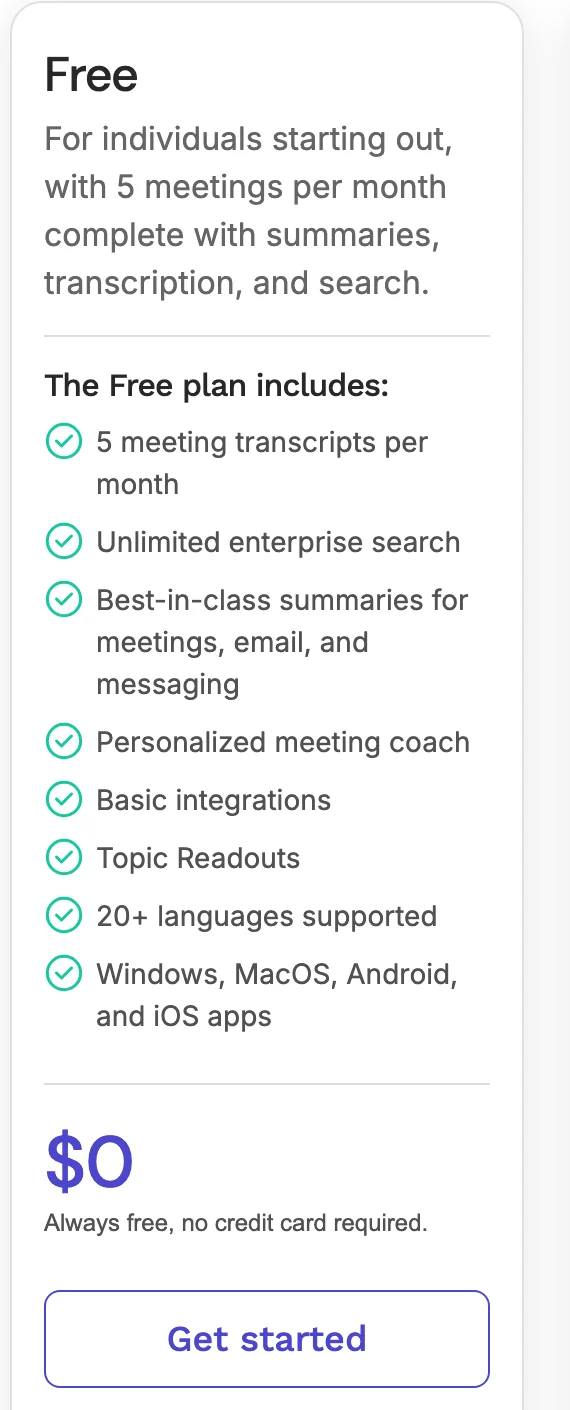
For free plans beyond these tools, see the best free AI note takers.
Is there a free AI to summarize meeting minutes?
Yes. If you already have a transcript or your own rough notes, paste them into a free AI chatbot such as ChatGPT and ask for minutes in a fixed format. We did this on October 5, 2026 on ChatGPT's free plan without signing in, with the notes and transcript of a sample meeting, and got minutes, an action item table and a follow-up email back (ChatGPT meeting notes has the screenshot and more prompts).
A prompt to start from:
Turn this transcript into meeting minutes with these headings: Meeting title, Date, Attendees, Decisions, Action items (owner and due date), Next meeting. Keep it short and factual. If the transcript doesn't say something, write "not recorded" instead of guessing.
Then check every name, number and decision against the transcript before you send it. For minutes a board will approve, meeting minutes AI walks through the checks.
If you don't have a transcript yet, Scribbl's free plan records, transcribes and summarizes 10 meetings a month on Google Meet, Zoom and Teams, and Zoom's free plan summarizes 3 meetings you host each month.
If you'd rather write the minutes yourself
You don't need an AI tool to write good minutes. Two free templates:
- Microsoft Word: free minutes templates, including Meeting minutes (simple), Board meeting minutes and Team meeting minutes. Open one in Word for the web, replace the text, then save, print or share it as a PDF (Word minutes templates).
- Google Docs: type @ in a Doc and pick Meeting notes from Building blocks, then choose the Calendar event. The template fills in the date, title and attendees and adds sections for notes and action items, which you can share with attendees or turn into a Gmail draft (Google: meeting notes in Google Docs, updated January 7, 2026).
Our own template, with filled-in examples for a team meeting and a formal meeting with motions, is in how to write meeting minutes. More layouts: meeting minutes example and meeting minutes format with action items.
How we compared
We read each company's pricing page and help center on October 7, 2026, and checked the seven AI note takers' prices and free plans again on their official pricing pages on October 19, 2026. Every fact on this page comes from those pages, not from other reviews. We compared what each company says its product does; we didn't create accounts on them. Where a company's own pages disagree, we say so, as with Fathom's language count and Fireflies' free storage. We make Scribbl and ranked it first for the reasons in its entry; its facts come from our own pricing page.
Several other lists of these tools still carry older numbers: 800 minutes of free Fireflies storage (it's 400 minutes per team now) and Granola showing 14 days of free history (it's 30 days). Most of those lists also leave out the AI built into Google Meet, Zoom and Teams. Prices and free plans change often, so check the linked page before you buy.
What we couldn't confirm on the companies' own pages: whether Zoom's summary, Granola and tl;dv list action items on their free plans, which Google Workspace editions include Take notes for me, and the current prices of Teams Premium and Microsoft Copilot.
FAQ
What is the best software to write meeting minutes?
An AI note taker that records the meeting and drafts the minutes for you. Scribbl, which makes this page, is our pick: for every Google Meet, Zoom and Microsoft Teams meeting it keeps the video, a transcript with speaker names, AI notes and action items, with nothing joining the call, and its Automations send the minutes on, like drafting the follow-up email or posting them to Slack. The free plan includes 10 meetings a month, and Pro is $13 per user per month billed annually. Otter assigns action items to people on every plan, but its bot joins by default and video replay is Enterprise only.
What is the best AI meeting minutes software in 2026?
Scribbl, which makes this page, is the best AI meeting minutes software in 2026 for meetings on Google Meet, Zoom and Microsoft Teams: nothing joins the call, and every meeting comes back with the video, a transcript with speaker names, AI notes and action items, the first draft of the minutes. Automations then send the minutes on: they draft the follow-up email, post to Slack or Teams, or save to Notion or Confluence, and ask before changing anything by default. The free plan includes Google Meet, Zoom and Microsoft Teams, with 10 meetings a month, and Pro is $13 per user per month billed annually. Otter (Pro $8.33 billed annually), Fathom (Premium $16), Fireflies (Pro $10) and tl;dv (Pro $18) send a bot into the call by default.
What is the best note taking software for meetings?
For meetings on Google Meet, Zoom and Microsoft Teams, the best note taking software is an AI note taker that writes the notes for you, and Scribbl, which makes this page, is our pick: nothing joins the call, and every meeting gets the video, a transcript with speaker names, AI notes and action items in one account. If you'd rather type your own notes and let AI fill them in, Granola does that, but keeps no recording and its free plan shows 30 days of history. For minutes you type yourself with no AI, use a free Word or Google Docs template.
What is the best app for recording meeting minutes?
Scribbl, which makes this page. It keeps the video and audio of every Google Meet, Zoom and Teams meeting, on every plan including free, with nothing joining the call, so you can check the minutes against the meeting. Fathom and tl;dv keep video too, usually from a bot in the call; Otter keeps audio and saves video for Enterprise; Granola keeps no recording. Whichever you use, tell everyone you're recording.
Is there a free AI for meeting minutes?
Yes. Scribbl's free plan (we make Scribbl) covers 10 meetings a month on Google Meet, Zoom and Teams, with the video, a transcript, AI notes and action items for each, and nothing joining the call. Fathom's free plan records unlimited meetings, but AI action items are paid. Otter's free plan includes action items, with 300 minutes a month and 30 minutes per conversation. Fireflies is unlimited on its free plan only with auto-join turned on. Read AI gives 5 meetings a month, and Zoom's free plan summarizes 3 meetings you host each month.
What is the best app for taking minutes?
Scribbl, which makes this page, for meetings on Google Meet, Zoom or Microsoft Teams, including online and hybrid board and committee meetings. Nothing joins the call, and you get the video, a transcript with speaker names, AI notes and action items, which make the first draft of the minutes. Among tools that send a bot by default, Otter writes action items on every plan.
Is there a free AI to summarize meeting minutes?
Yes. If you already have a transcript or rough notes, paste them into a free AI chatbot such as ChatGPT and ask for minutes with fixed headings: attendees, decisions, and action items with an owner and a due date. If you don't have a transcript yet, Scribbl's free plan records and summarizes 10 meetings a month on Google Meet, Zoom and Teams, and Zoom's free plan summarizes 3 meetings you host each month. Check names, numbers and decisions before you send anything.
What's the best app for taking meeting minutes?
For Google Meet, Zoom and Teams calls: Scribbl, which makes this page. It writes AI notes and action items for every meeting, keeps the video to check them against, and nothing joins the call. Otter writes action items on every plan but sends a bot by default, and Fathom records for free but its AI action items are paid.
What's the best software for meeting minutes?
Scribbl overall (we make it): the video, a transcript with speaker names, AI notes and action items for every Google Meet, Zoom and Teams meeting, with nothing joining the call. Otter for action items assigned to people, Fathom for unlimited recording with a bot, and Fireflies for 100+ languages. Google Meet, Microsoft Teams and Zoom have AI notes built in on paid plans. This page compares all 10 on free plans, prices, action items, bots and recordings, from each company's own pages; prices for the seven AI note takers were checked again on October 19, 2026.
Can AI write meeting minutes?
It can write the first draft. An AI note taker records the meeting and pulls out the summary, decisions and action items. You check them, add what formal minutes need (attendance, motions and votes), and send them. The group still approves the minutes.
Which meeting minutes app doesn't join the call as a bot?
Scribbl, which makes this page, never sends a bot on Google Meet, Zoom or Teams, and still keeps the video. Granola and the AI built into Google Meet, Zoom and Teams don't send one either, though Granola keeps no recording. Otter, Fireflies and tl;dv send a bot by default but can record from their desktop apps without one, and Fathom can skip the bot on a Mac. Whichever you use, tell everyone you're recording.
How do I record and transcribe meeting minutes for free?
Use a free plan that records and transcribes. Scribbl, which makes this page, covers 10 meetings a month on Google Meet, Zoom and Microsoft Teams, with the video, a transcript, AI notes and action items, and nothing joining the call. Fathom records unlimited meetings but its AI action items are paid, and Otter gives up to 300 minutes a month with action items. Tell everyone you're recording, then turn the AI notes into minutes with your template and check them against the recording.
Is there a meeting minutes app with no bot that keeps the video?
Yes. Scribbl, which makes this page, keeps the video with nothing joining the call on Google Meet (a Chrome extension), Zoom and Teams (Scribbl Desktop for Mac with Apple silicon, and Windows). After each meeting you get the video recording, a transcript with speaker names, AI notes and action items. Of the others on this page, only Fathom says its Mac app can capture video without a bot, and its pricing page marks that as in beta.
Sources
Every price, limit and setting above was checked on these pages on October 7, 2026, unless a date is given. The prices and free plans of Scribbl, Otter, Fathom, Fireflies, Granola, tl;dv and Read AI were checked again on their official pricing pages on October 19, 2026.
- Otter: pricing, Privacy & Security, Conversation Page Overview (updated September 13, 2026), Otter Notetaker Overview, Otter Desktop App (Mac & Windows), meeting minutes landing page
- Fathom: pricing, How Fathom works, Free vs. Premium for individuals, Is Fathom secure?
- Fireflies: pricing, AI Notetaker, Unlock unlimited transcriptions on the free plan, Free plan features
- Google: Take notes for me in Google Meet, How to create meeting notes in Google Docs (updated January 7, 2026)
- Microsoft: Intelligent recap for Teams calls, meetings, and events (updated August 18, 2026), Word meeting minutes templates
- Zoom: pricing, Using Meeting Summary with AI
- Granola: pricing
- tl;dv: pricing, What are the limits of the free plan? (updated November 24, 2025), Recording without a bot (updated July 9, 2026)
- Read AI: pricing
- Scribbl: pricing, desktop app
Try Scribbl
Let your meetings take their own notes.
Scribbl records, transcribes, and summarizes your Google Meet calls from your browser. No bot joins the call. Free forever for individuals.
Add to Chrome · It's free