Does Fathom Work With Google Meet, Teams and Zoom? Mac, Windows, Calendar and iPhone (2026)
Yes: Fathom records Google Meet, Teams and Zoom on Mac and Windows, bot-free on Mac only, as a bot on Teams and Windows. From Fathom's pages, Oct 19, 2026.
Updated October 23, 2026
The short answer
Checked on Fathom's help center and pricing page, October 19, 2026
Yes. Fathom records Google Meet, Microsoft Teams and Zoom meetings from its Mac and Windows desktop app. Bot-free recording is Mac only; Teams and Windows still use the Fathom Notetaker bot.
- Google Meet
- Yes. The Meet link must be in the location field of a primary-calendar event, or you paste it in. Chrome extension plus desktop app.
- Microsoft Teams
- Yes, as a bot. Fathom says Teams "isn't yet part of Fathom's bot-free recording experience." Needs anonymous join allowed.
- Zoom
- Yes. Bot-free on Mac; otherwise the bot joins, and users not on the new version must connect their Zoom account.
- Mac and Windows
- Both. Bot-free needs macOS 14.2 or later. On Windows, bot-free is "a limited Microsoft Teams alpha" in Fathom's words.
- iPhone
- In-person conversations only. No Android app, no phone calls.
- Want no bot on Windows and Teams?
- Scribbl records Teams and Zoom on Windows and Mac with nothing joining the call, and Google Meet from a Chrome extension.
Yes, Fathom works with Google Meet, Microsoft Teams and Zoom through its desktop app for Mac and Windows, with the catch that its bot-free recording is Mac only and Teams and Windows still send the Fathom Notetaker into the call. Scribbl, which we make, is an AI note taker for Google Meet that runs as a Chrome extension with nothing joining the call, plus Scribbl Desktop for Windows and Mac that does the same for Teams and Zoom, so there's no bot on any platform and the video is kept on every plan.
Below is each question in turn, answered from Fathom's help center and pricing page, checked October 19, 2026.
Does Fathom work with Google Meet?
Yes. Fathom's Google Meet guide says it "looks for any meetings on your calendar with a Google Meet link in the location field" and lists them in the desktop app's drawer for the day. Three things it needs:
- The right calendar. Only your primary calendar is checked: "Multiple calendars not supported."
- The link in the right place. "The Meet link must be in the LOCATION field of the calendar invite (not just the description)."
- The Chrome extension and the desktop app. The extension needs permission to "read and change site data on meet.google.com," and it "can intercept the click of a Google Meet meeting link and join any unscheduled calls." If a call isn't on your calendar, you paste the Meet URL into Add to Meeting.
Fathom's devices page says it records on Mac and Windows computers only: "Chromebooks & Linux aren't supported."
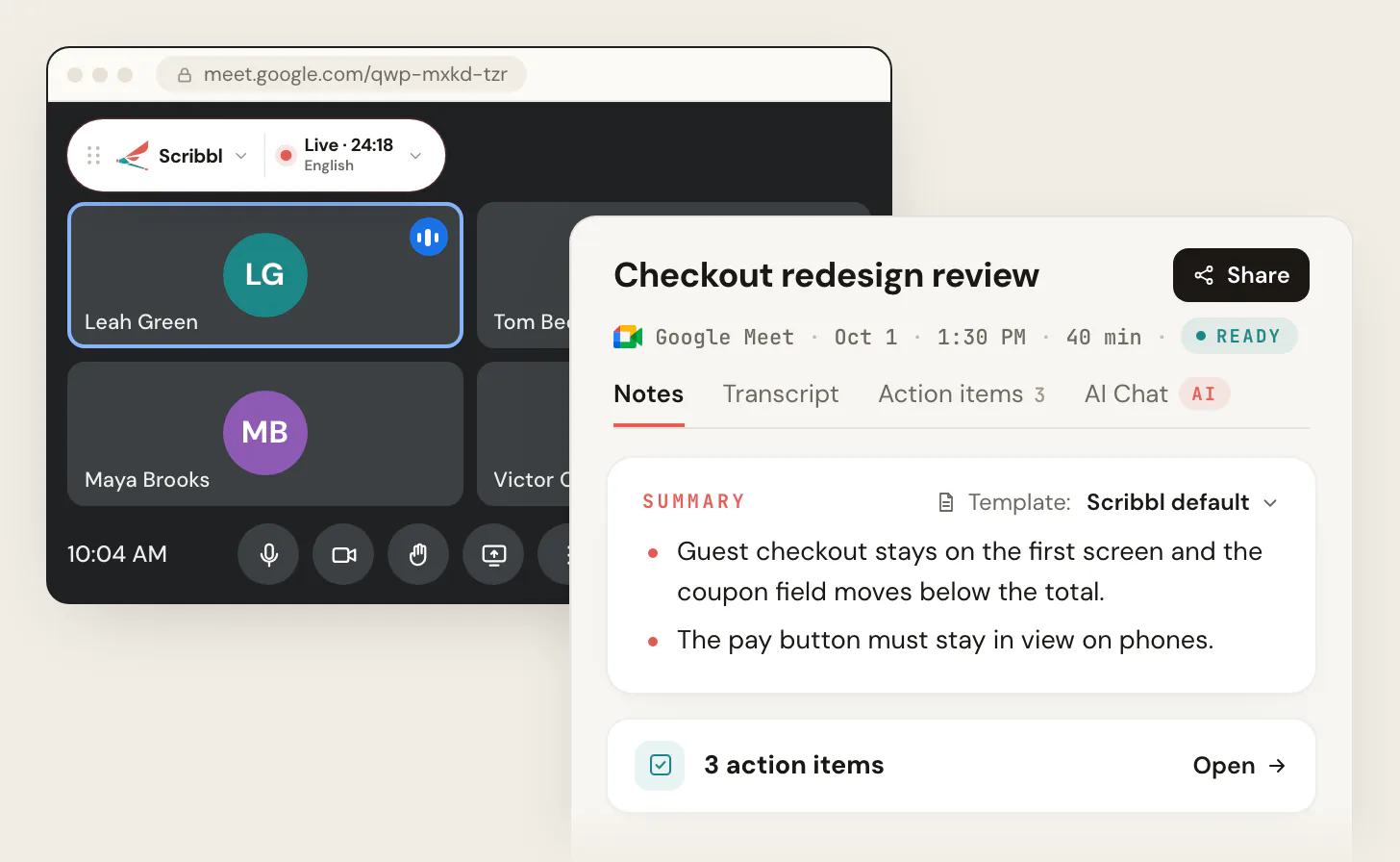
Scribbl works on Google Meet the simple way: the Chrome extension is the whole thing, it records any Meet you join whether or not you're the host, nothing joins the call, and you get the video, the transcript with speaker names, AI notes and action items. See Scribbl for Google Meet.
Does Fathom work with Microsoft Teams?
Yes, as a bot. Fathom's Teams setup guide says "Microsoft Teams is recorded by the Fathom Notetaker joining the call" and that Teams "isn't yet part of Fathom's bot-free recording experience." What it needs:
- Teams admin settings. The organization's "Anonymous users can join a meeting" setting must be on, and the organizer's meeting policy must let anonymous users join unverified. If the policy requires a verification challenge, Fathom can't enter.
- The lobby. If anonymous participants go to the lobby, someone has to admit Fathom. Microsoft may also flag it as a bot and hold it for approval even when other guests bypass the lobby; Microsoft's policy puts detected note-taker bots in the lobby by default (Microsoft Learn). Fathom may show as "Unverified."
- A scheduled meeting with a web link. Fathom "will only record Microsoft Teams meetings that are scheduled and on your calendar," the link must be a Teams web join link, and impromptu Teams calls may not be detected.
- No end-to-end encryption. The organizer must turn E2EE off. Webinars, Live Events, breakout rooms and Teams group-chat instant meetings aren't supported.
Scribbl records any Teams meeting you join from a Windows PC or a Mac with Apple silicon, with nothing joining the call, no lobby and no admin policy. See Scribbl for Microsoft Teams.
Does Fathom work with Zoom?
Yes, in three ways, depending on which Fathom you're on.
- Bot-free, Mac only. On Fathom's new version, you pick a capture mode before the call: Transcript Only (no bot, "nothing is recorded"), Audio Only (no bot, "audio is captured locally on your device, no video") or Audio & Video, which sends the bot to record both.
- The bot. On the previous version, used on Windows, Fathom joins as a participant. Fathom's Zoom guide says "Starting March 2, 2026, you must connect your Zoom account in order for Fathom to join Zoom calls" if you're not on the new version. Zoom shows participants its own recording notice.
- The Fathom Zoom app. Installed from the Zoom App Marketplace, it needs you to be the host on a paid Zoom plan, and Fathom says it "has limited in-meeting features compared to the Desktop App."
Fathom can't join Zoom webinars, meetings that require registration, or meetings with more than 250 participants, and it won't join a call you aren't on.
Scribbl Desktop records Zoom on Windows and Mac with nothing joining the call, whether you host or not, and keeps the video. See Scribbl for Zoom.
Does Fathom work on Windows and Mac?
Both, but not the same way.
- Mac. Fathom's bot-free version, which it calls Fathom 3.0+, is "only available for Mac users." It needs macOS 14.2 or later, the latest desktop app and inclusion in the rollout, and its pricing page labels bot-free capture a beta feature for Mac.
- Windows. Fathom's desktop app runs on Windows, but the bot-free experience isn't there: "Windows bot-free recording is currently in a limited Microsoft Teams alpha." On Windows the Notetaker bot joins your calls.
For Windows with nothing joining the call, see the best AI note takers for Windows; for Mac, the best AI note takers for Mac.
Does Fathom work with Outlook and Google Calendar?
Yes. Fathom's Quick Start Guide says to "connect your Google or Microsoft calendar so we can automatically join your meetings." Your meetings for the day appear in the desktop app, and a Join Meeting button starts the bot on scheduled or ongoing calls. Two limits: only your primary calendar is read, and Fathom only records a Zoom, Teams or Google Meet call "if you are also present on the call." It won't join a meeting you skip.
Does Fathom work on iPhone and Android?
iPhone only. Fathom's iOS app records in-person conversations with the phone's microphone on every plan and can "send a Fathom bot to virtual calls," but it doesn't record a Zoom, Meet or Teams call from the phone itself. Fathom says "Phone calls cannot be recorded" and "The app is iOS only (not available on Android)."
Other things people ask about Fathom
- Is Fathom free? The Free plan is $0 with unlimited recordings and storage. Advanced AI summaries cover "your first 5 calls each month" on Free; after that you get the general summary template. Premium is $16 per user per month billed annually or $20 monthly. Team is $15 or $19 and Business $25 or $34, each with a two-user minimum. See Fathom pricing.
- Does Fathom keep the video? Yes when the bot records (Audio & Video). The bot-free modes keep a transcript, or audio only.
- How does Fathom tell people it's recording? With the bot, Zoom and Teams show their own notices. Bot-free, Fathom posts "Fathom is recording and taking notes, and you consent by continuing" in the meeting chat when Recording Notice is on. You should still say it yourself.
- Is Fathom safe? See is Fathom safe for what its policies say.
Do it with Scribbl on Google Meet, Teams and Zoom
Every condition above comes from the bot: a Teams admin policy, a Zoom account to connect, a lobby, a calendar field. Scribbl has no bot on any platform, on Windows or Mac:
- 1
Add Scribbl
The Chrome extension for Google Meet. Scribbl Desktop for Zoom and Microsoft Teams, on Windows or a Mac with Apple silicon.
- 2
Join your meeting as usual
Scribbl starts when the meeting opens, whether or not you are the host. Nothing joins the call. Tell everyone you are recording.
- 3
Open the meeting in Scribbl
The video, the transcript with speaker names, AI notes and action items are there when the call ends.
The free plan includes Google Meet, Zoom and Microsoft Teams, with 10 meetings a month. Start free.
Scribbl vs Fathom on Google Meet, Teams, Zoom, Mac and Windows
| Feature | Scribbl | Fathom |
|---|---|---|
| Google Meet | Chrome extension, nothing joins | Desktop app plus Chrome extension; bot-free on Mac only |
| Microsoft Teams | Scribbl Desktop, nothing joins | Bot joins; needs anonymous join allowed |
| Zoom | Scribbl Desktop, nothing joins | Bot-free on Mac; bot elsewhere, Zoom account connected |
| Mac | Apple silicon | macOS 14.2 or later for bot-free |
| Windows | Nothing joins the call | Bot joins |
| Works when you are not the host | Yes | Desktop app yes; Zoom app host only |
| Calendar needed | No | Google or Microsoft, primary calendar, link in location field |
| Keeps the video recording | Every plan, no bot | Only when the bot records |
| AI notes on the free plan | Every meeting | Advanced summaries on the first 5 calls a month |
| Free plan | Google Meet, Zoom and Microsoft Teams, 10 meetings a month | Unlimited recordings |
Scribbl: the pick for Windows, Teams and anyone who doesn't want a bot
If you searched this because Fathom's bot got held in a Teams lobby, you're on Windows and the bot-free version never arrived, or your Meet link sat in the wrong calendar field, Scribbl is built for exactly that:
- The Chrome extension records Google Meet with nothing joining the call and no desktop app to install.
- Scribbl Desktop for Windows and for Macs with Apple silicon records Microsoft Teams and Zoom. Nothing joins the call.
- Every meeting gets the video recording, a transcript with speaker names, AI notes and action items, on every plan.
- Smart Collections sort meetings by themselves, and Automations do the follow-up when a meeting lands in a collection: draft the follow-up email, post to Slack or Microsoft Teams, log a note in HubSpot or Pipedrive, save to Notion, Google Drive or Confluence, or open an Asana, Monday, Linear or Jira ticket. They ask before they change anything by default.
- Ask ChatGPT or Claude about your past meetings on Pro.
- Private by default. Recordings are private, and Scribbl doesn't use your meetings to train AI for anyone other than you.
Pro is $13 per user per month billed annually, or $20 monthly. See pricing, compare Scribbl and Fathom in more detail, or see the best Fathom alternatives.
Whichever tool you use, tell everyone at the start that you're recording. Some US states require everyone in a conversation to agree, and Fathom's own onboarding asks you to confirm your recording consent responsibilities.
The free plan includes Google Meet, Zoom and Microsoft Teams, with 10 meetings a month. Start free.
FAQ
Does Fathom work with Google Meet?
Yes. Fathom finds calendar events with a Google Meet link in the location field of your primary calendar and lists them in its desktop app, and its Chrome extension can catch a click on a Meet link so Fathom joins an unscheduled call. If a call isn't on your calendar, you paste the Meet link into Add to Meeting. Chromebooks and Linux aren't supported. Scribbl records Google Meet from a Chrome extension with nothing joining the call and no desktop app to install.
Does Fathom work with Microsoft Teams?
Yes, as a bot. Fathom's Teams guide says Microsoft Teams is recorded by the Fathom Notetaker joining the call and isn't yet part of its bot-free recording. The organizer's Teams policy must allow anonymous users to join unverified, the bot may wait in the lobby marked Unverified, end-to-end encrypted meetings can't be recorded, and only scheduled Teams meetings on your calendar are picked up. Scribbl Desktop records Teams with nothing joining the call and no admin policy to change.
Does Fathom work with Zoom?
Yes. On Fathom's new bot-free version, which is Mac only, Transcript Only and Audio Only modes record a Zoom call with no bot, and Audio & Video sends the bot. On the previous version, used on Windows, the bot joins, and Fathom says that since March 2, 2026 you must connect your Zoom account for it to join. Fathom's separate Zoom app needs you to be the host on a paid Zoom plan. Zoom webinars, meetings that require registration and meetings with more than 250 participants aren't supported.
Does Fathom work on Windows?
Yes. Fathom's desktop app runs on Windows and Mac, and on Windows the Fathom Notetaker joins your Google Meet, Teams and Zoom calls as a participant. Bot-free recording is Mac only; Fathom says Windows bot-free recording is a limited Microsoft Teams alpha. Scribbl Desktop for Windows records Zoom and Teams with nothing joining the call.
Does Fathom work on Mac?
Yes, and the Mac app is where Fathom's bot-free recording lives. It needs macOS 14.2 or later, the latest desktop app and inclusion in Fathom's rollout. Before each meeting you choose Capture Off, Transcript Only (no bot, nothing recorded), Audio Only (no bot, audio kept locally, no video) or Audio & Video (a bot joins to record). Scribbl Desktop for Macs with Apple silicon records Zoom and Teams with nothing joining the call and keeps the video.
Does Fathom work with Outlook and Google Calendar?
Yes. Fathom connects to a Google or Microsoft calendar and joins meetings whose Zoom, Google Meet or Teams link is in the location field. Only your primary calendar is checked, and Fathom only records a call if you are also on it; it can't join a meeting without you.
Does Fathom work on iPhone or Android?
iPhone only. The Fathom iOS app records in-person conversations with the phone's microphone and can send the Fathom bot to a Zoom, Meet or Teams call, but it doesn't record those calls from the phone, and phone calls can't be recorded. There is no Android app.
Is Fathom free?
Fathom's Free plan is $0 with unlimited recordings and storage, and advanced AI summaries on your first 5 calls each month. Premium is $16 per user per month billed annually or $20 monthly. Team is $15 or $19 and Business $25 or $34 per user, each with a two-user minimum. Scribbl's free plan has no cap on AI notes per meeting, with 10 meetings a month.
How does Fathom meeting recording work?
Fathom records a meeting in one of two ways. With the Fathom Notetaker, a bot joins the Zoom, Google Meet or Teams call as a participant and makes the call recording with audio and video. That's how Fathom records Teams, calls on Windows (bot-free there is a limited Teams alpha) and Audio & Video mode on a Mac. On a Mac, Fathom's bot-free version adds Transcript Only, which records nothing, and Audio Only, which keeps audio on your device with no video, so a Fathom video recording needs the bot. Fathom only records calls you are on. Scribbl records the video of every Google Meet, Zoom and Teams meeting you join, with nothing joining the call.
What do Fathom transcription and meeting notes include?
Fathom's Free plan includes unlimited recordings and transcriptions and a summary of every call, but advanced AI summaries, which use Fathom's meeting templates, cover only your first 5 calls each month; after that you get the General/Enhanced summary. AI-generated action items are listed on Premium, at $16 per user per month billed annually or $20 monthly. Scribbl writes AI notes and action items for every meeting, next to a transcript with speaker names and the video, with nothing joining the call. The free plan includes Google Meet, Zoom and Microsoft Teams, with 10 meetings a month.
Is Scribbl free, and do I need to be the host?
Scribbl is free to start, and you don't need to be the host: the Chrome extension records any Google Meet you join, and Scribbl Desktop records any Zoom or Teams meeting you join, with nothing joining the call. Every meeting gets the video, a transcript with speaker names, AI notes and action items. The free plan includes Google Meet, Zoom and Microsoft Teams, with 10 meetings a month. Start free at extension.app.scribbl.co/signup.
Sources
Every Fathom fact above was checked on these pages on October 19, 2026. The Free and Premium plan lists on Fathom's pricing page were checked again on October 23, 2026.
- Fathom help center: Quick Start Guide, Supported devices, Using Fathom with Google Meet, Using the Google Chrome Extension, Using Fathom with Microsoft Teams, Set Up Fathom for Microsoft Teams & Troubleshoot Join Failures, Quick Start Guide: Fathom Zoom App, Adding Fathom to your Current Call, Fathom Desktop App, How to Upgrade to Fathom 3.0+, Can Fathom join calls without me?, Fathom iOS app, Recording without permission, Free vs. Premium for Individuals
- Fathom: pricing, video conferencing integrations
- Microsoft Learn: Manage external bots and their access to meetings hosted in your organization (updated July 20, 2026)
- Scribbl: pricing, Scribbl Desktop, privacy policy
Try Scribbl
Let your meetings take their own notes.
Scribbl records, transcribes, and summarizes your Google Meet calls from your browser. No bot joins the call. Free forever for individuals.
Add to Chrome · It's free